Nextcloud Hub 26 Winter is here. Watch the announcements!
The global announcement in full length of Nextcloud Hub 26 Winter. See how the new Hub expands your choices, strengthens your control, and protects your digital autonomy.
Big Tech companies are dominating every aspect of our lives and work, and we’re all getting tired of it. Their power is a threat to privacy, and, on a bigger scale, democracy and the sovereignty of entire countries. And for businesses, there is a real risk to resilience, compliance, and security.
The result is that individuals and organizations are looking to take back ownership of their data. Digital sovereignty is becoming a priority. We see a strong momentum, for example, in France, Austria, and the Netherlands. Change is coming!
At Nextcloud, we are happy to provide the means. As you are reading this, Nextcloud is running on over 500,000 servers, some of which have millions of users. Every year, millions of new people see Nextcloud power their digital workplace, giving them control over their data. With every release, we are pushing to give you more control while removing the barriers to transparent and open technology.
With Nextcloud Hub 26 Winter, we deliver improvements to data portability and cross-organization collaboration features. We hardened Nextcloud’s security and improved performance across the board. And of course, our designers and engineers have been busy researching and fine-tuning file sharing, email, chats, meetings, and everything you deal with on a daily basis.
Introducing the new Nextcloud Hub 26 Winter, your platform for digital freedom.
Powered by community 💙
Nextcloud Hub 26 Winter is the result of the combined community effort of thousands of brilliant and motivated developers, testers, translators, writers, and designers. They collaborate around a vision of privacy, control and freedom as private individuals, team members at the Nextcloud company or contributors at hundreds of enterprises, universities, service providers and a wide variety of public entities.
It is this ecosystem that is the real strength of Nextcloud, allowing the open source community to challenge big tech head on. We truly stand on the shoulders of giants. Thank you, everybody, for your amazing help!
Every new digital work place, ever users’ document, chat or video that is kept private and secure is the result of your hard work, so we celebrate this release together with all of you!
What does it mean to own your data? It’s when you decide where and how to store, move, and collaborate on it. We give you more ways to work together online while staying in control of your data.
Host it where you want 🏡
Control always means choice. With Nextcloud Hub, nobody locks you into a cloud to control you and extract more money, holding your data, tools or privacy hostage. You decide where your data is: on your company’s server, with a provider you trust, or maybe at home, on your Raspberry Pi.
Easy data migration, export, and import ↔️
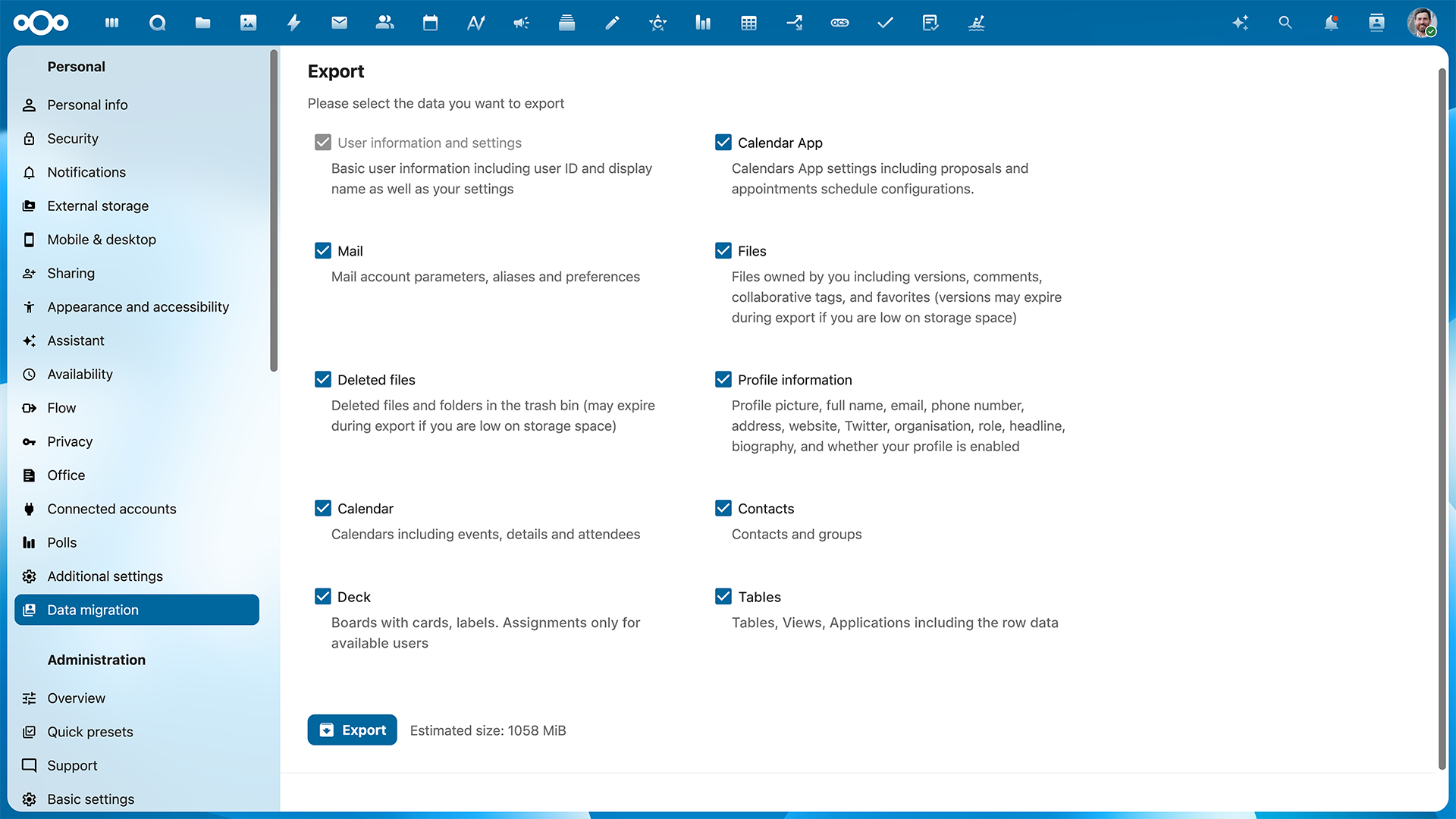
When you are in control, you can move your own data, such as files, tasks, or users, out and in. Nextcloud is built on open standards, which makes it strong at interoperability and migration. With Nextcloud Hub 26 Winter, we improve the user migration, which allows you to move your data to another server:
The tool allows easy migration between Nextcloud instances: export your data and import it on a new server!
We now install and enable the app by default with many profiles.
Added support for export/import of Nextcloud Mail, Contacts, Calendar, Tables and Deck.
Decentralized collaboration with federation features 🌐
Nextcloud is fundamentally decentralized, which means powerful collaboration even across servers. This is called Federation. While you can’t send chat messages between closed platforms like Facebook Chat and Telegram, you can send an email from Gmail to Hotmail and then to your work mailbox: that’s federation in practice.
Federation lets you collaborate across Nextcloud Hub servers with a single account. For example, invite a person from another organization to a chat or a call from their instance. Or share a file to their Federated Cloud ID, and it pops in their file system just like any other share.
Now federated: Nextcloud Deck, Calendar, and Teams
We are expanding federated features in Nextcloud Hub. Now you can share Nextcloud Deck boards with people from the outside to let them browse, add cards, or create stacks. With calendar federation, you can track events in shared calendars for cross-team planning.
Another app that now supports federation is Nextcloud Teams. It lets people create own groups to streamline group sharing across apps and have easy access to all shared resources. Now you can create teams with people from different Nextcloud Hubs.
For extra security in collaboration across servers, file locking now also works in federated sharing.
Let the experts take you on tour: Watch the Nextcloud Hub 26 Winter webinar
Join us for a demo of Nextcloud Hub 26 Winter and Q&A with our team. Sign up now to receive a recording!
Nextcloud Hub is designed for environments where security and compliance matter. That’s why it’s already powering thousands of critical setups with strict compliance frameworks. And at home, where your family photos don’t require a complete security policy, Nextcloud keeps your data away from the prying eyes of Big Tech. Enterprise-grade protection is now accessible to all.
With this release, we updated security features useful for both private setups and organizations.
Extended end-to-end encryption features in the browser 🔐
Keeping your files encrypted now takes less effort with more options in the browser:
Set up end-to-end encryption directly in the browser.
Change permissions for encrypted files and create public sharing links.
Request encrypted file drops from other people.
Manage your encrypted files in the browser.
Please keep in mind that working with encrypted files in the browser is always less secure than via your local client.
Automatic labels in Confidential Files 🏷️
The Confidential Files feature can automatically assign classification labels to files based on properties and metadata. This helps automate access restrictions or set up automations in Nextcloud Flow. With this release, security labels are automatically readjusted when document properties change.
Restrictions for external calendar invites 🤫
We added a setting to restrict external invites in Nextcloud Calendar to protect you from potential security risks. When the restriction is enabled, people will only be able to invite other Nextcloud users.
Full-stack collaboration, no sharp edges
One of our goals at Nextcloud is to break the myth that secure, open source tools are intimidating and complex. We bring all you need in one place, automate what shouldn’t need thinking about, and give you low-friction, human-centric design. While having more control, with Nextcloud Hub 26 Winter you get more done with less effort.
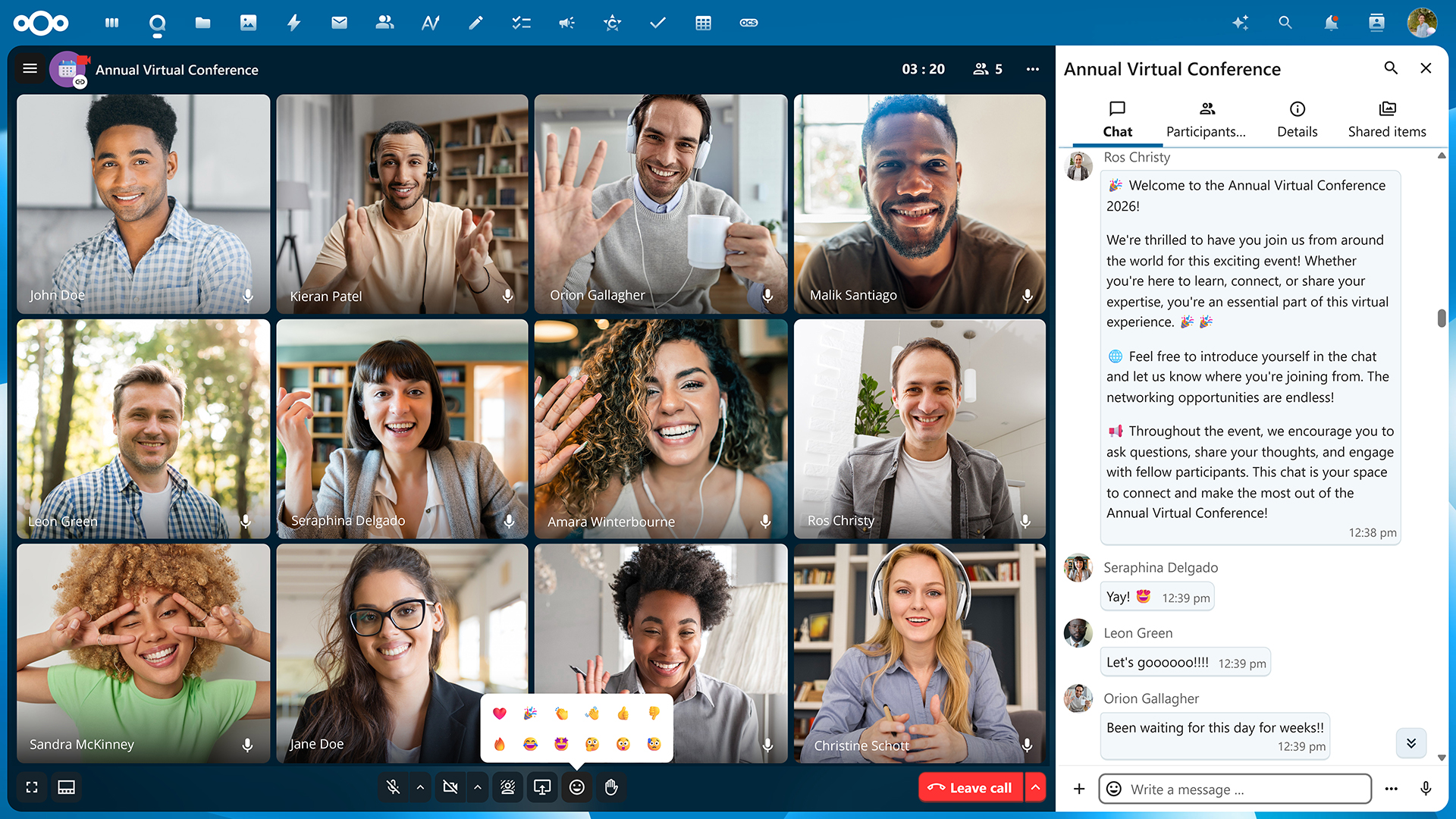
Connected without friction in Nextcloud Talk 🤝
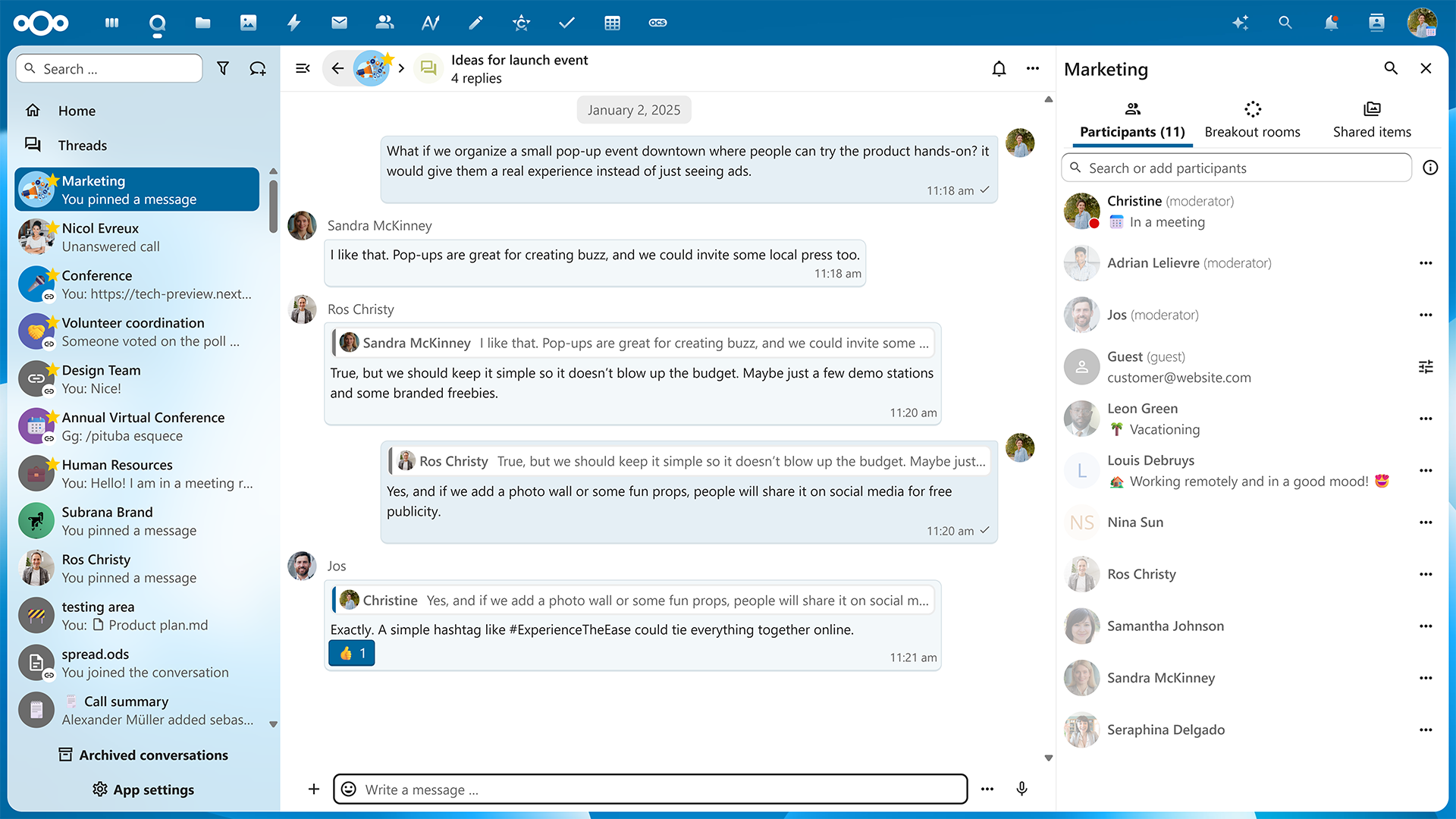
Function first: pinning, scheduling, and a two-sided layout
We introduce multiple features for your day-to-day chat interactions. First, you can pin messages to keep group announcements, reminders, links, and files visible. You can configure the time period to automatically unpin the message later, as well as browse all the pinned messages in the sidebar menu.
Schedule messages to be sent later to head into your evenings and holidays with a clear head. Quick time presets are there for your convenience.
Optionally split the message bubbles and display your messages on the right, similar to other popular chat apps.
Live meeting translations and smarter audio
You can now use live transcription with translation, bridging the language gaps for international teams. Transcriptions are powered by AI, which is completely optional.
You can now configure audio options for your calls as opt-in settings:
Auto-gain to automatically adjust volume and make it more consistent and clear.
Echo cancellation for uninterrupted sound during busy meetings.
Noise suppression for clear audio when wording from noisy environments.
And finally, background blur in video meetings is now more efficient and accurate with hardware acceleration.
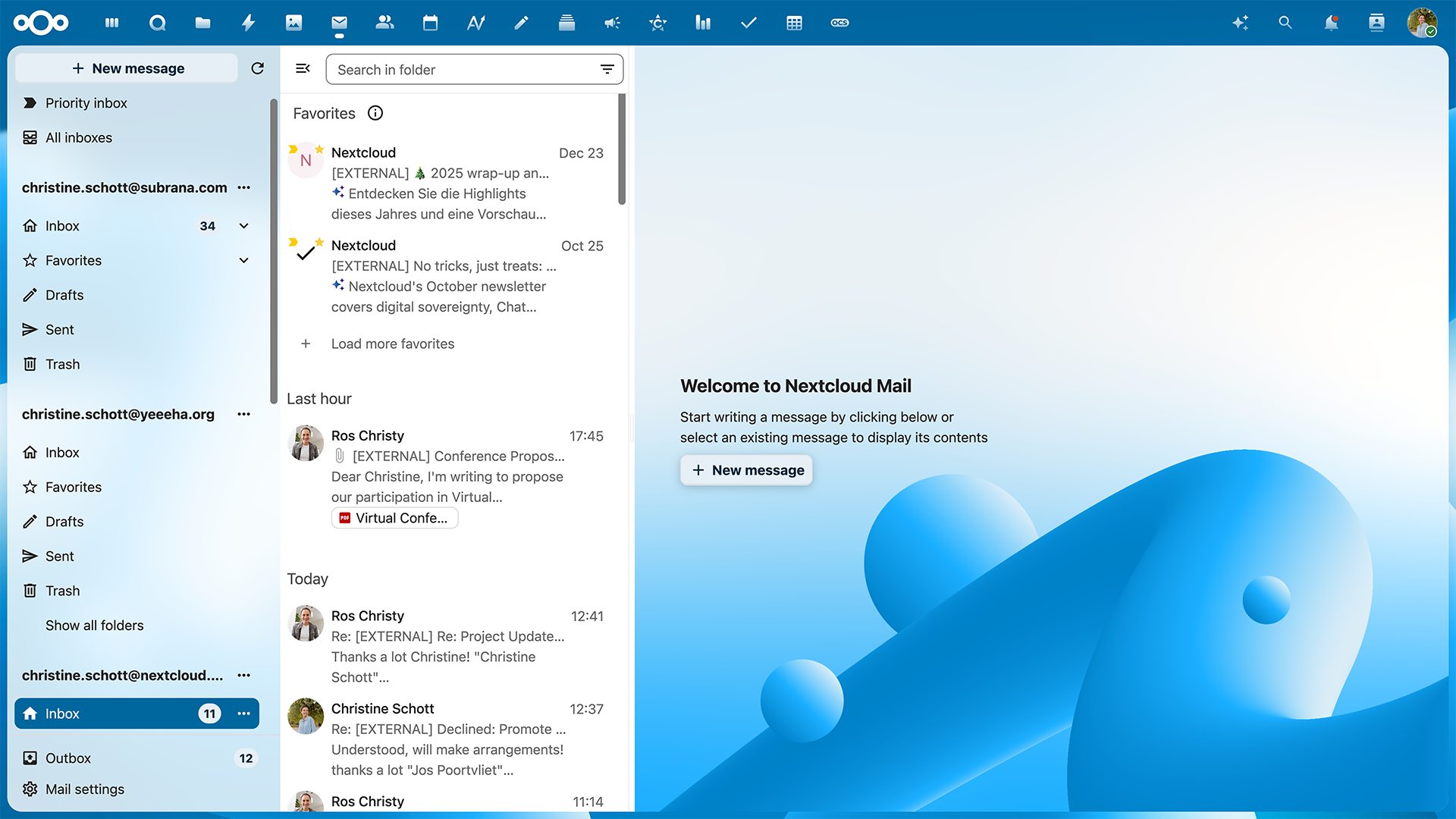
Everyday simplicity in Nextcloud Mail 🧘
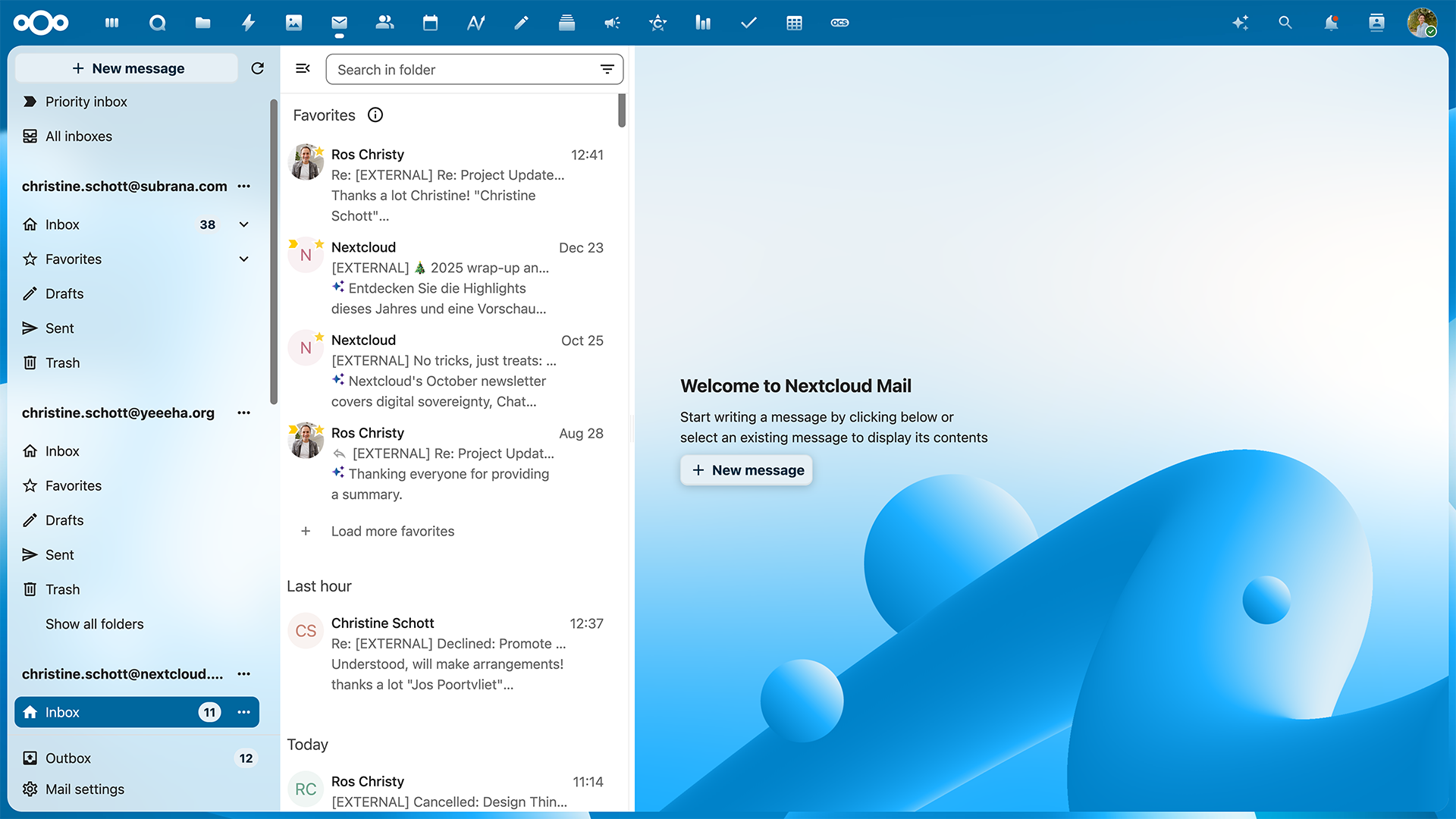
Overview of attachments
Attachments are now immediately visible in your threads, so there’s no need to scroll through all your messages to find documents.
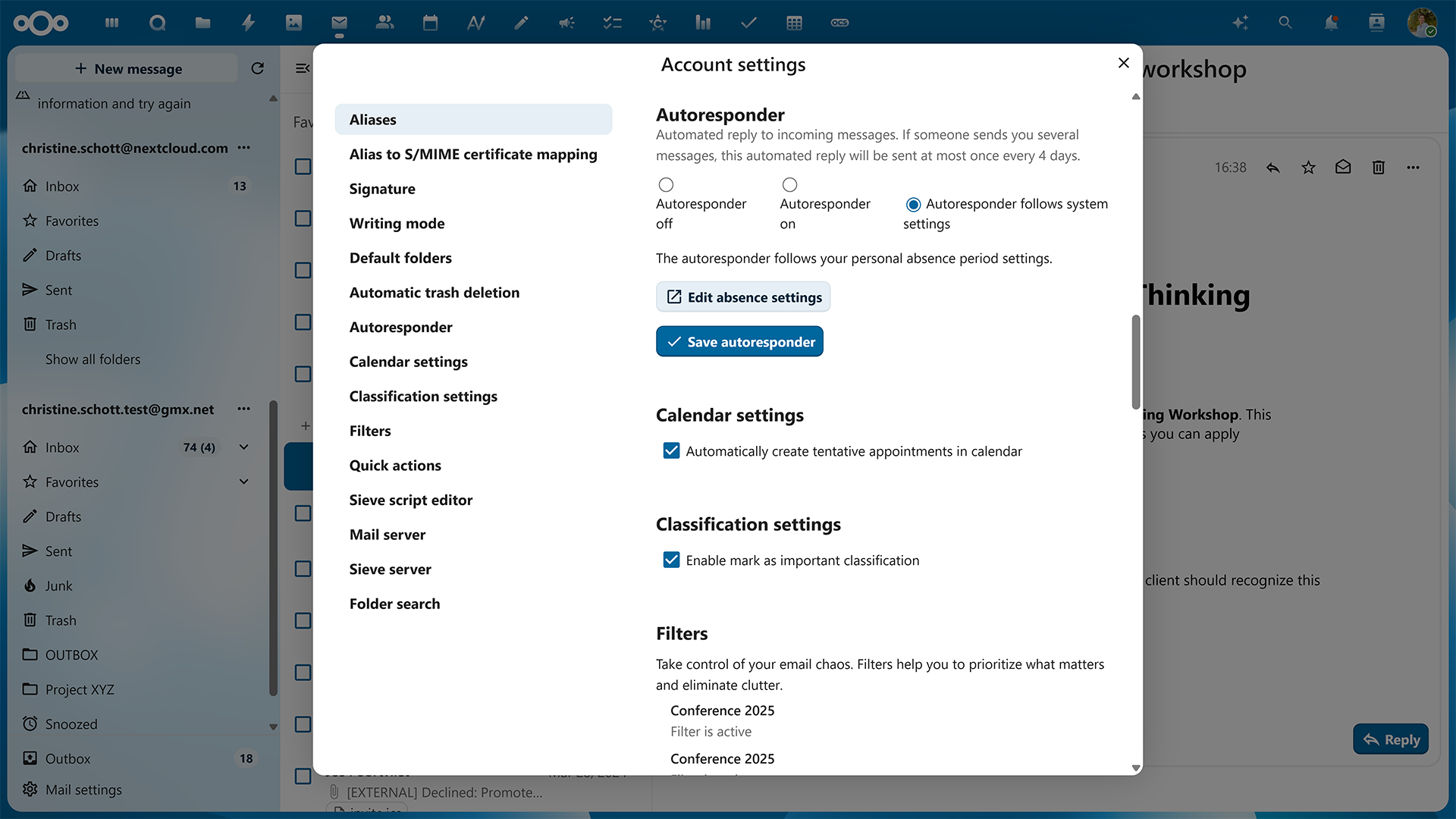
Meeting invites automatically in your calendar
You can enable automatic tentative appointments from emails in Nextcloud Calendar. When this setting is on, all meeting invitations you receive via email will appear in your calendar, so you can accept or decline them.
Favorite threads
For conversations you absolutely don’t want to miss, mark a thread you want to follow as a favorite to pin it to the top of your inbox.
Compact mode
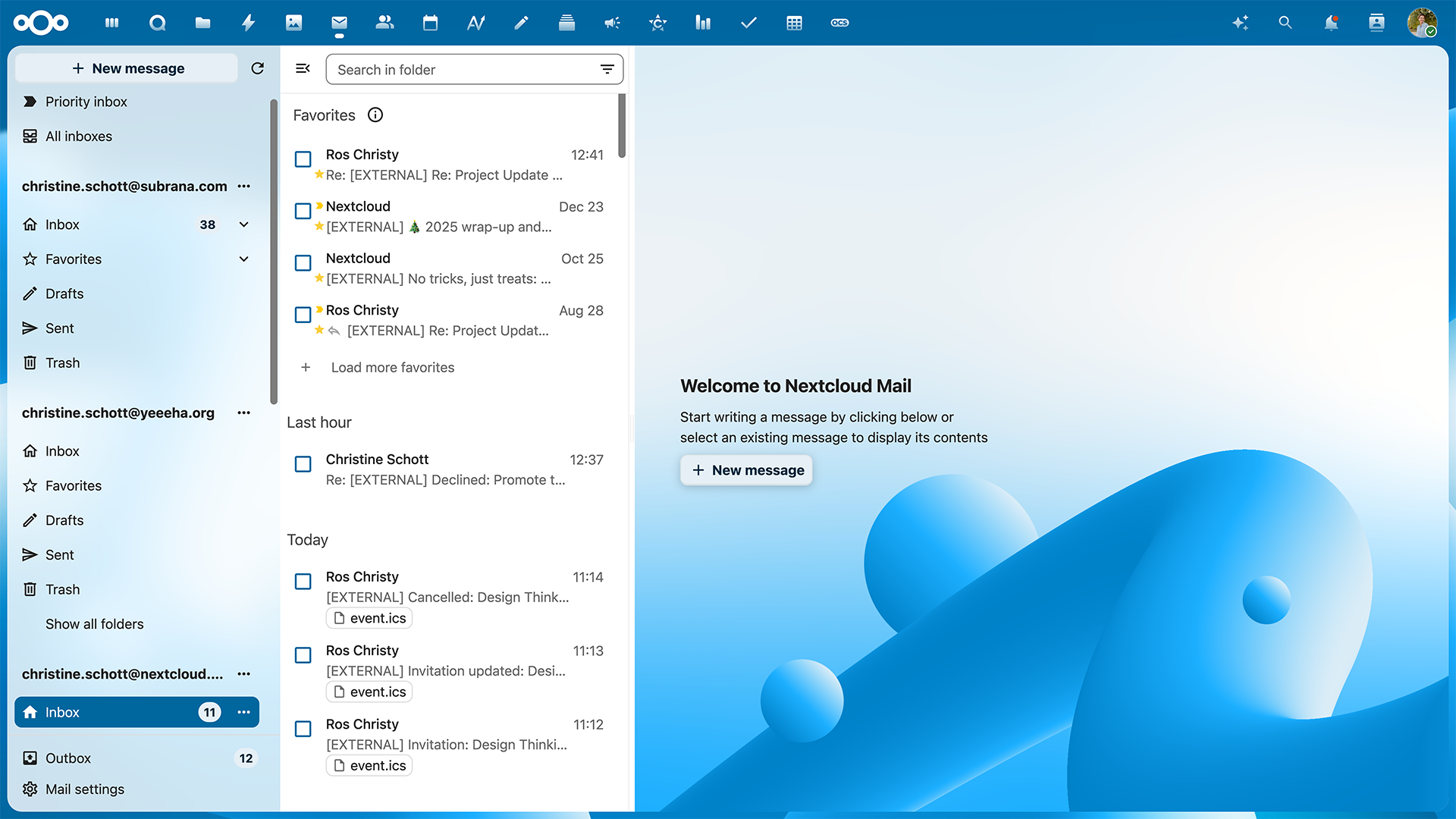
Turn off message previews and browse more emails at once in a compact mailbox with “Compact mode”.
Nextcloud Mail with Compact mode off
Nextcloud Mail with Compact mode on
Improved filtering
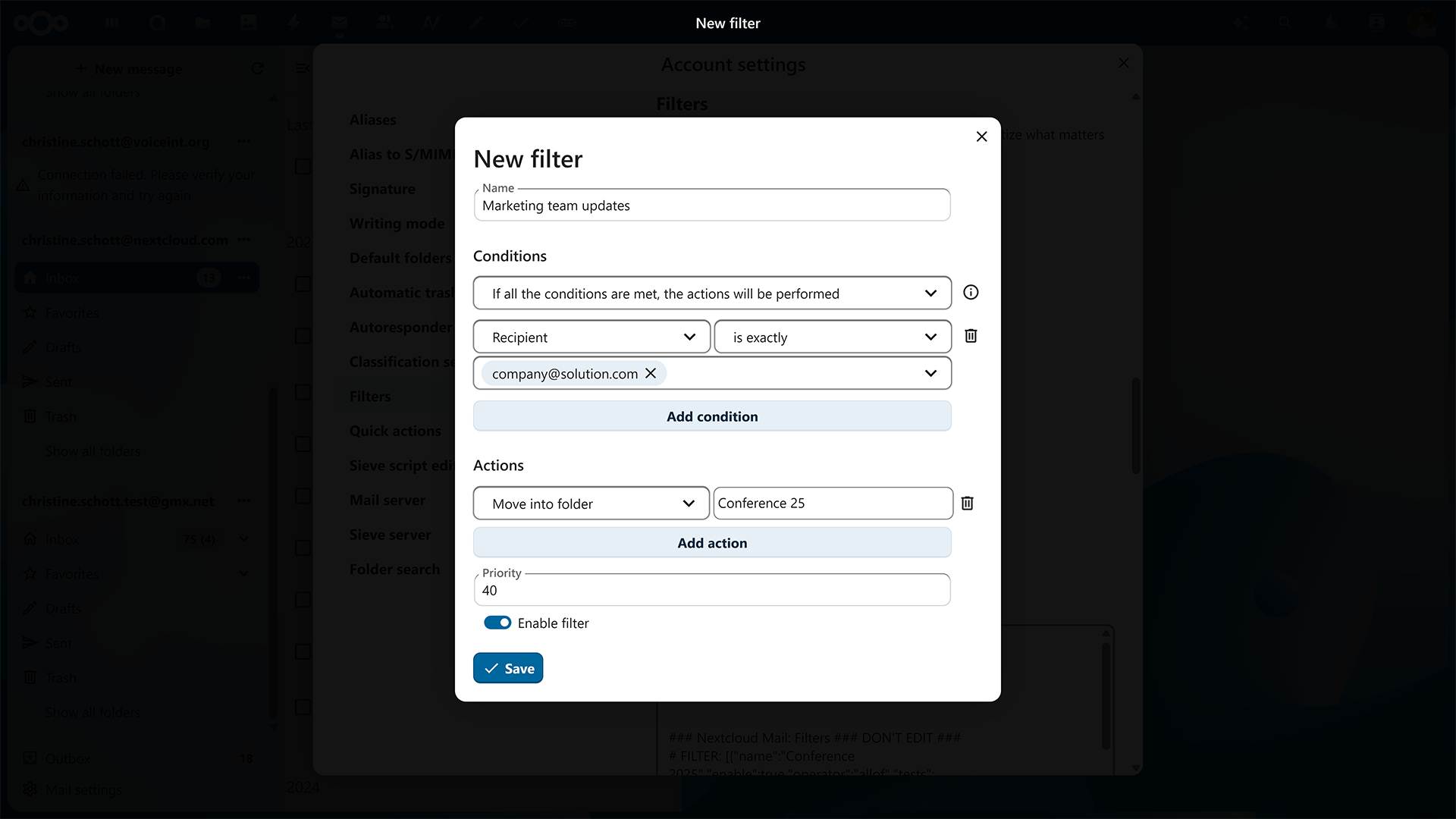
We improved the UI of advanced filters by polishing the design, improving wording, and expanding some of its features. Quick filters have also been improved: you can now filter out unread emails, emails with attachments, and emails addressed to you quickly from the top of your inbox.
Nextcloud Office: file comparison, usability, and more 🖋️
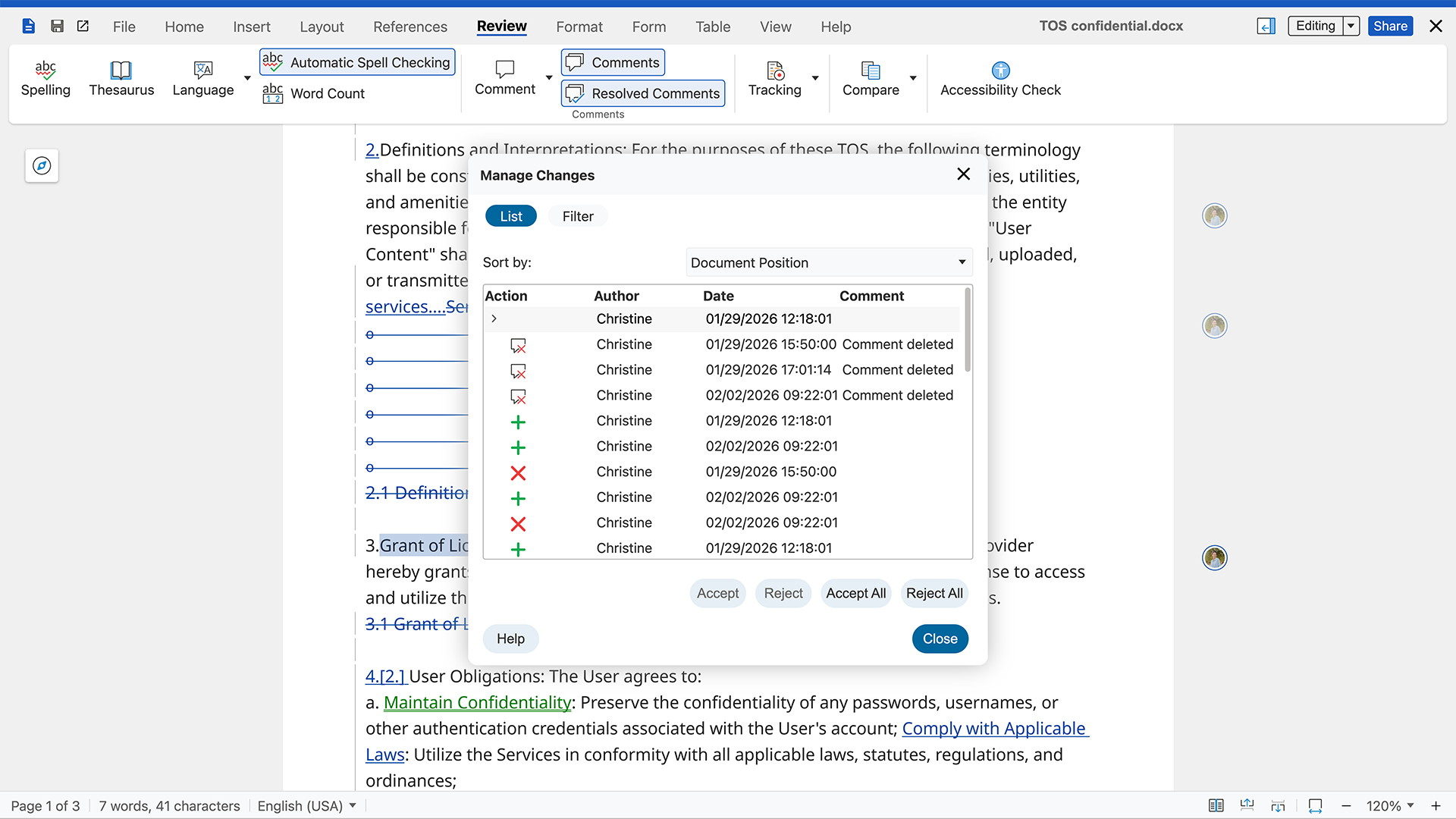
Document comparison
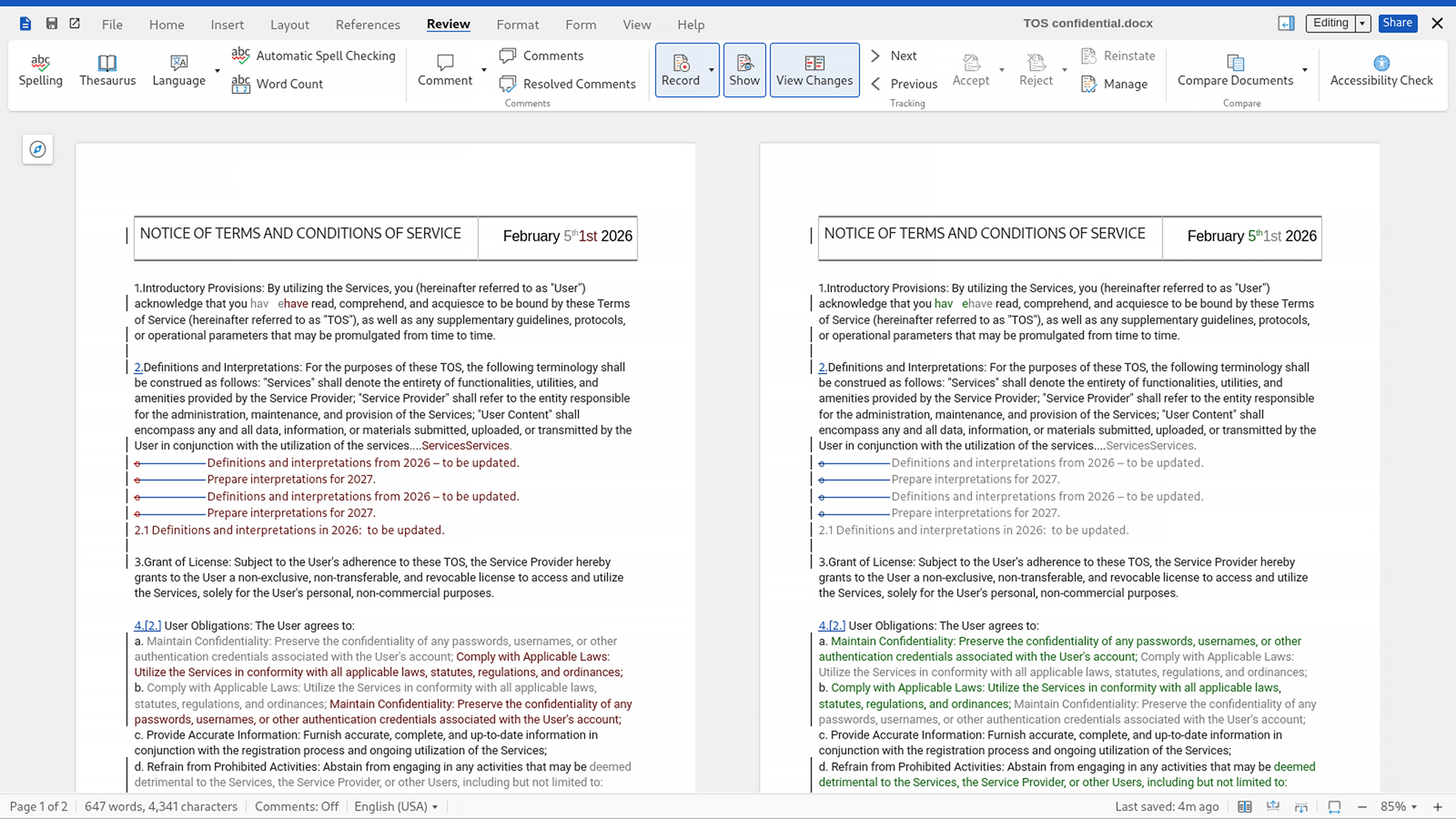
The smallest details matter when you work with multiple versions of important files. Think contracts, agreements, or policies. By popular demand, we introduced two ways to compare documents. The feature also lets you select another file from Nextcloud or the local disk to compare with your current file.
1. Compare side-by-side:
Browse the content of both files right in front of you with all changes highlighted in text and tracked on the left margin.
2. Compare in Manage Changes mode:
Nextcloud Office uses the Manage Changes mode to compare differences in one file, which you can navigate, accept, or decline.
Usability improvements
You can now read and resolve comments more easily. We improved comment cards, adding a quick editing icon and polishing the design.
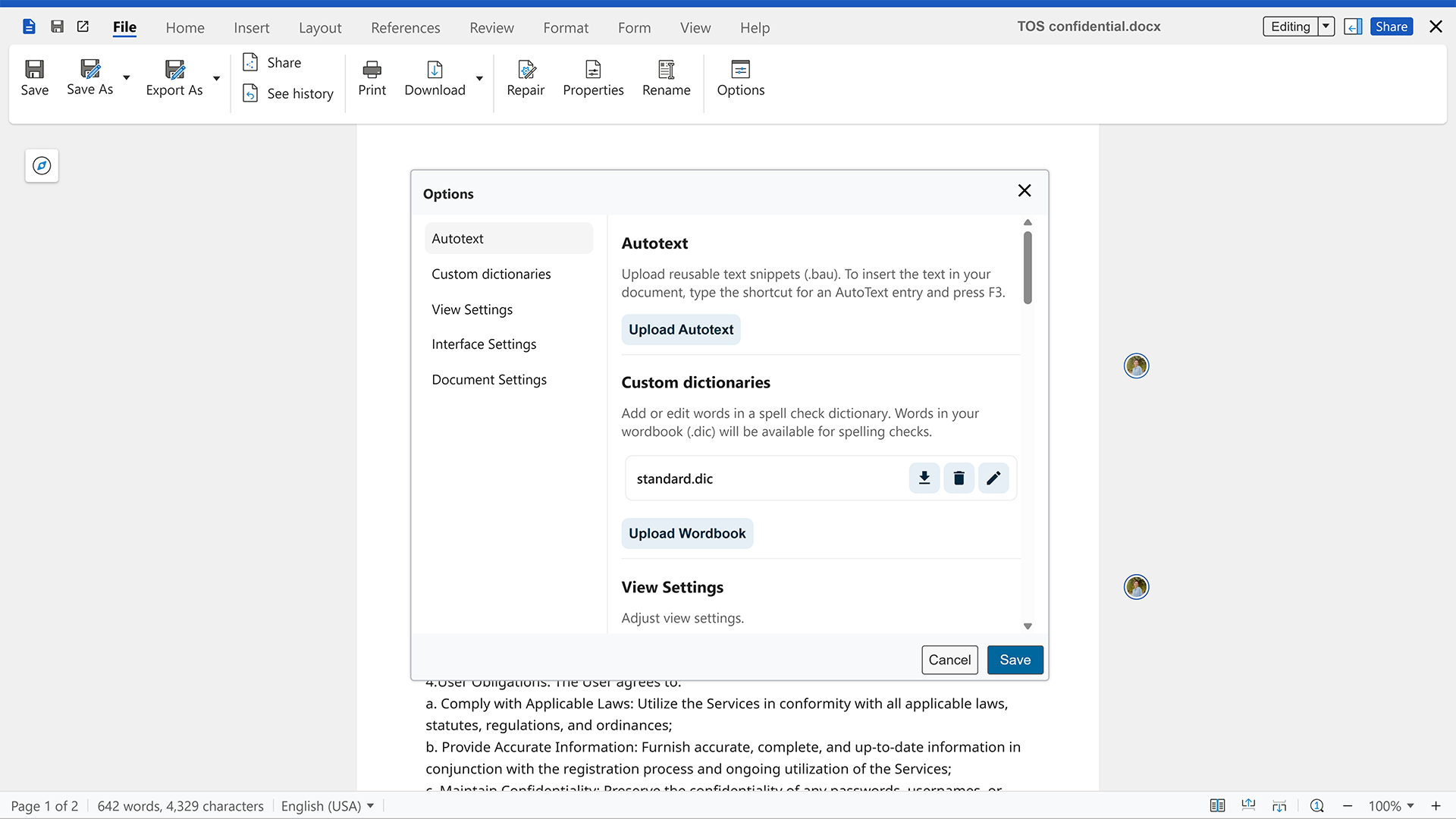
You can now access Nextcloud Office settings quickly, via Options menu in the Files tab.
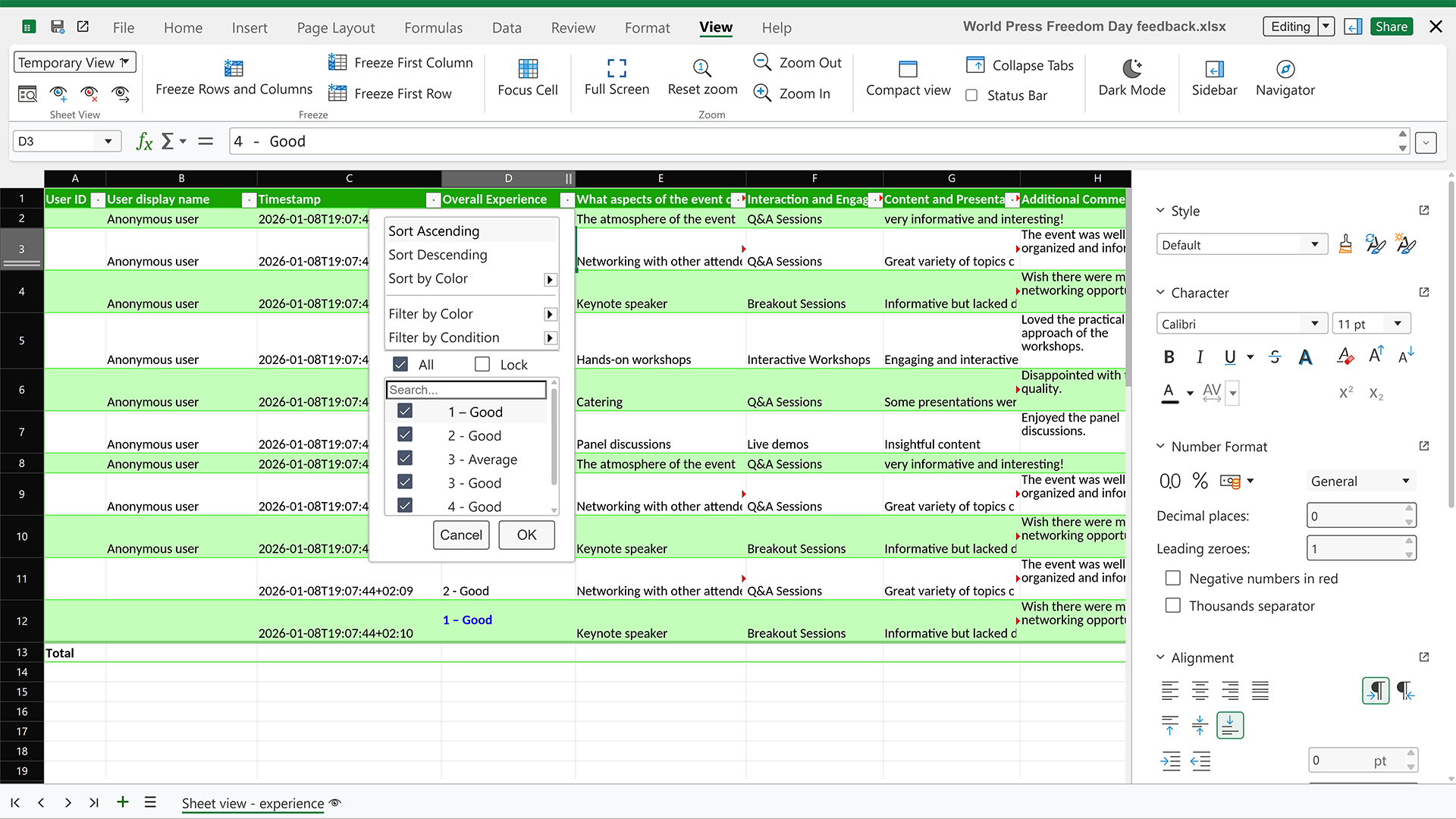
Sheet Views in spreadsheets
Activate Sheet View to filter data independently from other collaborators in your spreadsheet. This greatly reduces interruptions when many people need to access the same data in large data sets.
Table Design tab
The new Table Design tab lets you adjust the appearance of your tables in XLSX files using banded rows or columns, and also access style presets quickly. If you open a Microsoft file with a styled table, Nextcloud Office can recognize it and let you switch to another style.
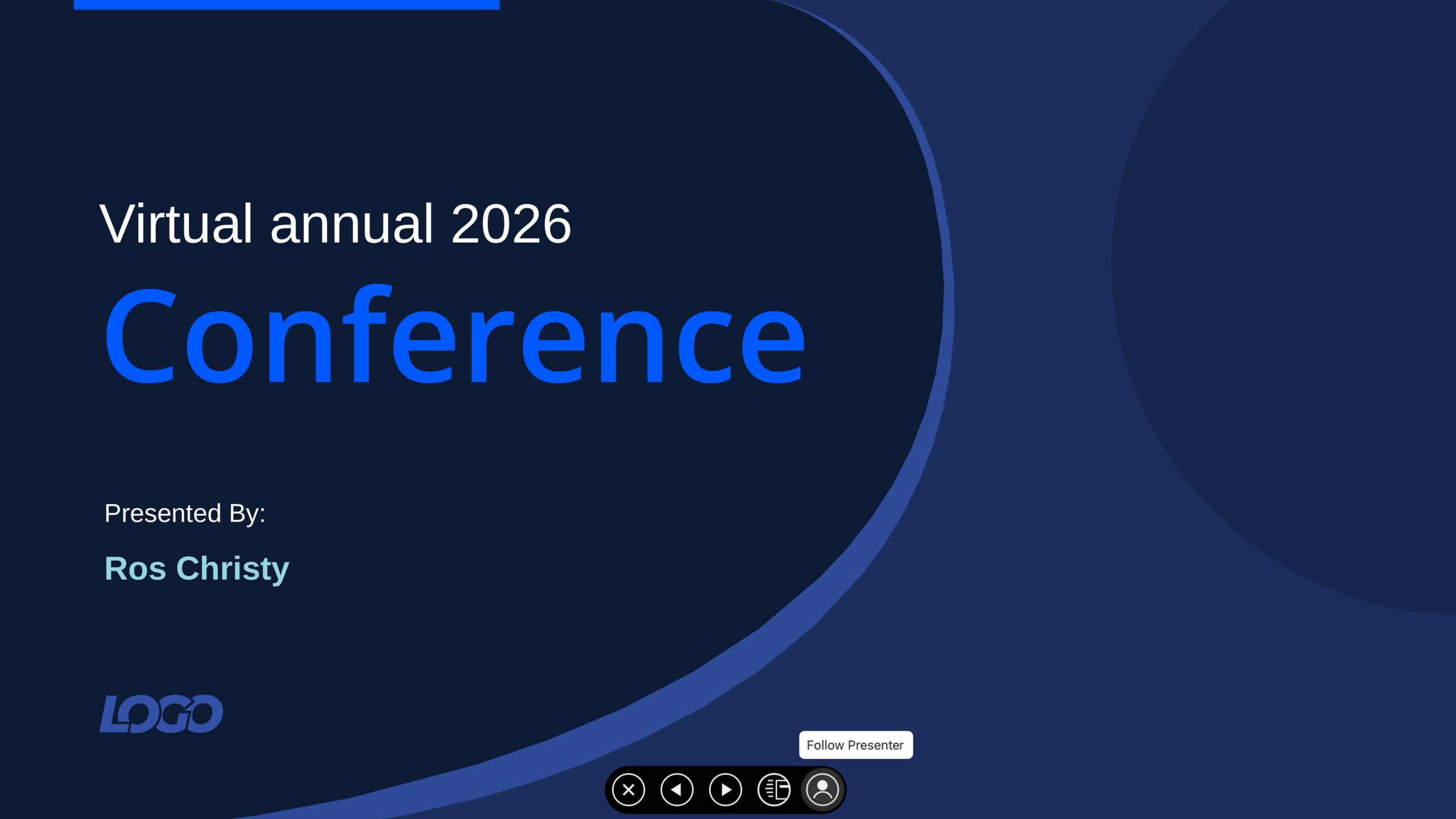
Synchronized online slide shows
Sometimes you don’t have access to a a big screen or projector to run a slideshow, or maybe your screenshare does not perform well with a slow connection.
With the “Present to All” feature, you can present to everyone online. People in the document follow you automatically as you switch between the slides.
For example, you can share a presentation file in a Nextcloud Talk call, ask people to open the file and follow the presenter, then run a presentation without the need for a screen share. And everyone can also go back to check anything they missed.
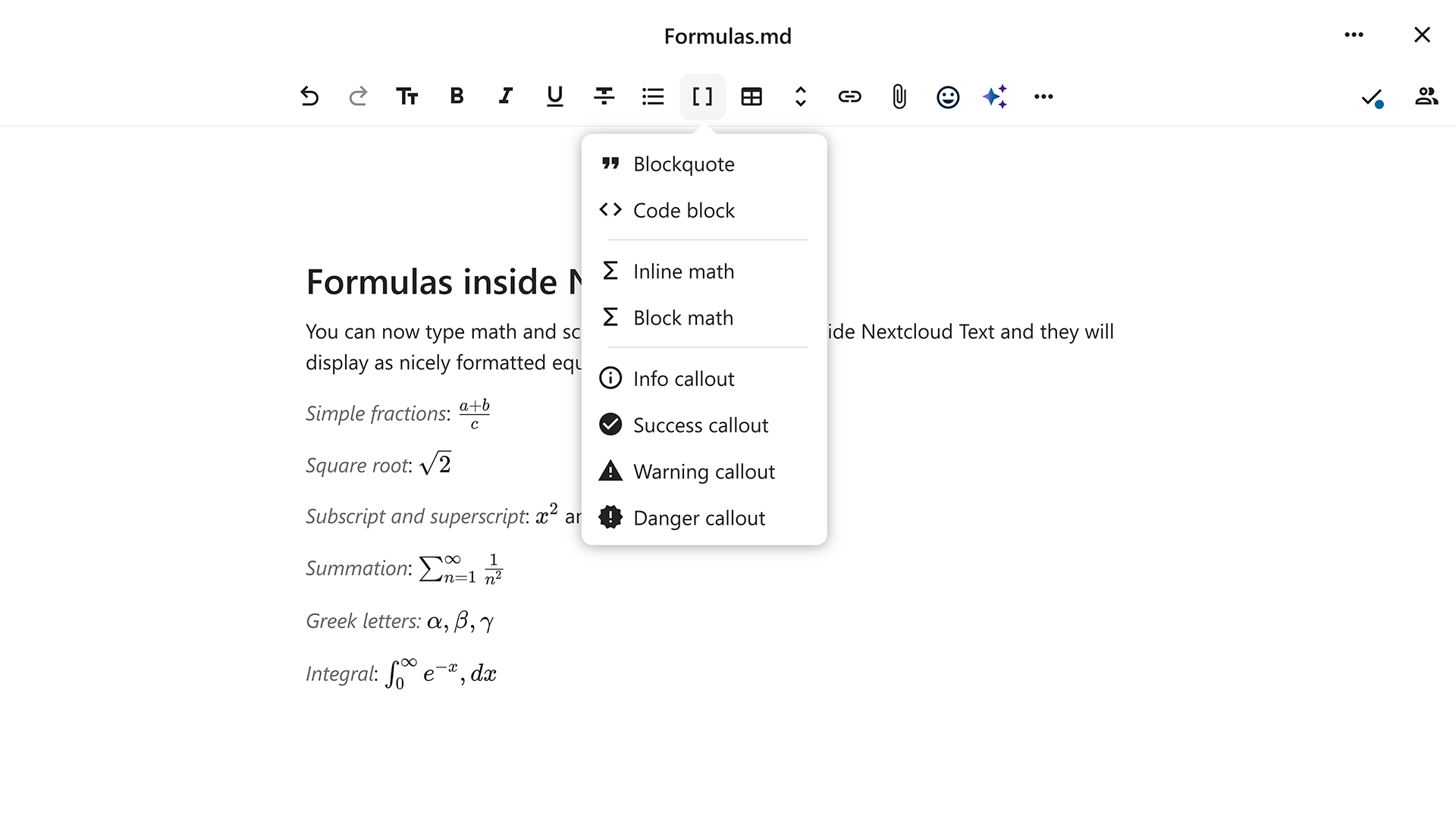
LaTeX support in Nextcloud Text
Working with scientific formulas? You can now use LaTeX formatting in Nextcloud Text: type formulas directly in the text, and they will be converted to nicely formatted equations.
More robust productivity apps
Some of us deal with unstable networks pretty often, especially during travel. In Nextcloud Hub 26 Winter, we made Nextcloud Text and Collectives more robust in the face of a weak internet connection.
Mobile accessibility improvements
On devices with limited screen height, toolbars automatically collapse to give you more space. Support for iOS VoiceOver assists screen reader users on iOS when enabled in Nextcloud Office admin settings.
Whiteboards for busier sessions 🧑🏫
We are expanding the tools available to you in Nextcloud Whiteboard so you can run more interactive, immersive sessions while staying organized, even with many participants.
Timers
Set global timers for group tasks to make sure everyone stays on schedule.
Voting
Add voting to conduct polls or make team decisions, and then render the results for everyone on the whiteboard.
Reactions
People can add emoji reactions to respond to ideas on the whiteboard and interact with elements.
Comments
Use comments to leave contextual feedback on any sketch, diagram, or text. Ask questions or have focused discussions among the team.
Tables
You can create and insert tables in your Whiteboards to structure information easily, without the need to link outside sources.
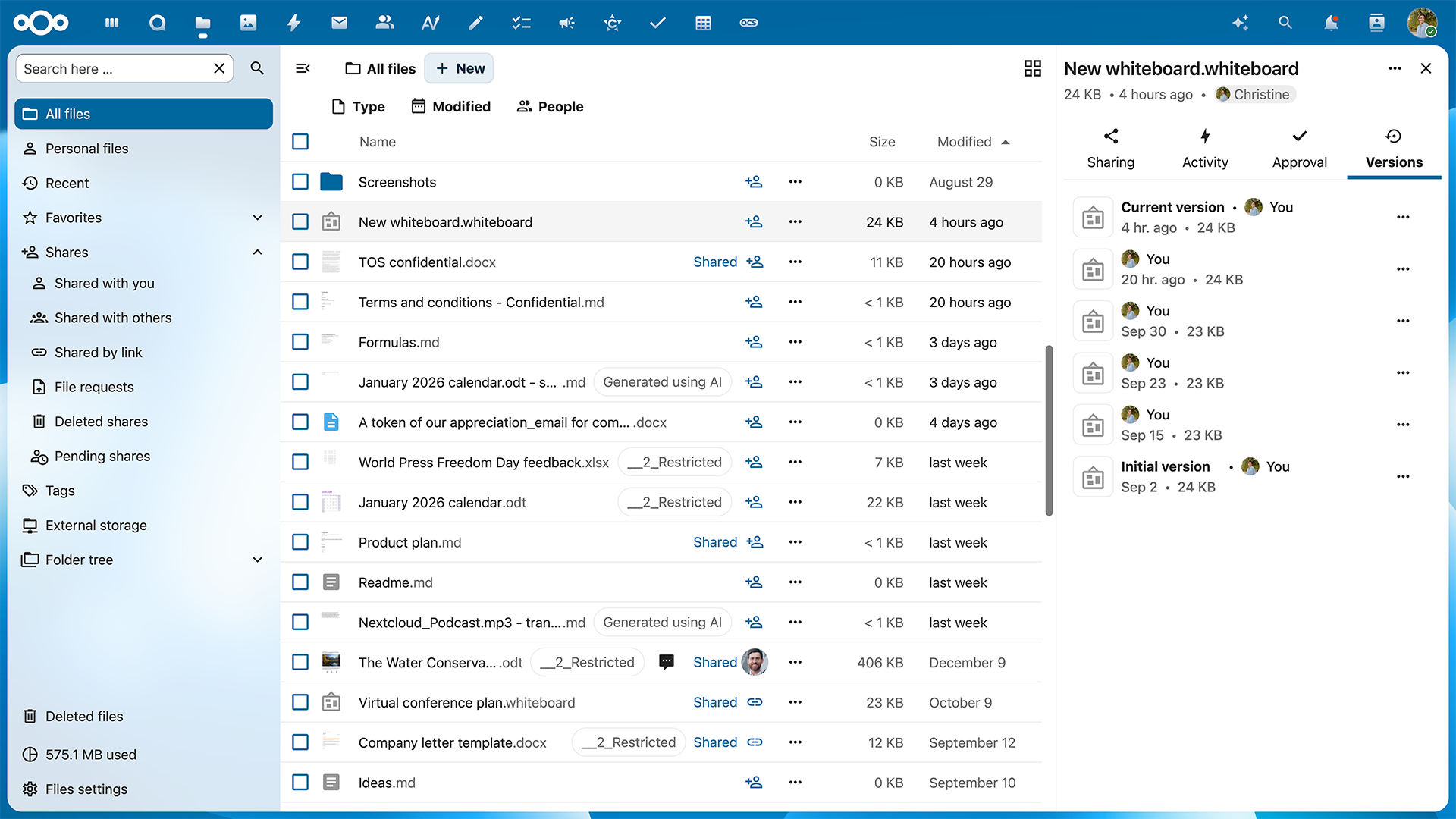
Version history
Recovering lost data is now easier. Whiteboards now support version history, just like other files in Nextcloud Hub.
Nextcloud Assistant: AI content labels, performance, and memories ✨
Nextcloud Hub features the first open source AI assistant that doesn’t prey on your data. We continue improving our AI tools to ensure compliance, performance, and usability.
Stay in control of your AI
When you don’t provide your team with AI you can trust, people start using third-party services like ChatGPT for work. This quickly becomes a problem: legally, technically, and ethically. Nextcloud Assistant is the industry-first open-source AI assistant that you fully control and choose where and how to run it. Our Ethical AI rating helps you pick and configure models to ensure privacy and control with the features you need. And of course, AI in Nextcloud is completely optional.
AI content labeling
We think it is important to let you know when you deal with AI-generated content. With this release, we let you clearly label AI content: images, documents, and audio. This labeling also aligns with the EU AI Act.
Memories to remember your conversations
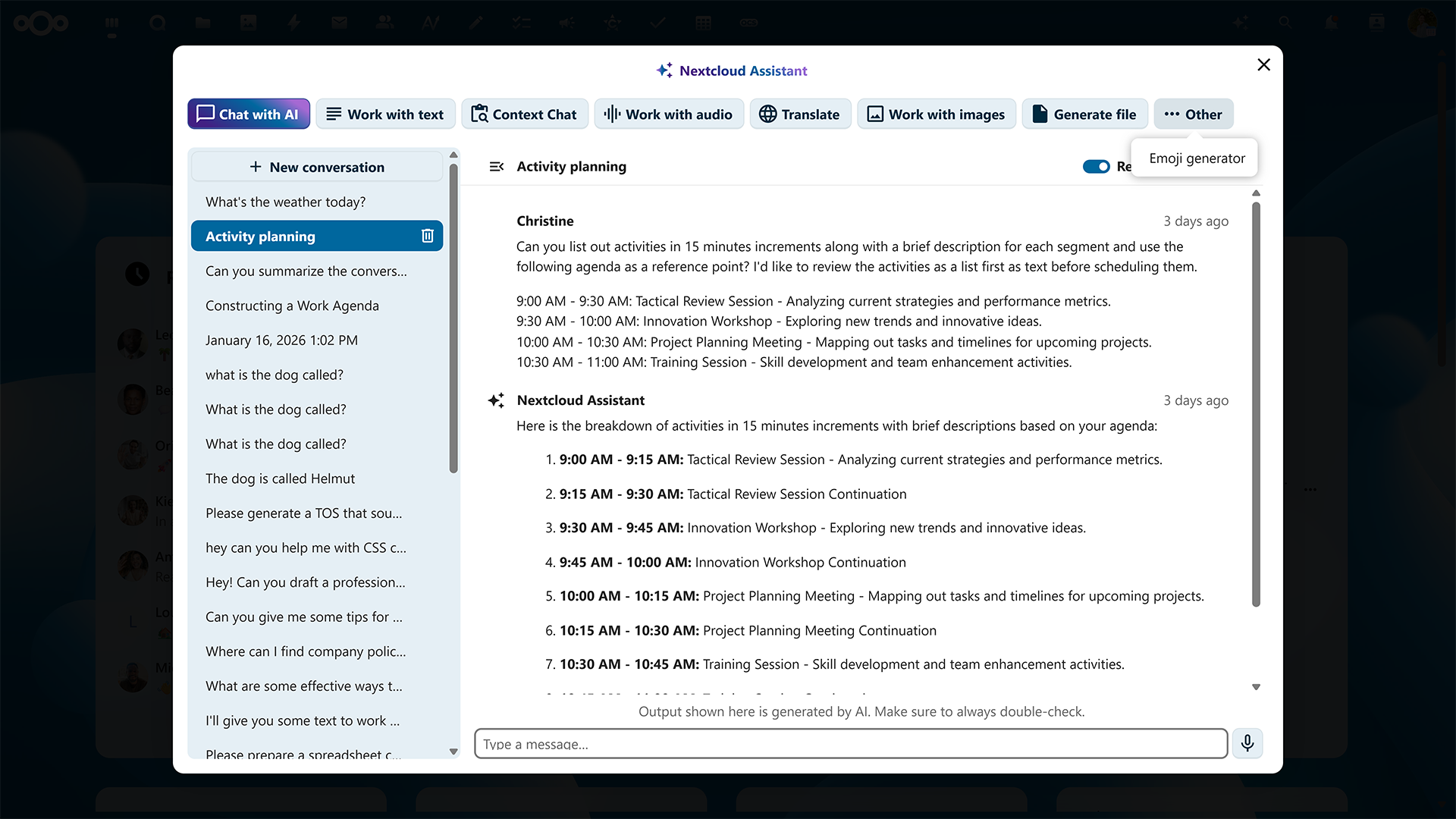
We gave Nextcloud Assistant a better memory. It can now remember what you talked about across all your chats, so you don’t need to give it a briefing again to come back to a topic. If you prefer, you can configure and remove these memories.
Snappy performance of local AI apps
We greatly improved the performance of all locally running AI components, resulting in up to 10s faster results in text and image generation, speech-to-text and text-to-speech conversion, translation, agent tools, and more.
New AI models and model-specific features
We want to offer you choice and always expand supported models and features. We added support for Olmo 3 and self-hosted IBM watsonx, and also improved other AI integrations, such as Recognize and OpenAI.
Powerful and flexible
We know that not every team works the same way. Some need to work offline, from airplanes and railroads. Some need close collaboration during the day, running workshops or brainstorming sessions. That gives us a big range of hardware, devices, and conditions to prepare Nextcloud Hub for. So our other important focus is always the performance of our apps and the platform the Nextcloud ecosystem is built on.
Performance updates and the new ADA engine 🏋
Nextcloud supports all these powerful features in your sovereign, private cloud. To make sure we keep things running fast, we did a significant rewrite of Nextcloud’s advanced file access layer with parts in PHP, Rust, and Go.
The new ADA engine computes permissions and access in advance and prioritizes direct access to data. ADA stands for Accelerated Direct Access and is also our homage to Ada Lovelace, an English mathematician and writer often considered the first computer programmer.
With the rewrite, we introduced significant changes to our database and file system to support deployment on a large scale:
Reorganized the core database and IDs and created a base for more advanced sharding support in the future with Snowflake IDs.
Replaced the mount cache with an authoritative table that shifts work from read to write actions and enables lean, direct data access in the file system.
Enabled direct download of files and previews on large instances using S3.
Faster apps: Photos, Nextcloud Talk, AI, clients, and more
A lot of recent work focuses on reducing unnecessary load and latency in everyday interactions:
40-90% less resources to generate previews in Photos
20% faster fetching of sharing data for Nextcloud Talk: removed long polling of chat messages and chat relay via the High Performance Backend.
Faster responses in local AI apps, saving up to 10 seconds per prompt. 5-8x faster local AI transcription
Frontend size optimization
Smarter push notification handling
New approach to Virtual File System (VFS) in macOS client and VFS performance improvements on Windows.
Big maintenance, as always 🫧
We do like side quests. But most of our work is under the hood to ensure stability and hardening of existing tools. In Nextcloud Hub 26 Winter, as many as 98.5% of all pull requests were maintenance work.
In the Nextcloud Server repo, there are 1904 maintenance-related pull requests vs 29 features. It’s 913 vs 29 in Nextcloud Groupware, 597 vs 11 in Nextcloud Talk, and 1328 vs 17 in Nextcloud Office.
Nextcloud Platform: new apps and news for developers
The Nextcloud ecosystem is built on open standards and clear guidelines. For users, this provides flexibility to build Nextcloud Hub into any ecosystem and delivers a unified, reliable experience across all the applications. For developers, this means stable APIs, a clear app framework, and predictable interfaces.
API updates
Key API updates in Nextcloud Hub 26 Winter include:
Breaking changes in Files API (v4.0.0): expanded context object, destructured parameters
New web component-based Sidebar API replacing OCA.Files.Sidebar
Profile app migrated to Vue3 with framework-agnostic API
Updates in the database-related APIs
New mount point API
Snowflake ID support
To keep your apps compatible with the new version of the Nextcloud platform, please carefully read the updates in our documentation.
New community apps not to miss
With 400+ applications available in the Nextcloud App Store, you can extend your setup far beyond the core tools. Here are some new and rising apps developed by our community:
And our developer hub also comes in a fresh design!
Nextcloud for desktop and mobile
Nextcloud Hub works across devices in a browser or via apps that give you more flexibility, security, and device-specific features.
Desktop client: improved VFS, Nextcloud Assistant, new versioning, and more
VFS improvements on macOS and Windows
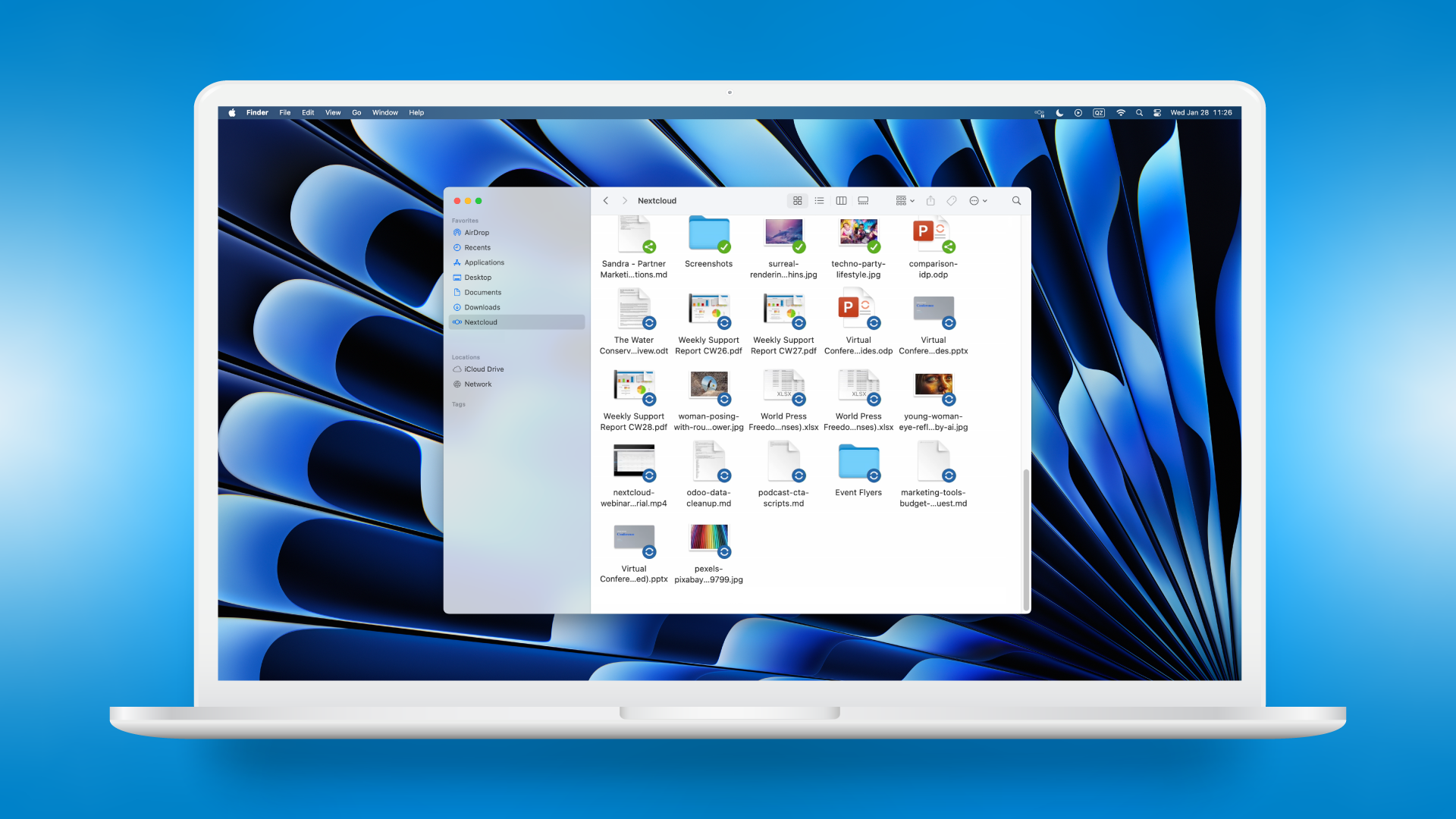
On macOS, the Nextcloud app can work as a classic Finder extension or run a Virtual File System (VFS) to make file sync truly seamless. Before, we had clients with and without VFS. And now it’s one app, and you choose the mode that fits.
The VFS on Windows was improved, too. It can now use the on-demand sync mode, like the macOS client, to reduce unnecessary load and make sure only the relevant files and folders are synced.
Other updates
We made a range of other changes to our desktop clients:
Nextcloud Assistant features
Dynamic actions in the file context menus based on apps in your Nextcloud Hub
Improved performance with optimized notify_push use
Enterprise update channel
New versioning system that aligns with Nextcloud server releases
Mobile apps: polished design and improved performance 📱
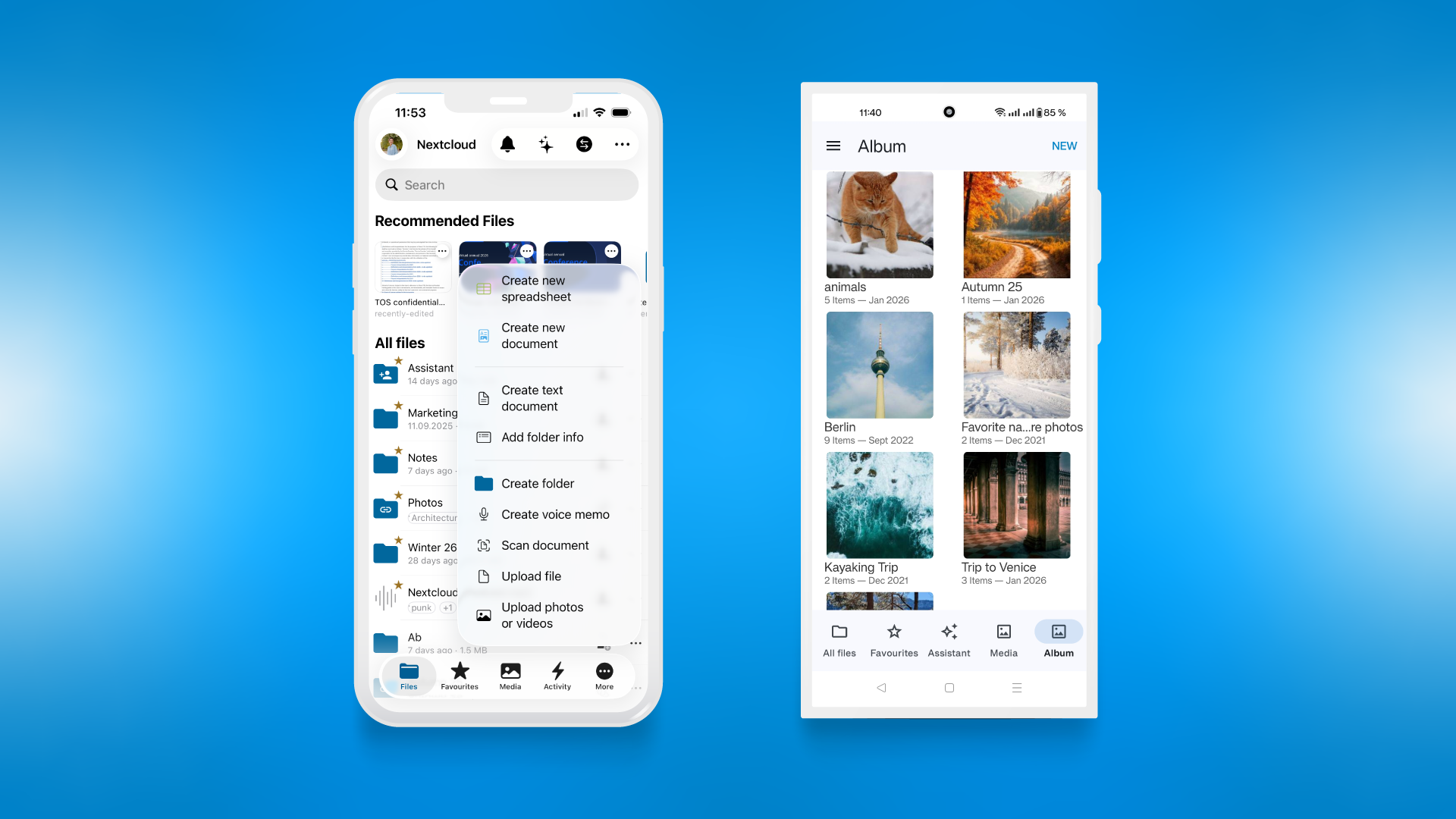
We worked in great detail on our mobile clients for iOS and Android, polishing buttons, menus, and search, as well as improved performance of file sync and AI tools.
What’s new:
Multiple UX and performance improvements
Nextcloud Assistant chat
Faster login via one-time QR codes
Dynamic menu entries in clients
Improved auto-upload feature
Android: Avatars in notifications and activity
Android: Android 16 features
Android Notes: Setting status in account switcher
Download the latest version of our apps now for a new and improved feel:
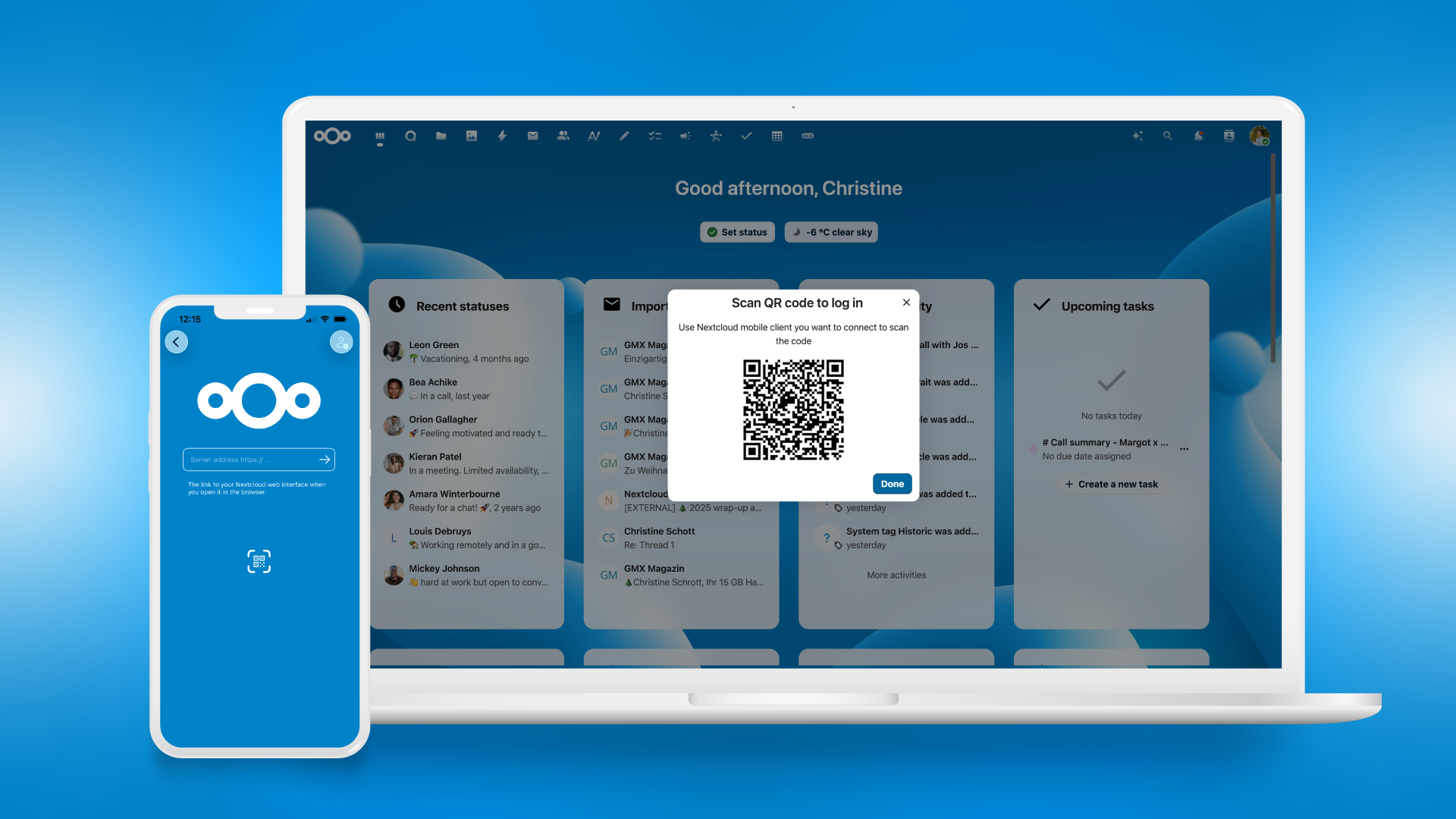
We make it easier to log in to your Nextcloud account with a mobile device: Open your account menu at the top, click the icon, scan the code from the Nextcloud Talk or Files app on your phone, and you are connected!
Own your data, own your decisions 💪
First our tools, then our data, finally — our decisions? There’s hardly an aspect of our life and work that hasn’t been commodified, but it’s not too late to get control back. With Nextcloud Hub, you collaborate with full ownership. That just feels great.
It’s time to experience this new feeling of control yourself. Get started with Nextcloud Hub 26 Winter today!
*The Nextcloud Enterprise version of Nextcloud Hub 26 Winter will become available soon, once we successfully run the additional testing and complete certification.
How to update: AIO users
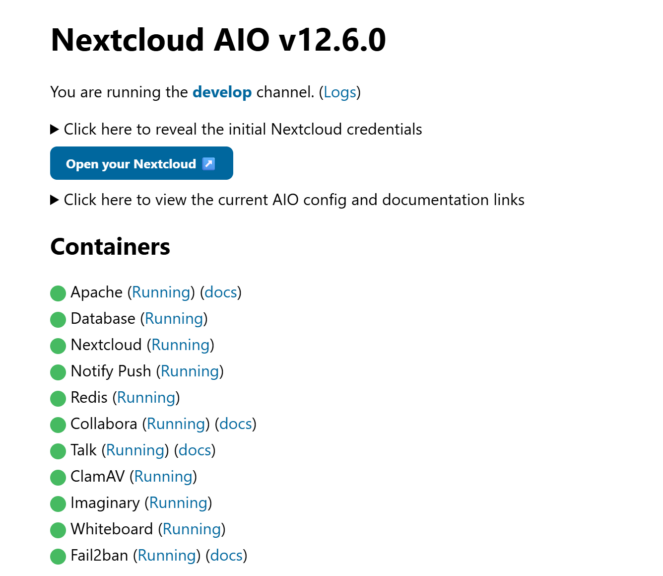
For new Nextcloud All-in-One (AIO) users, you can install Nextcloud Hub 26 Winter directly by checking the “Install Nextcloud 33” box. For active AIO users, we have a dedicated setup guide. Follow the guidelines to easily set up Nextcloud Hub 26 Winter.
We are launching the Nextcloud Community Awards to celebrate the people who have made outstanding contributions to our community and ecosystem in three categories. Submit nominations via form in this post. The winners will be announced at the Nextcloud Community Conference 2026.
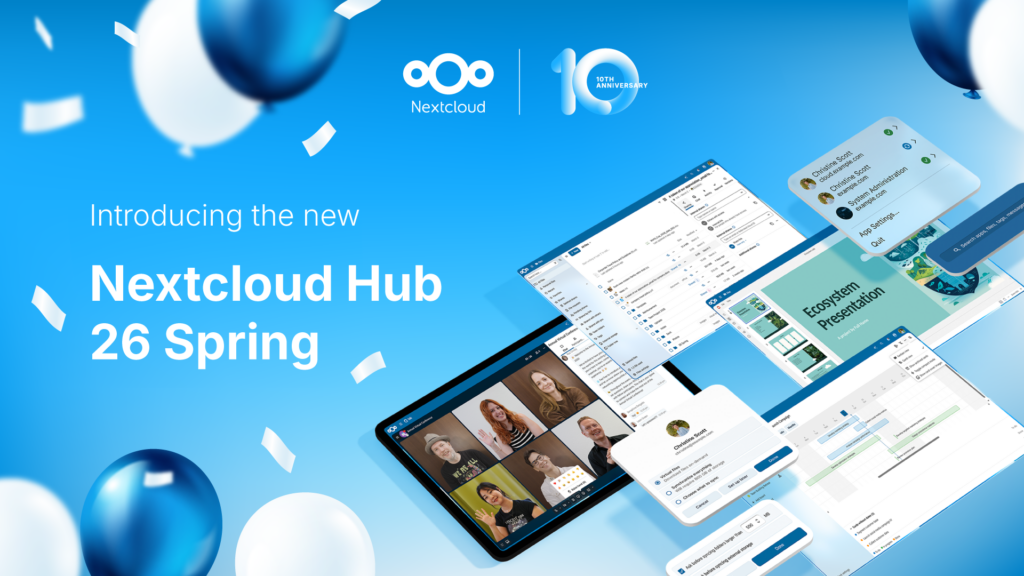
Today we present Nextcloud Hub 26 Spring, our anniversary release. It gives you even more choice for your tools, a refined UI, stress-free collaboration, and the new platform strategy that enables developers to benefit more from our vast ecosystem. Built together, designed for the future.
Passionate about data privacy and Nextcloud? We invite you speak at the Nextcloud Community Conference to share your experience, knowledge and news with the community!
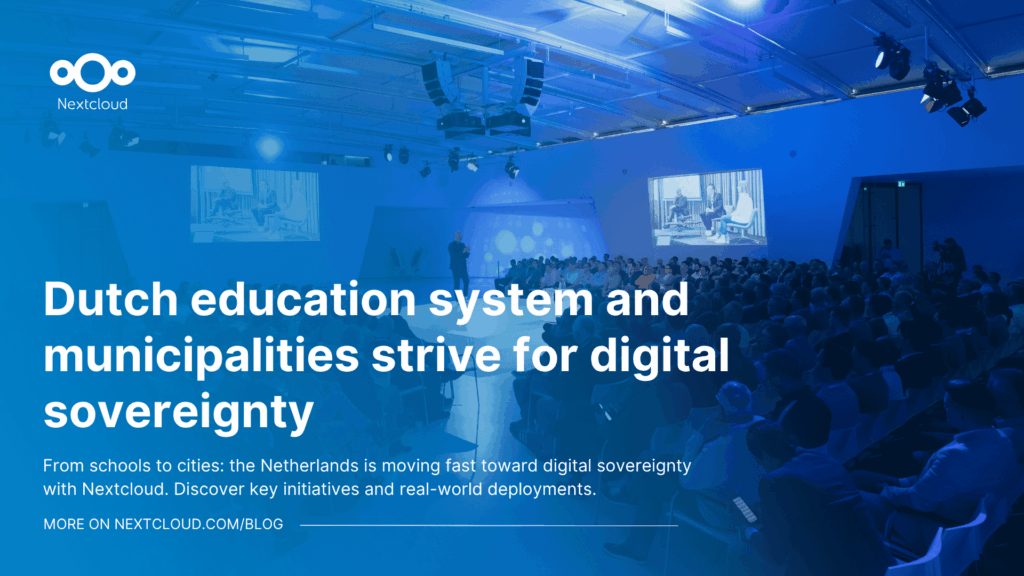
Following two successful Nextcloud Enterprise Days in The Hague in 2025, we brought the event to Utrecht this year, where a massive 750 registrations brought a big crowd to the Jaarbeurs venue. The kickoff in the morning pre-announced the launch of the book “Sovereignty! But how?“ by well-known Dutch IT security journalist and author Brenno […]
Nextcloud Hub 25 Autumn makes it easier to get started with powerful collaboration while fully in control of your data. From global design updates to improved usability and performance, discover our latest release in this blog.
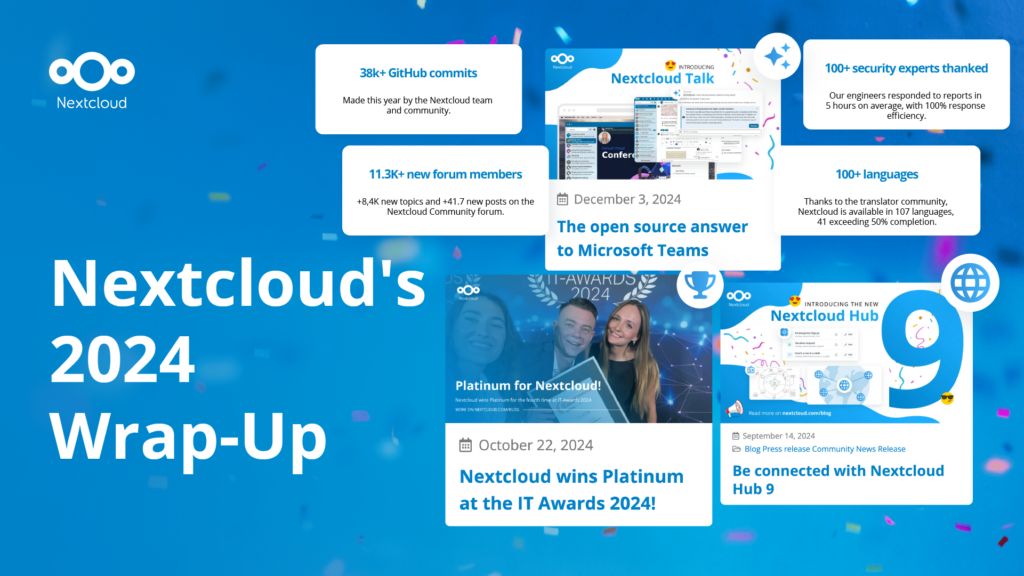
In the Nextcloud 2024 wrap-up, we want to take a moment to celebrate this year's achievements. Join us as we continue to reimagine what’s possible - shaping a world where open source, privacy and connection come together and drive progress for the greater good.
Organisations, small and large, need a way to ensure the resiliency and digital sovereignty of their operations – an open-source, privacy-respecting alternative to Teams. And today, we present that solution - Nextcloud Talk.
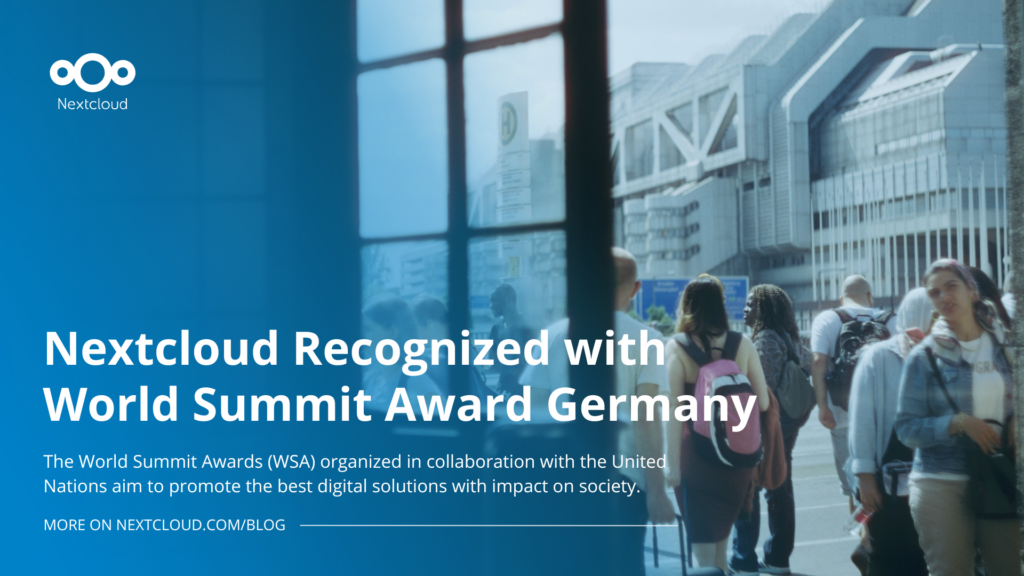
Nextcloud has been recognized with the World Summit Award Germany that selects and promotes local digital innovation improving society, aiming to contribute to the United Nations' agenda of sustainable development goals.
DIE ZEIT, a prominent German outlet, interviewed Nextcloud’s founder Frank Karlitschek for an article on Microsoft’s anti-competitive behaviour on the European office software market. Read for a recap of the article and the key takeaways.
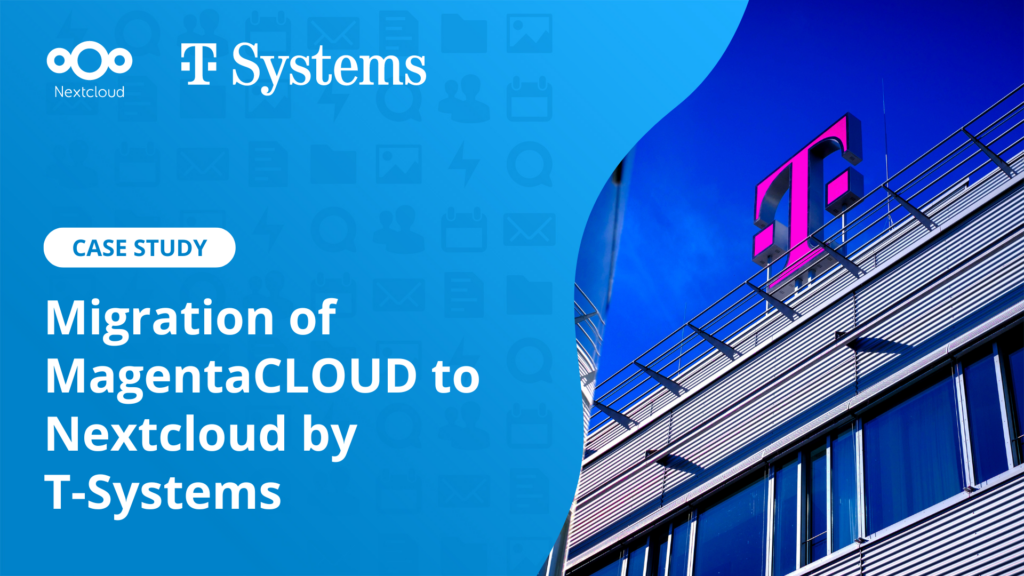
MagentaCLOUD’s migration to Nextcloud in 2021 resulted in a fully equipped Online Storage with an integrated online office suite that further improves the user experience, flexibility and security for customers.
We bring you a major update to the Nextcloud AI Assistant, plus the news we work with several big hosting providers like IONOS and OVHcloud to bring AI-as-a-Service options to you!
Bechtle and Nextcloud announce today a complete managed collaboration platform for the public sector that requires no tender and can be deployed immediately.
Discover how to make the switch from ownCloud to Nextcloud. Our quick guide provides insights into the migration process, helping you make the transition smoothly.
Today, US-based file sync & share vendor Kiteworks announced their acquisition of ownCloud and Dracoon. Kiteworks points out that their customers now have access to their file-sharing application. It is to be expected they will not maintain 3 similar products, but customers will have to migrate to the US firms’ platform or look for another […]
As part of Schleswig-Holstein's state digitization strategy, the state chancellery has announced they will work with Nextcloud to develop AI for working with government documents. This comes just after we announced the first private AI assistant last weekend with Hub 6. The German state already uses Nextcloud and their AI strategy aligns with our work on ethical, local AI technologies.
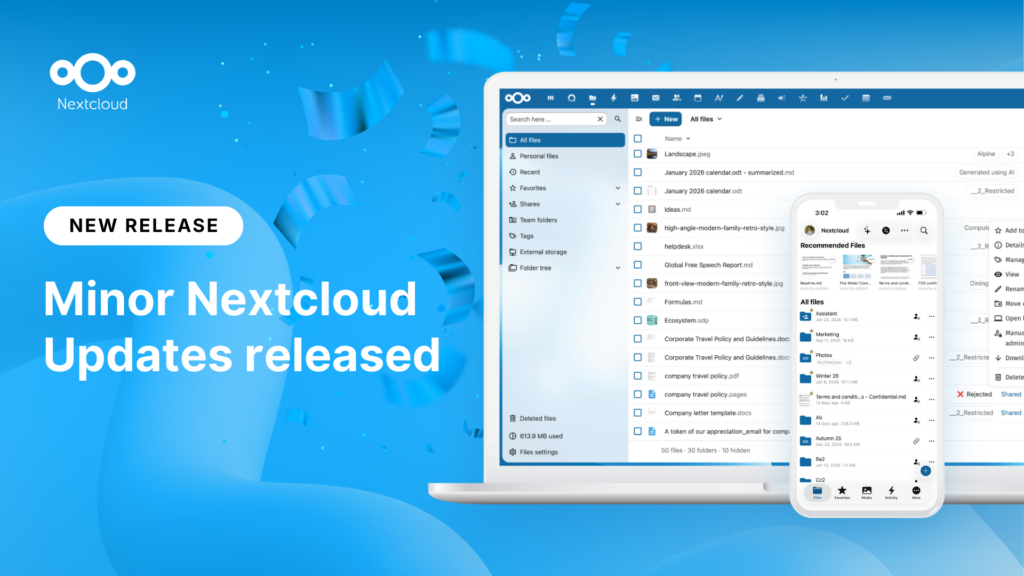
New maintenance updates are available for Nextcloud Hub. Read more in this post or access the full changelog on our website. Keep your server up-to-date!
We save some cookies to count visitors and make the site easier to use. This doesn't leave our server and isn't to track you personally!
See our Privacy Policy for more information. Customize
Statistics cookies collect information anonymously and help us understand how our visitors use our website. We use cloud-hosted Matomo
Service:Matomo
Cookies description:
_pk_ses*: Counts the first visit of the user
_pk_id*: Helps not to double count the visits.
mtm_cookie_consent: Remembers that consent for storing and using cookies was given by the user.
Cookies expiry:_pk_ses*: 30 minutes
_pk_id*: 13 months
mtm_cookie_consent: 30 days