



If you don’t want your Nextcloud to be accessible from the internet and only want to use it locally, Nextcloud All-in-One gives you a few options, such as using Tailscale, a self-hosted reverse proxy and local DNS server, or the ACME DNS-challenge. Please refer to the “Local instance” page in the Nextcloud AIO documentation for more information.

Private, self-hosted cloud storage for home users
Store your documents, photos, contacts, and calendars securely on your server or preferred hosting service and collaborate on files with others using the free and open source Nextcloud.
With self-hosted cloud storage, your data is where you want it to be: at home or on a server you trust. Nextcloud gives you easy access to your files from your desktop and mobile devices, lets you run your own chats and video calls with your friends and family, and makes it easy to collaborate with others on documents, spreadsheets, and presentations.
Who owns your ?
Your data is everywhere
Right now, half a dozen companies store nearly all data about you that exists: where you live, what you talk about, what you search for, what you like, and what you buy.
Knowledge is power
When your data is out in the open, it can be easily abused. By moving it into your private cloud, you decide who gets access and for which purposes.
You care about privacy
It’s nobody’s business what you do. We believe privacy is a right, a foundation for democracy. And your own, private Nextcloud server is the best way to get started with getting it back!

Frank Karlitschek
CEO and founder of Nextcloud
Your data represents who you are and can easily be abused. We want this to change. This is why, at Nextcloud, we want you to have as many options as possible, to help you decide who you will trust with your data. We help you choose a place for your documents, calendars, photos and chat logs!
How to use Nextcloud
To start using Nextcloud, you can either use a hosting service or run it on your own server.
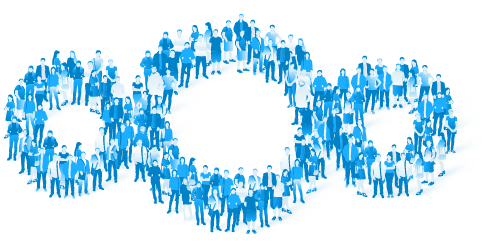
Nextcloud is people
Nextcloud is developed and maintained by the Germany-based Nextcloud GmbH and a large open source community of developers and contributors. Together, we organize events, attend conferences, and hang out at meetups and hackweeks.
If you would like to meet other Nextclouders, check out our events page.
Main features
Self-hosting made easy
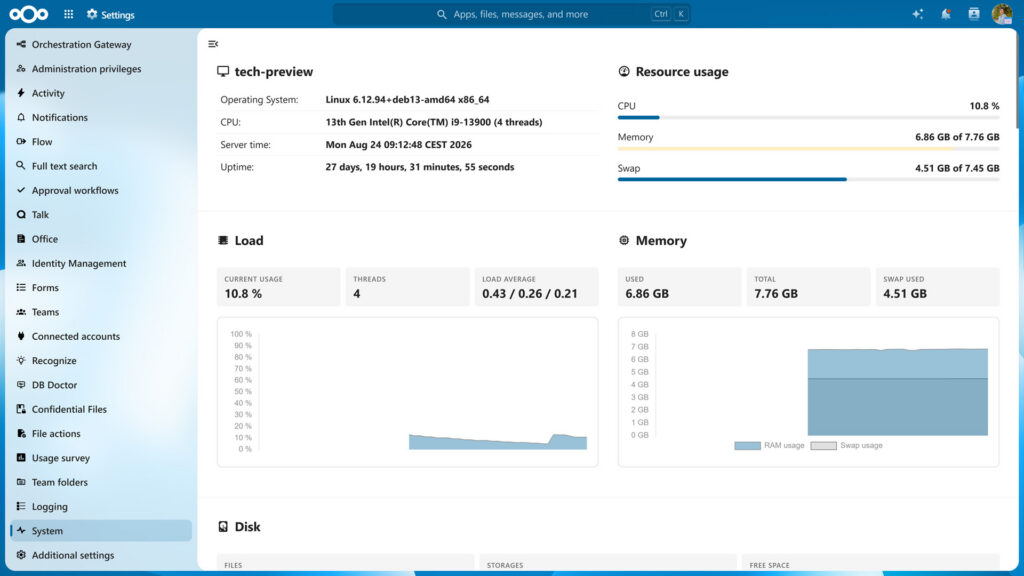
Nextcloud lets you run a reliable, secure service for you and your family. In the user-friendly web interface, you can run updates with just a few clicks. The admin panel gives you an overview of your server’s resources and the storage space available to you.

Mobile and desktop clients
With the free Nextcloud clients for Android, iOS, and desktop systems, you can easily sync and share files through an encrypted connection. Automatically upload your pictures and videos to your Nextcloud and synchronize select files and folders on the go, even with multiple accounts.

Secure audio and video calls
Chat with friends and relatives using Nextcloud Talk, your own secure and private audio/video communication service! Talk also supports text messages and comes with mobile applications for Android and iOS so you can call others from your phone.

Share with others on your terms
Easily share files, create and send password-protected links, invite others to upload to your cloud and to get notified when someone shares files with you.
Calendar, Contacts and Mail
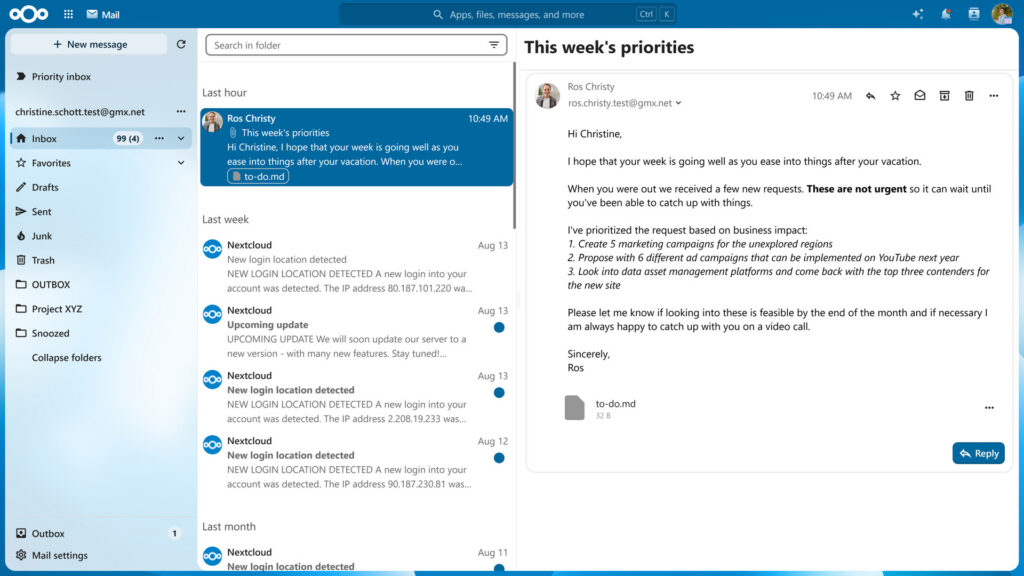
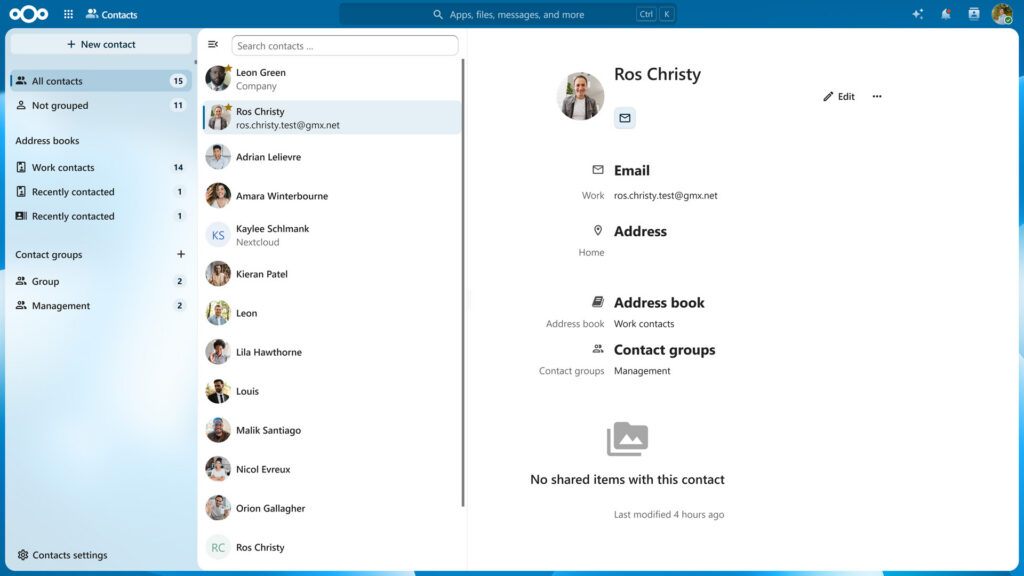
Nextcloud Mail gives you a powerful, easy-to-use mail client directly integrated into your cloud that can talk to your existing IMAP or POP mail server. With Nextcloud Calendar and Contacts, you can store, sync and share your appointments and contact lists and access them wherever you are.
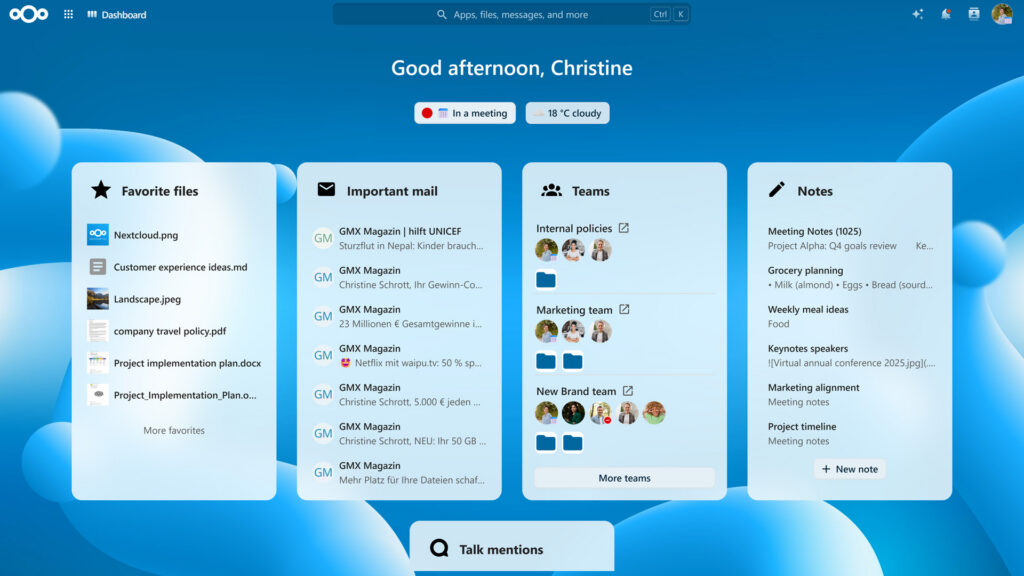
Start your day informed
The Nextcloud Dashboard gives you an overview of your upcoming appointments, urgent emails, chat messages, and more. You can also set your status to let others know what you’re up to.
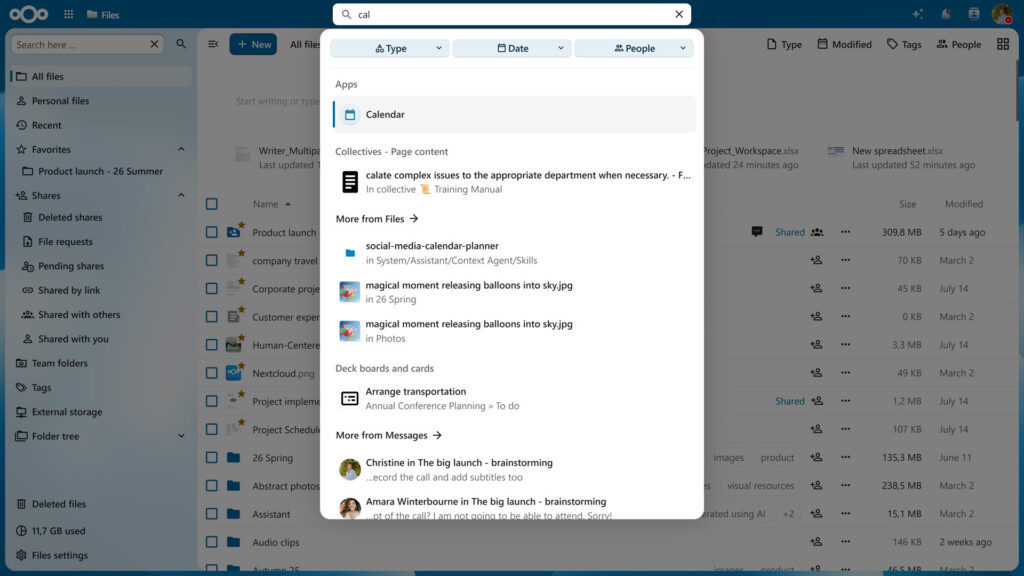
Find everything in one place
The unified search feature makes it easy to find exactly what you’re looking for anywhere on your Nextcloud. Installing additional search providers lets you browse GitHub issues, Moodle courses, Jira tickets, and more.

Accessibility
To ensure Nextcloud is accessible to users with visual impairments, it supports screen readers and can be navigated with just a keyboard. Further accessibility features include an optional high-contrast color palette aiming for WCAG 2.0 AAA compliance and Dyslexia-friendly fonts.
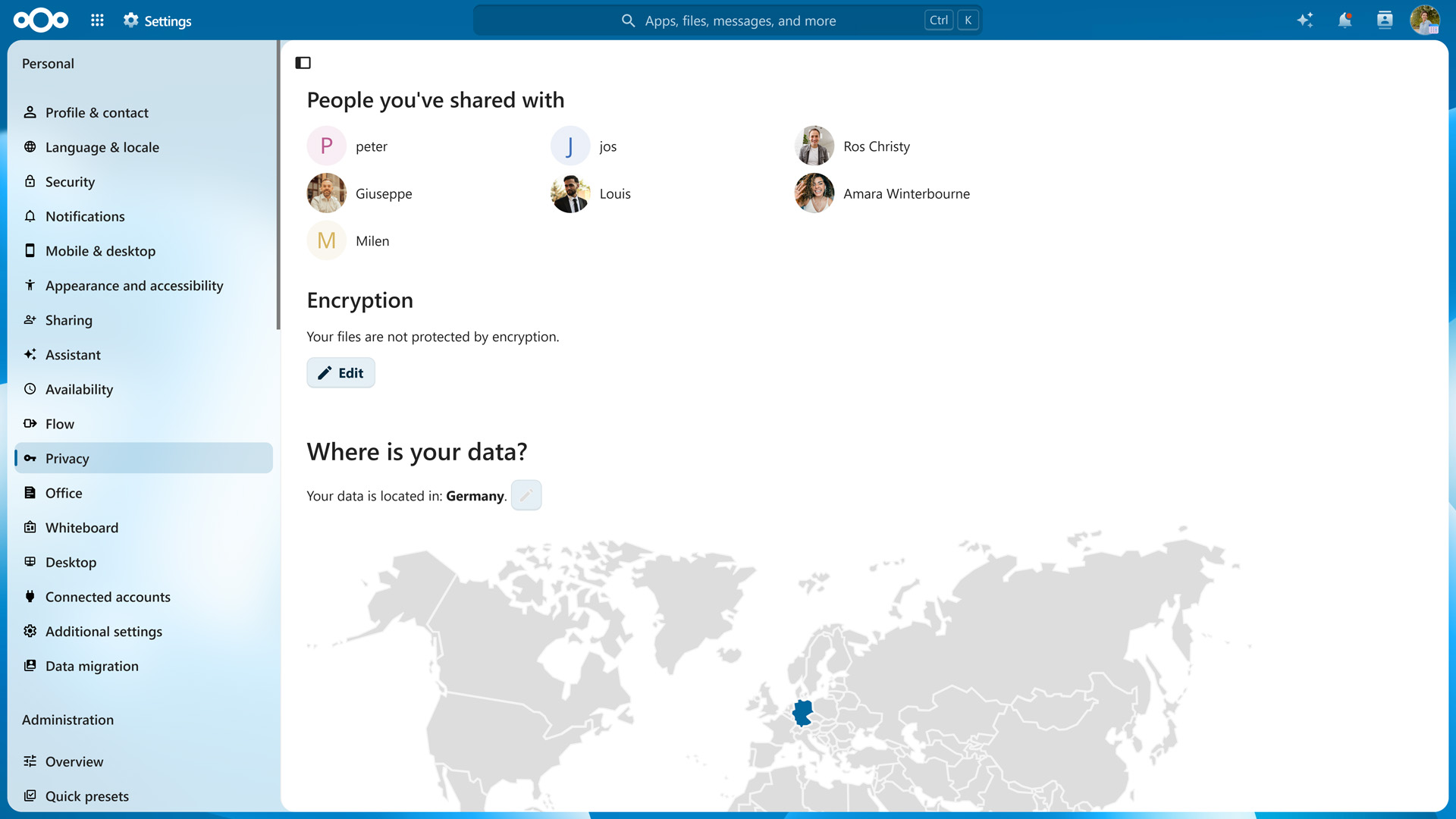
Privacy center
What does privacy mean for you, and how can Nextcloud help you keep your data under your control? In the Nextcloud Privacy Center, you can see at a glance where your data is and who has access to it.
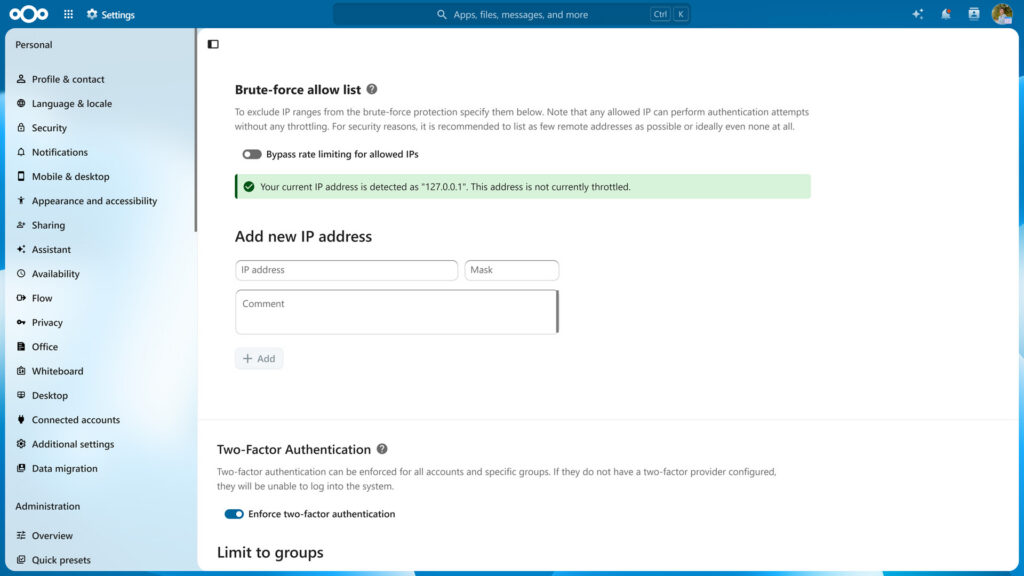
Security first
Nextcloud is deeply committed to protecting the safety of your data. We follow security best practices aligned to ISO27001, offer some of the highest security bug bounties in the open source world, and have integrated unique in-transit, server-side and client-side end-to-end encryption technologies.
Nextcloud Photos
Photos are deeply personal. With Nextcloud, you get powerful photo management tools to safely store your memories and share them in a secure manner with those close to you.
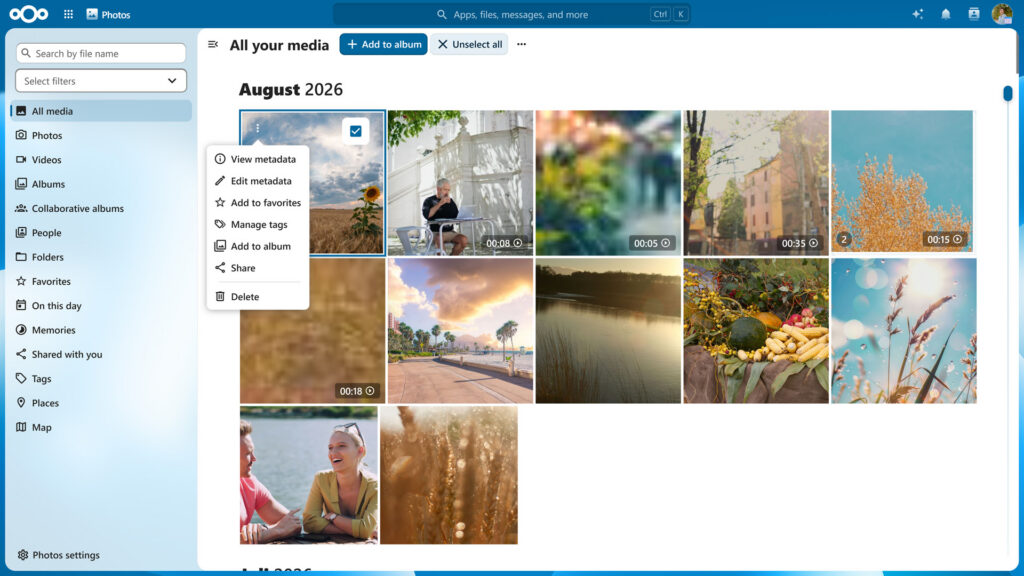
Photos features
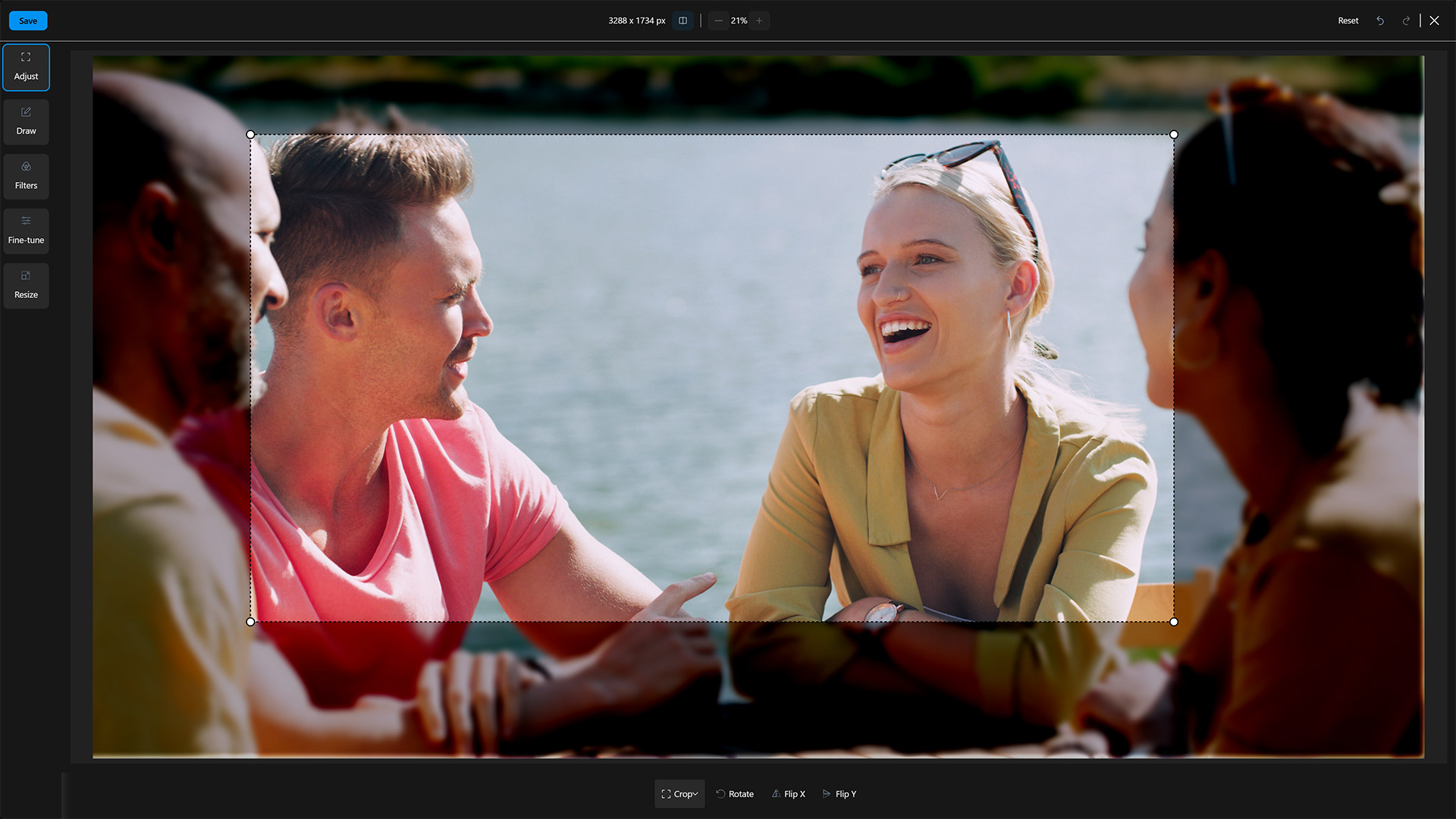
Photo editor
Nextcloud’s built-in photo editor includes all the features, filters, and editing operations you need to create stunning images.
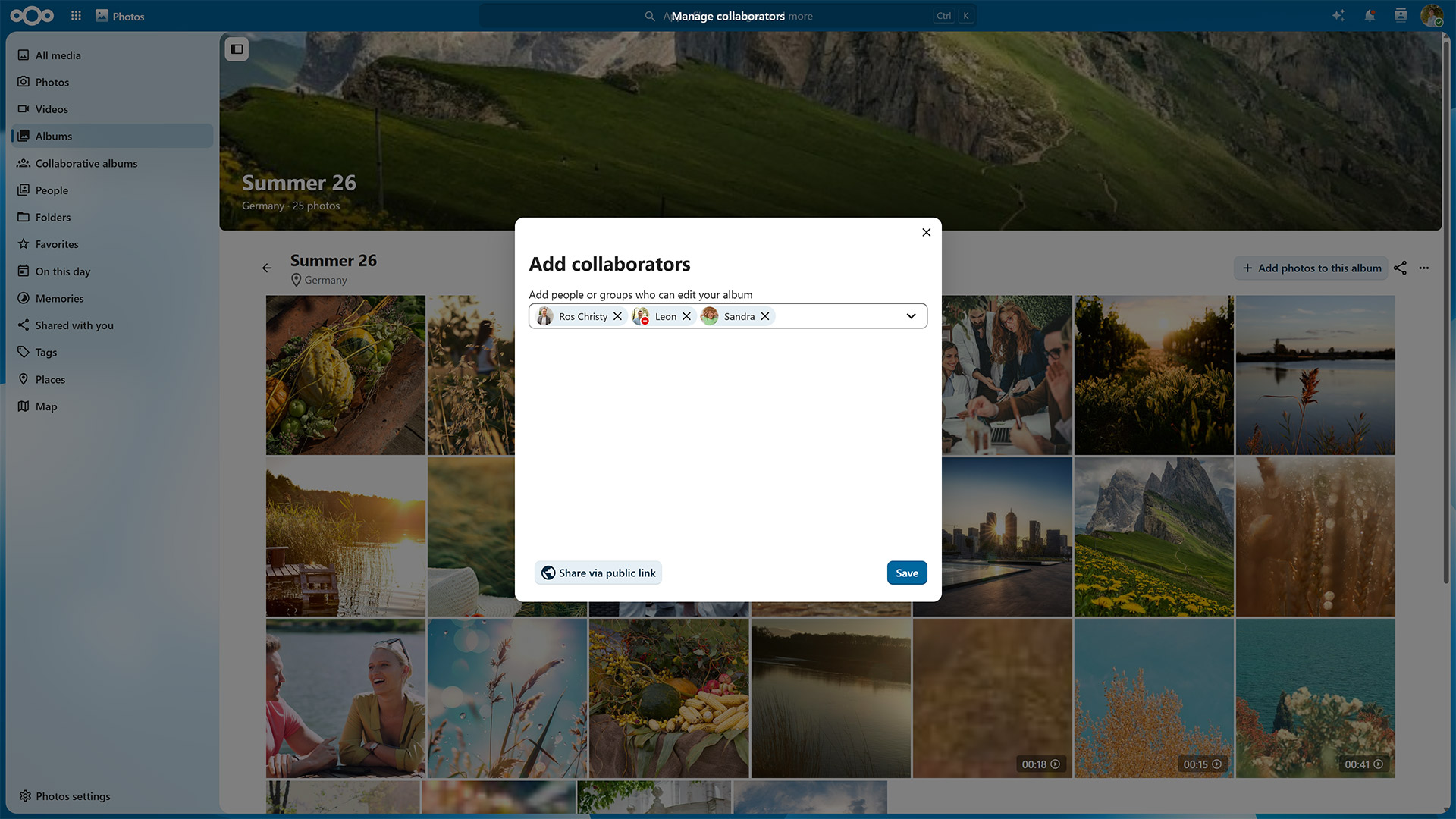
Album sharing
Create photo albums to store all your photos from a trip, party, or season in one place. You can share the album with others using a public link so they can add their photos as well.
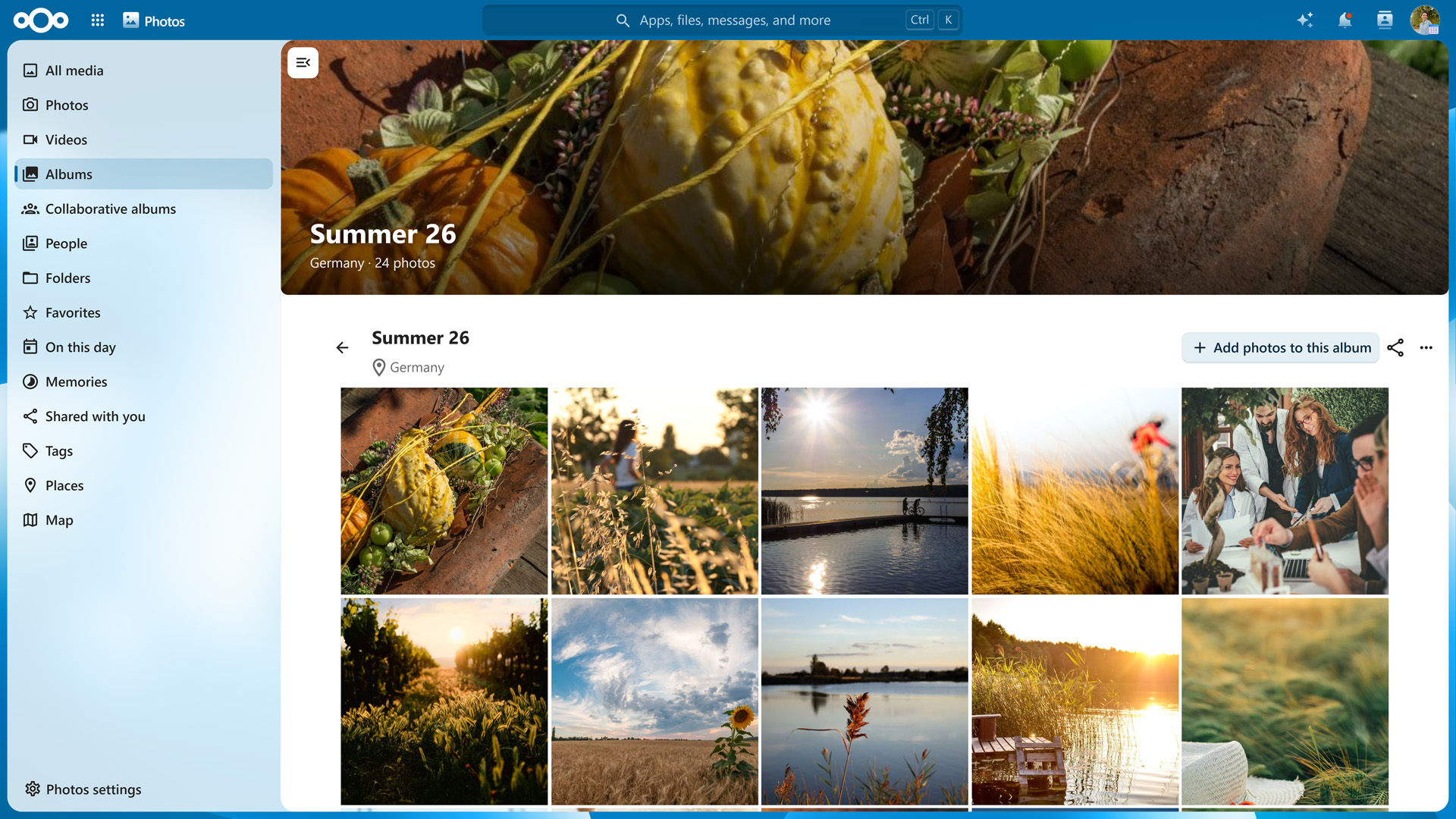
Tile view layout
Nextcloud displays your photos in a modern tile view that is appealing to the eye. It’s also fast and easy to use.

Privacy-respecting face and object recognition
Automatically tag photos with trees, food, or familiar faces, name them, and search for pictures of your car or your favorite people.
View and edit documents
with Nextcloud Office
Nextcloud Office is a powerful online office suite that works in all modern browsers and supports editing your documents in real time with others, showing high fidelity, WYSIWYG rendering and preserving the layout and formatting of your documents.
It supports dozens of document formats:
- DOC
- DOCX
- PPT
- PPTX
- XLS
- XLSX
- ODF
- Import/View Visio
- Publisher
- Many more
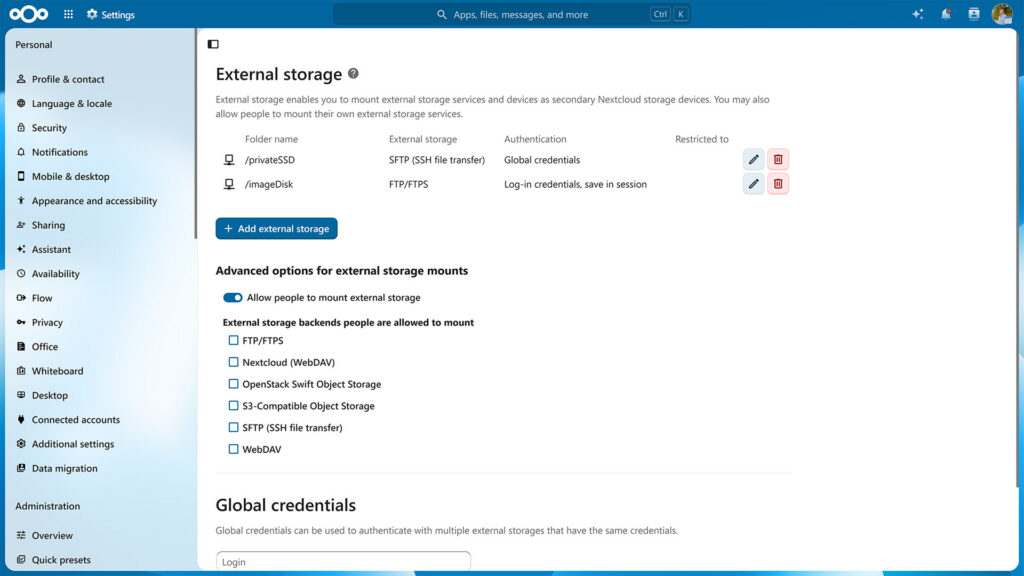
External storage, securely encrypted
The external storage feature of Nextcloud gives you access to your data wherever it is. Nextcloud can access files stored with a wide variety of popular cloud service providers such as Amazon, Google and Dropbox, but you can also access them using standard protocols such as NFS, (S)FTP, WebDAV, and more.
The Encryption App can encrypt data at rest for both local and remote storage, protecting data stored on networks outside of your server. Nextcloud will keep your data where it is and retrieve it over a secure communication channel whenever you need to access it.
Integrated account management
Nextcloud features built-in account management with optional two-factor authentication, making it easy to create and modify accounts. If you have set up an LDAP, you can connect it to Nextcloud as well.
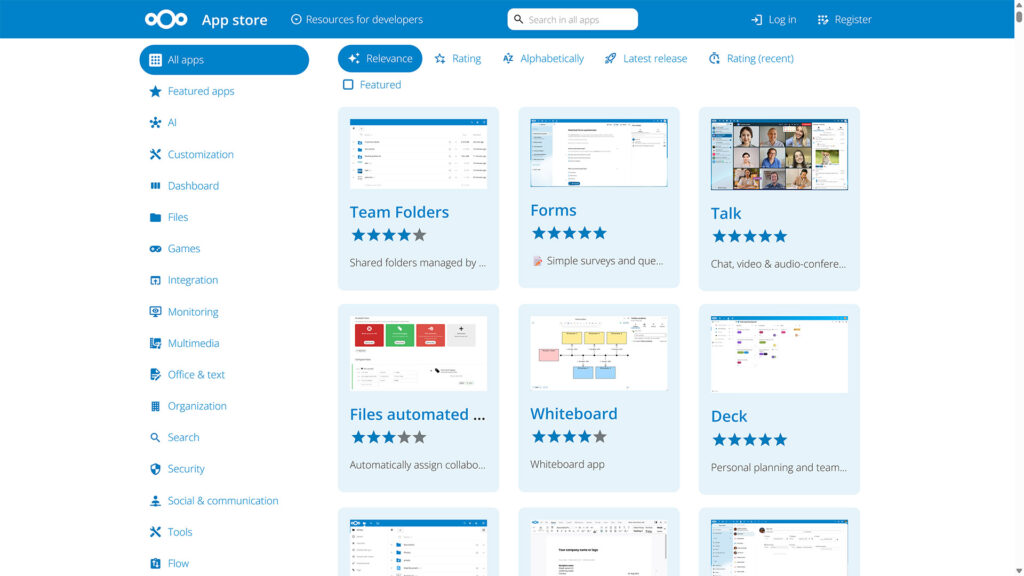
Extend your cloud
You can extend the functionality of your Nextcloud with extra features from the Nextcloud App Store. Among hundreds of apps, you can find features that enhance sharing, including:
Groupware apps
- Calendar
- Contacts
- News
- Notes
- Bookmarks
- Tasks
Collaboration productivity apps
- KeePass management
- Video calls
- Kanban app
- Music player
- Password manager
- Checksums
- Download manager
- Markdown editor
- Collaborative text editing
Security and authentication features
- Two-factor authentication
- SSO
- Ransomware protection
- Admin announcements
- Zimbra integration
- A tiny CMS app and more
What makes Nextcloud different
Open source
You're free to inspect, integrate, extend and modify Nextcloud however you want.

Ease of use
The intuitive user interface comes with search functionality, favorites, tags, and more ways to quickly reach the files you need.
File storage
Store your photos, edit documents, and decide who you want to share your files with – from your desktop, mobile device, or any web browser.

Antivirus
Integrated virus scanning ensures your data stays safe.

Easy deployment
Run your own Nextcloud at home or in a cloud you trust and take back control over your data.
Fast sharing
Nextcloud provides REST APIs for sharing data and setting up access, making it easy to connect and integrate third-party apps.
Logging
Nextcloud comes with integrated logging, two-factor authentication, and NIST-compliant password policy control.

Broad device support
Precisely control who gets access to your files. Pick from a list of users and groups or share with anyone by creating an external link.
Get started now with Nextcloud at home
Get your own Nextcloud and start owning your documents, photos, contacts, and calendar, stored securely on your server or preferred cloud.

Newsletter
Subscribe to our newsletter
Once a month, we’ll update you about everything that’s going on in the Nextcloud universe.
Frequently asked questions
who will host your Nextcloud for you as a service. Some of them offer free plans via the
Whereas a NAS (Network Attached Storage) is a device connected to your network for storing and accessing files, Nextcloud is software that gives you file storage and sync (like a NAS), but also offers optional features such as a calendar, a tool for chats and video calls, and more. You can install Nextcloud on a NAS to get access to both the storage hardware and the feature-rich software.
Nextcloud requires an absolute minimum of 128MB RAM, but at least 512MB are recommended for the most basic single-user setup. A full Nextcloud Hub installation with multiple users will need between 3GB and 8GB or RAM.
using Docker and Nextcloud All-in-One. If you want to connect to an existing Nextcloud from Windows, you can use a
” page in the Nextcloud documentation for more details.
The Docker-based
