
Filter through all features
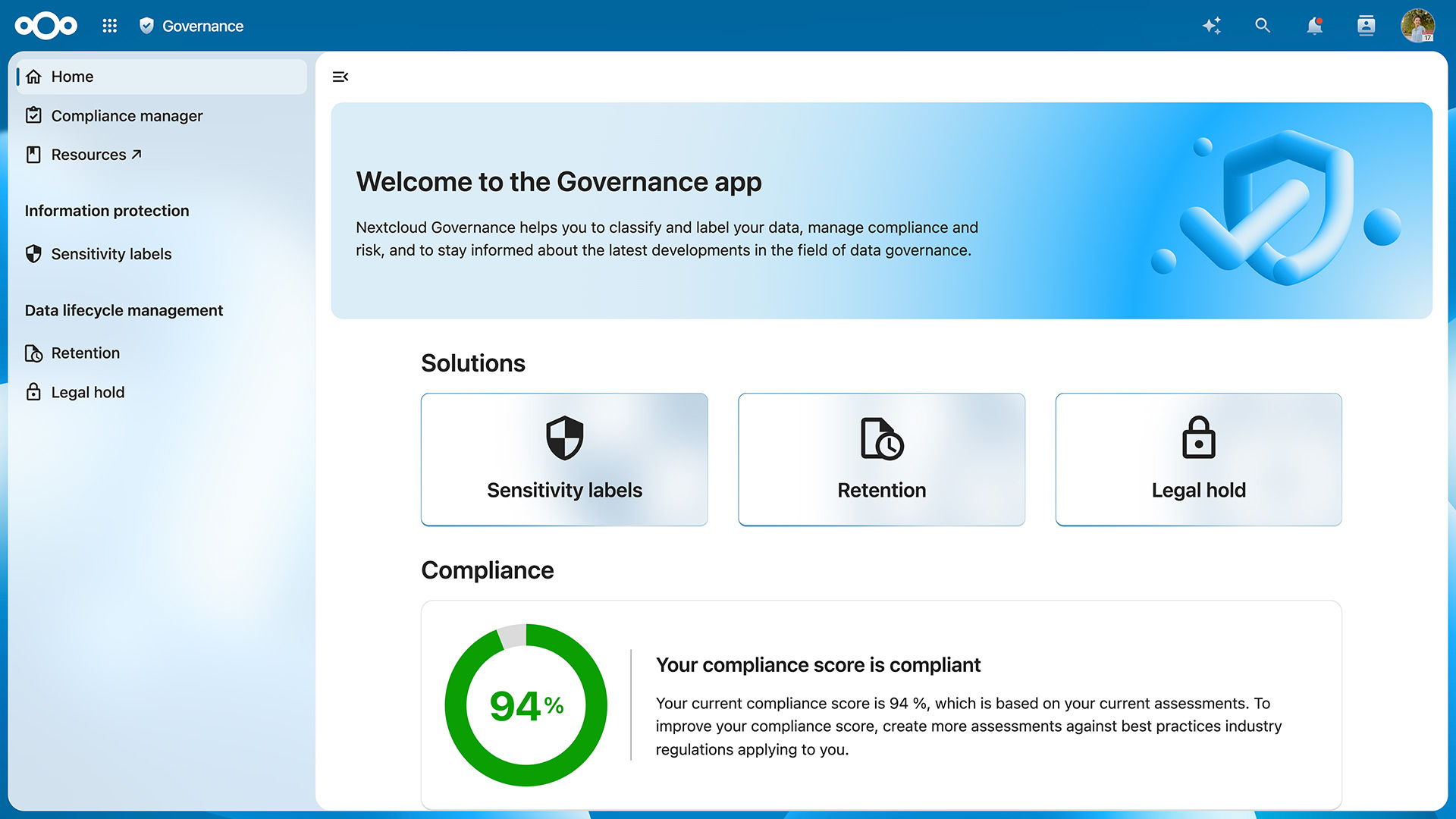
Nextcloud Governance
Nextcloud Governance enables tighter control over access to sensitive information, data lifecycle management, and compliance processes. It is designed for large organizations operating under specific regulations, such as complex archival requirements or freedom-of-information guidelines, that require advanced data governance tools.
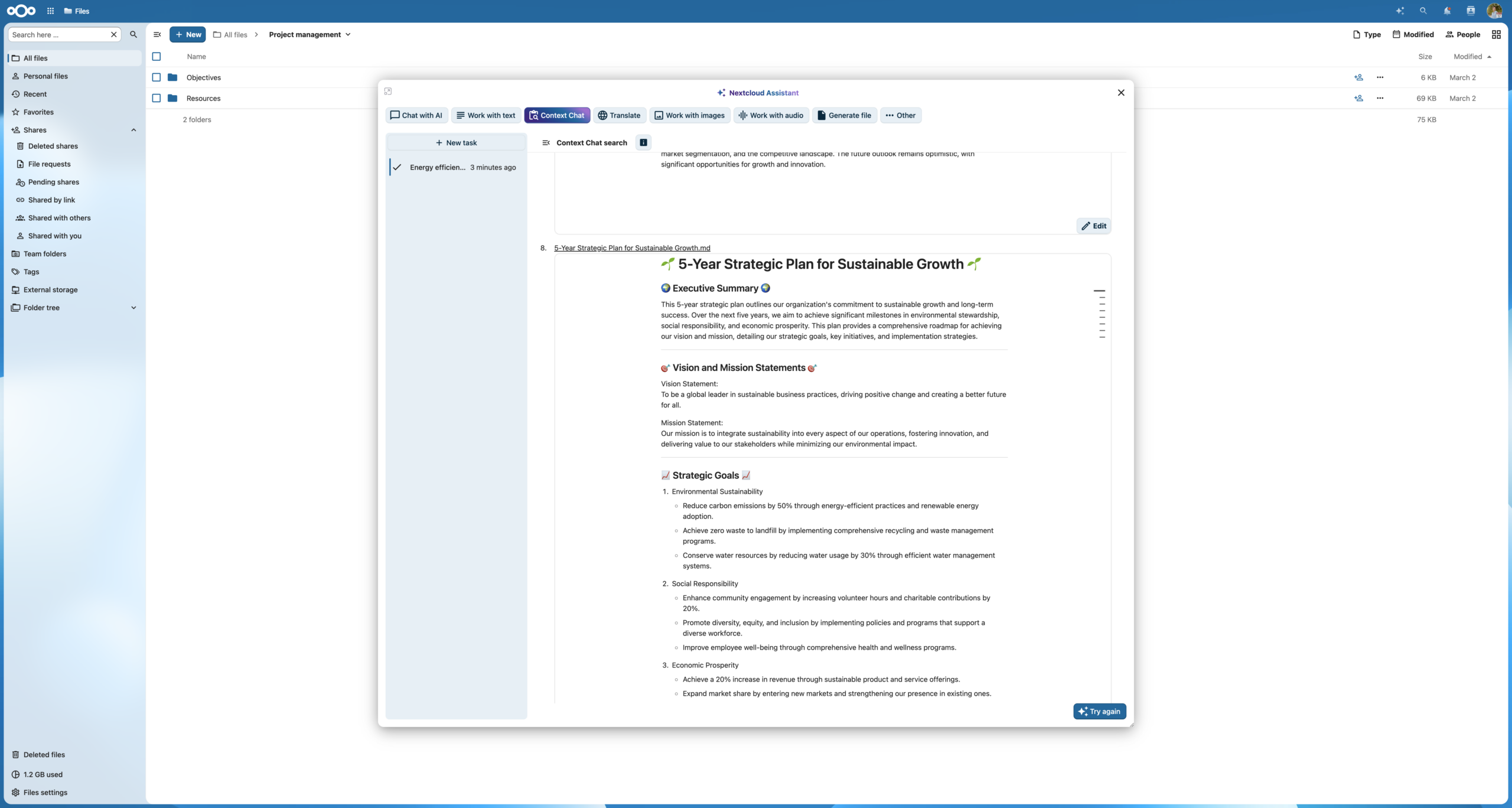
Context Agent
Nextcloud Assistant uses Unified Search in Nextcloud Hub to find items more efficiently in fewer steps. This is powered by the Context Agent feature.
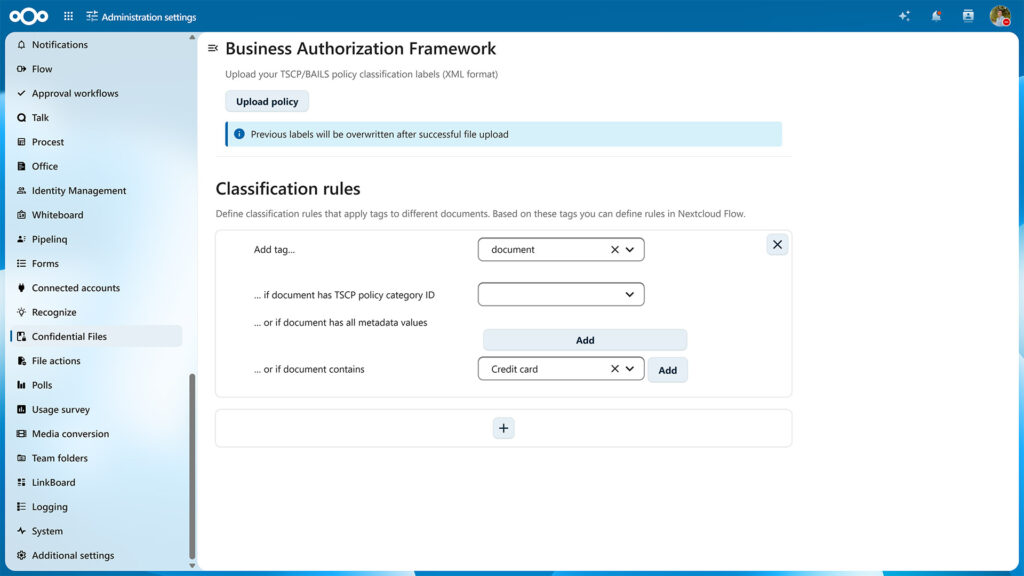
Confidential Files
Automatic labels in Confidential Files
The Confidential Files feature can automatically assign classification labels to files based on properties and metadata. This helps automate access restrictions or set up automations in Nextcloud Flow. Security labels are now automatically updated whenever document properties change, ensuring classifications always remain accurate and aligned with your policies.
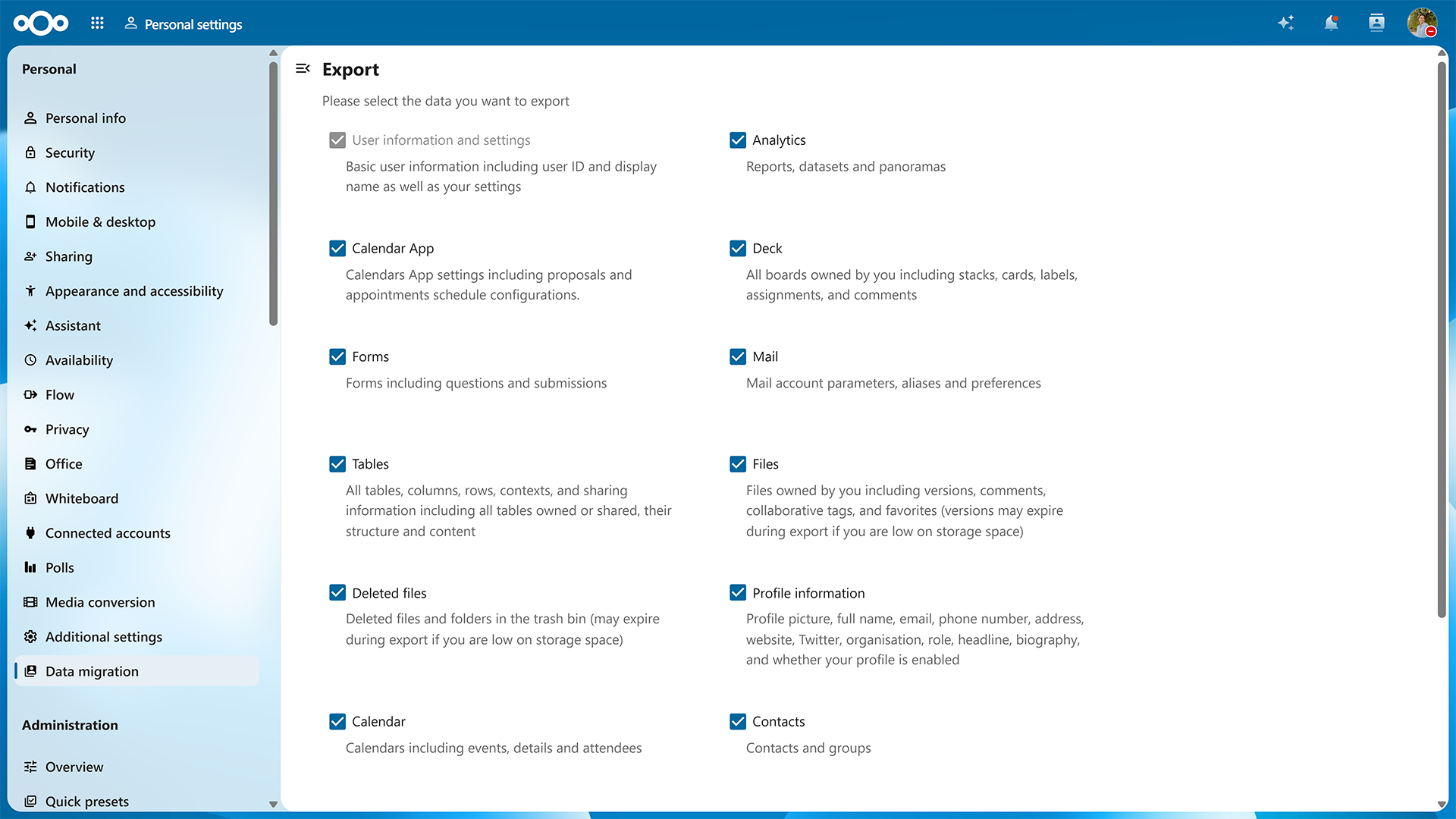
Easy data migration, export, and import
When you are in control, you can move your own data, such as files, tasks, or users, out and in. Nextcloud is built on open standards, which makes it strong at interoperability and migration. The new improvements of the user migration allow you to move your data to another server.
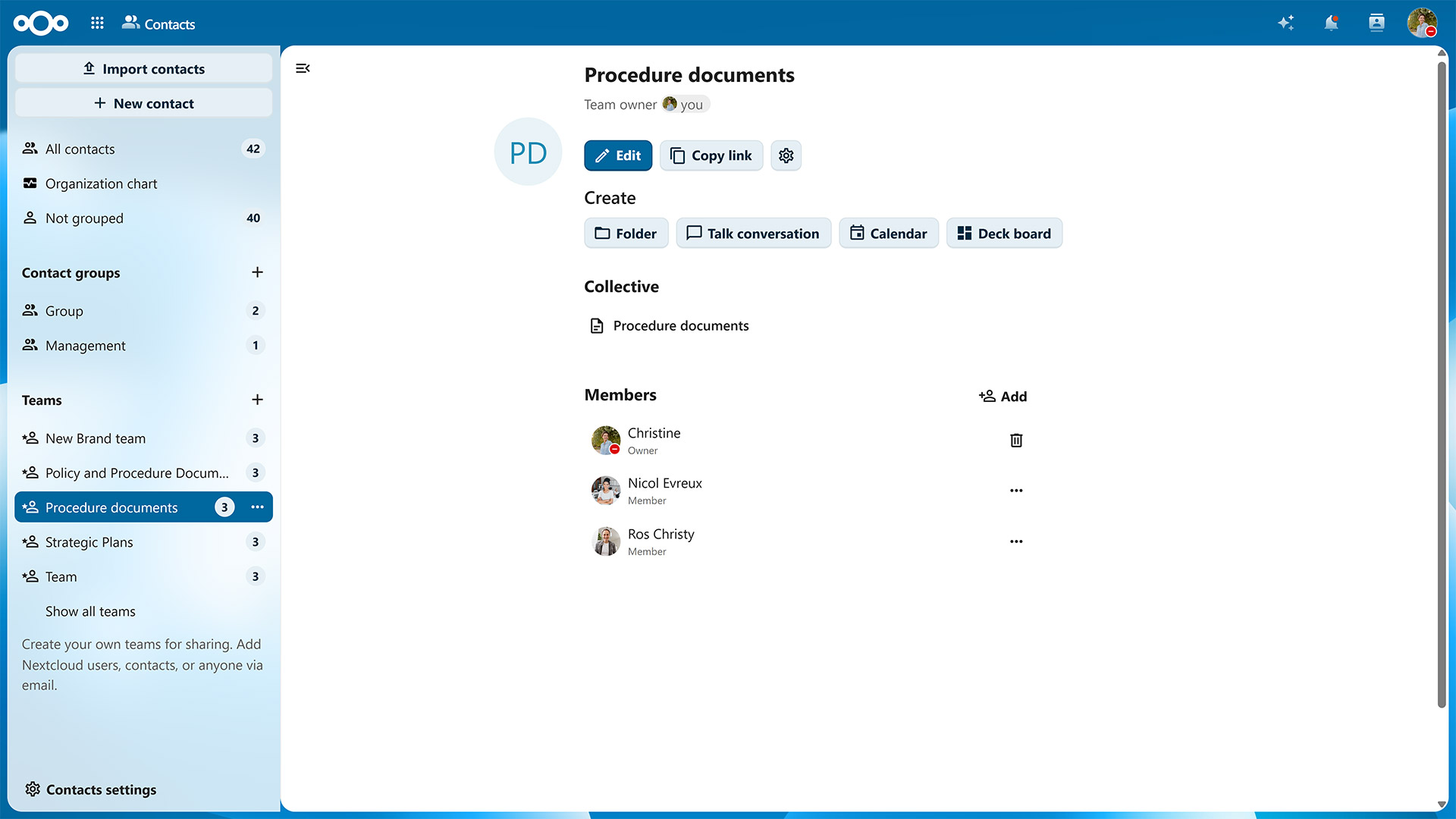
Nextcloud Teams
With Nextcloud Teams, people on your instance can self-organize in groups to work on common tasks, share and track team-related resources easily. Teams integrate into the Nextcloud Hub ecosystem, a self-sustaining layer of user management.
- Nextcloud Teams dashboard widget
- Redesigned UI for team management
- Easy guest account creation

Nextcloud Talk Phone
Effortless, resilient contacting
Assign unique extensions or phone numbers to each user to call each other swiftly within Nextcloud Talk. Is your colleague out of the office? Then the call will be automatically redirected to their replacement.

Nextcloud Whiteboard
Limitless canvas to sketch, draw and plan collaboratively
Nextcloud Whiteboard is a canvas-like whiteboard for collaborative sketching, planning and brainstorming that integrates with your apps in Nextcloud Hub. Whether you’re discussing ideas, planning projects, or collaborating with your team, Nextcloud Whiteboard offers an intuitive and interactive space to bring your ideas to life with multiple creative instruments.
- Collaborate in whiteboards seamlessly in Nextcloud Talk
- Draw with multiple colors and stroke types, shapes, add images, arrows and other objects
- Import images of your own into the canvas
- Present using the laser pointer feature
- Export drawings as PNG or SVG
- Version history support available
- Interactive sessions with timers, comments, reactions and voting polls

Nextcloud Assistant
On-premise LLM integrated as Assistant in Nextcloud
Accessible using the Assistant button on the top-right, it can be be called up to use with any team collaboration tools. Allows users to execute pre-defined operations (summarize, create a headline etc) or give a free prompt. Self-hosted or cloud-based, you choose the AI model to power your assistant. Several local large language models are supported meaning users can access the full power of large language models without fearing data leaks
- Transcribe: Record your speech or upload an existing audio file and transform it to text right in the Nextcloud Assistant interface using AI
- Email thread summary: Integration of the Assistant in Mail allows users to request the Assistant to summarize a email thread.
- Reply suggestions: Find the right words with reply suggestions in Nextcloud Mail
- Talk bot: Assistant integrated in Talk as a bot users can talk to.
- Chat and call summaries in Nextcloud Talk
- Suggestions for free/busy times in Calendar
- Live AI subtitles in calls in Nextcloud Talk
- Automatic AI content labels on generated images
- Memories to remember your conversations
- Live translation in Nextcloud Talk
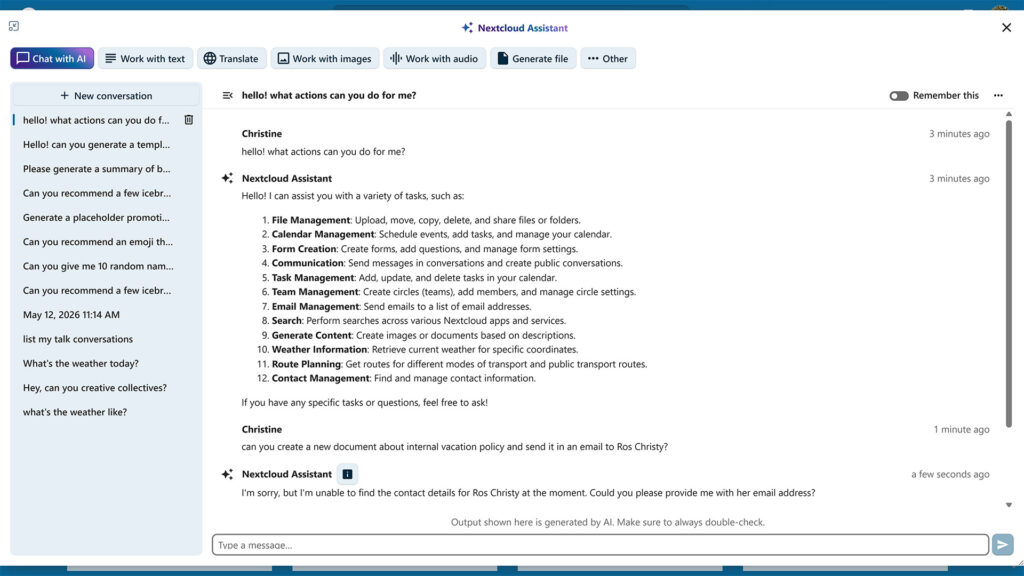
AI Agency features
Agency features allow Nextcloud Assistant to gather information from various apps and perform actions for you. It can already create events in Nextcloud Calendar, read and send messages in Nextcloud Talk, send emails and more.
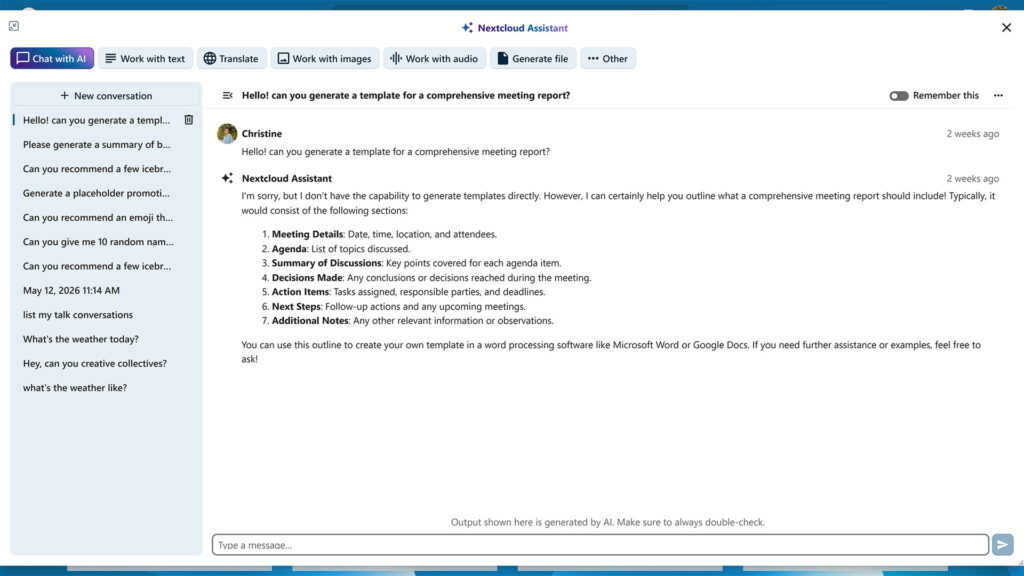
Chat with AI
Chat with AI to give prompts and ask questions in a dialog format. It will remember your conversations, making interactions more natural and smooth.
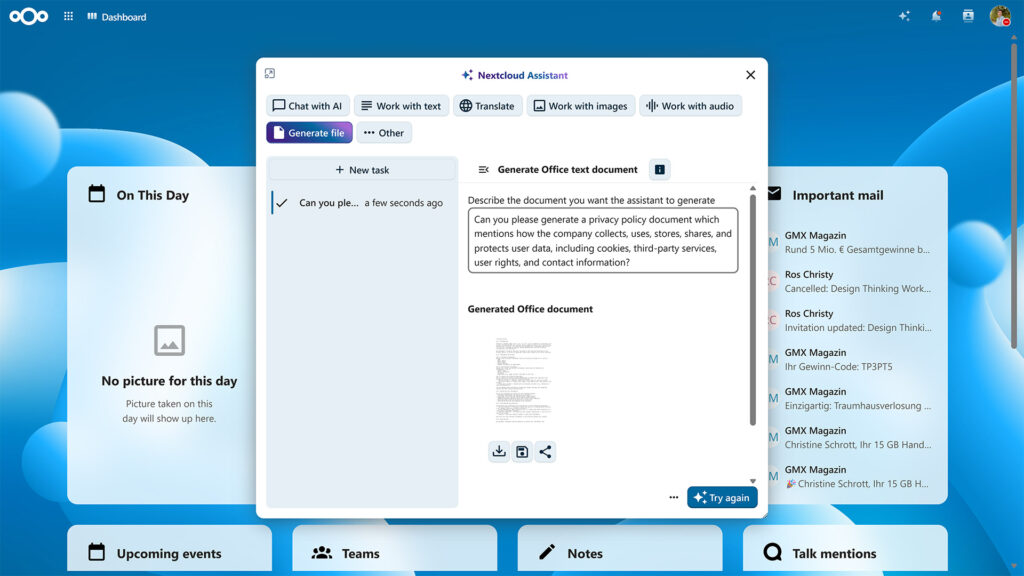
Generate file
Document generation with AI
Generate documents, spreadsheets, presentations and PDFs using AI. Nextcloud Assistant now helps you get started with your product meeting notes, support ticket overviews, project presentation outlines, and lots more.
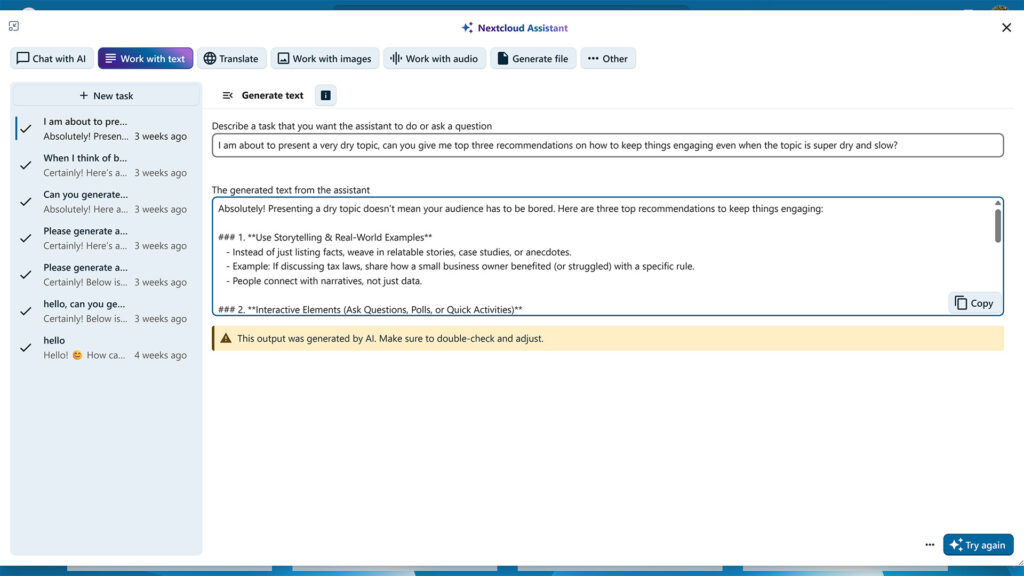
Generate text
Integration of the Assistant in Text allows users to select a piece of text, request an AI operation (summarize, reword, create headline and more) and insert the results once the operation has finished.

Context Chat
A smart chat bot that can access your data and answer questions about your documentation, contracts, papers, reports or anything else. You can manually define the scope and even limit it to a specific folder or file for more precision.
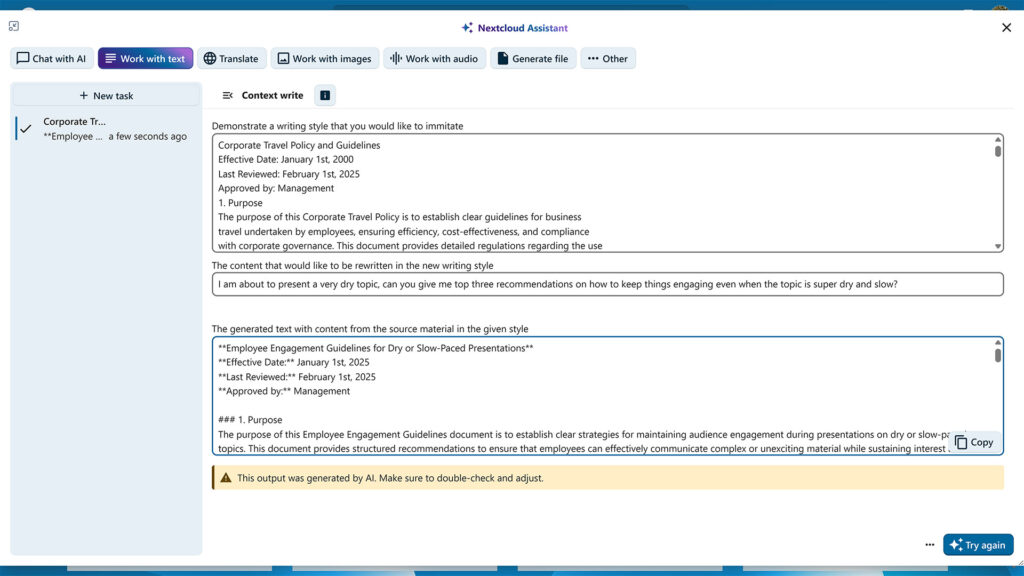
Context Write
Feature of Nextcloud Assistant powered by context awareness which can derive context from existing files to convey their unique tone, wording, and even structure to create new texts with the data you provide.
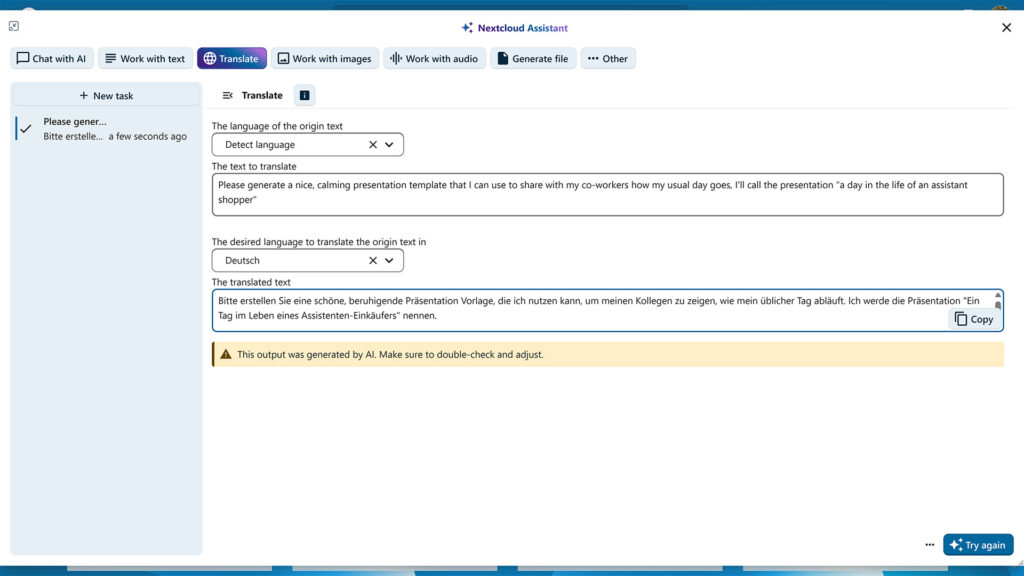
Translation with Nextcloud Assistant
Translate app is available directly from Nextcloud Assistant menu and the translation options are almost limitless, as there is support for hundreds of languages that app can detect, read and translate to.
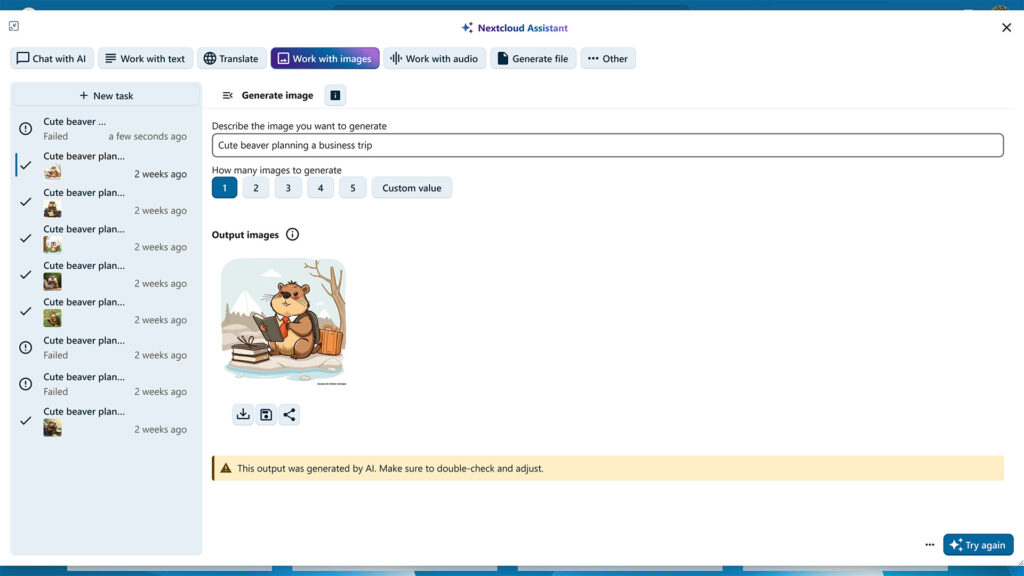
AI image generation
Generate images for any purpose with built-in image generation feature. Based on your custom prompts, Nextcloud Assistant can create unique illustrations to compliment texts, create an engaging imagery for social media, or support your written ideas with sketches.
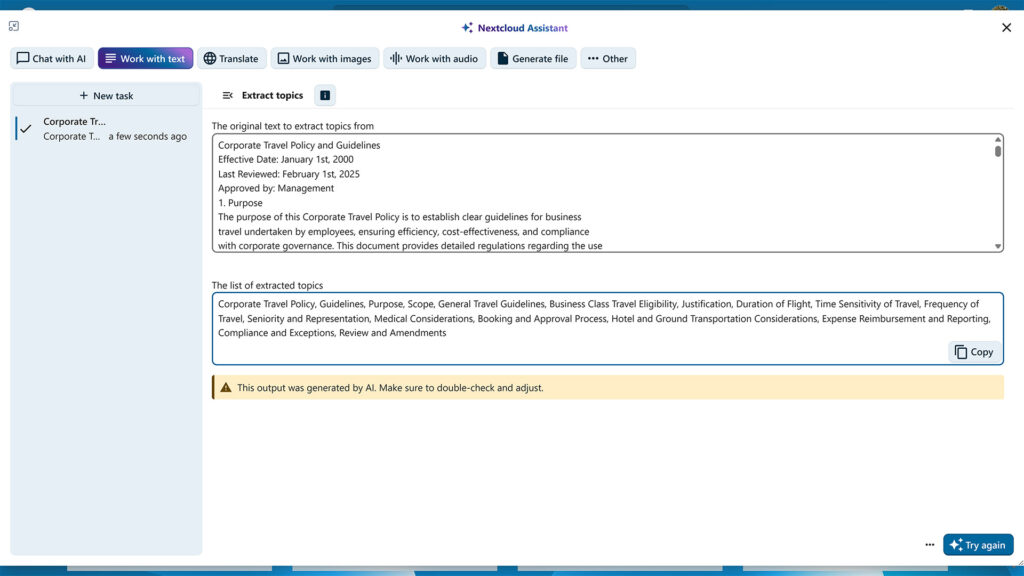
Topic extraction
Nextcloud Assistant can analyze a long text and compose an accurate, detailed list of topics discussed in it — saving you time reading and helping you quickly categorize large bulks of texts by topics.
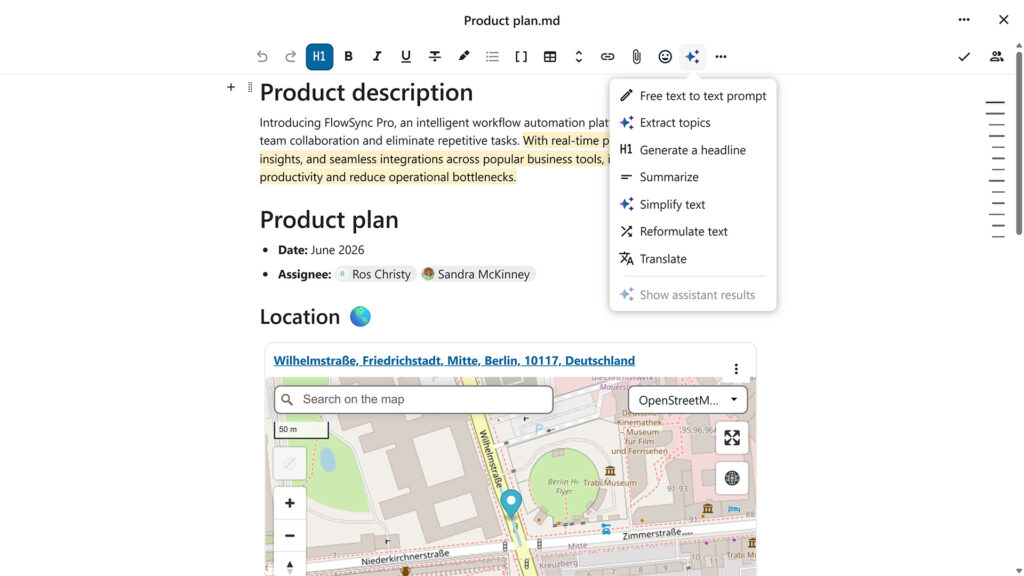
Advanced text processing tools
Nextcloud Assistant can perform various text processing tasks to help you enhance texts and save time when brainstorming ideas. Dedicated features let you summarize long texts, reformulate sentences, and generate headlines for your articles, emails and more.
All-in-one deployments
To ease deployment for small and medium business, Nextcloud offers an All-in-one Docker and VM image and direct deployments in a number of cloud environments like Azure and AWS.
Android app
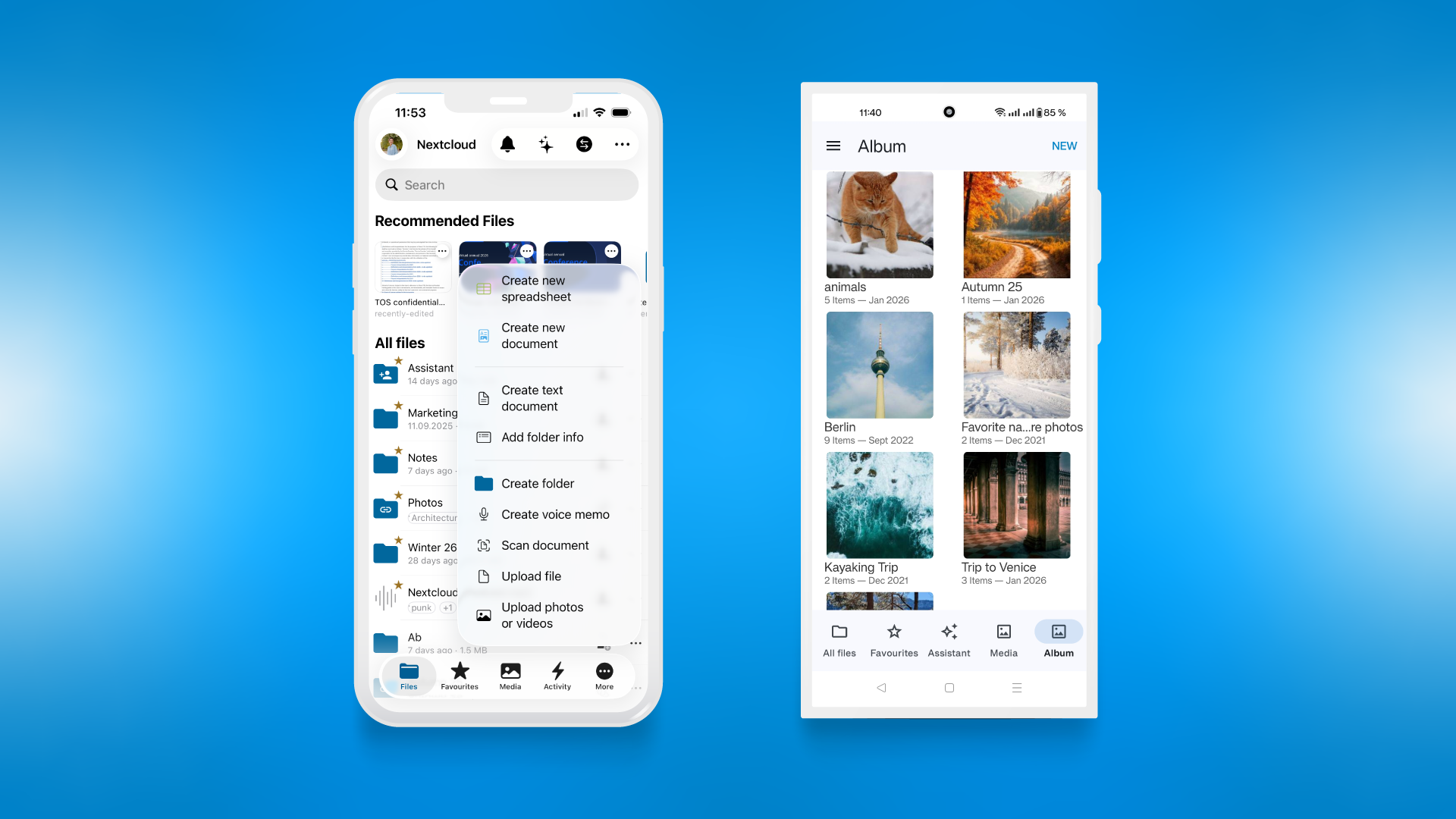
The Nextcloud Android app makes accessing, syncing and sharing your files easy with its modern and intuitive interface. It naturally integrates with your self-hosted team collaboration tool to deliver excellent on-the-go experience. The client supports Android 4.0 and later and works with a wide variety of screen sizes and Android features.
- Display documents, photos, videos, audio files, as a list or thumbnails, sorted as you like.
- Stream media files (needs at least Nextcloud 14)
- Edit files on the phone built in or using other apps installed on your Android device.
- Local and server-side search
- Add, rename, copy, move and delete files and folders
- Keep your favorite files available offline
- Restore deleted files
- Share files with others
- Shared files view
- Simple contacts backup & restore
- Auto-configuration of Contacts and Calendar integration through DAVDroid
- Client-side, End-to-end encryption
- Support for server push notifications and file activity feed
- View and reply to comments on files
- Real-time collaborative document editing
- TalkBack screenreader support
- Multi-account support
- Fingerprint locking
- Adjusts to Nextcloud server theming preferences
- Auto-upload of any type of data including photos and videos with custom file naming and folder sorting, wifi-only upload, differential handling of photos and videos
- monitor any number of folders for any file type so you can upload Whatsapp images, documents and anything else
- Quick configuration with a QR code
- Image editing capabilities
- Enhance image preview view / detail
Branding & Theming
Easy, integrated branding support for enterprise customers
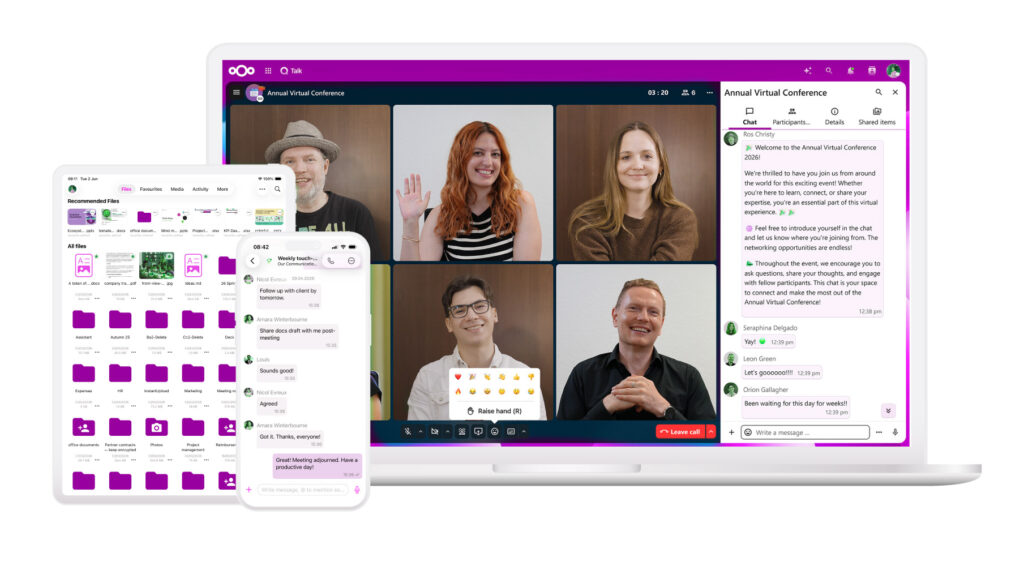
In order to provide a seamless enterprise user experience, Nextcloud offers branded clients to their customers. As part of this we support deployment technologies like MSI for desktops and MDM for mobile platforms.
- Logo, colors, login graphics and name
- Add custom links for privacy policy, imprint and terms of service
- Default / example files every user gets on first login can be modified
- Mobile apps and web interface adjust to theme settings, except app icon on mobile)
Brute force protection
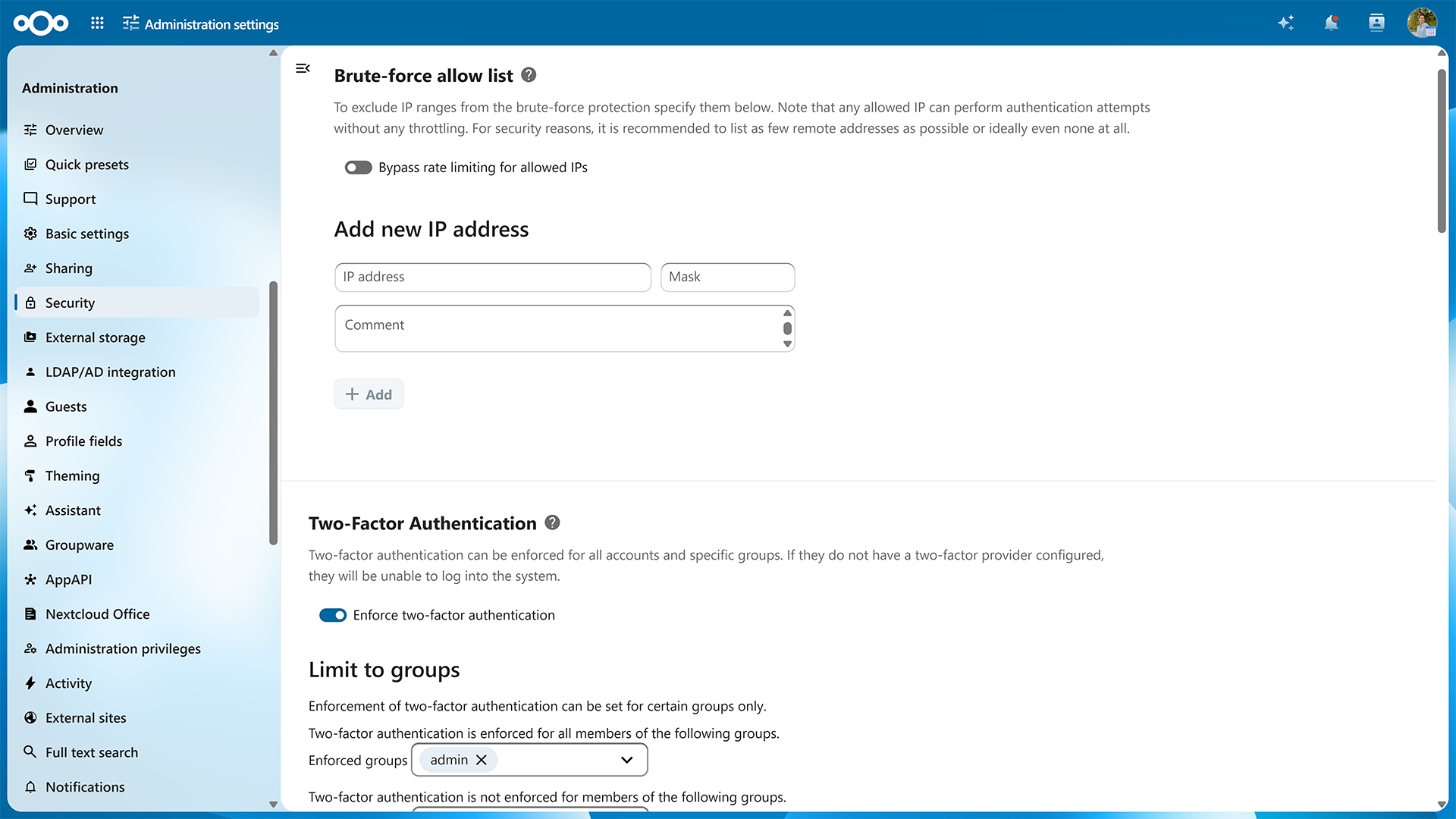
Brute Force Protection logs invalid login attempts and slows down multiple attempts from a single IP address (or IPv6 range). This feature is enabled by default and protects your self-hosted collaboration platform against an attacker who tries to guess a password from one or more users.
Password reset tokens are invalidated when critical information like user email has been changed to protect against phishing attacks.
Nextcloud will ask system administrators for password confirmation on security critical actions.
Password reset tokens are invalidated when critical information like user email has been changed to protect against phishing attacks.
Nextcloud will ask system administrators for password confirmation on security critical actions.

Collaboration features
Work, share, collaborate, enjoy
Share images, documents or music with colleagues on your server, send password protected public links to friends and get notifications on your phone when a user on another Nextcloud server shares files directly with you. Use File Drop to let customers upload files to you in a easy and secure way!
You can trust that when you share, Nextcloud makes sure you stay in control over your data. You can easily see a list of shares, remove or change permissions and restore older versions of files.
You can trust that when you share, Nextcloud makes sure you stay in control over your data. You can easily see a list of shares, remove or change permissions and restore older versions of files.
- Real-time push notifications on comments, mentions and new shares
- Collaboratively edit documents in real time with editors such as Euro-Office or Collabora Online
- Smoothly transition between commenting on files to chat or video calls
- Transfer ownership of files and folders to other users
- Lock files so others know you are working with them
- Add a description to public links so you can keep them apart
- Tag and comment on files, and see tags and comments by others
- Search by file name, tags, comments or file content (with the full-text search app)
- See what is happening with your data in the Activity feed, get notified by mail or RSS feed
- Previous versions of files you modified are retained and can be brought back
- Share with individual users, groups or create custom groups with the Teams app.
- Share photo galleries
- Share public links read-only, secure view (no download/print/copy-paste) or with editing capabilities
- Attach notes to a share, either to a Nextcloud user or to a public link
- Choose to automatically accept all incoming shares, or choose to accept them on a case by case basis

Data retention
Define rules for data retention, allowing regular cleanup of files or ensurances that data stays put for a set amount of time.
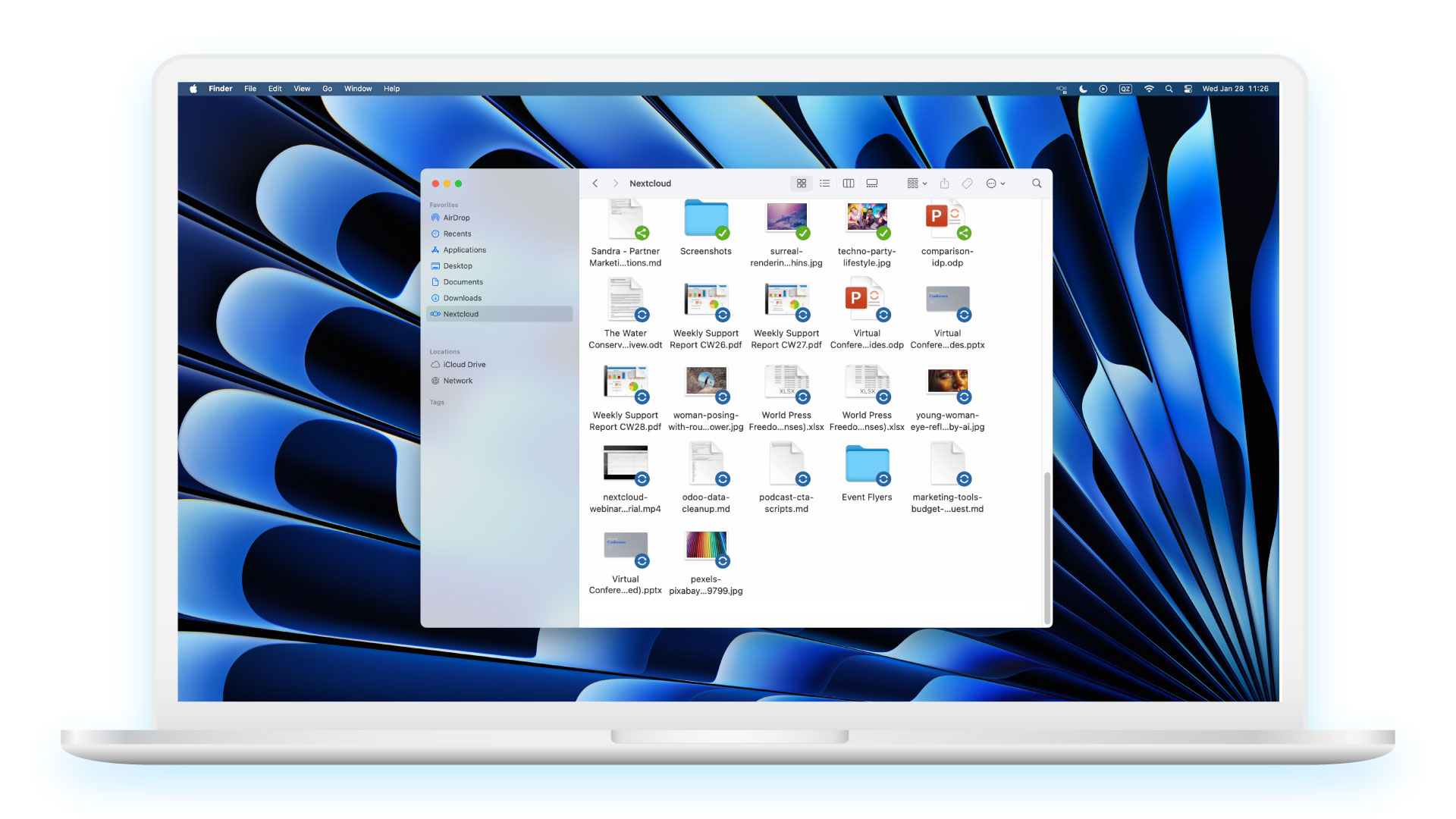
Desktop client
Sync and collaborate on your desktop or laptop
The Nextcloud desktop client keeps photos and documents always up to date, enabling you to work like you always did.
Any file you add, modify or delete in the synced folders on your desktop or laptop will show up, change or disappear on the server and all other connected devices.
Any file you add, modify or delete in the synced folders on your desktop or laptop will show up, change or disappear on the server and all other connected devices.
- Protect your files with client side, End-to-end encryption
- Set up multiple accounts with different servers
- Sync and collaborate on your desktop or laptop
- Select any number of local folders to keep in sync with specified remote folders
- Exempt any number of subfolders in a synced folder from being synced
- Optional warning in case a very big new subfolder was added
- Easily pause and resume syncing
- Remote wipe to clean data and accounts from the client
- Receive notifications of server events like a new share or audio/video call
- Use the activity feed to track what happens to your data
- Immediately reply to notifications to join a call or accept a share
- Protect your files with client side, End-to-end encryption (version 2.7.0+)
- Easily configure a proxy or set bandwidth throttling
- Enjoy convenient file manager integration for easy sharing
- Set up multiple accounts with different servers
- Allow automatic locking for Office files
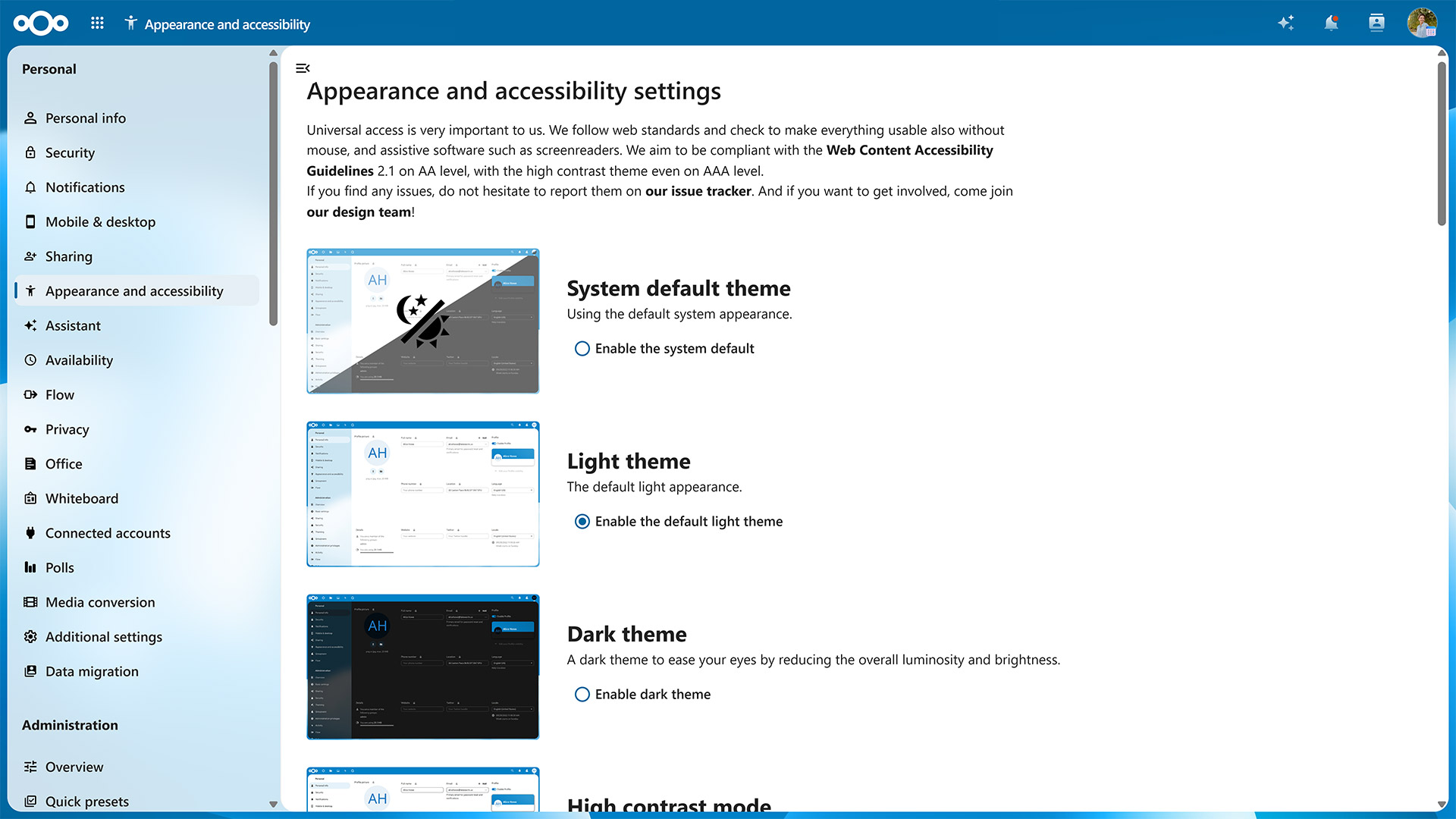
Dyslexia font
To ensure Nextcloud is accessible to users with visual impairments, Nextcloud has extensive keyboard accessibility and screen reader support.
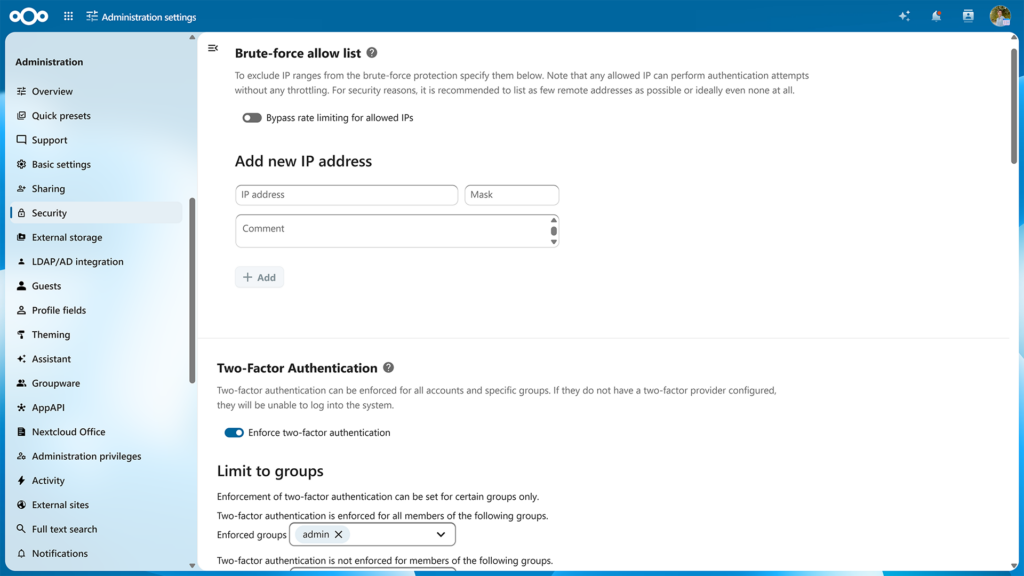
End-to-end encryption
Protecting data from source to destination
Nextcloud features an enterprise-grade, seamlessly integrated solution for end-to-end encryption. It enables users to pick one or more folders on their desktop or mobile client for end-to-end encryption. Folders can be shared with other users and synced between devices but are not readable by the server.
- E2EE file sharing
- End-to-end encrypted calls in Nextcloud Talk
- Store E2EE key on hardware token
- Any number of folders can be end to end encrypted.
- Easily add a new device with a strong passcode consisting of 12 dictionary words.
- Secure sharing with other users without the need to enter passwords.
- Efficient sharing and revoking shares without the need to re-encrypt large files.
- Design supports a Hardware Security Module for enterprise environments which enables securely issuing new keys to users.
- Supports an offline administrator recovery key to be kept in a physically separated location. Users get warned when this key is enabled.
- Supports a complete audit log without compromising end to end security.
- Can be combined with our File access control to block specific file types or files by specific user groups from uploading unless they are end-to-end encrypted.
- Extended end-to-end encryption features in the browser

Cryptographic Identity Protection
Every user gets a unique public/private key combination when they first enable end-to-end encryption. The public key is sent to the server and signed into a certificate. The certificate is checked by the users’ other clients and used by other users to share encrypted files with the first user, based on Trust On First Use.
- Each device of the user can aid in recovering their private key. Only if a key is lost on all devices AND the 12 secure key words are lost, the user loses access to his/her data. The optional offline administrator recovery key can still be used to re-gain access.
- By default, keys can’t change so as to protect the identity of users from hacking if the server is compromised. If the key could change, a hacker could issue a ‘new’ certificate for the user and have clients respond by re-encrypting data with the new, compromised key.
- The process enables a complete audit log, crucial for enterprise use.
- The certificate can optionally be issued by a Hardware Security Module so it is possible to issue new certificates for existing users in a secure way.
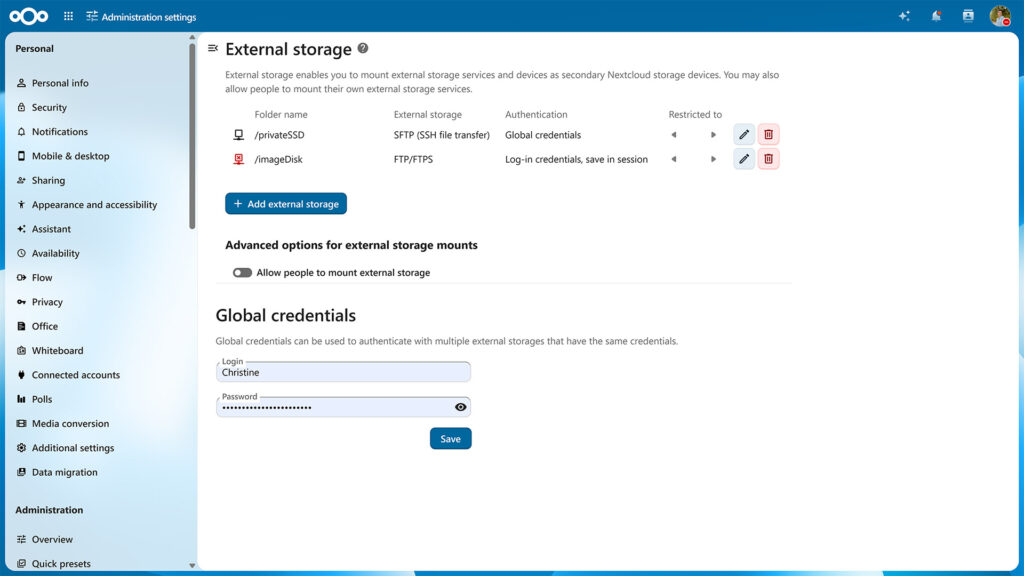
External storage
Securely access your data anywhere
Access existing storage silos like FTP, Windows Network Drives, SharePoint and Samba shares seamlessly through Nextcloud. Protect and optimize data usage in line with compliance and company policy by controlling sharing and performance for each external storage system.
- Consistent file system view with Nextcloud and IBM Spectrum Scale – More in the announcement blog
- Deploy multiple data storage systems in the public cloud or hosted with a trusted provider or on-premise
- Advanced capabilities and additional tools to enhance performance on large instances
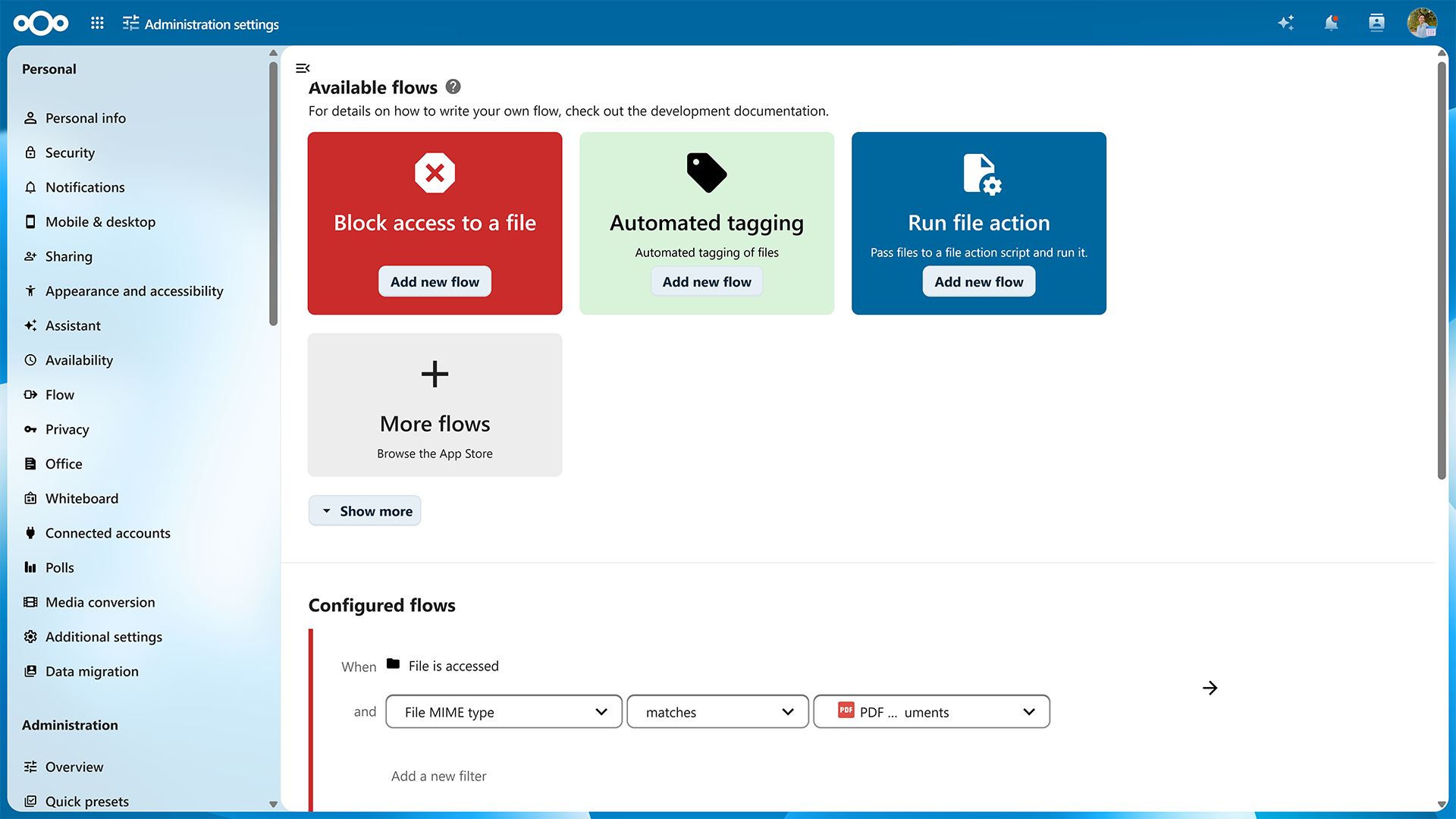
File access control
Access on your terms
Through ``File access control`` and automatic file tagging, Nextcloud gives administrators control over data access by enabling them to define strict rules requests need to adhere to. If users in certain groups or geographic regions should not be given access to certain file types or if data with a specific tag should not be shared outside the company, administrators can make sure their Nextcloud instance enforces these rules. Combined with our Secure Sharing Outlook add-in (and by disabling direct email attachments), File access control can play a crucial role in enforcing company policy on data sharing.
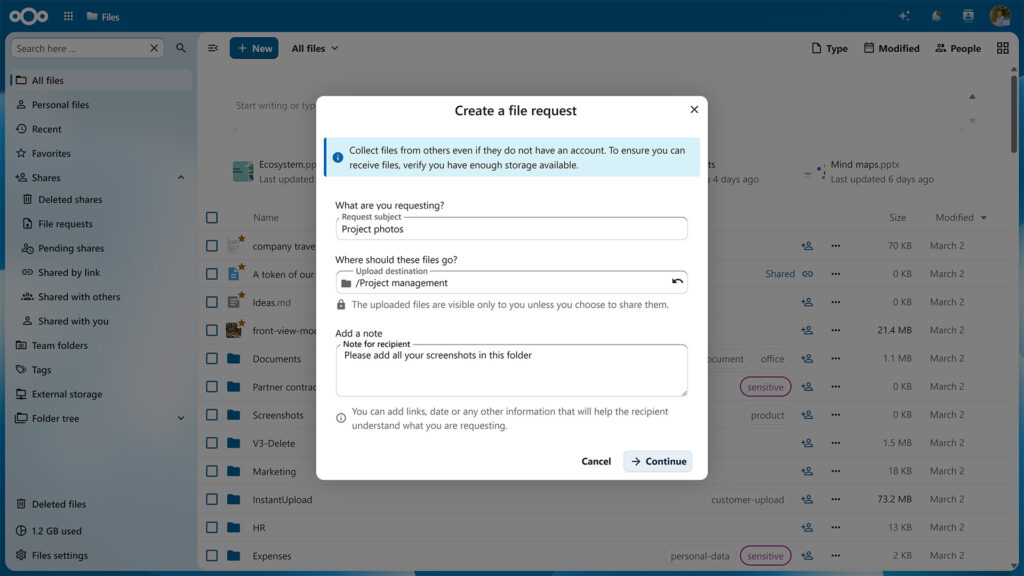
File Drop – Secure file exchange
Convenient and secure file exchange for enterprises
The File Drop feature in Nextcloud Files enables customers, patients, clients or partners to upload files for you in a secure cloud folder you shared through a hyperlink.
- Easy creation of secure upload point
- Activity tracker notifies sender about file uploads/downloads
- Integrated anti-virus scanning
- Unlimited shares and upload folders
- Unique links for each customer
- Edit/rename without link change
- Read only/write permissions
- Password protection
- Expiration date
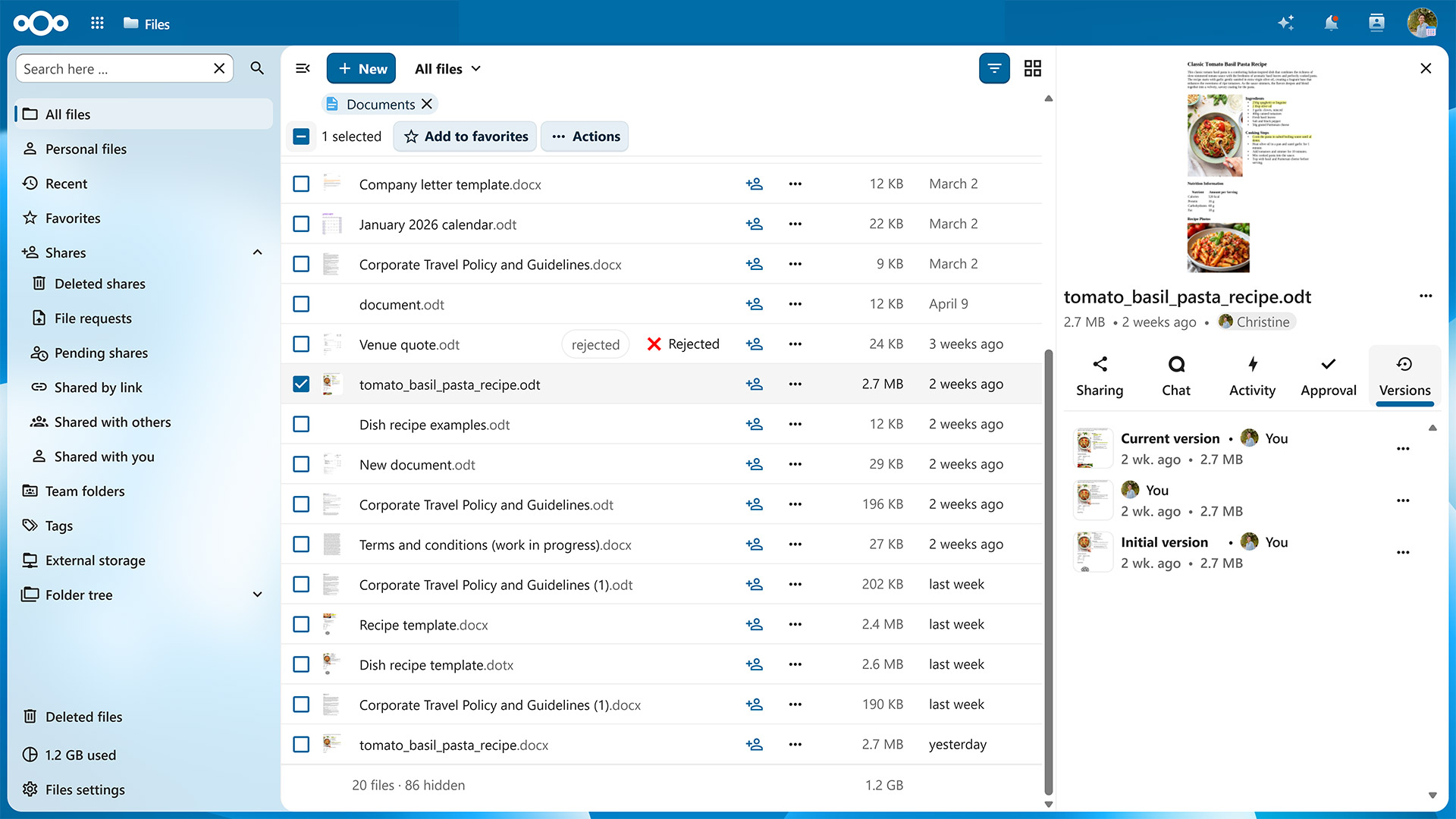
File versioning, restore and retention control
File retention and deletion can also be controlled based on tags set manually or automatically, ensuring legal or practical requirements for the longevity of data lifespans can be enforced.

Full-text search
Nextcloud includes a powerful full-text search engine capable of using ElasticSearch as back-end. Its flexible plugin-based interface enables search capabilities beyond files and accommodates other back-end solutions like Apache Solr.

Global Scale
Extreme scalability at commodity cost
Nextcloud Global Scale delivers a true globally scalable solution for deployments with hundreds of millions of users, giving unprecedented control over the locality of data and delivering dramatic cost reduction
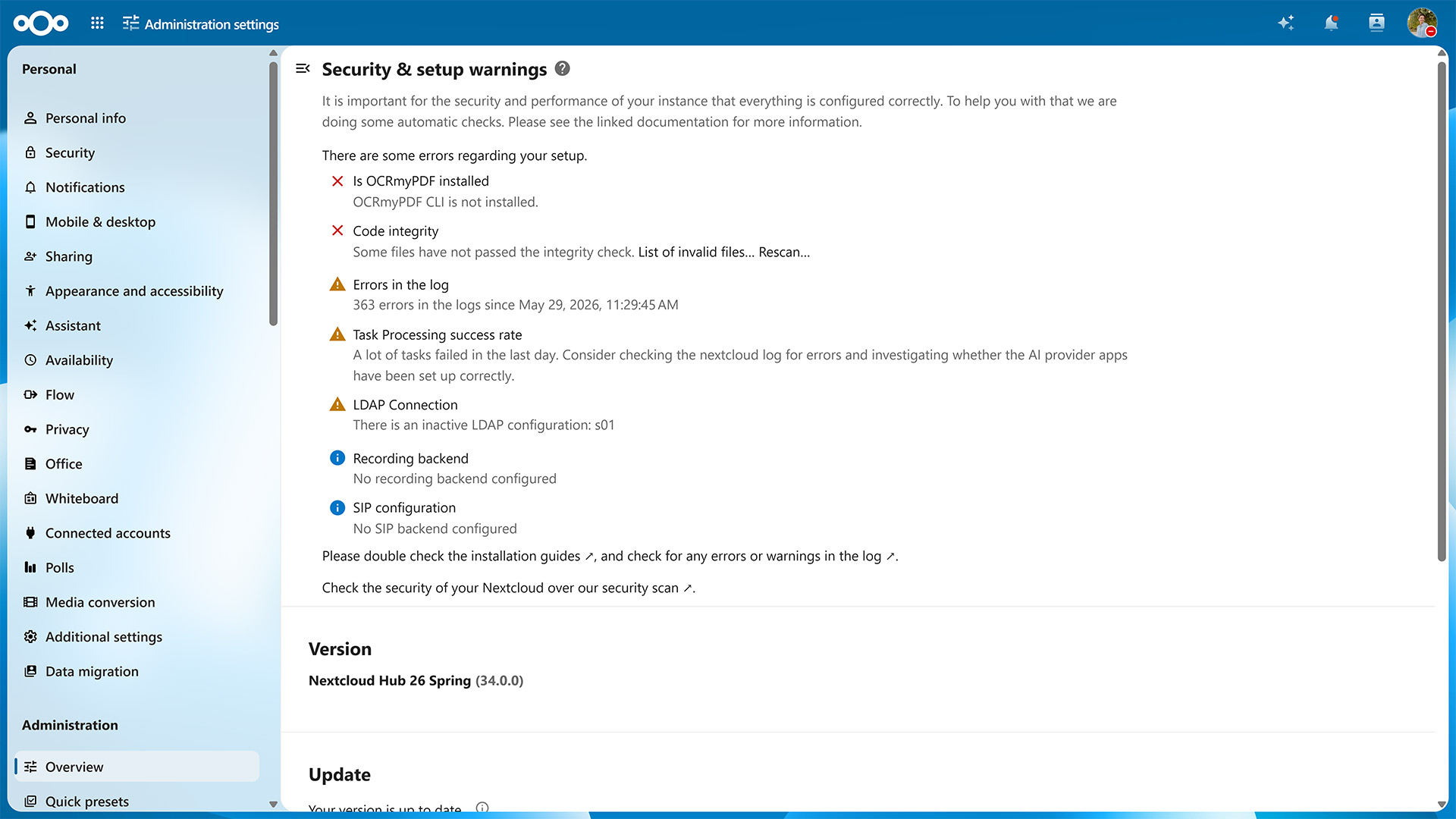
Nextcloud Guard
Nextcloud guard, a recent addition to Nextcloud Enterprise, does over 100 checks on your system, and gives you an overview of your users’ issues. You can see if a user has a client with syncing errors, hits their quota limits and so on.
High contrast mode
To ensure Nextcloud is accessible to users with visual impairments, Nextcloud has extensive keyboard accessibility and screen reader support.
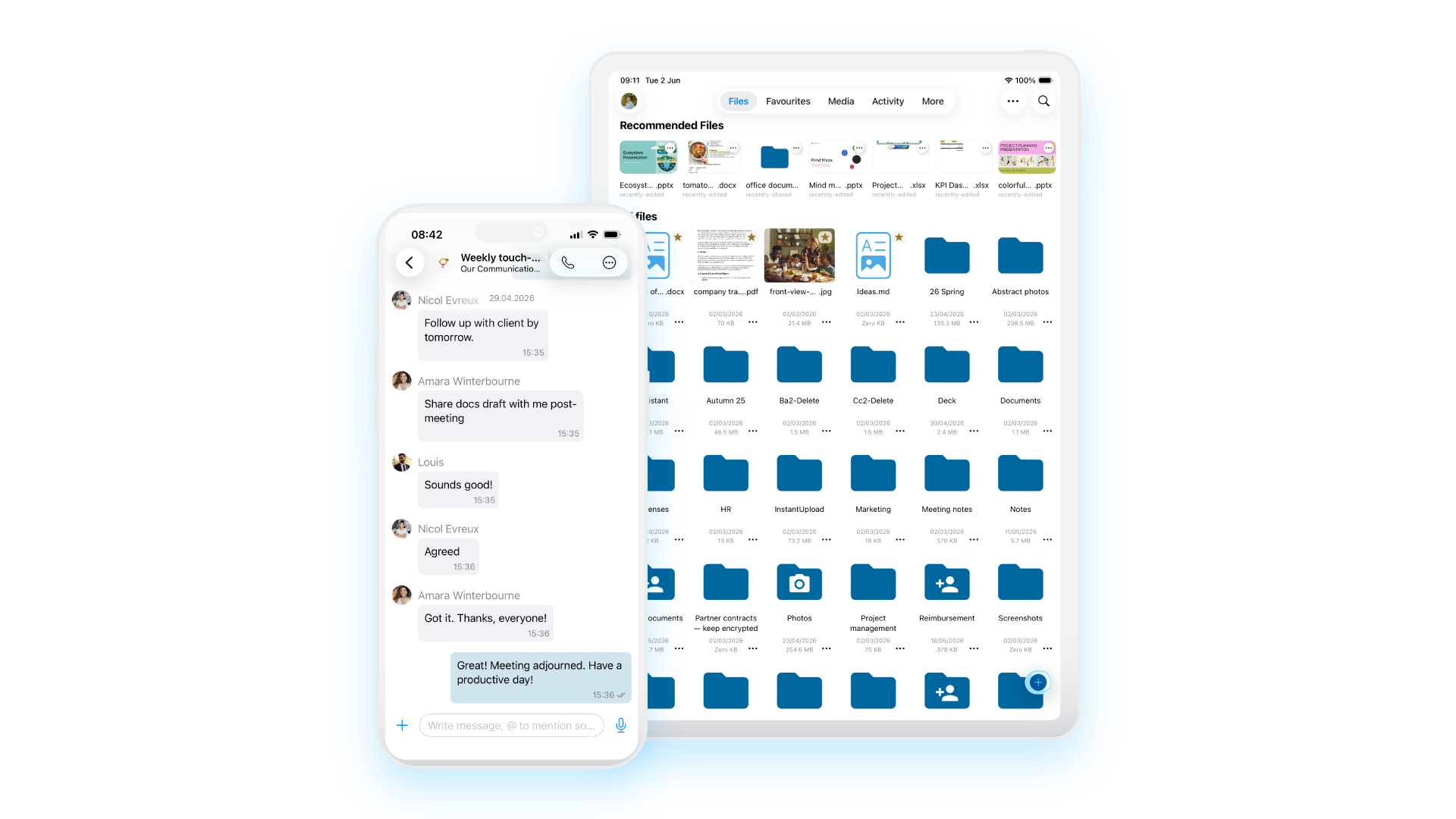
iOS app
The Nextcloud iOS app provides a way for users to access and sync files on the go in a easy and intuitive interface. The client is kept always up to date with the latest iOS versions and designed for both smaller and newer iPhones, iPhone X and iPad.
- Document scanner in action
- Display documents, photos, videos, audio files, as a list or thumbnails, sorted as you like.
- Edit files on the phone built in or using other apps installed on your iPhone or iPad.
- Add, rename, copy, move and delete files and folders
- Keep your favorite files available offline
- Real-time collaborative document editing
- Quick configuration with a QR code
- Share files with others
- Client-side, End-to-end encryption
- Local and server-side search
- Support for server notifications and file activity feed
- 3D Touch peek&pop and homescreen quick actions
- Scan-to-PDF with rotation and quality level control
- Multi-account support
- Adjusts to Nextcloud server theming preferences
- Auto-upload of photos and videos with custom file naming and folder sorting, wifi-only upload and HEIC support
- iOS 11 Files Integration
- Trash and versions integration
- Remote wipe to clean data and accounts from the client
- Image editing capabilities
- Enhance image preview view / detail
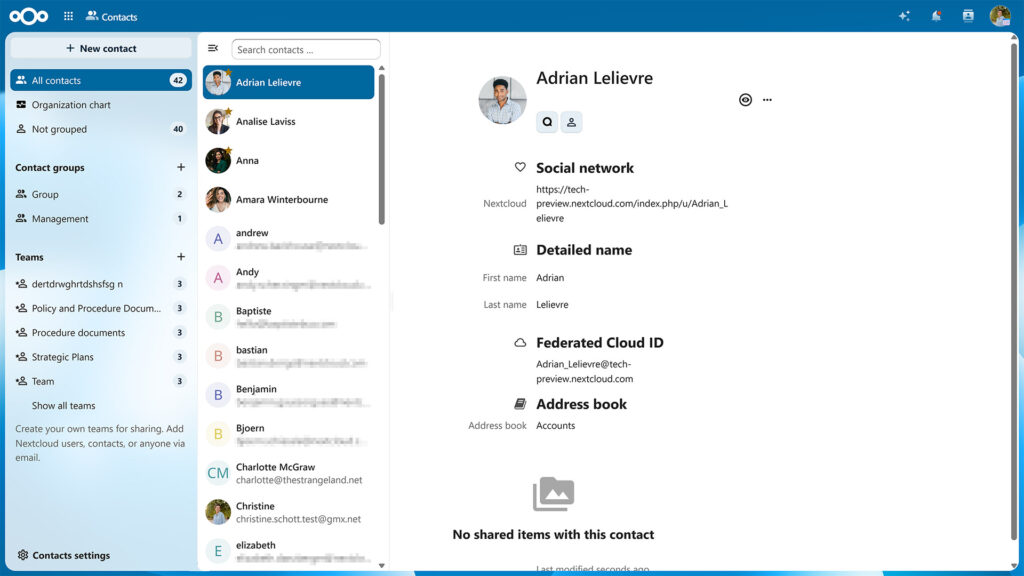
LDAP/Active Directory user management
Integrated account management
Nextcloud features integration with external user directories like LDAP, Active Directory or others as well as built-in account management, two-factor authentication and Single-sign-on support.
- Group admins
- Guest accounts
- Password security enforcement – More on the blog
- Add accounts easily with a QR code
- User-defined group management – Users can define their own, custom groups, named Teams.
- Automated or manual provisioning
- Multi-factor authentication
- Single-sign-on – Nextcloud features an SSO & SAML app for easy Single-sign-on integration
- Remote wipe
Light/Dark theme support
To ensure Nextcloud is accessible to users with visual impairments, Nextcloud has extensive keyboard accessibility and screen reader support.
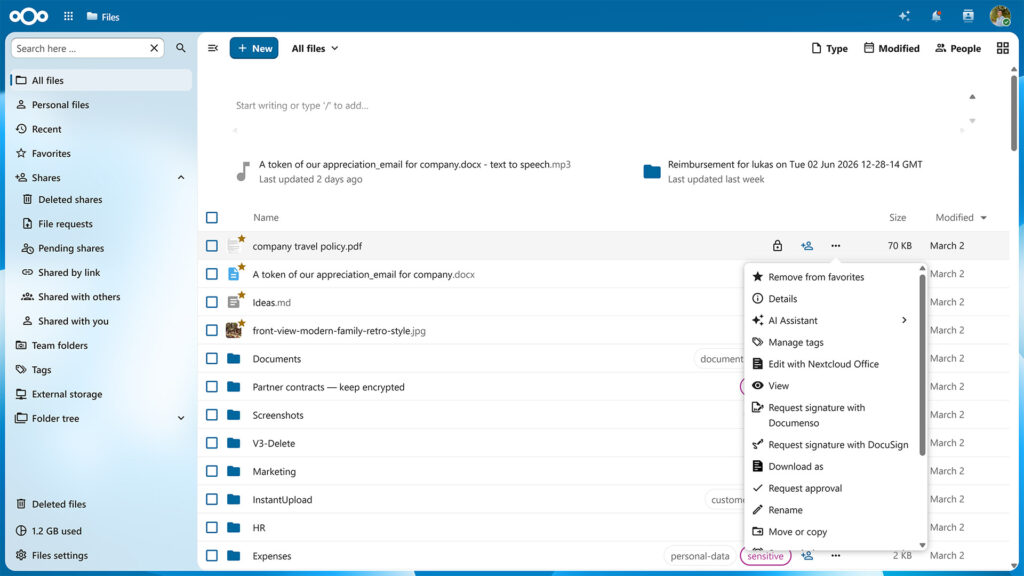
Locking files
File locking helps users prevent conflicts with colleagues who are trying to edit the same files. While office documents and notes can be edited in real time in the browser, some files have to be downloaded to make changes. Lock the file and collisions are avoided! Other users can easily contact you in chat or by a comment to ask what is going on.
- Automatic locking for files while they are being edited locally on the desktop clients
- Server locks files in use on the server (editing in text or office)
- Administration can configure lock time-out

Machine learning based suspicious login detection
Nextcloud includes a machine learning technology which trains a neural network on successful logins on the instance and uses it to classify login attempts. Should it detect a login classified as suspicious by the trained model, it will notify the user and store an entry in the log for the system administrator.

Microsoft integrations
Nextcloud Enterprise is designed to integrate well in Microsoft environments, with file storage, user directory, Outlook, Sharepoint, Windows Desktop, MS Office online server and Teams integrations available.
- Outlook integration (Files Sharing)
- Outlook integration (Exchange Connector)
- Teams integration
- WND & Sharepoint integration
- Office Online Integration
- Secure email box (prevent leaking of email content and attachments with Outlook integration)
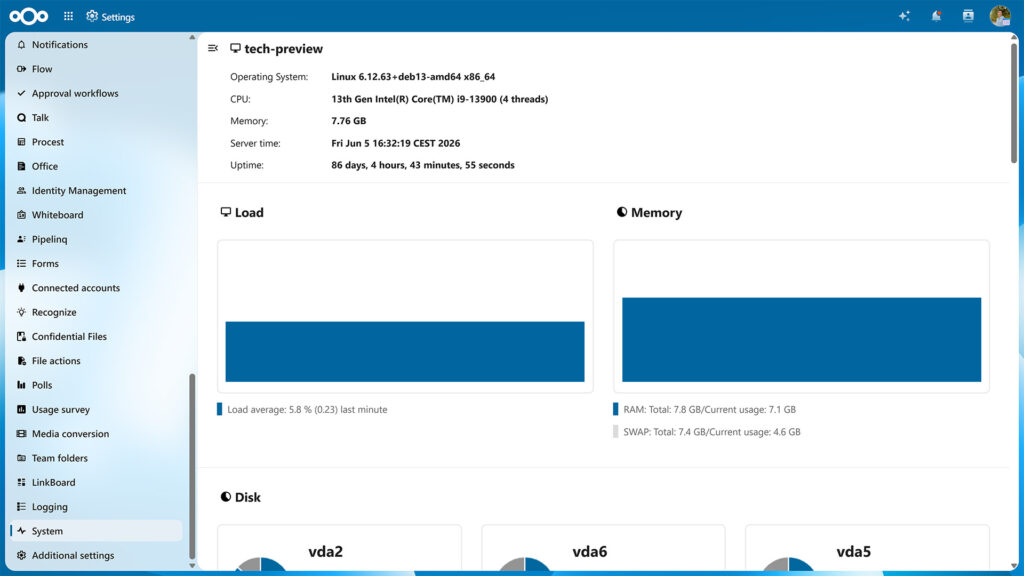
Monitoring and auditing
Nextcloud has your back with our Server Information, Activities and Auditing apps.
With your file sync and share solution central to the productivity of hundreds, thousands or even millions of users it is crucial to have an overview of its performance and service. Your users want to know what is happening to their files. And last but not least, so does your legal department!
- Built-in App for monitoring
- Monitoring API endpoint integration
- Protect and retire data
- Advanced file access control and retention capabilities
Auditing logs
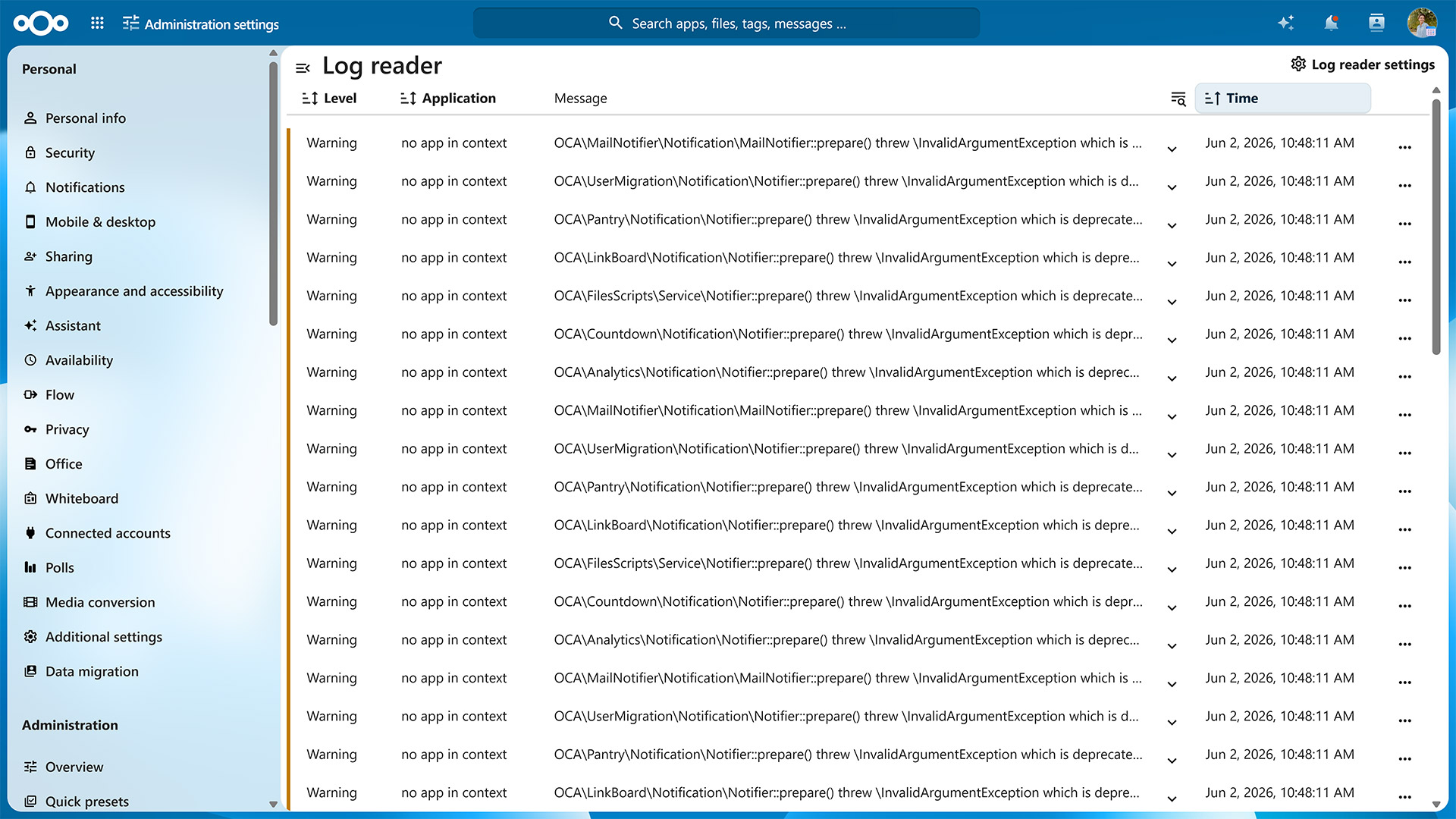
Nextcloud logs data in the nextcloud.log file provided in the root of its data directory. You can optionally record a full audit trail in a separate audit log file. This can be used by Data Loss Prevention and Mobile Device Management tools as user agent information is available alongside extensive user, IP and date/time logs.
Audit logs provided include user session information, file handling, user management, sharing and other actions.
Audit logs provided include user session information, file handling, user management, sharing and other actions.
Track file activity
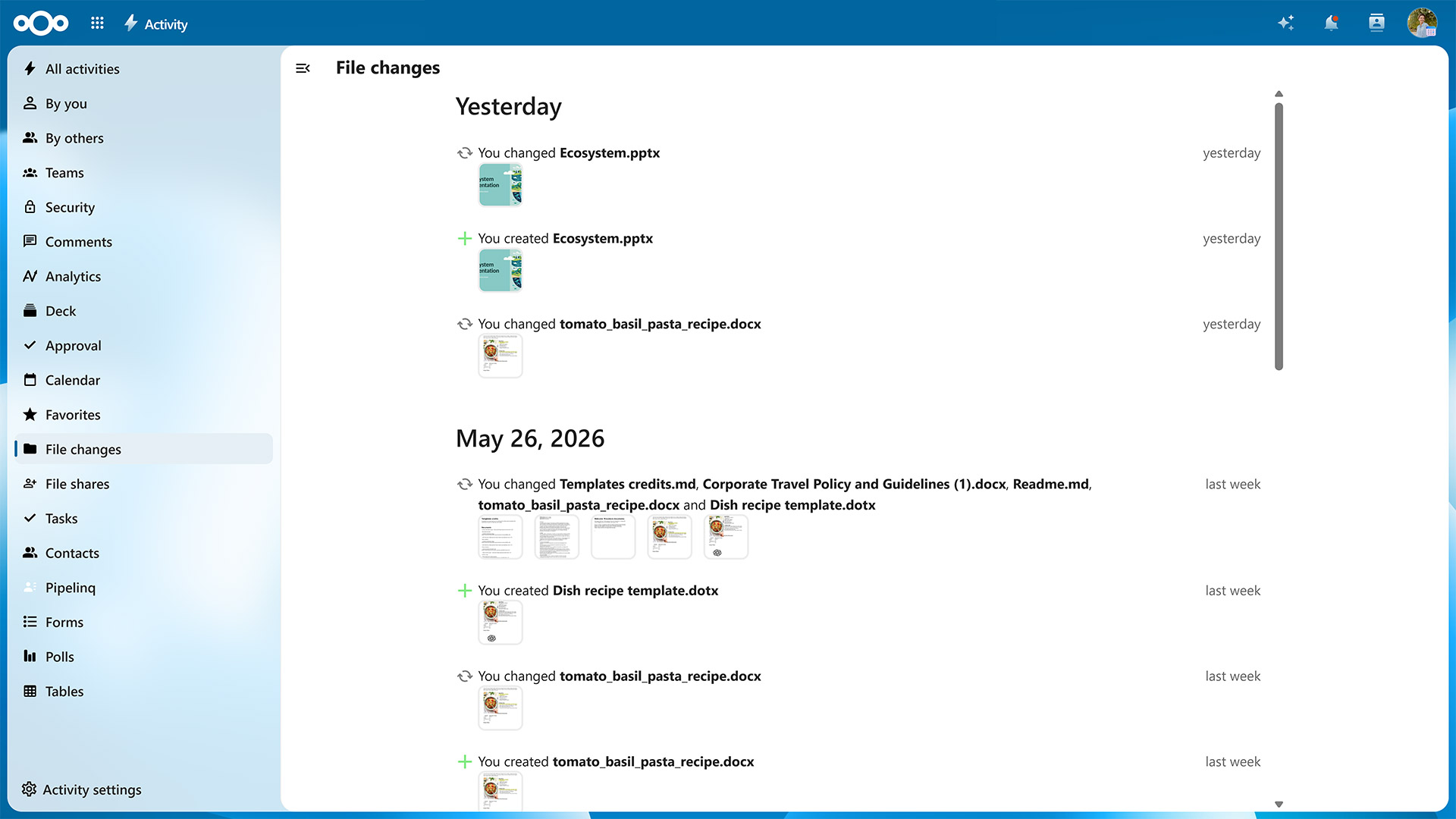
The Nextcloud Activity app gives users a clear view on what is happening with their files. It provides users with an overview of recent changes like:
- New or deleted files in shared folders
- File modifications
- Download of shared files
- New comments or tags
- Calendar invitations
- Incoming calls or chat requests
Nextcloud Dashboard
A great way to start your day
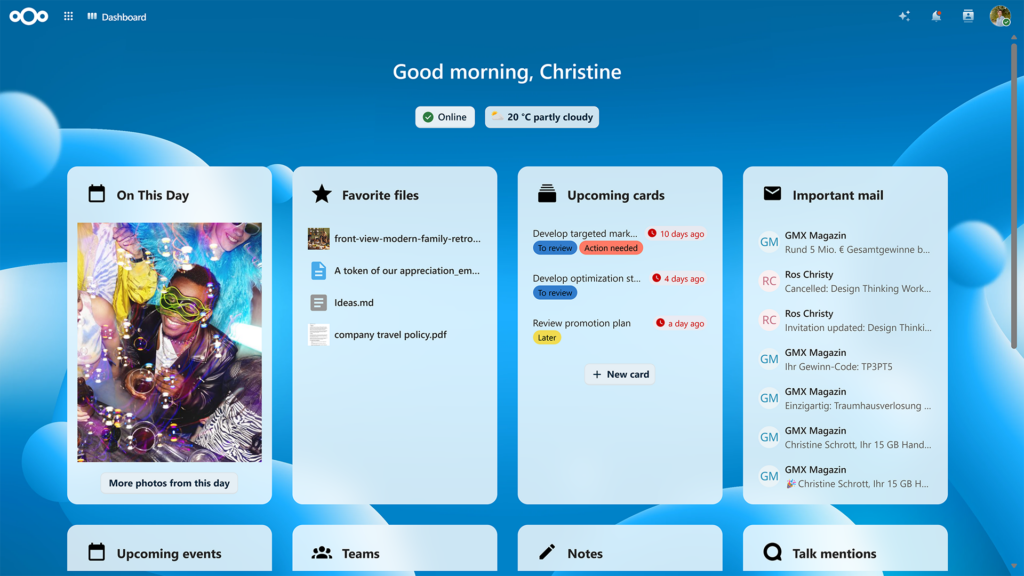
The Nextcloud Dashboard is your starting point of the day, giving you an overview of your upcoming appointments, urgent emails, chat messages, incoming tickets, latest tweets and much more! Users can add the widgets they like and change the background to their liking.
- Configurable dashboard widgets
- Widgets for social media apps
- Move the widgets where you want them
- View and edit files directly from the dashboard
- Change the background
- Quick login with QR code
Nextcloud Flow
Features and apps for process automation
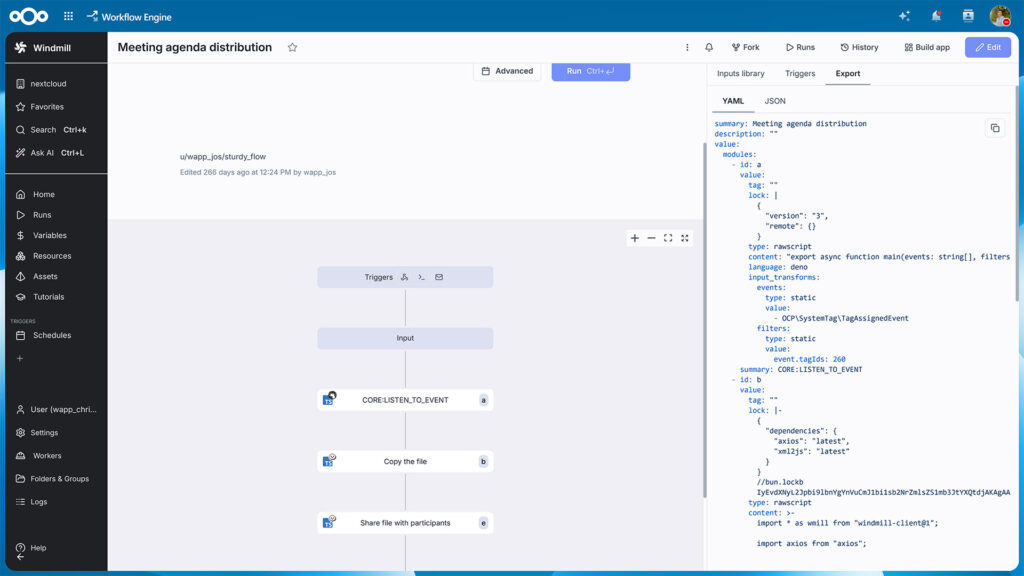
Nextcloud Flow combines various tools in Nextcloud Hub that help automate a variety of processes in your organisation. It consists of a number of components, from our Open Collaboration Services API and our structured data management application Tables to our existing workflow tool and our brand new business process automation application based on Windmill.
- Advanced business process automation application based on Windmill
- Automated workflows with the basic, easy to use Flow app
- Open Collaboration Services API for streamlined collaboration across services
- Structured data management application Nextcloud Tables
Remote Wipe
Clean data and accounts from the client
While Nextcloud supports Mobile Device Management solutions, thanks to built-in support, remote wipe will work on systems not under management of the company. This is useful for home users but also large universities and of course in a scenario where guest accounts were handed to a third party.
Screen reader support
To ensure Nextcloud is accessible to users with visual impairments, Nextcloud has extensive keyboard accessibility and screen reader support.
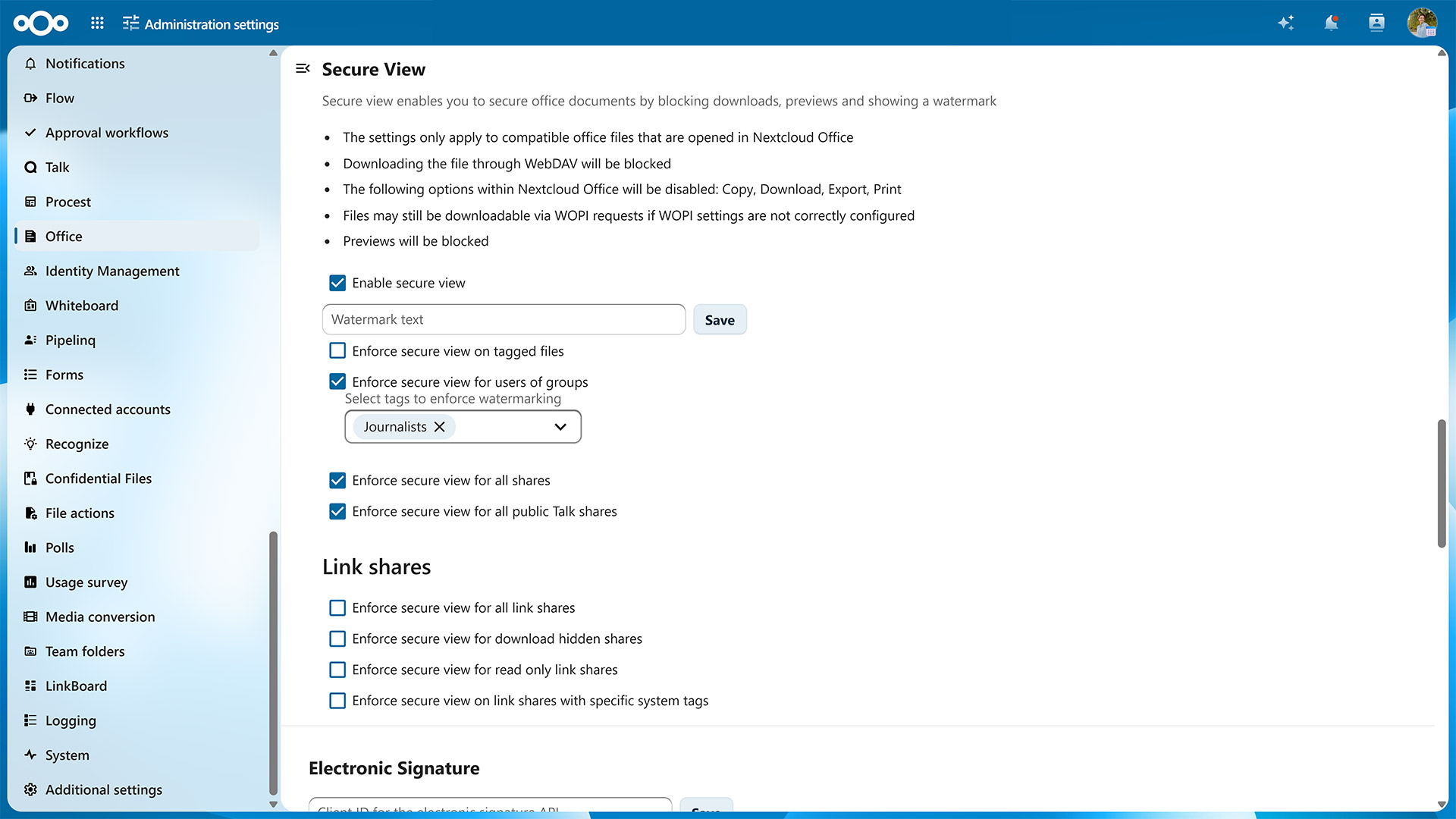
Secure view
With secure view, our online office solutions can be configured to open PDF files, images and text files, making these files available in a watermark-protected way, while downloads and other apps are disabled using File access control. This setup is useful when data has to be protected from leaking but still has to be made available for review, as in a virtual data room scenario.
Server-side encryption with flexible key handling
Nextcloud supports pluggable encryption key handling. If you have an external key server or Hardware Security Module, these can be made to work with Nextcloud.
Our default encryption key handling enables administrators to set a system wide recovery key for encrypted files,. This ensures that, even when users lose their password, files can always be decrypted. Encrypted files can be shared but after changing encryption settings, shares will have to be re-shared. Using our command line tools, data can be encrypted, decrypted or re-encrypted when needed.
Our default encryption key handling enables administrators to set a system wide recovery key for encrypted files,. This ensures that, even when users lose their password, files can always be decrypted. Encrypted files can be shared but after changing encryption settings, shares will have to be re-shared. Using our command line tools, data can be encrypted, decrypted or re-encrypted when needed.
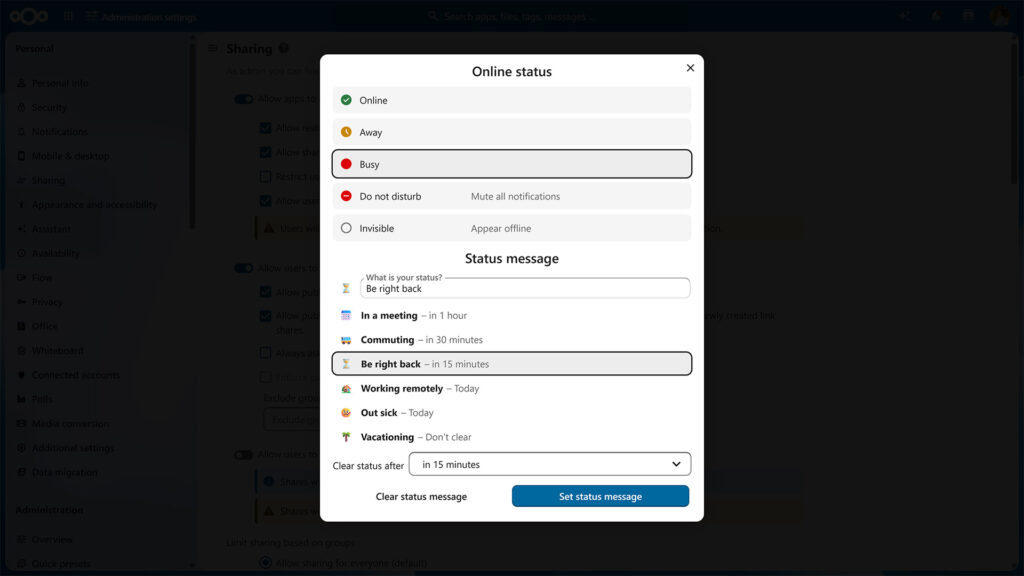
Set your status
🥘 Having Lunch 🏠 Working from home 📞 Calls all day
On top of the dashboard, users can set their status, to show to colleagues what they are up to – traveling, working from home, concentrating, and so on. This status is then visible in Talk and other apps and it can automatically clear after a set time, so your colleagues do not think you are commuting for a whole day!
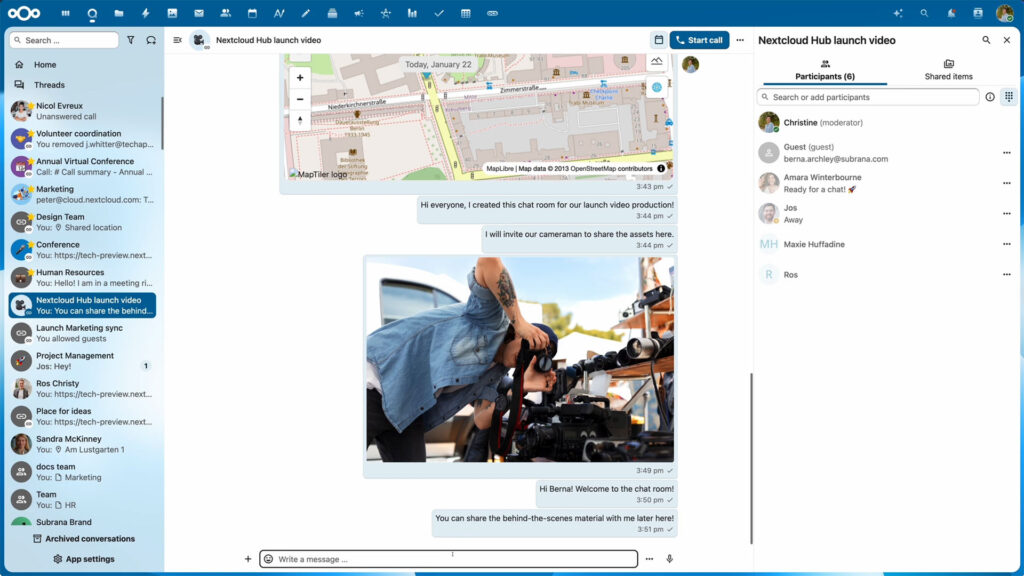
Nextcloud Federation
File sharing, chats and calls across Nextcloud Hubs
Federation features in Nextcloud enable decentralized collaboration between users of different Nextcloud Hub servers. By choosing trusted Nextcloud servers, they can share files, create group chats and make calls in Nexcloud Talk from their own account and in their own Nextcloud Hub, without needing a centralized service or cloud provider.
- Based on Nextcloud’s Federated Cloud Sharing API, part of Open Cloud Mesh
- Federated file sharing between Nextcloud Hub instances
- Federated group chats supporting most of essential chat features
- Calls between Nextcloud Hub instances using own account and interface
- Federation available for Nextcloud Talk, Deck, Calendar, and Teams
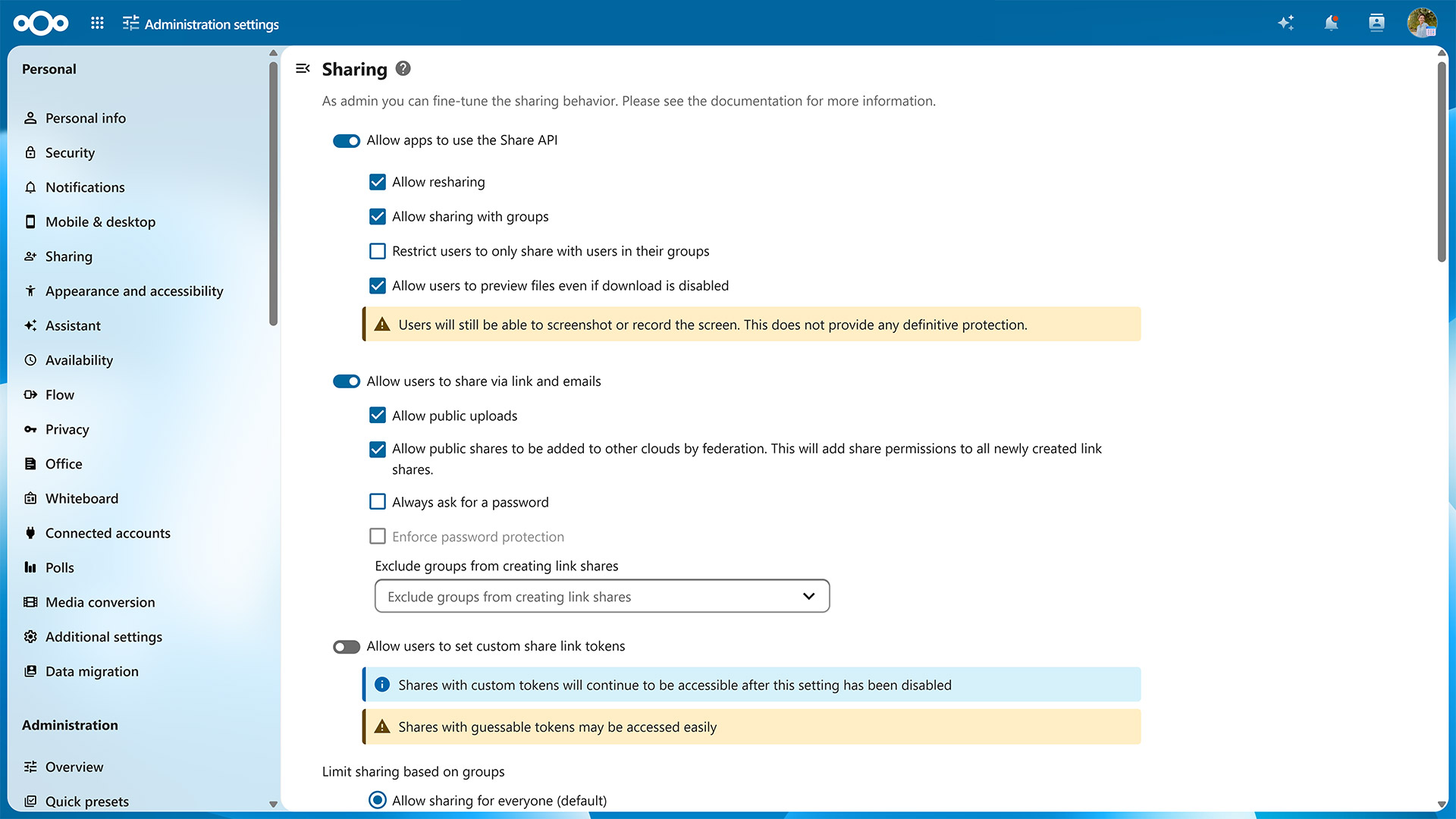
Sharing permissions
Securely sharing and collaborating on documents requires strong access control mechanisms. Nextcloud features a variety of sharing mechanisms and associated control solutions like ACLs and sharing permissions.
The basic sharing model in Nextcloud follows a flat model where users are in control of the sharing. Any file or folder can be individually shared and access permissions can be configured. New files show up in the home of users whom you share with. They can rename these folders if they like, or put them where they want to optimize their own productivity.
The basic sharing model in Nextcloud follows a flat model where users are in control of the sharing. Any file or folder can be individually shared and access permissions can be configured. New files show up in the home of users whom you share with. They can rename these folders if they like, or put them where they want to optimize their own productivity.
- Separate read, create, edit rights
- Control resharing
- Hide content on public upload links (file drop)
- Block downloading of content on shared links (secure view)
- Fully enable or disable sharing
- Disable public link sharing
- Disable uploading on public links
- Enforce passwords and expiration dates
- Block resharing
- Block sharing with groups
- Block sharing outside own group
- Set default sharing permissions
- Control sharing between Nextcloud servers (federation)
- Read, Write, Create, Delete and Share permissions
- ‘inherit’ (default), ‘allow’ or ‘deny’
- Each property of each file can be configured for any number of users or groups
- Control can be delegated to group administrators
- Passwords for public link shares
- Expiration date in internal or public link shares
- File-drop hides existing files, providing just an upload target
- Hide Download (Secure View)
- Ultimate protection for email shares with Video Verification
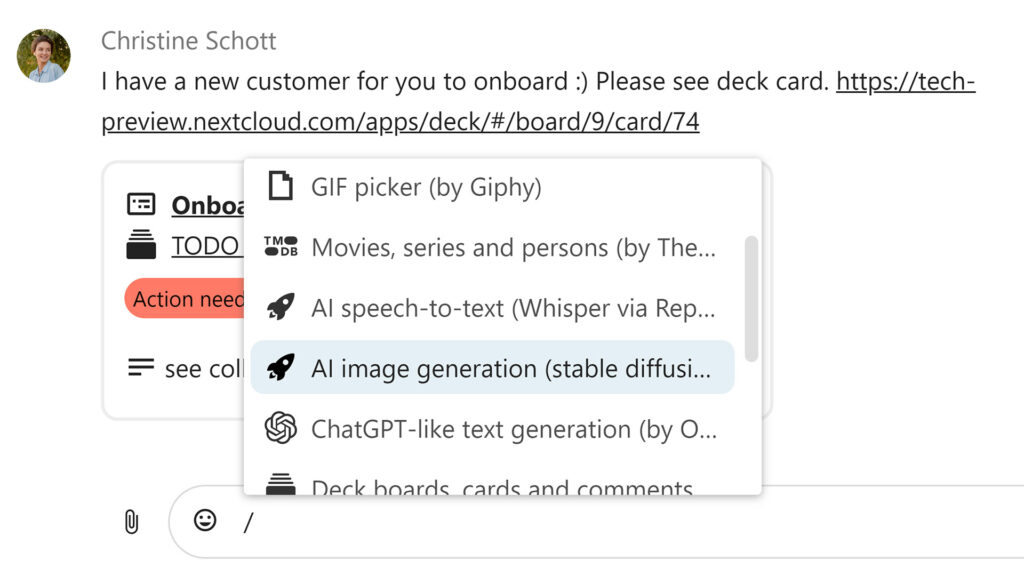
Smart picker
The Smart picker allows inserting a huge variety of content in many places like documents, tasks, emails or chat rooms. Examples include tables, links to chat rooms, youtube videos, gifs and more. The Smart Pickers also include abilities like dictation, translation and more. The selection of Smart Pickers continues to expand.
- Sketch Picker allows users to draw a sketch or draw on other people’s sketches or images
- Add formatting Smartpicker (in Text and Text components like in Deck or Notes only)
- Create Deck card from smart picker
- Insert an interactive table or a view on a table in a document

Support for GDPR, CCPA, HIPAA, FERPA, COPPA, MTCDPA
The GDPR (General Data Protection Regulation) makes organizations liable for any violations of user privacy and deviations from a high data security standard. Legislation like the CCPA (California Consumer Privacy Act of 2018), HIPAA, FERPA, COPPA. MTCDPA bring privacy regulation to other countries. The self-hosted Nextcloud Enterprise platform simplifies compliance, decreasing business risk and costs
- Configurable imprint and privacy links for your login page
- Data Request app to allow users to request data deletion or modification from their user settings
- Delete Account app to allow users to delete their account
- Terms of Service app that only gives access to Nextcloud after users read and agreed to terms (handles updated terms as well)
- Export of data
Two-factor authentication
Nextcloud includes a variety of second factors like TOTP, U2F and SMS gateways. 2-factor authentication can be enforced and user sessions and devices can be managed.
Nextcloud is also among the first in the industry to provide support for the WebAuthn standard, enabling password-less authentication and support for Windows Hello, various FIDO2 keys and other standards-compliant authentication devices.
Nextcloud is also among the first in the industry to provide support for the WebAuthn standard, enabling password-less authentication and support for Windows Hello, various FIDO2 keys and other standards-compliant authentication devices.
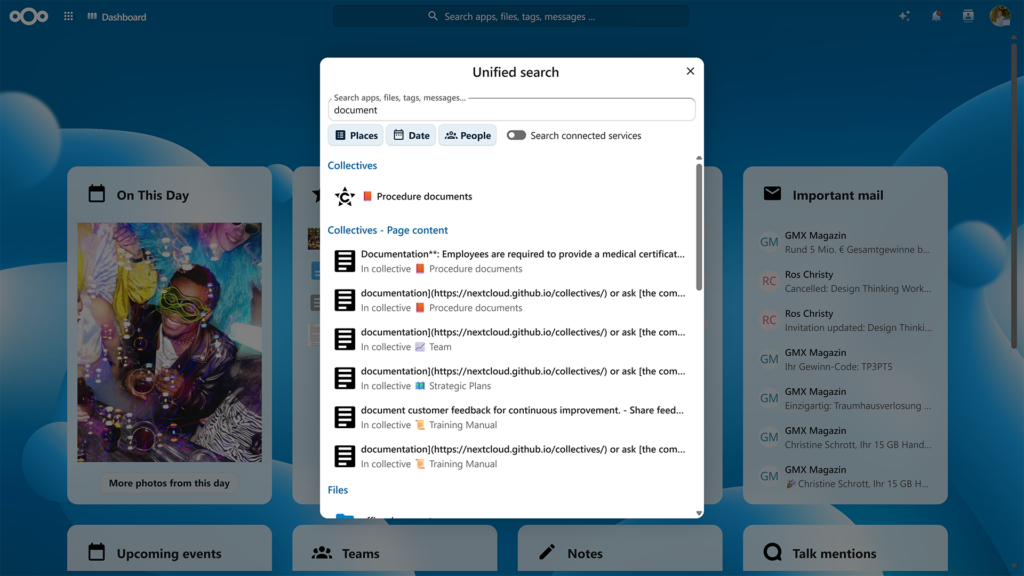
Unified search
Find everything in one place
On the top-right of your Nextcloud window, a search glass shows search results from all over Nextcloud. Additional search providers can be installed and over a dozen different search providers are available to show you Github issues, Moodle courses, Jira tickets and more
- Brings items from all core apps and even external locations at your fingertips
- Accessible through the magnifier icon on the toolbar’s top right corner
- Filter search by people to find items belonging to selected authors
- Search and preview any items In Hub
- Search in specific folders or apps
- Search in integrated locations like GitHub, GitLab, Giphy, Reddit, and more
Video verification
In situations where extreme security is warranted and the identity of a recipient has to be verified with absolute certainty before they are granted access, Nextcloud includes the industry-first implementation of Video Verification.
Video Verification enforces a Nextcloud Talk video call before access is given to a share, making sure the identity of the recipient is properly checked. The call can be picked up through the Nextcloud Talk Mobile apps as well as the web interface.

Virtual data room
Keep your data close
M&A transactions, loan syndication, private equity and venture capital transactions require the utmost confidentiality. And all that without any data leaving your organization.
Forget about SAAS and outsourcing: an on-premises Nextcloud VDR offers the ease of use that speeds up deal making while strict control over access and fine grained auditing ensure sensitive data remains secure.
Forget about SAAS and outsourcing: an on-premises Nextcloud VDR offers the ease of use that speeds up deal making while strict control over access and fine grained auditing ensure sensitive data remains secure.
- Activity tracking and audit log, real-time reporting
- Built in secure communication with comments and audio/video chat
- Secure email box (prevent leaking of email content and attachments with Outlook integration)
- Advanced search within the whole VDR
- Extensive file compatibility
- Unlimited data and accounts
- Easy, familiar interface
- Document versioning
- Extensive security capabilites including:
- Multi-layer, military-grade encryption
- Advanced digital rights management
- multi-factor authentication
- Video Verification to ensure identity proof
- Extensive file access control mechanisms
- Watermarking of files
- Remote wipe
Stay in touch
Reduce risk, improve remote team communication and minimize operational expenses with the leading open source cloud file storage and content collaboration platform. Contact us now to learn how Nextcloud can help you!
