Job applications, patient feedback, staff satisfaction surveys, event registrations with dietary requirements: surveys collect some of the most sensitive data an organization handles. Building them in Google Forms or Microsoft Forms takes minutes, but making sure the data is handled in line with GDPR or HIPAA requirements is a lot harder when it sits in a cloud that’s not yours.
This guide shows how to set up compliant surveys with Nextcloud Forms, the open source form and survey app that stores responses on your own Nextcloud instance, not with an external service. It covers every step, from choosing where your server runs to deleting responses you no longer need.
Why survey data needs a sovereign home
Before choosing a survey tool, it’s worth asking a question most people skip: where do the answers actually go once someone clicks “Submit”?
The problem with Google Forms and Microsoft Forms for sensitive data
When you use a hosted form builder, responses are stored in the provider’s data centers. You can’t fully control where they end up and you depend on the provider’s policies for who can access them. For providers subject to the CLOUD Act, US courts can order business data to be handed over, even when it’s stored outside of the US.
For a quick poll about the team lunch, that may be fine. But for health information, HR data or the personal data of EU residents, it’s a risk you have to assess, document and justify.
What digital sovereignty means for your surveys
Digital sovereignty means you decide where your data lives, which laws apply to it, and who can access it. For surveys, that comes down to three questions:
Where are the form and its responses stored?
Who operates the infrastructure?
Can anyone outside your organization access the data?
With a self-hosted tool, you can answer all three yourself.
What GDPR and HIPAA require from a survey tool
The GDPR and HIPAA come from different legal systems, but both expect you to protect personal data, limit access to it and be able to account for what happens to it.
GDPR: data location, minimization and data subject rights
The GDPR requires adequate protection of personal data through encryption and sound security practices. People have the right to know what data you hold about them and to get an export of it. You must also be able to show what you do with the data, who has had access to it, and modify or delete it on request.
For surveys, that translates into a few practical rules: only ask for what you need, know where the answers are stored, control who can see them, and be able to find and delete a person’s responses.
HIPAA: safeguards for protected health information
HIPAA is a US law that protects patients’ medical records and other health information shared with health plans, doctors, hospitals and other providers. It sets standards for protecting protected health information (PHI), covering both technical safeguards and organizational processes. The HITECH Act extends those protections and increases liability and enforcement for violations.
If your survey collects PHI, such as symptoms in an intake form or treatment feedback linked to a patient, it falls under these rules.
Why no tool is compliant on its own
There’s no such thing as a survey tool that makes you compliant by installing it. Compliance depends on how the software is hosted, configured and used. Even when you use Nextcloud Forms for your surveys, your actual compliance depends on the hosting setup, and whoever hosts the platform is responsible for certification.
What Nextcloud Forms can do is make compliance achievable. The steps below show how.
Step 1: Set up a compliant Nextcloud environment
Most of what makes a survey compliant is decided before anyone creates a form, by how and where Nextcloud runs.
Choose your hosting: on-premises or a trusted provider
You can run Nextcloud on your own servers or with a hosting provider you trust, including providers in your own country. Keeping the server under your control lets you state exactly where respondents’ data is stored, which is what both regulators and respondents want to know.
Use Nextcloud Enterprise for compliance-critical work
Nextcloud’s compliance documentation only covers Nextcloud Enterprise, not the community edition. Nextcloud gives no guarantees for the community edition and strongly advises against using it in compliance-critical environments. If you’re handling PHI or other sensitive personal data, plan for an Enterprise subscription.
Enterprise customers get a GDPR compliance kit with a 12-step checklist and a detailed administrator manual. It covers consent, access requests and deletion, where personal data can be stored in Nextcloud, and an addendum on popular apps.
Configure encryption, access control and logging
Nextcloud supports several layers of encryption, from HTTPS/TLS for data in transit to server-side and end-to-end encryption. It also offers file access control, monitoring and audit logs, and a user, group and permission system for fine-grained access rights. To help meet HIPAA’s technical safeguards, Nextcloud also includes account security settings such as automatic logout, password expiration, limits on reusing passwords, and account locking after repeated failed logins.
Sign the right agreements (DPA, BAA)
Since Nextcloud as a company has no access to your data, you don’t need a data processing agreement with it. If a hosting provider runs your server, you’ll need a GDPR data processing agreement with them, and for PHI under HIPAA, a business associate agreement.
Step 2: Install Nextcloud Forms
Nextcloud Forms is an app that your Nextcloud administrator enables for the instance. If you don’t see Nextcloud Forms in your app menu, ask your administrator to enable it.
If you’re the administrator, open the Apps page, find Nextcloud Forms and click “Enable”. Nextcloud downloads and installs it from the app store automatically. You can also enable it from the command line with occ app:enable forms.
Configure Nextcloud Forms for compliance
Once Nextcloud Forms is enabled, administrators can adjust how it can be used in the administration settings.
Restrict form creation to selected groups
Only members of these groups, such as HR or patient services, can create forms. Everyone else can still fill them out. That way, only trained staff build forms that collect personal data.
Control sharing
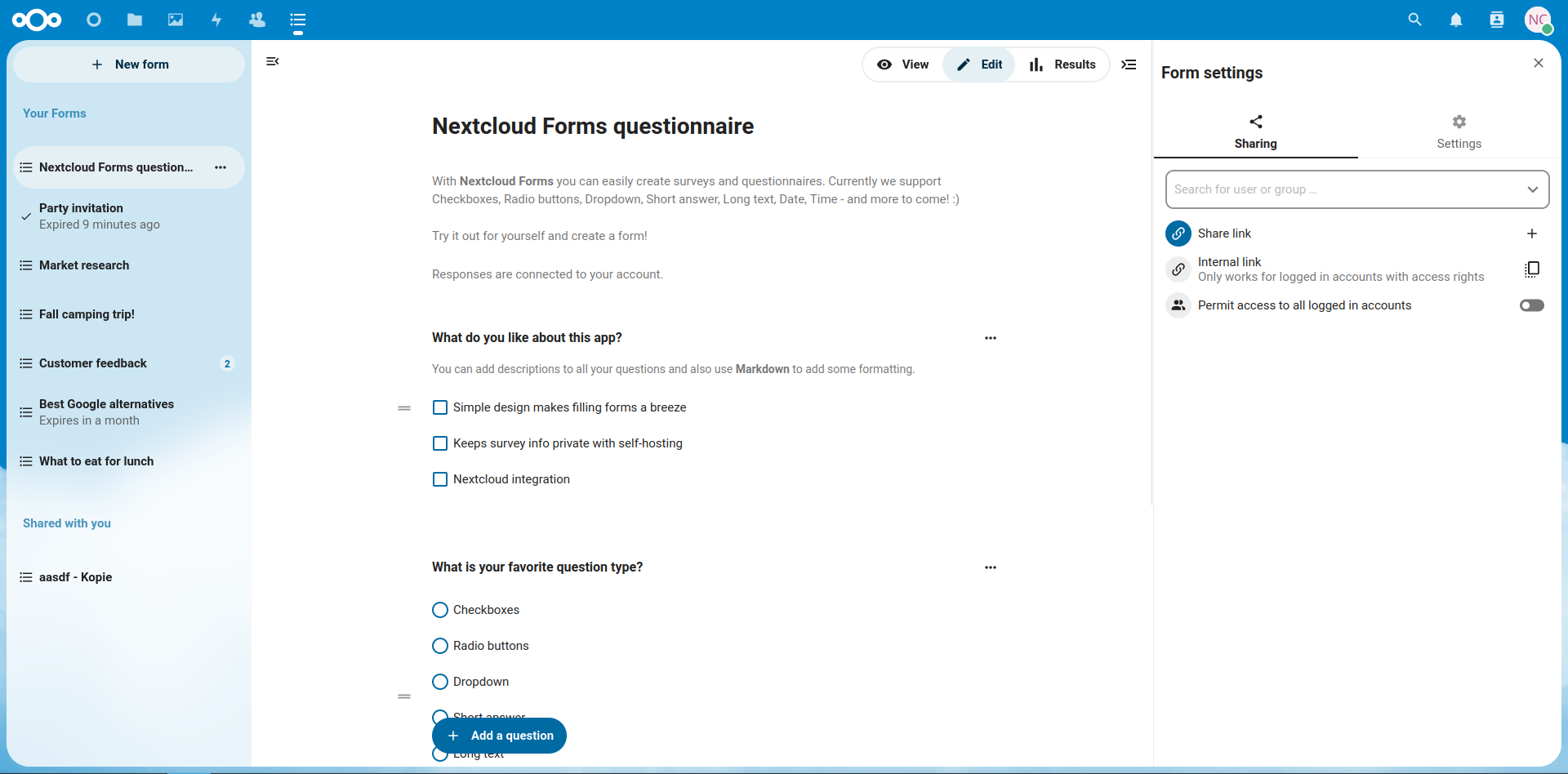
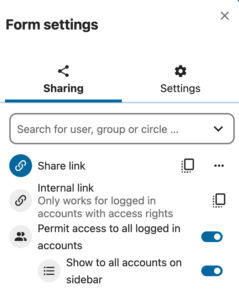
Turn off sharing by link if forms should only be available to people with an account on your instance. You can also prevent forms from being shared with, or shown to, all logged-in accounts.
Decide on optional features
Custom share links, confirmation emails to respondents and comments are all switched off unless you allow them. Confirmation emails send information about the submission by email, so check whether that’s acceptable for the data you collect before turning them on.
Step 3: Design a privacy-friendly form
Good privacy practice doesn’t stop at the server. The way you design a form decides how much personal data you collect in the first place.
Collect only what you need
Data minimization starts with the questions. Before adding a field, ask whether you actually need the answer and what you’ll do with it. Every question you leave out is data you don’t need to protect, export or delete later.
Choose the right question types
Nextcloud Forms has question types for most needs: checkboxes, multiple choice, dropdowns, short and long text, date and time (including ranges and minimum or maximum values), file uploads, linear and Likert scales, colors, ranking and grids. Short text answers can be validated as an email address, phone number or a custom pattern, which helps keep the data clean.
Choosing structured question types over free text also helps with privacy. A dropdown with five options can’t accidentally collect a patient’s full medical history.
Be careful with file uploads. Documents uploaded by respondents can contain far more personal data than you asked for.
Decide between anonymous and account-linked responses
Nextcloud Forms lets you choose whether responses are anonymous or connected to the respondent’s account, and the form tells respondents which option applies. If you don’t need to know who answered, anonymous responses are the simplest way to reduce risk.
Add a privacy notice to the form description
The form description supports Markdown formatting, so you can include a short privacy notice: who’s collecting the data, what it’s used for, how long it’s kept and how respondents can request deletion. Link to your full privacy policy for the details.
Step 4: Control who can access the form
Once the form is ready, the next question is who gets to see it, fill it out and read the answers.
Share with specific users or groups
For internal surveys, share the form directly with specific users, groups or teams on your Nextcloud instance instead of creating a public link. Only people with an account can then respond.
Public links with expiration dates and custom tokens
When you need to reach external respondents, create a public link. You can set an expiration date so the form doesn’t stay open longer than necessary, customize the link, and generate a QR code for printed materials such as posters in a waiting room.
Limit the number of submissions
You can set a maximum number of submissions, and the form closes automatically once the limit is reached. That’s useful for registrations with a fixed number of places, and it also limits how much data you collect.
Collaborate on forms with edit permissions
If colleagues need to help build the form, share edit permission with them instead of sharing your account. Grant results access only to those who actually need to see the answers. Owners and people with results permission can get notified about new submissions.
Step 5: Analyze results without data leaving your server
Collecting responses is only half the job. Analyzing them is where data often ends up in places it shouldn’t.
Summary charts and individual responses
Nextcloud Forms visualizes results as summary statistics with charts, and you can view individual responses when you need detail. For larger surveys, you can page through submissions and search by content or author.
Export to CSV or a linked spreadsheet
You can export results as CSV in the same format Google Forms uses, or link a results file in Nextcloud Files that updates automatically as new responses arrive. Either way, the data stays on your server. Keep in mind that every export is a new copy of personal data, so store it in a folder with restricted access and include it in your deletion process.
Step 6: Handle retention and deletion
Decide before you launch how long you’ll keep responses, and write it into the privacy notice.
When the retention period is over, delete the responses. Nextcloud Forms has a “delete responses” permission that you can grant when sharing a form. Use it carefully, since it allows deleting all responses, not just one’s own. When submissions, questions or forms are deleted, uploaded files are deleted along with them.
Start building compliant surveys today
If you already run Nextcloud, install Nextcloud Forms from the App Store and work through the steps above for your next survey. If you need a sovereign survey tool for sensitive data and don’t run Nextcloud yet, contact the Nextcloud team to set up Nextcloud Enterprise for your organization’s compliance requirements.
FAQ
Nextcloud Forms stores all data on your own server, and Nextcloud has no access to it. That makes GDPR compliance much easier, but whether you’re compliant depends on how you host, configure and operate your instance. Nextcloud Enterprise includes compliance apps and documentation to help.
Nextcloud Enterprise can be part of a HIPAA compliant infrastructure, and Nextcloud provides a HIPAA compliance statement. Compliance depends on your hosting, configuration, business associate agreements and internal processes.
Nextcloud Forms gives you the option to export results as CSV in the Google Forms format.
Nextcloud Hub offers several types of integrations for AI, from completely self-hosted options to integrations with external services like Open AI. Here's an overview of what you can use and where, and where it stands on our Ethical AI scale.
How do you modernize digital collaboration in government without losing control over your data?
Austria’s Federal Ministry for Economy, Energy and Tourism (BMWET) faced this challenge in 2024 - and decided to take a clear, pragmatic step toward digital sovereignty.
Nextcloud Hub 25 Autumn makes it easier to get started with powerful collaboration while fully in control of your data. From global design updates to improved usability and performance, discover our latest release in this blog.
Passionate about data privacy and Nextcloud? We invite you speak at the Nextcloud Community Conference to share your experience, knowledge and news with the community!
For the ninth time, Nextcloud has been nominated for the CloudComputing-Insider Readers’ Choice Award in the category of Cloud Content Management. We’d love to reach the top again! And we’re looking for the support of you and everyone else in our amazing community to get there. Nextcloud as the best Cloud Content Management tool? Only […]
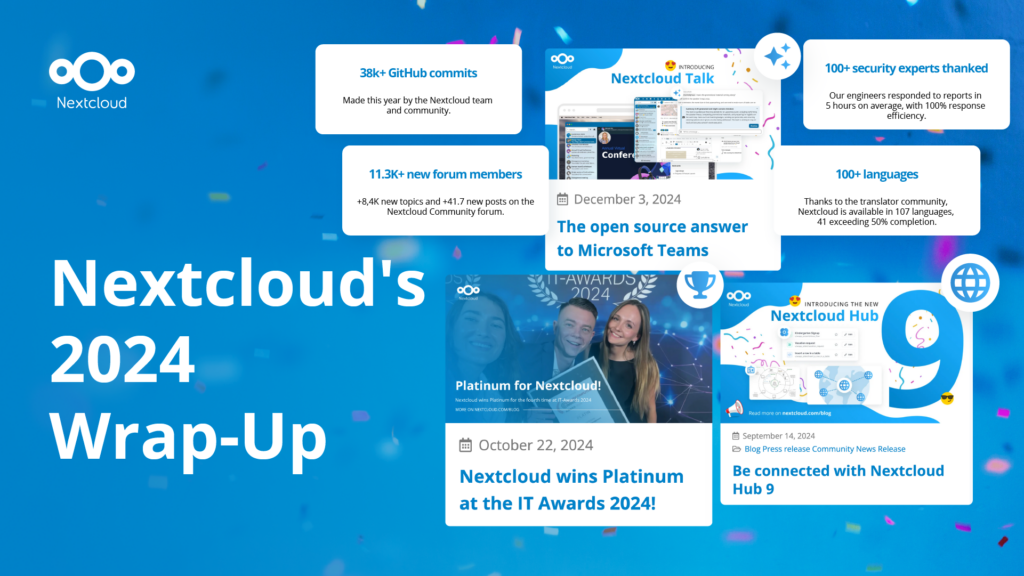
In the Nextcloud 2024 wrap-up, we want to take a moment to celebrate this year's achievements. Join us as we continue to reimagine what’s possible - shaping a world where open source, privacy and connection come together and drive progress for the greater good.
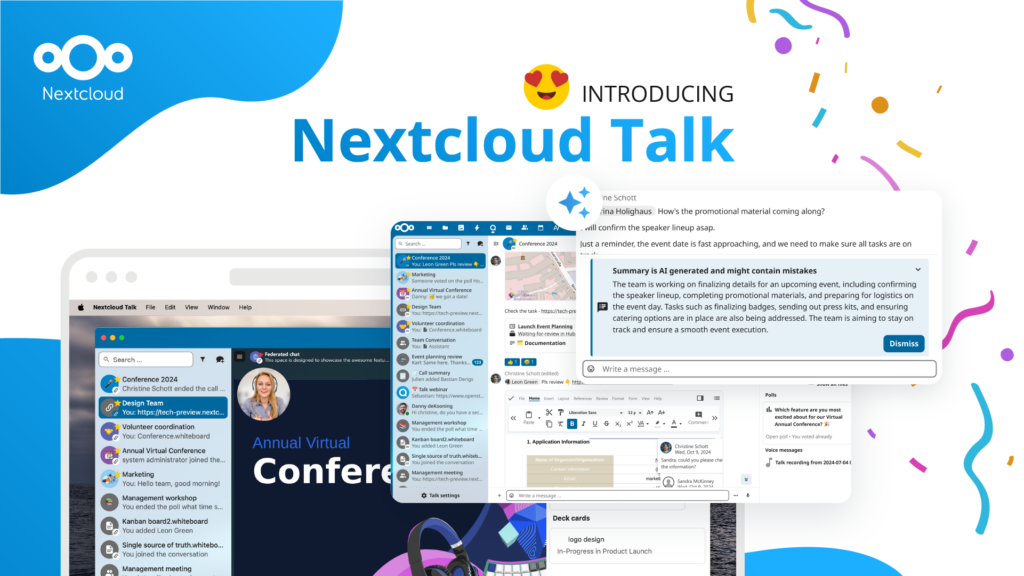
Organisations, small and large, need a way to ensure the resiliency and digital sovereignty of their operations – an open-source, privacy-respecting alternative to Teams. And today, we present that solution - Nextcloud Talk.
Nextcloud has been recognized with the World Summit Award Germany that selects and promotes local digital innovation improving society, aiming to contribute to the United Nations' agenda of sustainable development goals.
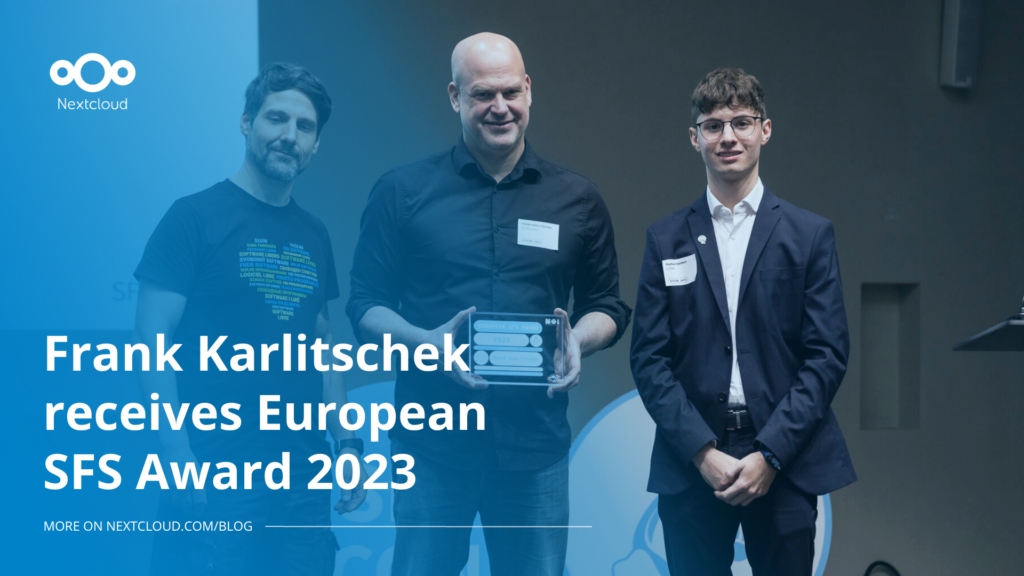
DIE ZEIT, a prominent German outlet, interviewed Nextcloud’s founder Frank Karlitschek for an article on Microsoft’s anti-competitive behaviour on the European office software market. Read for a recap of the article and the key takeaways.
MagentaCLOUD’s migration to Nextcloud in 2021 resulted in a fully equipped Online Storage with an integrated online office suite that further improves the user experience, flexibility and security for customers.
We bring you a major update to the Nextcloud AI Assistant, plus the news we work with several big hosting providers like IONOS and OVHcloud to bring AI-as-a-Service options to you!
Bechtle and Nextcloud announce today a complete managed collaboration platform for the public sector that requires no tender and can be deployed immediately.
Discover how to make the switch from ownCloud to Nextcloud. Our quick guide provides insights into the migration process, helping you make the transition smoothly.
Today, US-based file sync & share vendor Kiteworks announced their acquisition of ownCloud and Dracoon. Kiteworks points out that their customers now have access to their file-sharing application. It is to be expected they will not maintain 3 similar products, but customers will have to migrate to the US firms’ platform or look for another […]
As part of Schleswig-Holstein's state digitization strategy, the state chancellery has announced they will work with Nextcloud to develop AI for working with government documents. This comes just after we announced the first private AI assistant last weekend with Hub 6. The German state already uses Nextcloud and their AI strategy aligns with our work on ethical, local AI technologies.
Our mission is to help individuals, businesses and organizations achieve digital sovereignty and regain control over their data. Nextcloud Hub 5 marks a massive step forward towards achieving this mission, putting the power of AI into your hands – in a way that keeps you in control. New release, new possibilities Hub 5 builds on […]
Digital sovereignty in Spain is no longer a niche topic. At our first Nextcloud Enterprise Day in Madrid, more than 160 people from public administration, education, NGOs and companies, including Telefónica, discussed how to depend less on US Big Tech. Speakers from Decidim, EJIE, EducaMadrid and Amnesty International Spain shared what already works and what still holds organizations back.
A new framework agreement makes sovereign, open-source collaboration technology available to schools across six German federal states. The solution is based on Nextcloud and provided by IONOS.
We save some cookies to count visitors and make the site easier to use. This doesn't leave our server and isn't to track you personally!
See our Privacy Policy for more information. Customize
Statistics cookies collect information anonymously and help us understand how our visitors use our website. We use cloud-hosted Matomo
Service:Matomo
Cookies description:
_pk_ses*: Counts the first visit of the user
_pk_id*: Helps not to double count the visits.
mtm_cookie_consent: Remembers that consent for storing and using cookies was given by the user.
Cookies expiry:_pk_ses*: 30 Minuten
_pk_id*: 13 months
mtm_cookie_consent: 30 Dagen