Many organizations rely on work tools running on infrastructure they don’t control: file storage, email, chat, and document editors hosted by external providers with their own servers, policies, and business incentives. It’s a convenient setup, but it also means the data is subject to someone else’s terms, jurisdictions, and priorities.
Since its inception in 2016, Nextcloud has evolved from a self-hosted file sharing and sync software to a comprehensive collaboration platform that includes email, calendar, and contacts apps, tools for team chats and video calls, document, spreadsheet, and presentation editors, as well as AI and automation tools. Together, these make up Nextcloud Hub, a secure digital workspace that puts you and your team in control of your data. By running it in a private cloud, you can take back ownership of your daily work tools, the files your create with them, and your team’s communication.
Let’s take a closer look at Nextcloud Hub’s key components — Nextcloud Files, Talk, Groupware, Office, Assistant, and Flow — and how they come together to create a unified collaboration platform that offers a privacy-respecting, compliant alternative to Microsoft 365 and Google Workspace.
💡 In detail: How Nextcloub Hub replaces Microsoft 365 and Google Workspace
Secure file storage for replacing OneDrive and Google Drive: Nextcloud Files
At the heart of Nextcloud Hub lies the core technology for storing, sharing, and syncing files.
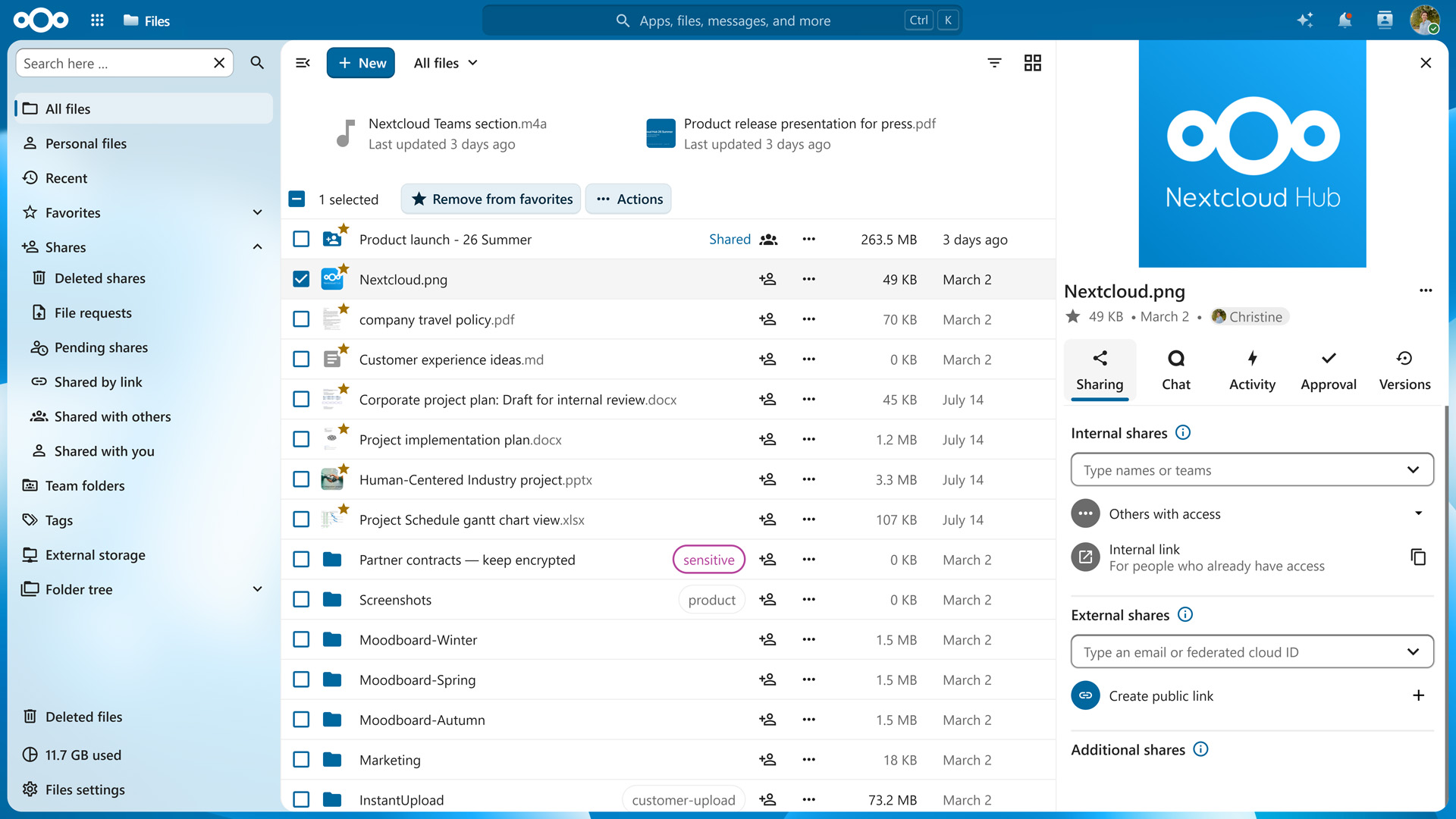
As an alternative to OneDrive and Google Drive, Nextcloud Files lets you store your data on a server you control, access it from a web browser, desktop client, or mobile app, and sync changes automatically across your devices.
Fine-grained sharing and permissions
Nextcloud Files offers fine-grained control for sharing files with others, including expiration dates, passwords, and download limits. Permissions can be set per file or folder, distinguishing between viewing, editing, and re-sharing rights. Internal links ensure everyone in your organization has access to a file, while public links can be shared with anyone who needs it.
Organization and version control
Every saved change to a file is kept as a previous version you can browse and restore, and deleted items are first moved to a trash bin to prevent data loss. Assigning tags to files makes it easy to organize and filter large collections without relying on a rigid folder structure, and colored labels let you spot related items at a glance.
External storage and enterprise-grade security
Nextcloud Files connects to external storage mounts such as S3, FTP, or SMB and lets you share files with users on different Nextcloud servers as though they were on your own. Optional end-to-end encryption, storage quotas, and detailed audit logging make it a scalable solution fit for use in organizations of all sizes.
Deutsche Telekom: Building a 2.2M user cloud with Nextcloud
In just six months, T-Systems by Deutsche Telekom migrated millions of MagentaCLOUD users to Nextcloud, hosted on T-Systems’ sovereign and GDPR-compliant infrastructure.
Nextcloud Talk: the European alternative to Microsoft Teams and Google Meet
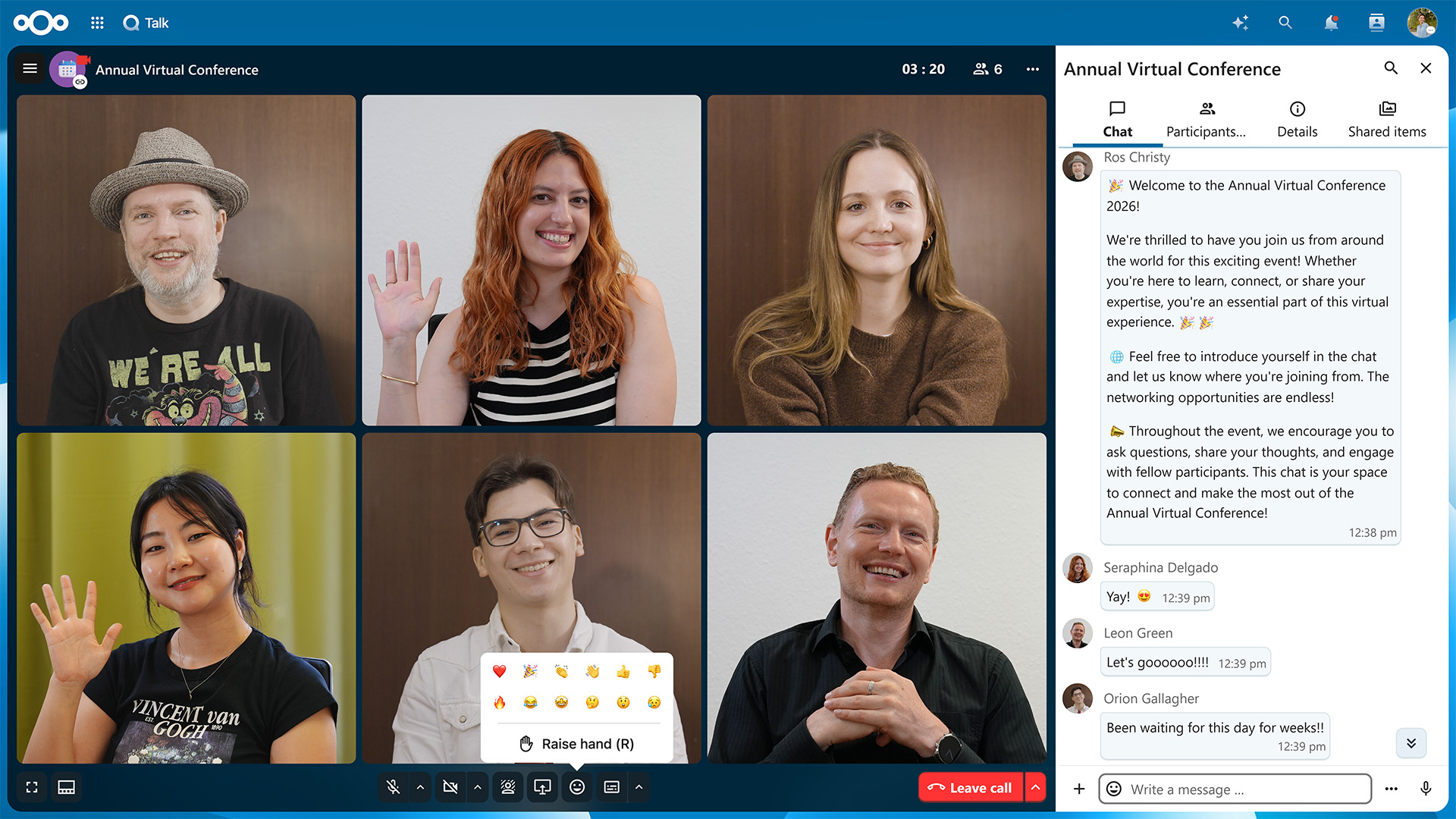
Nextcloud Talk brings real-time communication via text messages and video calls into your Nextcloud, giving you a private alternative to tools like Microsoft Teams, Zoom, and Slack.
Seamless integration with Nextcloud Files
Due to its integration with Nextcloud Files, you can share links to documents, images, and anything else on your cloud storage without leaving the chat window. Moving from text messages to a video call only takes a single click, including in group chats.
Chat wherever you’re working
Just as your other Nextcloud apps are only a click away, you can instantly start chatting with others no matter what you’re working on at the moment. Opening a discussion from a file automatically creates a new channel you can come back to. And if a quick video call is in order, you can start one from the contacts list accessible from the app’s top bar.
Private and secure video conferences
Video conferences in Nextcloud Talk support screen sharing, background blur, a webinar mode with moderator controls and the ability to mute or remove participants. Calls can be recorded for later reference, and integrated polls make it simple to gather quick feedback or make decisions without switching to a separate app. For sensitive communication, you can enable end-to-end encryption.
Hosting webinars and large-scale events
When you expect a large turnout, you can use the optional High Performance Backend and let each participant send a single stream to be distributed by the server — an approach well-suited to one-to-many streaming like webinars or remote teaching lessons.
Hosts get the moderation tools to match: Room permissions can be configured so attendees can only post messages and reactions by default, with the option to grant microphone access to individual participants. Separate moderation settings govern who can join, what can be shared, and how long chat messages remain visible, keeping a large public session as orderly as a small team meeting.
Telephone and SIP integration
Nextcloud Talk also lets external participants dial into a call from any regular telephone. This is handled through an optional SIP bridge as part of the High Performance Backend setup, which also takes care of call signaling and reduces the load on the main Nextcloud server.
Desktop and mobile apps
Mobile users can install the free Nextcloud Talk apps for iOS and Android, both of which support push notifications for incoming calls and messages, so nothing gets missed while a device is locked. On the desktop, dedicated Talk clients for Windows, macOS, and Linux bring calls, chats, and notifications out of the browser and into their own window, with quick access to notifications, calls, and screen sharing.
On-demand webinar: Nextcloud Talk vs Microsoft Teams
Many organizations are rethinking how they communicate internally and externally. Security risks, vendor lock-in, and a lack of data sovereignty are no longer abstract concerns.
In this webinar, Technical Project Manager Eric Fischer demonstrates how Nextcloud Talk outperforms Microsoft Teams through an in-depth live showcase.
The privacy-respecting Outlook and Google Mail alternative: Nextcloud Groupware
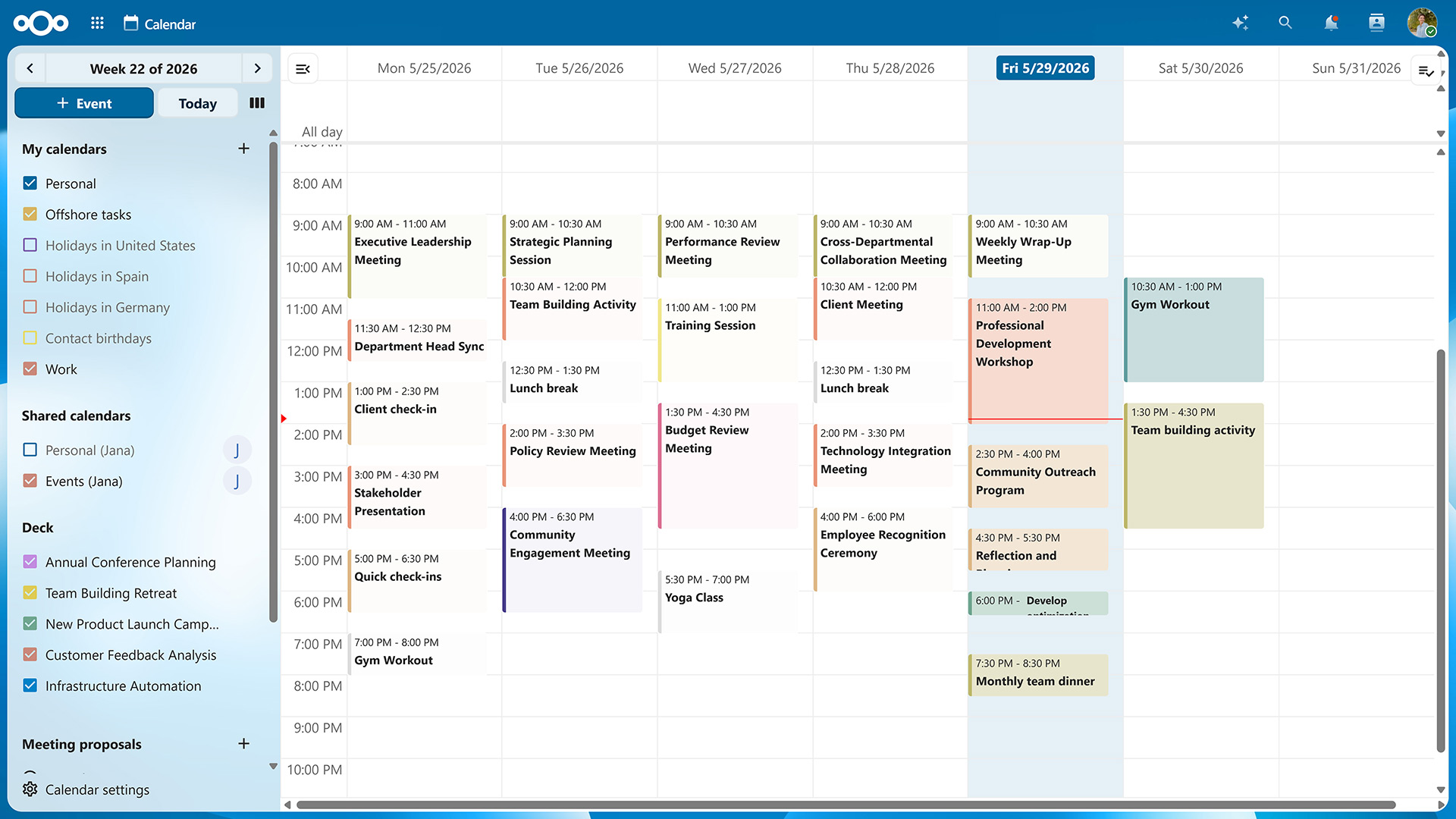
Nextcloud’s Outlook equivalent and alternative to Google Mail, Calendar and Contacts is Nextcloud Groupware. It brings your email communication and appointments back under your control and comes with additional productivity features for cross-team collaboration.
Nextcloud Mail: integrated email with powerful delegation features
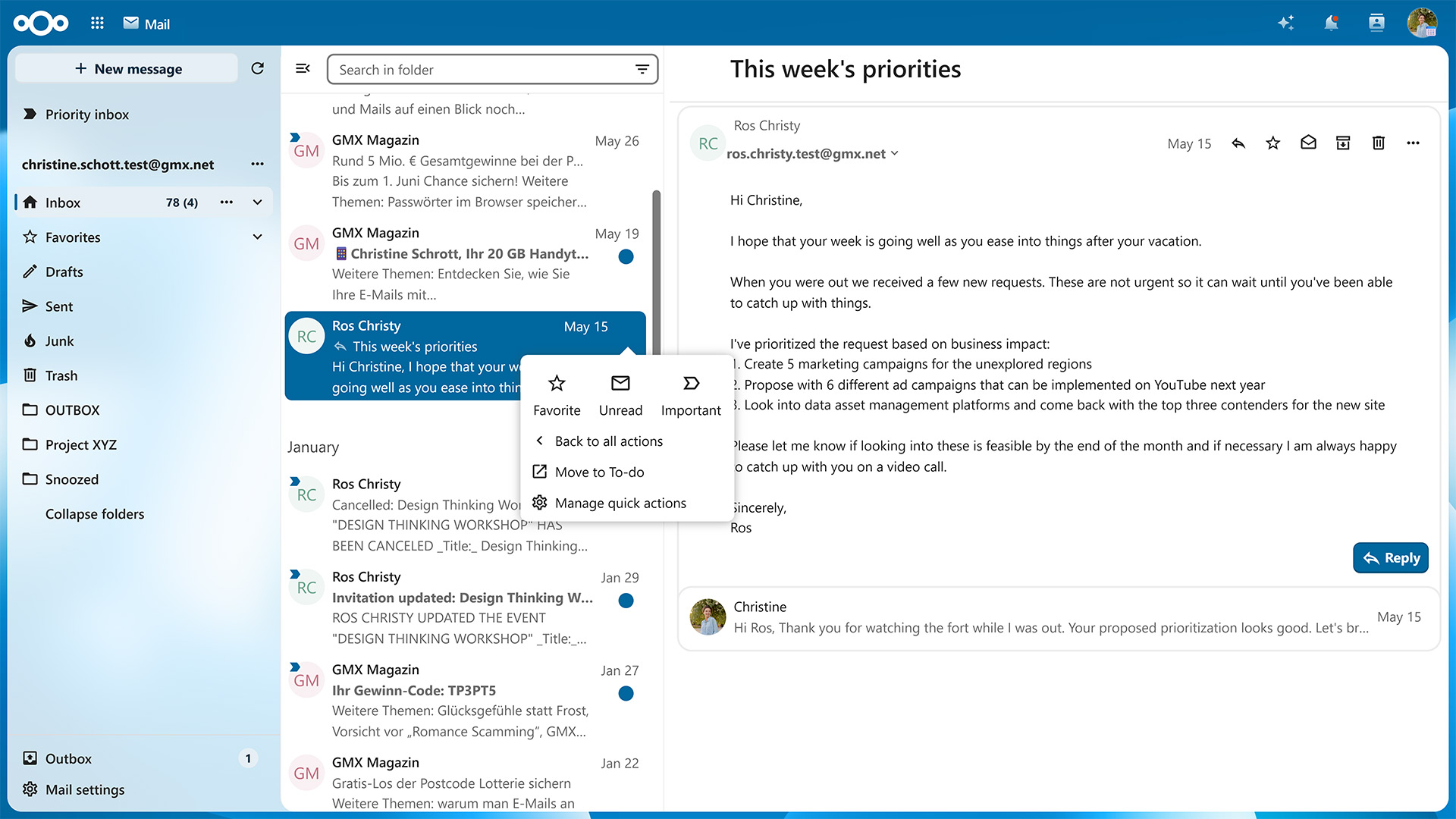
Nextcloud Mail features a web-based email client with support for multiple accounts, threaded conversations, and file attachments pulled straight from Nextcloud Files. The built-in delegation feature goes beyond out-of-office messages and lets your team members know you’re out-of-office and whom to contact instead across Nextcloud Mail, Talk, and Calendar. You can also let whoever’s filling in for you read and reply to incoming emails.
Nextcloud Calendar: organize meetings without the back-and-forth
Scheduling meetings in Nextcloud Calendar is straightforward: Create a proposal, add your team members, and you’ll see free slots at a glance, thanks to free-busy checks that show when invitees are actually available. If you delegate your calendar to a team member while you’re away, they can attend meetings in your stead.
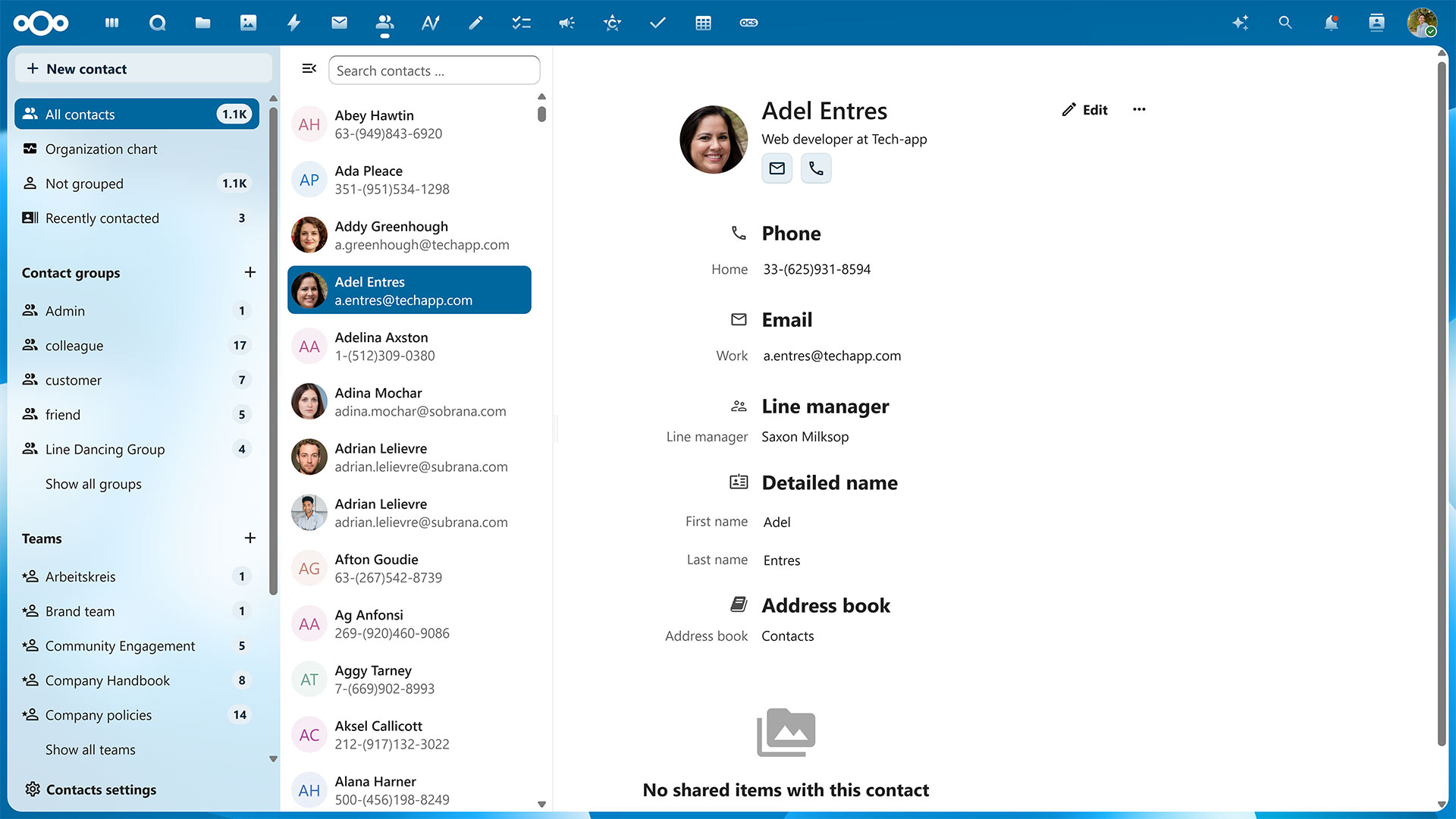
Nextcloud Contacts: your organization at a glance
Nextcloud Contacts is where information about your team members and external contacts lives: every user has a detailed profile with fields for location, timezone, role, and more. By defining custom groups, you can give access to files, chats, and tasks to everyone involved in a project at once. If you need an overview of the people in your organization, Nextcloud Contacts can automatically create an organization chart with sub-levels for team members managed or overseen by others.
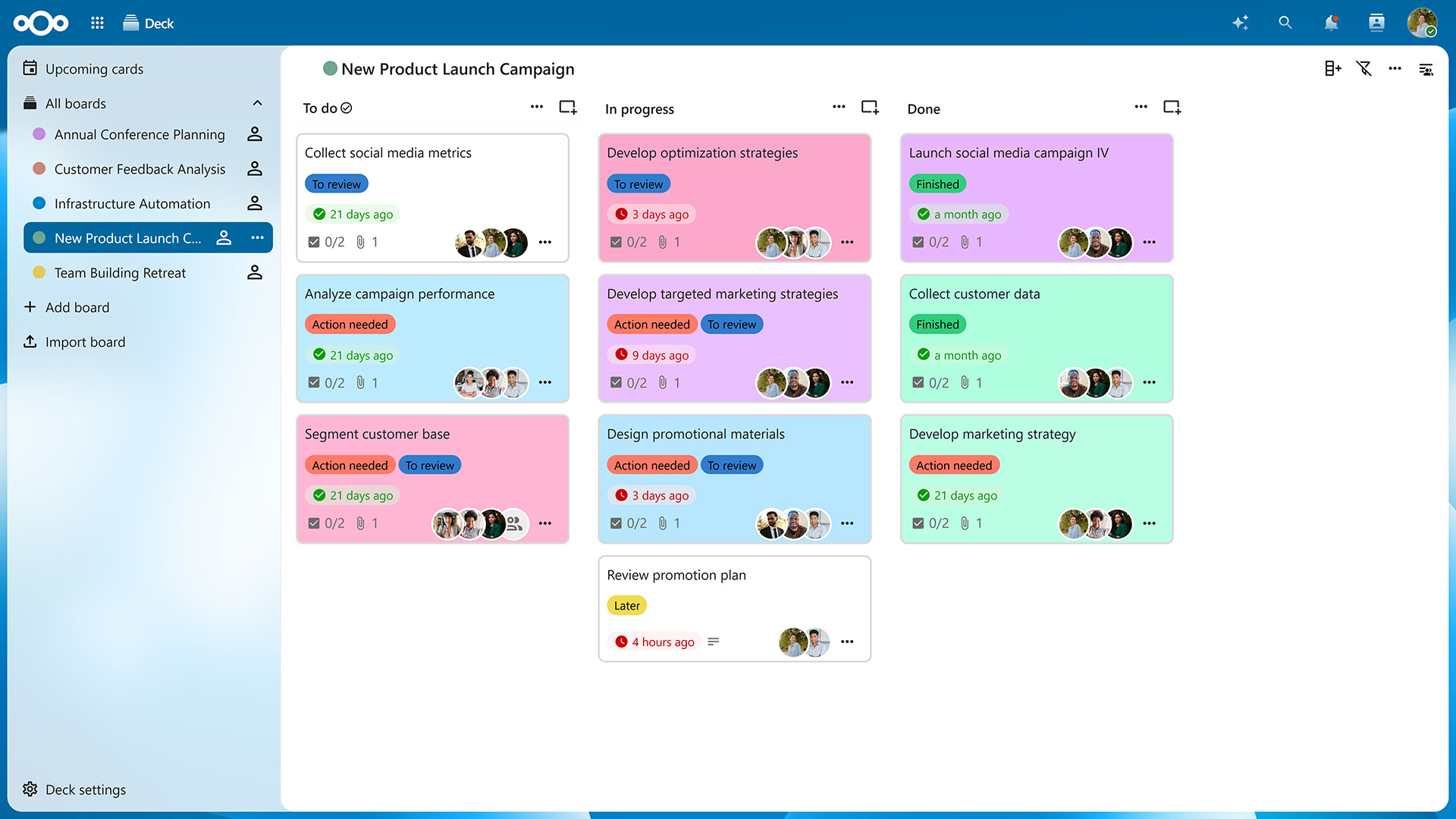
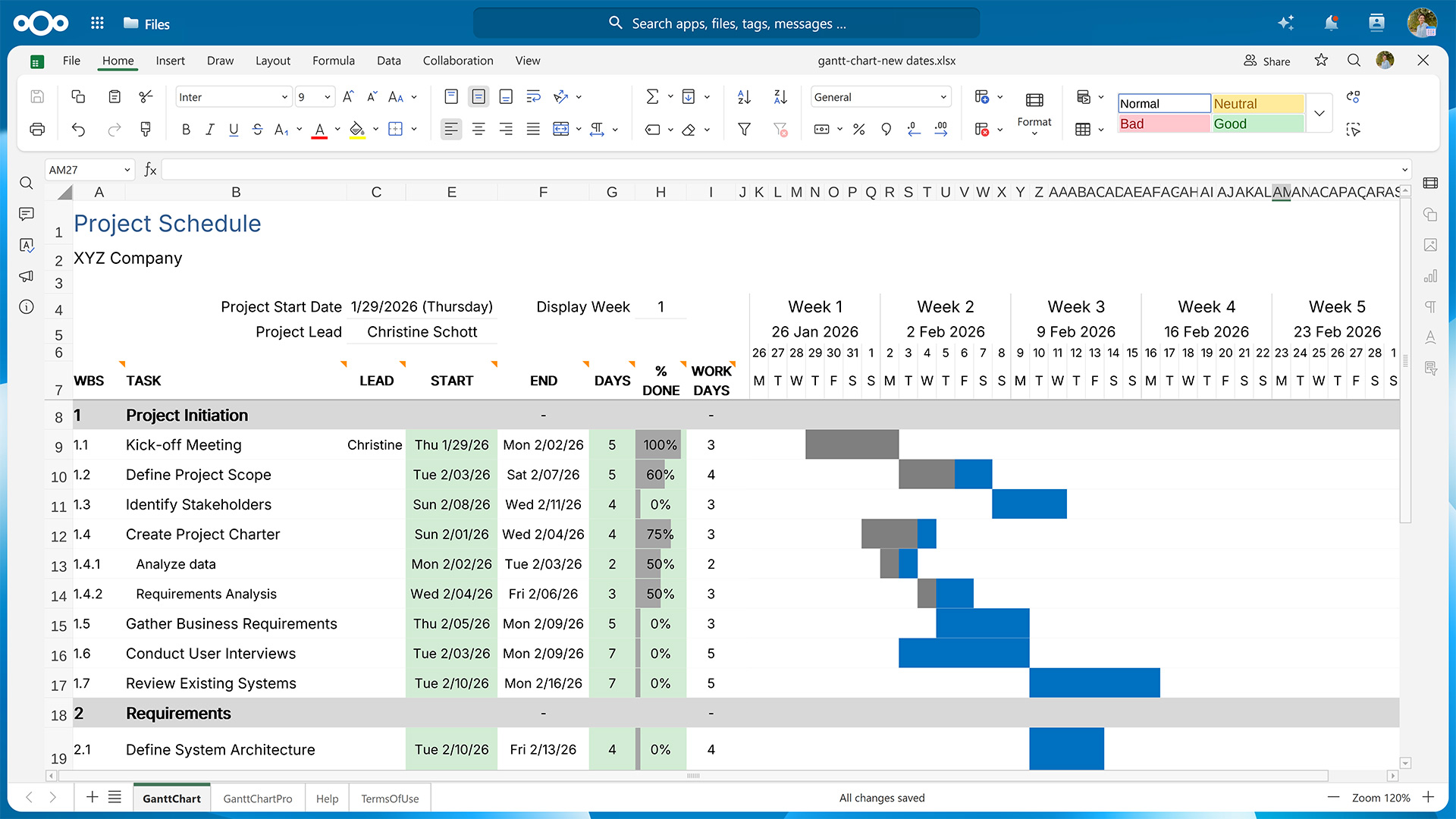
Nextcloud Deck: kanban boards and Gantt charts for work management
Also part of Nextcloud Groupware are productivity tools like Nextcloud Deck. This Kanban-style project management app gives teams an alternative to tools like Trello for organizing work into boards, with lists acting as columns and cards representing individual tasks. Each card can hold a Markdown-formatted description, color labels for quick categorization, checklists for multi-step tasks, file attachments pulled directly from Nextcloud, and a comment thread that keeps discussions tied to the card instead of scattered across chats and emails.
Boards can also be displayed as Gantt charts, with timelines color-coded by list and viewable at a monthly, weekly, daily, or even hourly resolution.
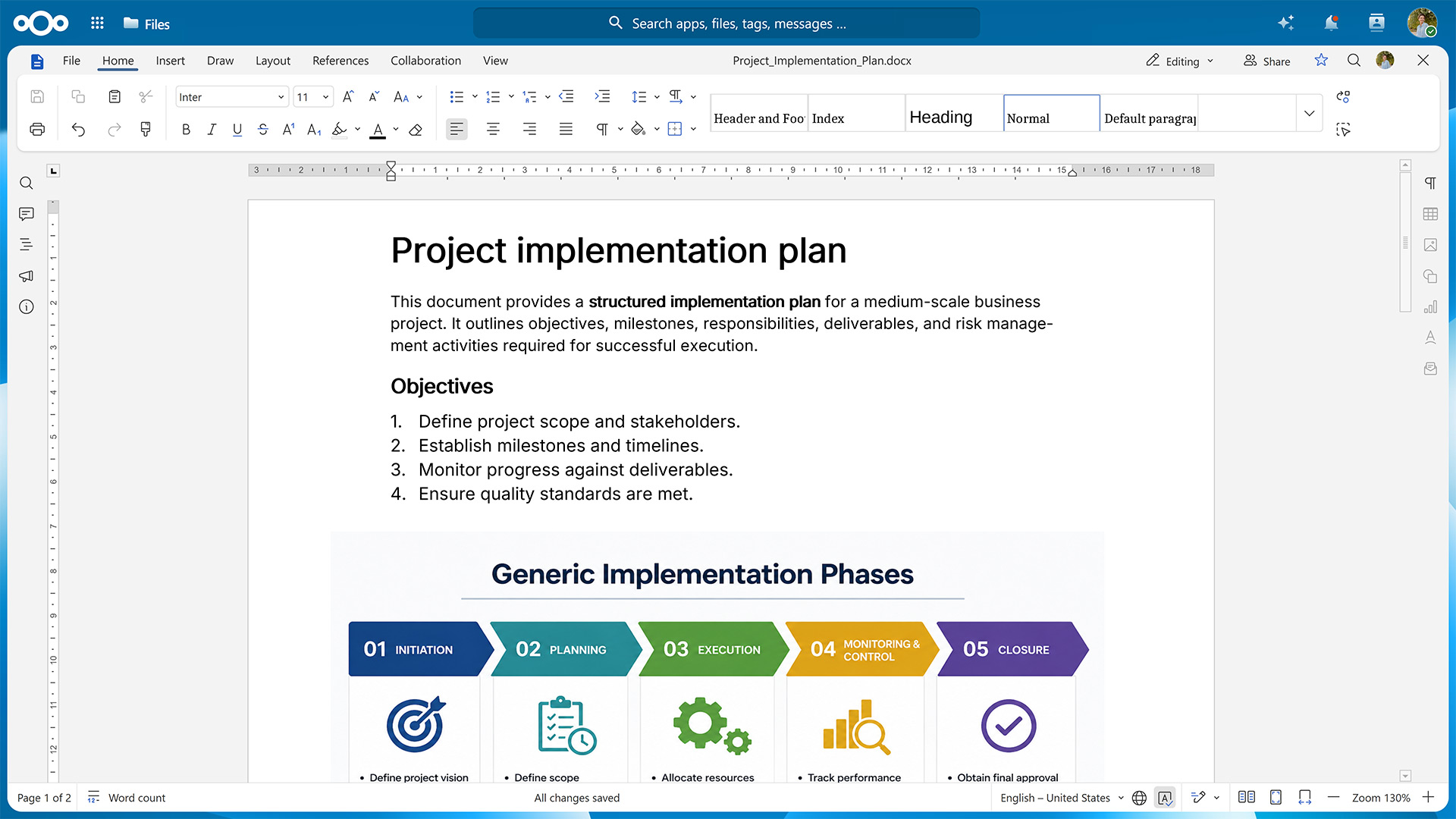
Real-time collaboration on documents, spreadsheets, and presentations with Nextcloud Office
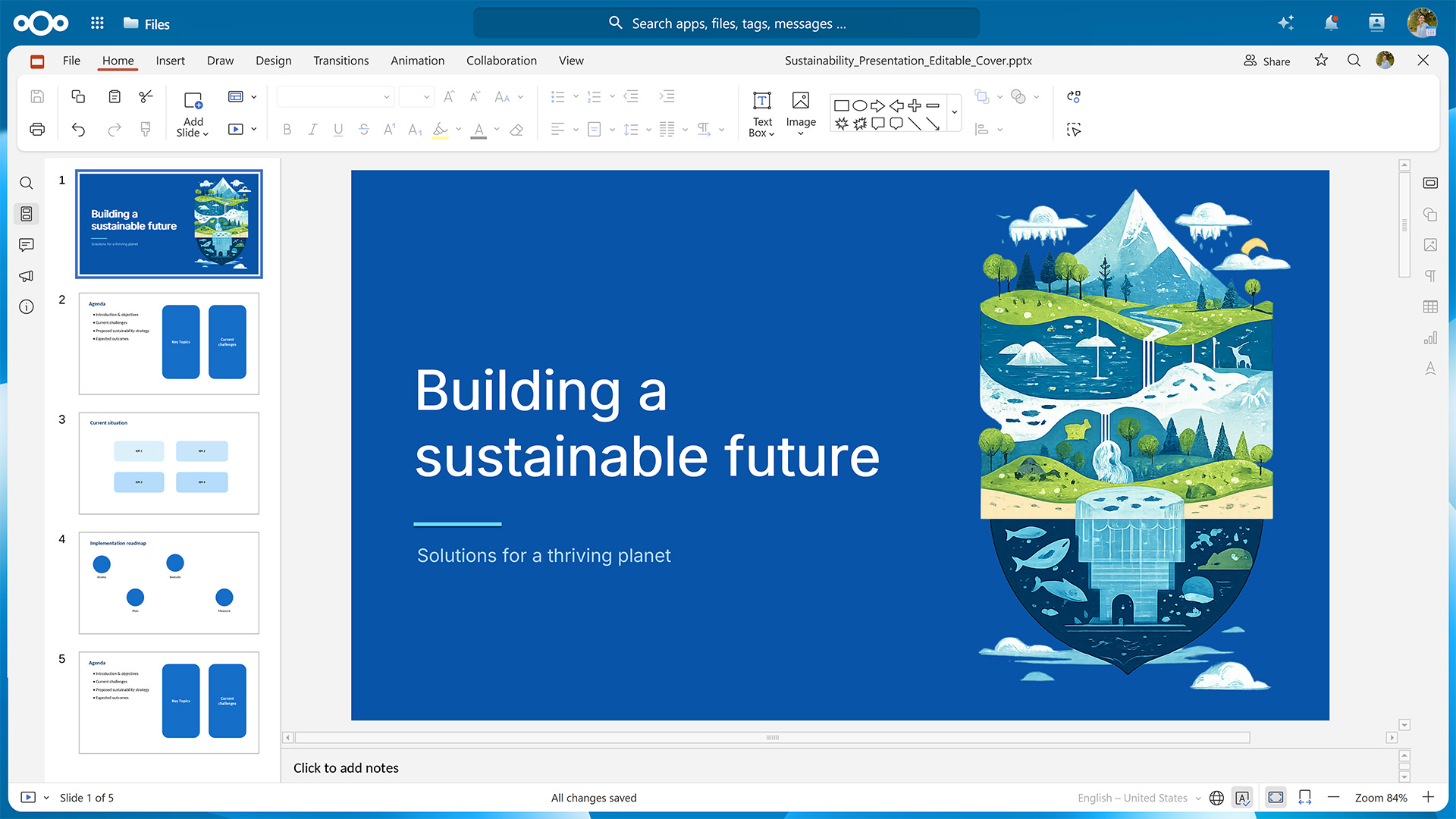
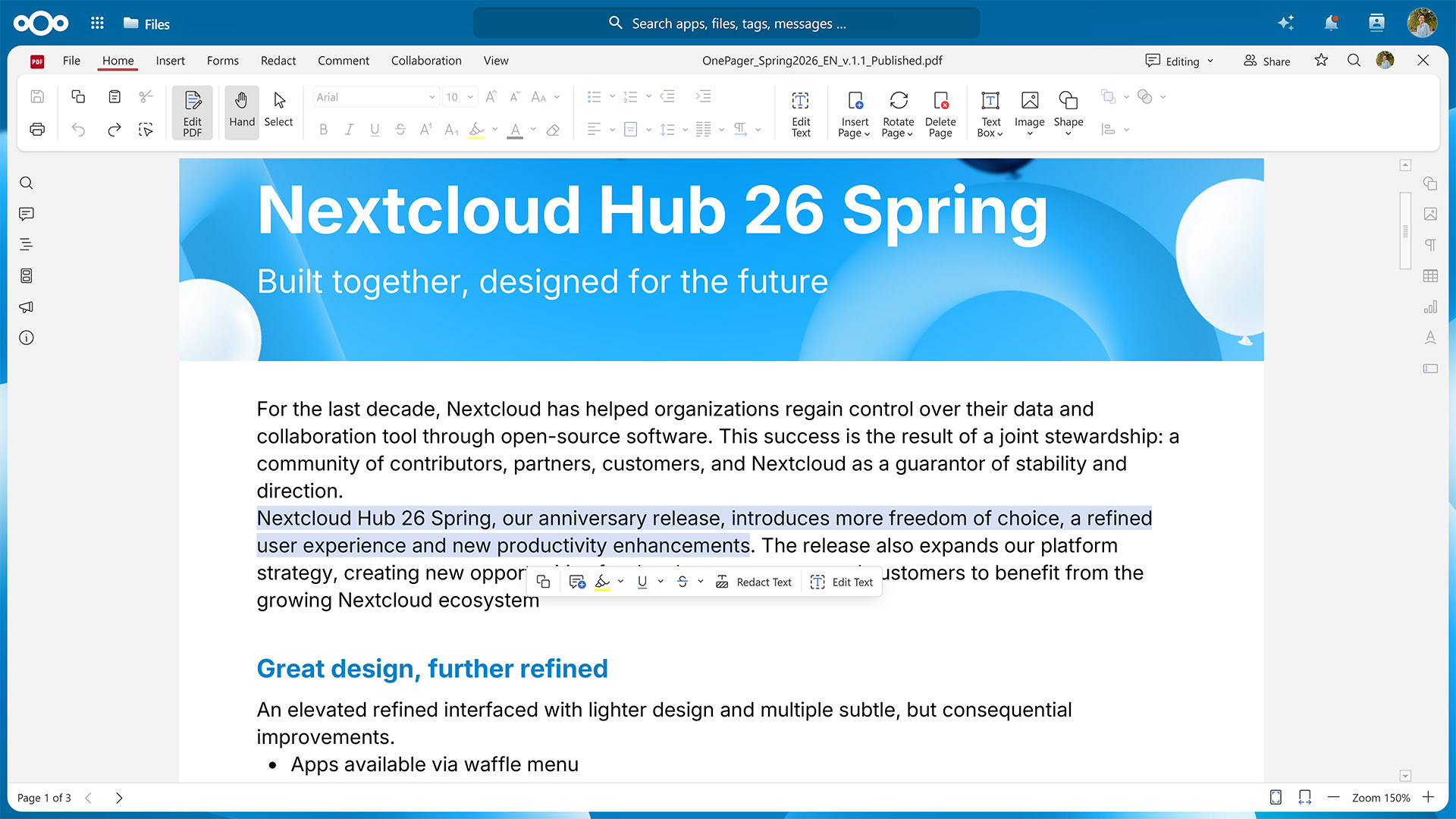
Nextcloud Hub includes a feature-rich online office suite that replaces Microsoft Word, Excel, and PowerPoint as well as Google Docs, Sheets, and Slides. With Nextcloud Office, you can create and edit text documents, spreadsheets, and slideshows in your desktop and mobile browser and collaborate on them with other team members in real time.
Real-time editing and review tools
Multiple people can open the same file and see each other’s changes and cursors as they type, without version conflicts or the need to merge separate copies afterward. Built-in commenting lets colleagues leave feedback on specific passages or cells, and a track-changes mode records edits so you can review or roll back revisions before they’re accepted. Nextcloud Office reads and writes Microsoft Office formats like DOCX, XLSX, and PPTX alongside OpenDocument formats such as ODT, ODS, and ODP. This ensures compatibility with your colleagues’ or clients’ files regardless of which office solution they use.
Choose the office tools that best suit your needs
You can run Nextcloud Office with different office suites. Euro-Office focuses on compatibility with Microsoft file formats and uses a client-centric architecture, with most processing taking place on the user’s device. Collabora Online prioritizes the OpenDocument Format and uses a server-centric architecture in which the server does the heavy lifting. You can switch from one office suite to another at any time without losing your data.
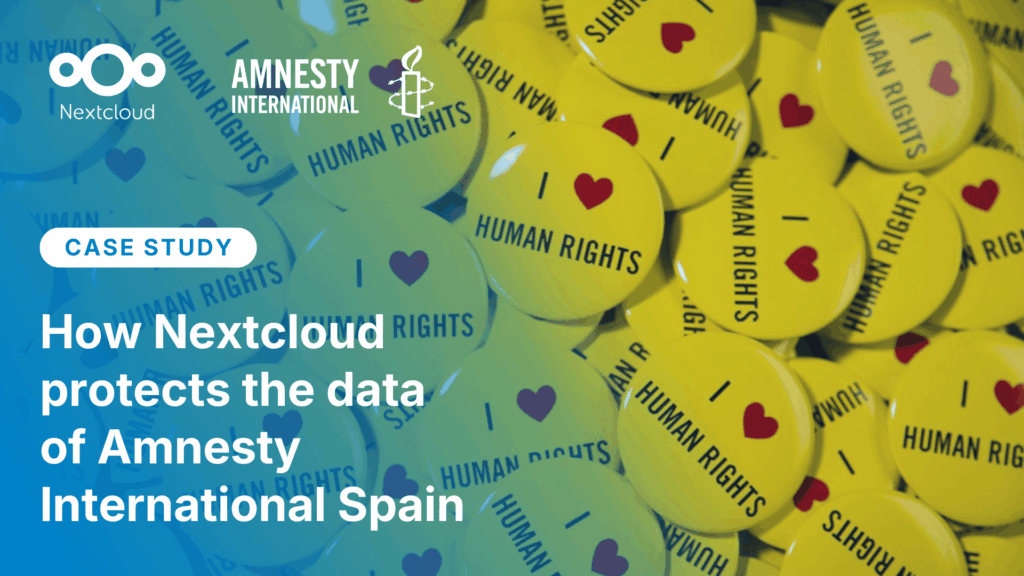
Amnesty International: Privacy where it matters most
Amnesty International Spain migrated from Samba to Nextcloud for secure sharing, real-time collaboration, and remote access across their human-rights teams.
A Copilot and Gemini alternative without vendor lock-in: Nextcloud Assistant
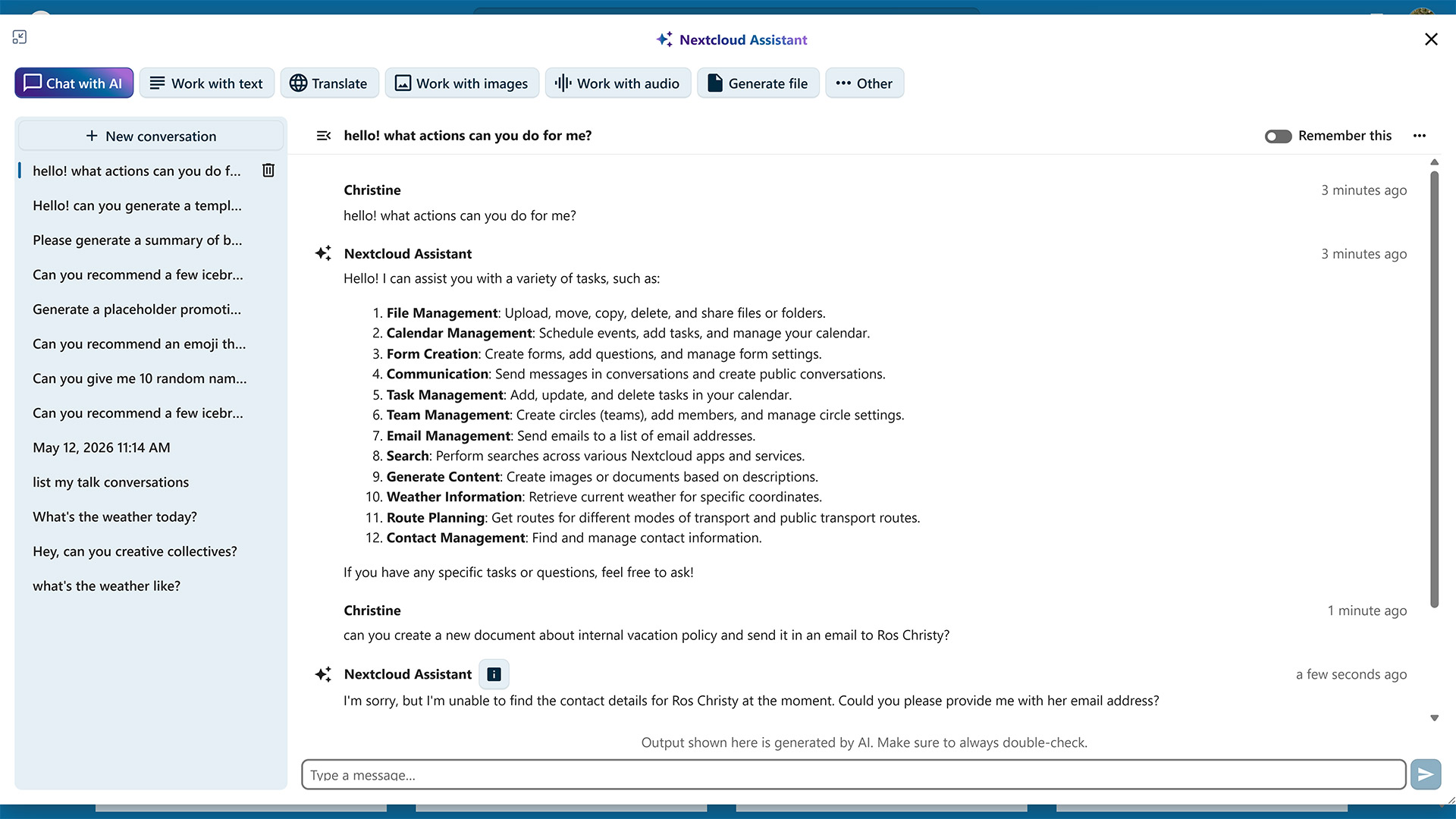
Whenever you need help drafting a document, summarizing a discussion, or translating an email, the AI-powered Nextcloud Assistant is only one click away. It opens in a modal window that you can freely resize and move around the screen so you can concentrate on the task at hand.
Pre-configured actions and chat
Nextcloud Assistant comes with several pre-configured actions, which include proofreading text, transcribing audio, and analyzing images. For anything not covered by these options, there’s the familiar chat interface for interacting with LLMs. Here, you can ask questions and brainstorm ideas, with the conversation history kept so you can pick up where you left off.
Context Chat and Context Search
The Context Chat feature lets you ask questions about contracts, reports, and other files saved in your Nextcloud. You can define its scope manually, even limiting it to a specific folder or file for increased precision. With Context Search, Nextcloud Assistant goes through your files or emails to find any data you might be looking for.
Transparency and admin control
Transparency is especially important when interacting with AI. The Nextcloud Ethical AI Rating helps users decide which models to use by prioritizing open source licensing, self-hosting options, and the availability of training data.
Nextcloud’s documentation includes detailed information on how and where AI features are integrated, while admins have full control over which of these they want to enable and whether to run the underlying models locally or connect to an external provider. This way, you always know where your data goes while benefiting from AI features integrated directly into the platform your team already uses.
Nextcloud Flow: workflow automation, on-premises or in your private cloud
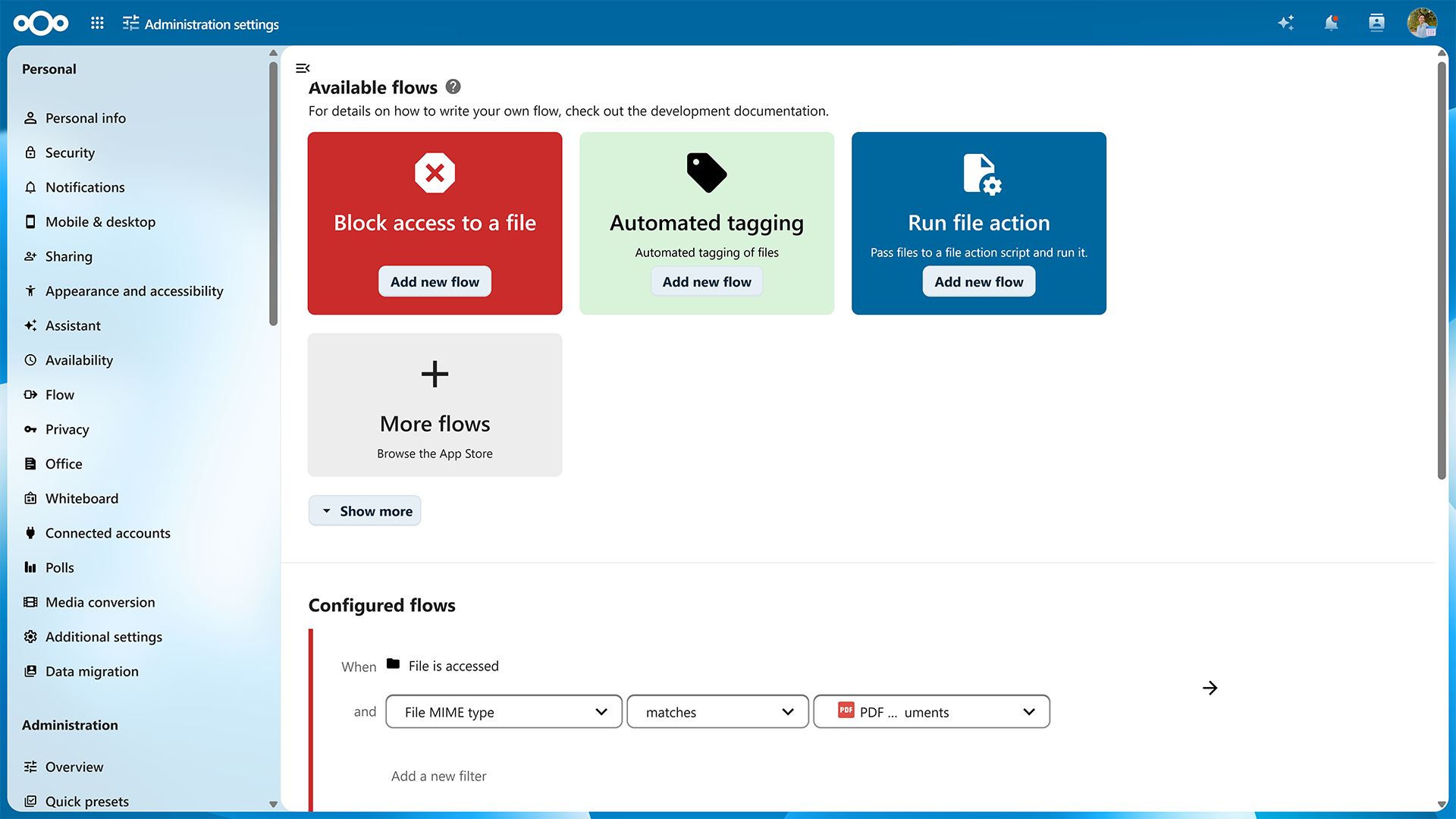
Automating routine tasks can be a real time-saver, which is why Nextcloud Hub includes its own automation engine. Nextcloud Flow is a set of intuitive automation components in Nextcloud Hub that help users and administrators automate a variety of workflows, no coding experience required.
It starts with the the Flow tool located in the user’s and admin settings. It lets you configure simple automations like sending a message in a chat room when a file is uploaded to a specific folder or blocking access to documents with sensitive data when accessed from a specific IP address range.
Advanced automation with Nextcloud Tables, the OCS API, and Windmill
The Nextcloud Tables app gives users a place to manage and store structured data and build lightweight mini apps around it for data entry and manipulation. For more technical needs, the Open Collaboration Services (OCS) API exposes many of Nextcloud’s core functions through a programming interface that lets developers integrate Nextcloud’s automation capabilities into external systems and custom scripts.
Built on top of this API sits the most powerful layer of the bundle: a Windmill-based business process automation tool designed for modeling and running extensive, enterprise-grade work processes rather than simple one-off rules. It lets you model entire processes, such as case management with configurable deadlines and decisions or a lightweight CRM with client pipelines and intake.
More Nextcloud apps: open source tools for every use case
Nextcloud Files, Talk, Groupware, Office, Assistant, and Flow make up the core of Nextcloud Hub. But there are many more apps available for various tasks, e.g., for organizing information, managing work tasks, and gathering input via fillable forms.
Nextcloud Notes: quickly organize information
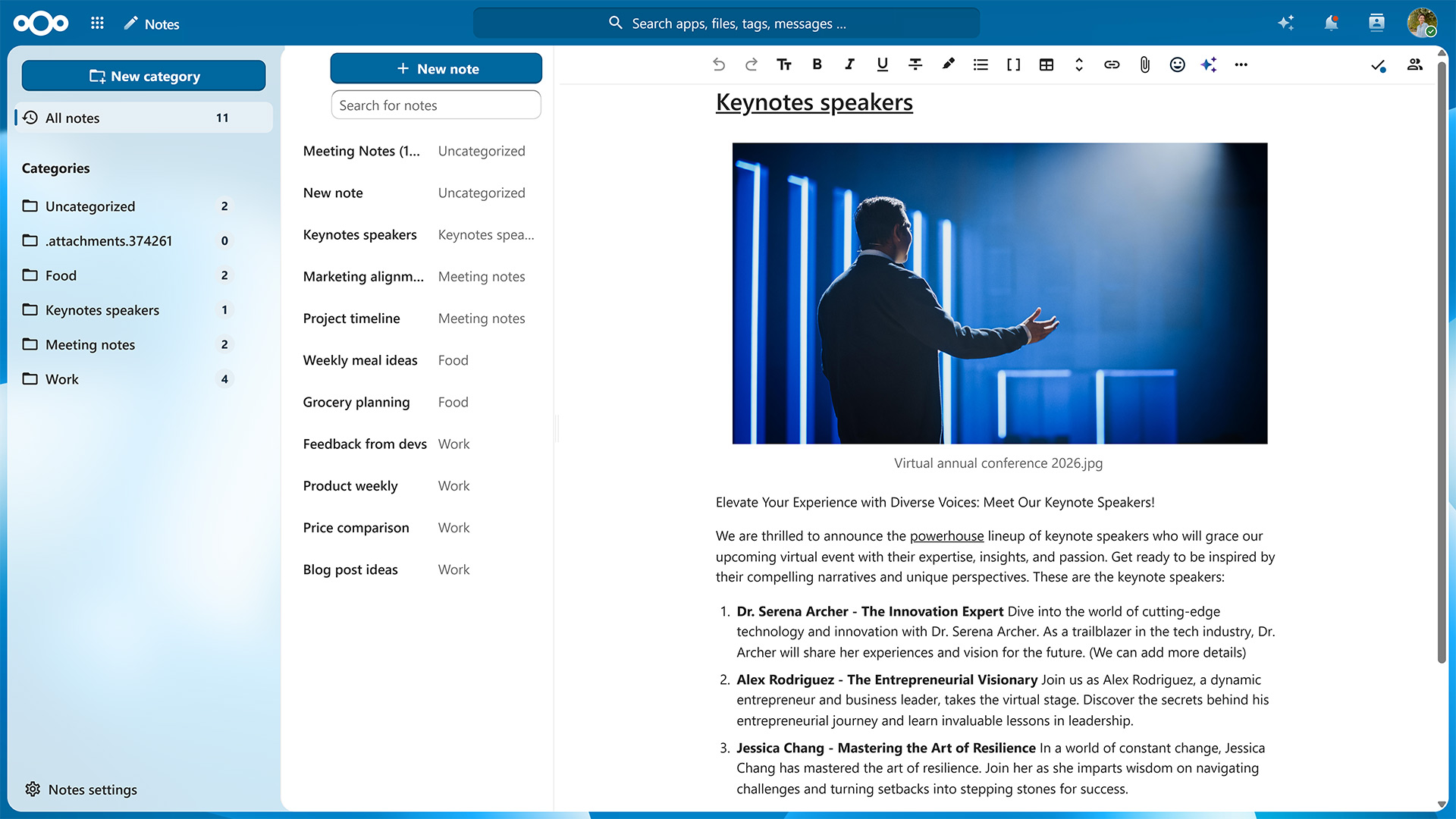
Nextcloud Notes is a distraction-free note-taking app that lets you create, edit, and organize notes using plain text or Markdown formatting. Notes can be grouped into categories and support embedded images and video, mathematical formulas, and syntax highlighting for code. Since Nextcloud Notes uses the highly portable MD format, files created with it can be opened in any text editor.
Nextcloud Tasks: shareable to-dos and reminders
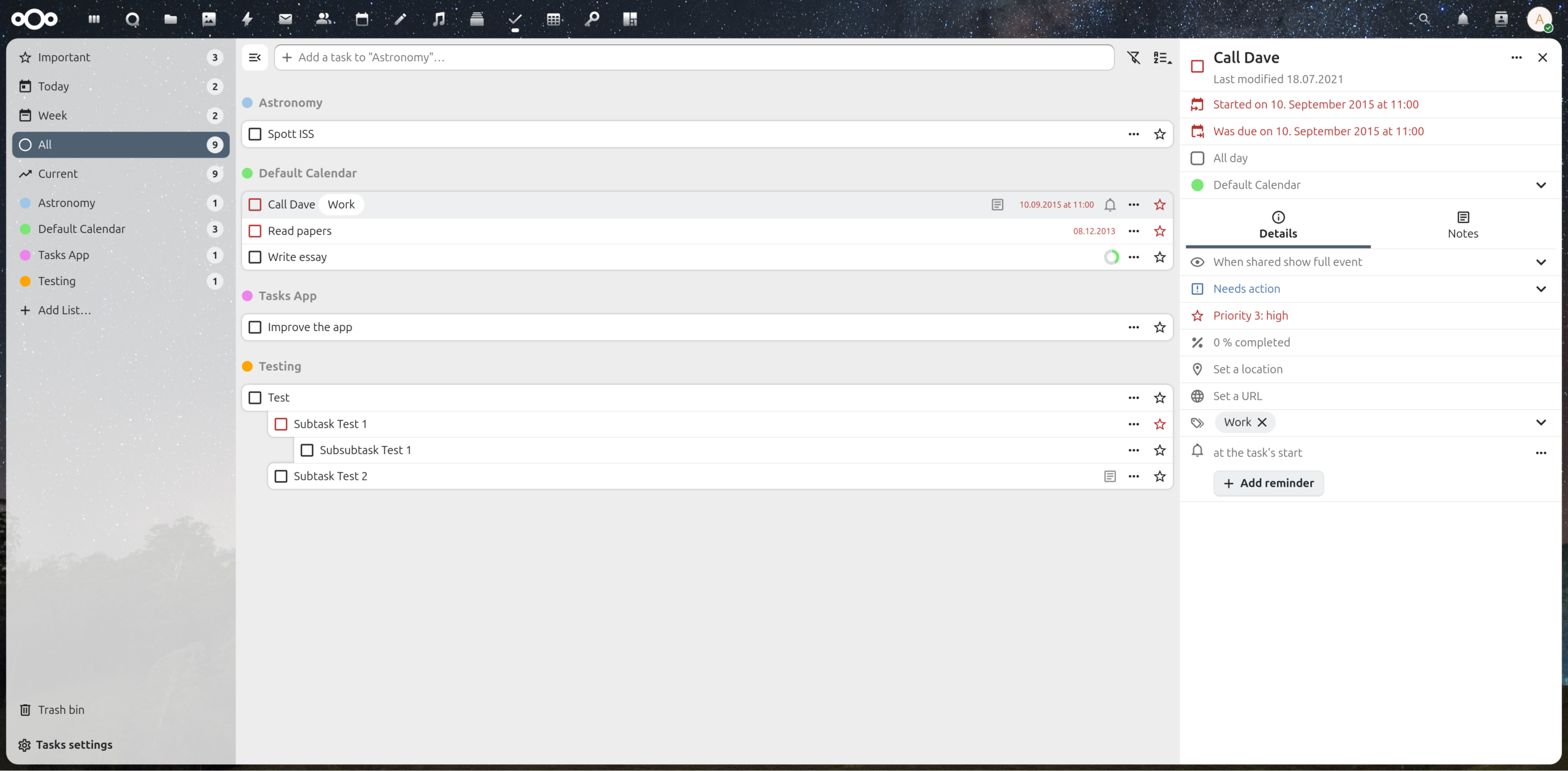
Nextcloud Tasks gives you an intuitive interface for creating to-do lists that synchronize across devices. It supports due dates, priorities, and subtasks, and lists can be shared with other users the same way calendars are, using the open CalDAV standard. You can set reminders and even display your upcoming tasks in Nextcloud Calendar so you never miss a due date.
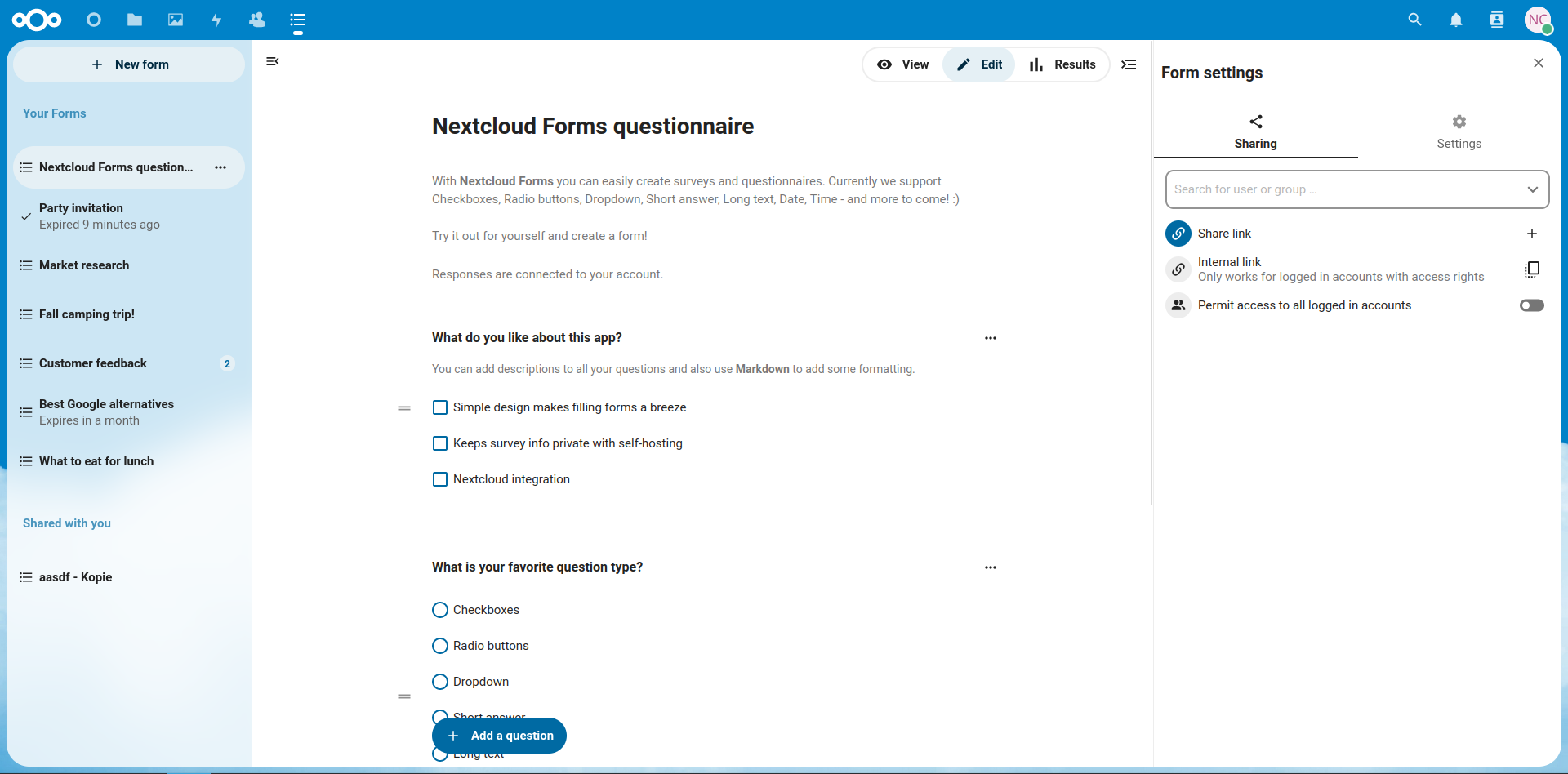
Nextcloud Forms: privacy-respecting surveys
Nextcloud Forms lets you build custom surveys with question types like multiple choice, text input, and ratings, ideal for collecting feedback, running polls, or handling registrations. You can share forms with public links for anonymous, no-registration responses or restrict them to specific users on your Nextcloud instance. The results can be visualized with built-in graphs and exported as CSV to move the data into a spreadsheet for deeper analysis.
Due to their often sensitive nature, privacy is key when it comes to surveys. With Nextcloud Forms, every question and response remains on infrastructure you control.
Austria’s Federal Ministry: GDPR- and NIS2-compliant collaboration
The results of a Data Protection Impact Assessment painted a clear picture: Instead of Microsoft, the Austrian Federal Ministry of Economy, Energy and Tourism chose Nextcloud Hub as its sovereign collaboration platform.
Get started with Nextcloud Hub, the open source Microsoft 365 and Google Workspace alternative
Nextcloud Hub brings the tools your organization depends on onto infrastructure you control. With deeply integrated tools for file storage, communication, collaboration, and automation, it provides you with a comprehensive digital workspace that lets you decide where your data lives and who can access it instead of leaving those decisions to a third-party vendor. Migrating from another solution is straightforward, thanks to Nextcloud’s support for open standards.
If you’re part of a larger organization, take a look at the Nextcloud Enterprise plan. It gives you access to the full Nextcloud Hub product suite combined with the reliability, security, and compliance guarantees needed for critical deployments. Already a Microsoft customer? Watch our webinar on how to migrate successfully from Microsoft to Nextcloud. Frank Dengler, CEO at Audriga, walks you through how Exchange, OneDrive, SharePoint, and Teams map to the Nextcloud platform and what to look out for when it’s time to transfer the data.
Nextcloud Hub offers several types of integrations for AI, from completely self-hosted options to integrations with external services like Open AI. Here's an overview of what you can use and where, and where it stands on our Ethical AI scale.
How do you modernize digital collaboration in government without losing control over your data?
Austria’s Federal Ministry for Economy, Energy and Tourism (BMWET) faced this challenge in 2024 - and decided to take a clear, pragmatic step toward digital sovereignty.
Nextcloud Hub 25 Autumn makes it easier to get started with powerful collaboration while fully in control of your data. From global design updates to improved usability and performance, discover our latest release in this blog.
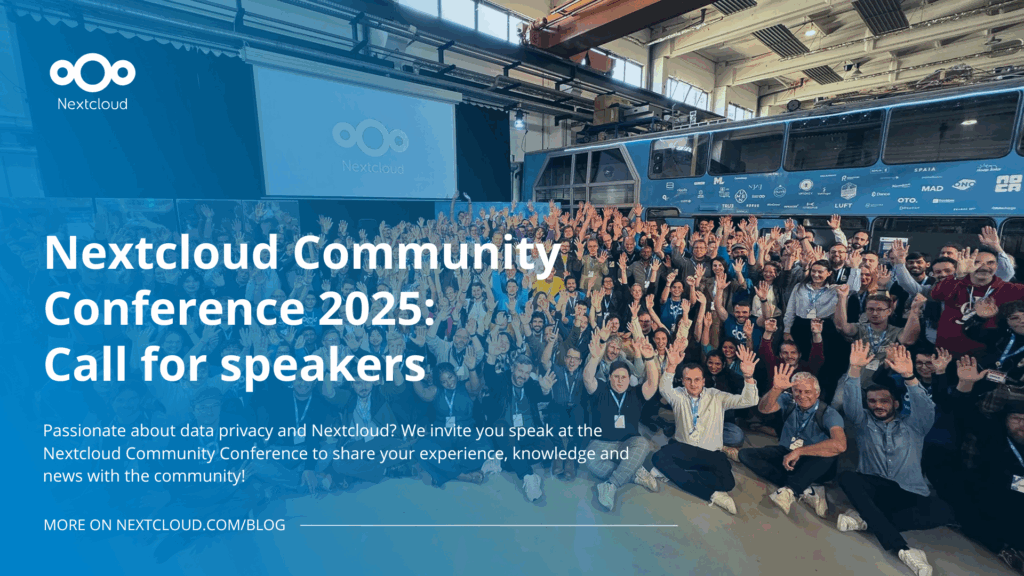
Passionate about data privacy and Nextcloud? We invite you speak at the Nextcloud Community Conference to share your experience, knowledge and news with the community!
For the ninth time, Nextcloud has been nominated for the CloudComputing-Insider Readers’ Choice Award in the category of Cloud Content Management. We’d love to reach the top again! And we’re looking for the support of you and everyone else in our amazing community to get there. Nextcloud as the best Cloud Content Management tool? Only […]
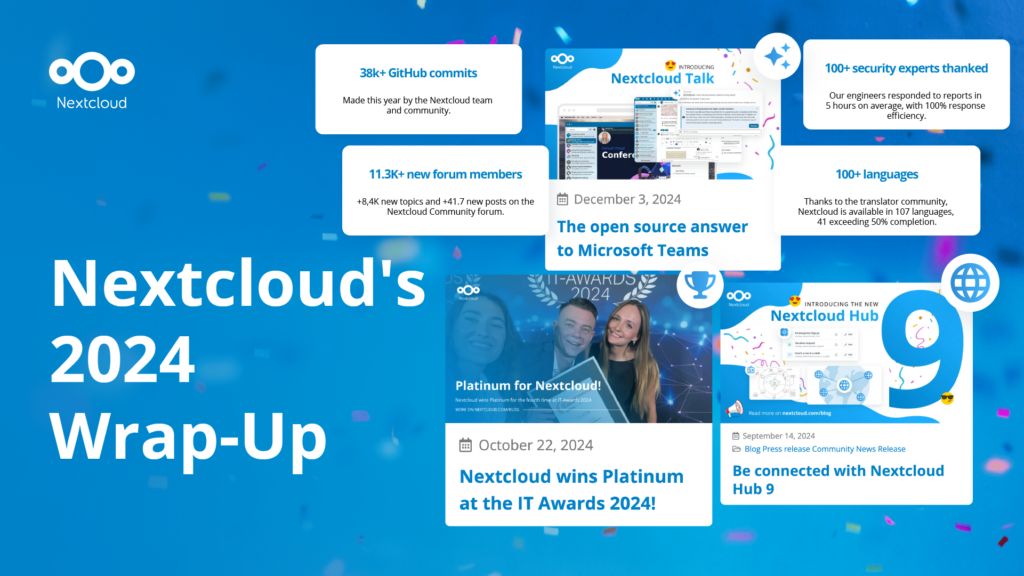
In the Nextcloud 2024 wrap-up, we want to take a moment to celebrate this year's achievements. Join us as we continue to reimagine what’s possible - shaping a world where open source, privacy and connection come together and drive progress for the greater good.
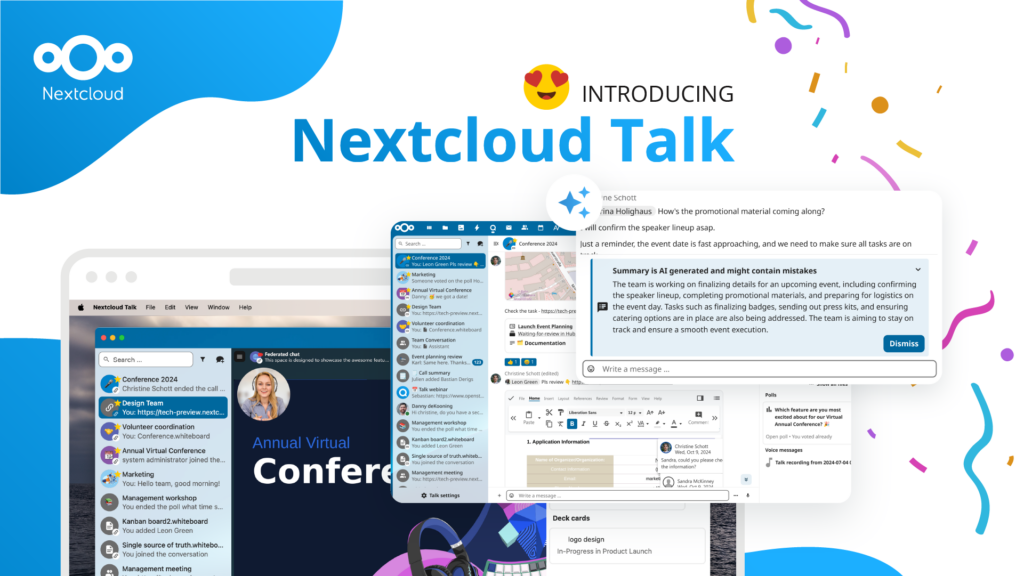
Organisations, small and large, need a way to ensure the resiliency and digital sovereignty of their operations – an open-source, privacy-respecting alternative to Teams. And today, we present that solution - Nextcloud Talk.
Nextcloud has been recognized with the World Summit Award Germany that selects and promotes local digital innovation improving society, aiming to contribute to the United Nations' agenda of sustainable development goals.
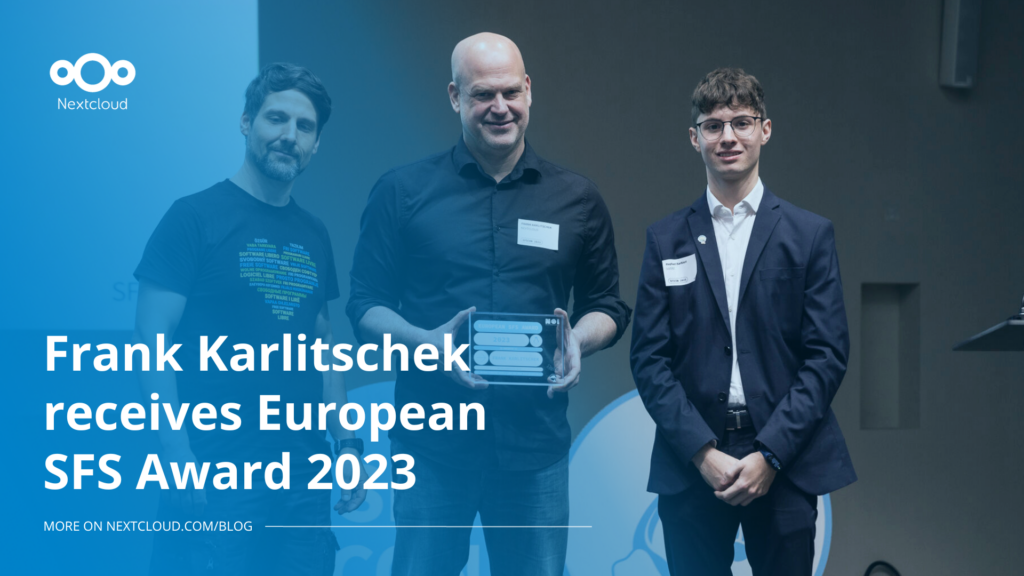
DIE ZEIT, a prominent German outlet, interviewed Nextcloud’s founder Frank Karlitschek for an article on Microsoft’s anti-competitive behaviour on the European office software market. Read for a recap of the article and the key takeaways.
MagentaCLOUD’s migration to Nextcloud in 2021 resulted in a fully equipped Online Storage with an integrated online office suite that further improves the user experience, flexibility and security for customers.
We bring you a major update to the Nextcloud AI Assistant, plus the news we work with several big hosting providers like IONOS and OVHcloud to bring AI-as-a-Service options to you!
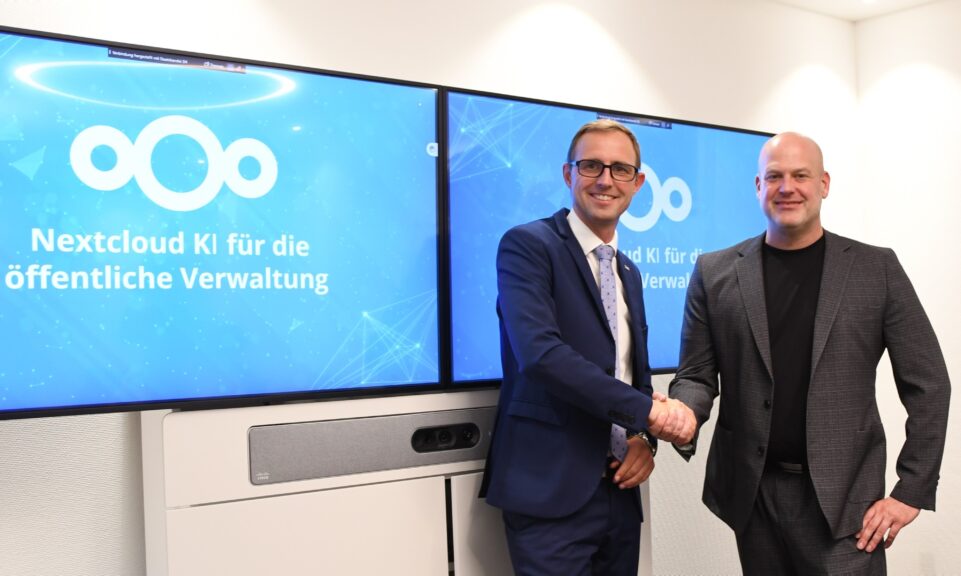
Bechtle and Nextcloud announce today a complete managed collaboration platform for the public sector that requires no tender and can be deployed immediately.
Discover how to make the switch from ownCloud to Nextcloud. Our quick guide provides insights into the migration process, helping you make the transition smoothly.
Today, US-based file sync & share vendor Kiteworks announced their acquisition of ownCloud and Dracoon. Kiteworks points out that their customers now have access to their file-sharing application. It is to be expected they will not maintain 3 similar products, but customers will have to migrate to the US firms’ platform or look for another […]
As part of Schleswig-Holstein's state digitization strategy, the state chancellery has announced they will work with Nextcloud to develop AI for working with government documents. This comes just after we announced the first private AI assistant last weekend with Hub 6. The German state already uses Nextcloud and their AI strategy aligns with our work on ethical, local AI technologies.
Our mission is to help individuals, businesses and organizations achieve digital sovereignty and regain control over their data. Nextcloud Hub 5 marks a massive step forward towards achieving this mission, putting the power of AI into your hands – in a way that keeps you in control. New release, new possibilities Hub 5 builds on […]
Fancy names, same lock-in: here's why Microsoft’s digital sovereignty promises don’t protect European data from US law and why its “sovereign” cloud still leaves you dependent.
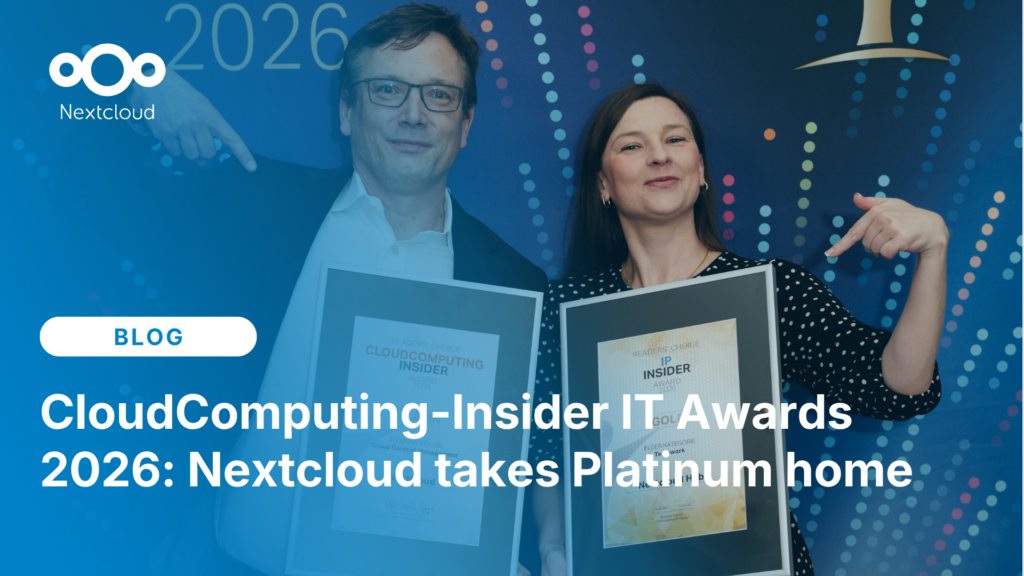
Once again, Nextcloud takes home Platinum at the CloudComputing-Insider IT-Awards. For this award, we want to thank everyone who supported us this year and took a minute to put it into a vote! Read more details about the awards in this post.
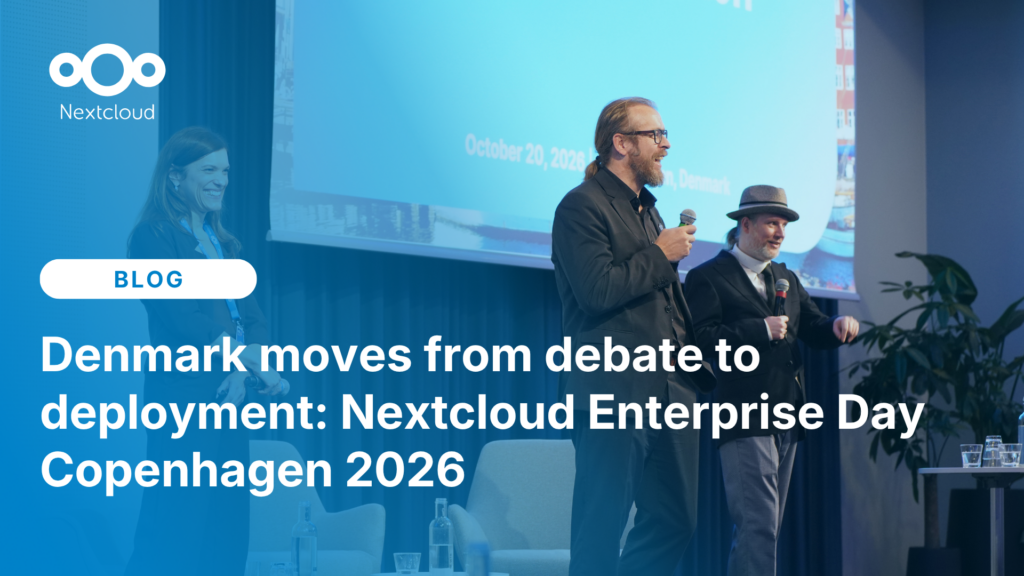
At the second Nextcloud Enterprise Day Copenhagen, municipalities, universities and other public organisations discussed how they can reduce their dependency on US Big Tech. Read our recap of the event.
We save some cookies to count visitors and make the site easier to use. This doesn't leave our server and isn't to track you personally!
See our Privacy Policy for more information. Customize
Statistics cookies collect information anonymously and help us understand how our visitors use our website. We use cloud-hosted Matomo
Service:Matomo
Cookies description:
_pk_ses*: Counts the first visit of the user
_pk_id*: Helps not to double count the visits.
mtm_cookie_consent: Remembers that consent for storing and using cookies was given by the user.
Cookies expiry:_pk_ses*: 30 Minuten
_pk_id*: 13 months
mtm_cookie_consent: 30 Dagen