When you work with external clients, such as partners, patients, or customers, secure file sharing is of the utmost importance. At Nextcloud, you can access the File Drop function to upload and transfer sensitive documents within a couple of clicks. By creating a secure link with an optional password or expiration data, you can easily collaborate online while keeping the documents safe.
How to safely transfer files with File Drop
Getting started with File Drop is easy. In three simple steps, you can start uploading and sharing files securely and quickly.
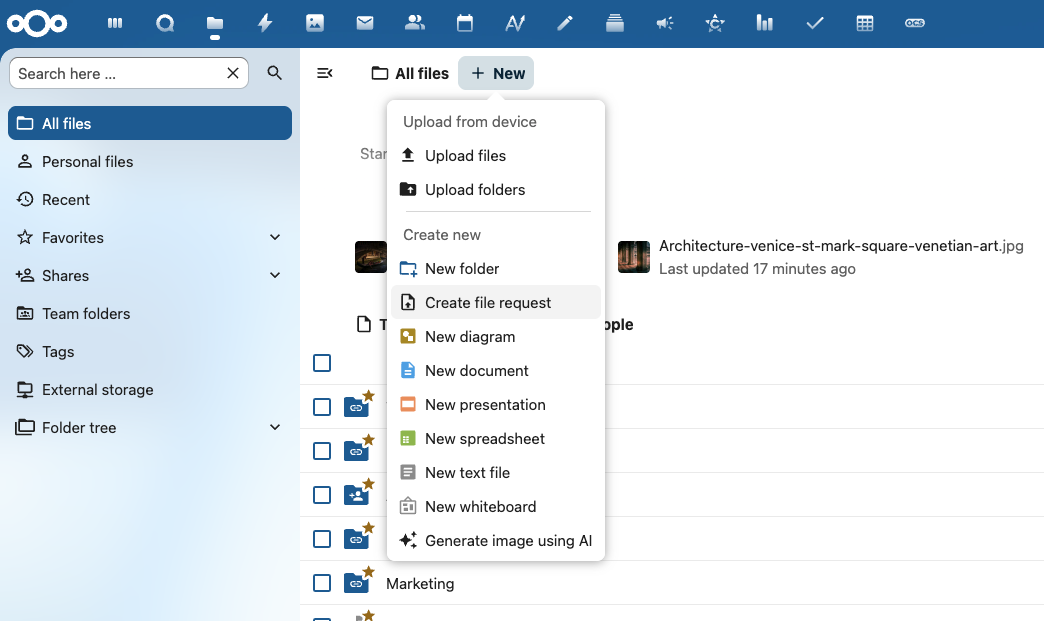
1. Click “+New” and select “Create file request”.
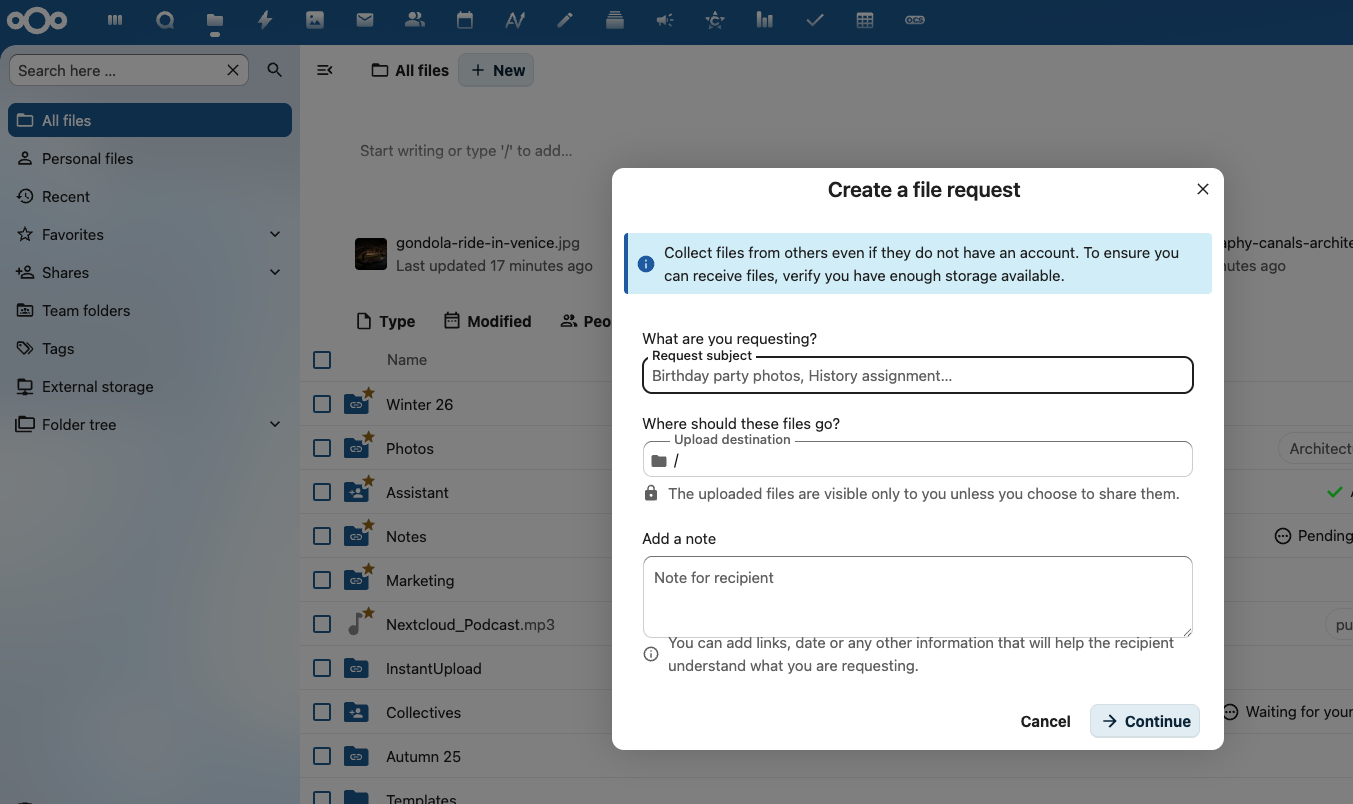
2. Add the file information, including what you are requesting, where the files should go, and possible notes. You can add links, a date, or any other information that will help the recipient understand what you are requesting. Click “Continue”.
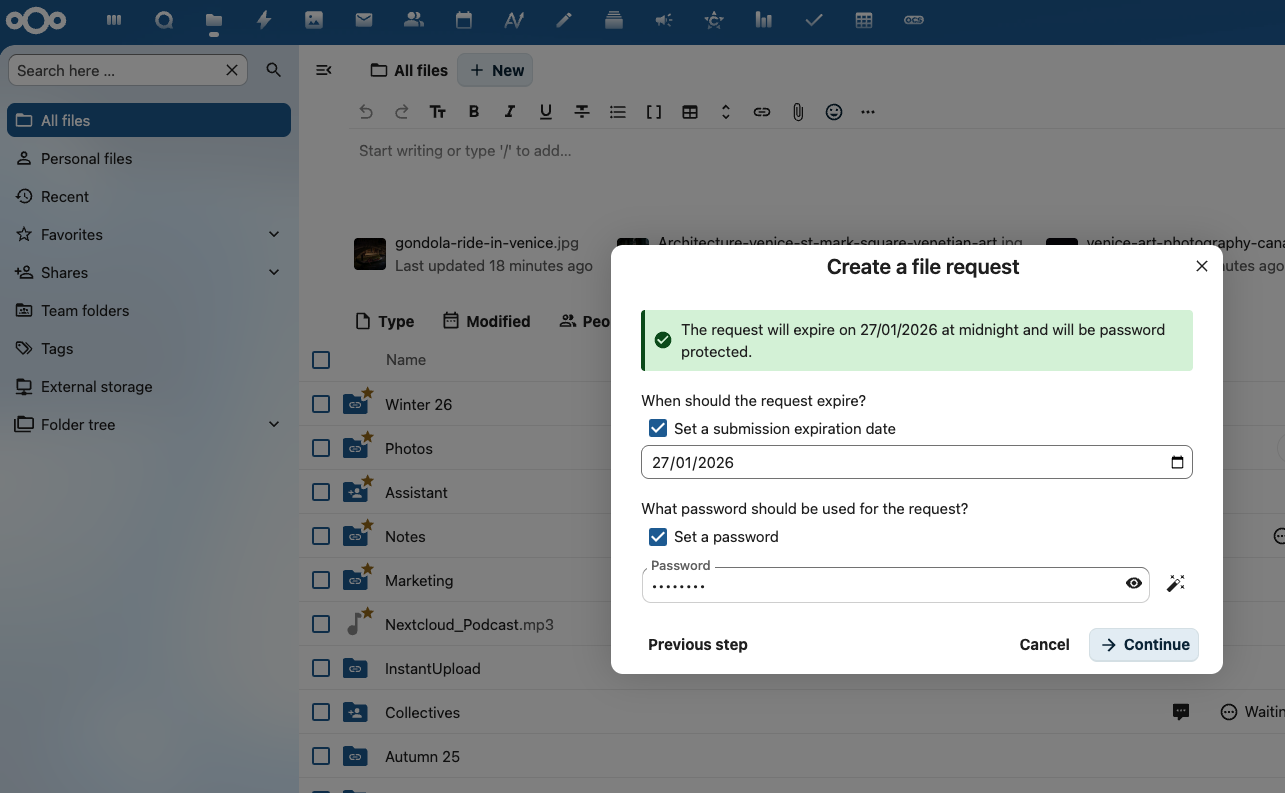
3. Set additional information if needed, such as an expiration date for the submission or a password. Click “Continue”.
You are now ready to securely share files. Simply copy-paste the share link or send the link via email to your contacts, so they can start uploading their files.
Secure file uploading and sharing for your enterprise
Your client will then be able to upload files to your server in a secure and easy manner. When the client uploads a file, you will receive a notification of new files in your upload folder and proceed to process the data. At the end, you provide the result in a separate folder for your client to download securely. At all times, your data and your client’s data are protected by industry-leading security measures!
Easy and personal
Send files and folders with just a few clicks to one or multiple customers. Create personal links for them to upload data to you.
Ultimate security
Files are securely transferred and stored on your own infrastructure, without any third party ever gaining access.
IT stays in control
The IT department enforces rules and limitations on password & expiration dates, access by IP, file type or size and more.
Your files under your control thanks to advanced features
The system administrator can rest assured that all interactions follow the rules and requirements set by the company with regard to passwords, expiration dates, and the limitations enforced by the Nextcloud File Access Control feature.
Data remains, at all times, on-premise, under full authority of IT. File Drop supports a wide range of storage technologies, including NFS, SMB, Windows Network Drive, SharePoint, Object Storage, and many more.
Create unique links for each customer
Rather than creating a random upload link, you can also have customized links by entering a customer’s email address and then enabling the File Drop function (upload only). Your client will receive an email with instructions on where to securely upload their files and, if you choose to add one, the password in a separate email.
You can have both a shared link and multiple, unique email links that each come with their own password, expiration date, and access rights. The password email can be disabled in the admin sharing settings for even more security-sensitive data, where a secure second channel (like a secure video call) has to be used for the password.
Request encrypted files with File Drop
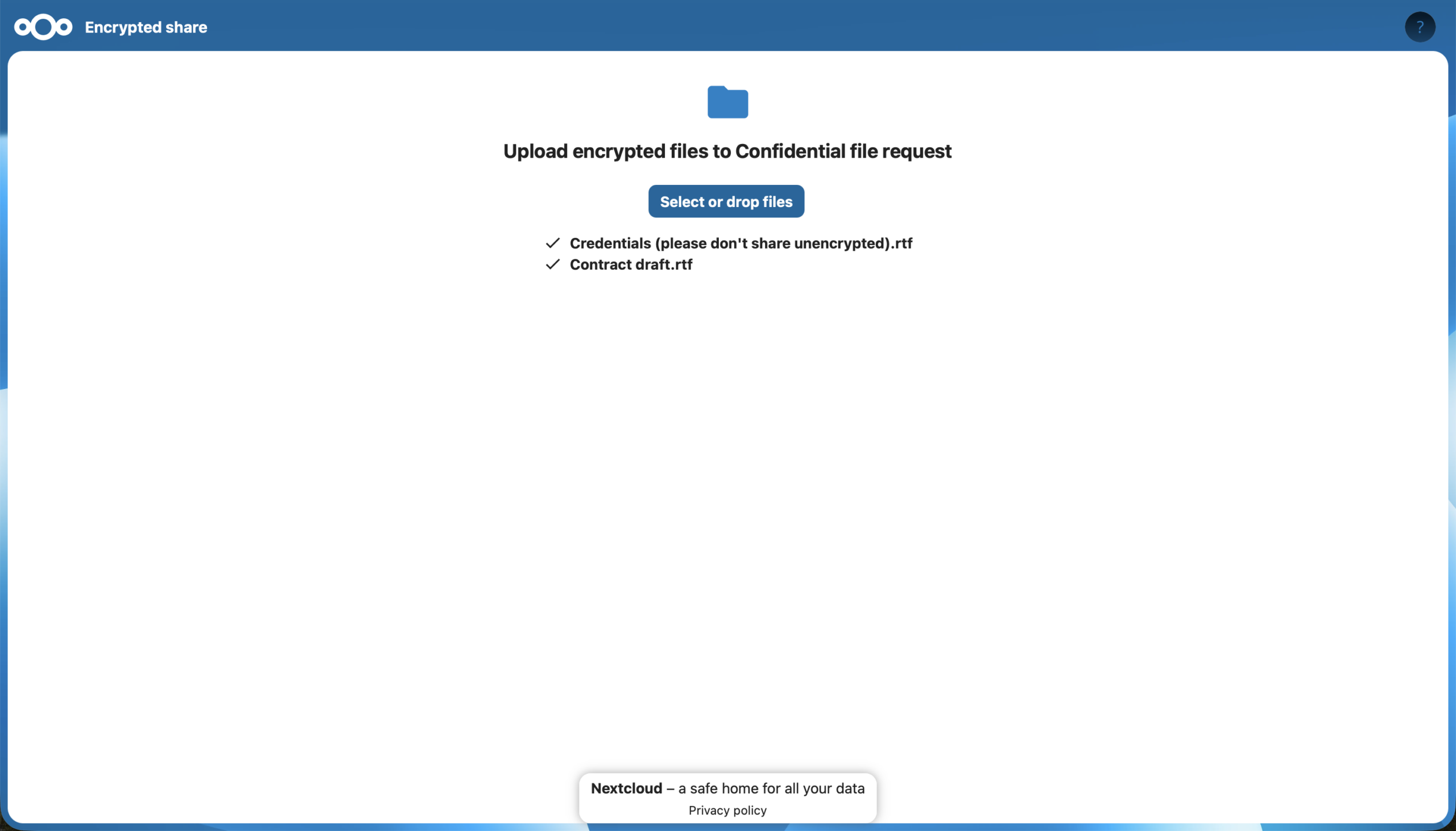
The File Drop feature includes the option to upload files to end-to-end encrypted folders. You can request confidential files from external people without worrying about security, simply and without fuss. And you don’t even need to share additional passwords.
With the release of Nextcloud Hub 26 Winter, you can create encrypted File Drop links both via desktop and in the browser.
Key features
Attractive, easy interface
Unlimited shares and upload folders
Show/hide existing files
Edit/rename without link change
(Push) notifications
pdf/video/image preview
Templated sharing emails
Mobile and desktop clients
Read only/write permissions
File retention
Comprehensive audit tracking
Anti-virus scanning
Password protection
Expiration date
Encryption at rest & in transit
Data remains on-premise
Your own server = under your control
HIPAA, GLBA, NERC CIP, SOX, PCI compliance
Regain your digital autonomy with Nextcloud Hub 26 Winter
Our latest release of Nextcloud Hub 26 Winter is here! Discover the latest Nextcloud features.
How do you modernize digital collaboration in government without losing control over your data?
Austria’s Federal Ministry for Economy, Energy and Tourism (BMWET) faced this challenge in 2024 - and decided to take a clear, pragmatic step toward digital sovereignty.
Nextcloud Hub 25 Autumn makes it easier to get started with powerful collaboration while fully in control of your data. From global design updates to improved usability and performance, discover our latest release in this blog.
Passionate about data privacy and Nextcloud? We invite you speak at the Nextcloud Community Conference to share your experience, knowledge and news with the community!
For the ninth time, Nextcloud has been nominated for the CloudComputing-Insider Readers’ Choice Award in the category of Cloud Content Management. We’d love to reach the top again! And we’re looking for the support of you and everyone else in our amazing community to get there. Nextcloud as the best Cloud Content Management tool? Only […]
In the Nextcloud 2024 wrap-up, we want to take a moment to celebrate this year's achievements. Join us as we continue to reimagine what’s possible - shaping a world where open source, privacy and connection come together and drive progress for the greater good.
Organisations, small and large, need a way to ensure the resiliency and digital sovereignty of their operations – an open-source, privacy-respecting alternative to Teams. And today, we present that solution - Nextcloud Talk.
Nextcloud has been recognized with the World Summit Award Germany that selects and promotes local digital innovation improving society, aiming to contribute to the United Nations' agenda of sustainable development goals.
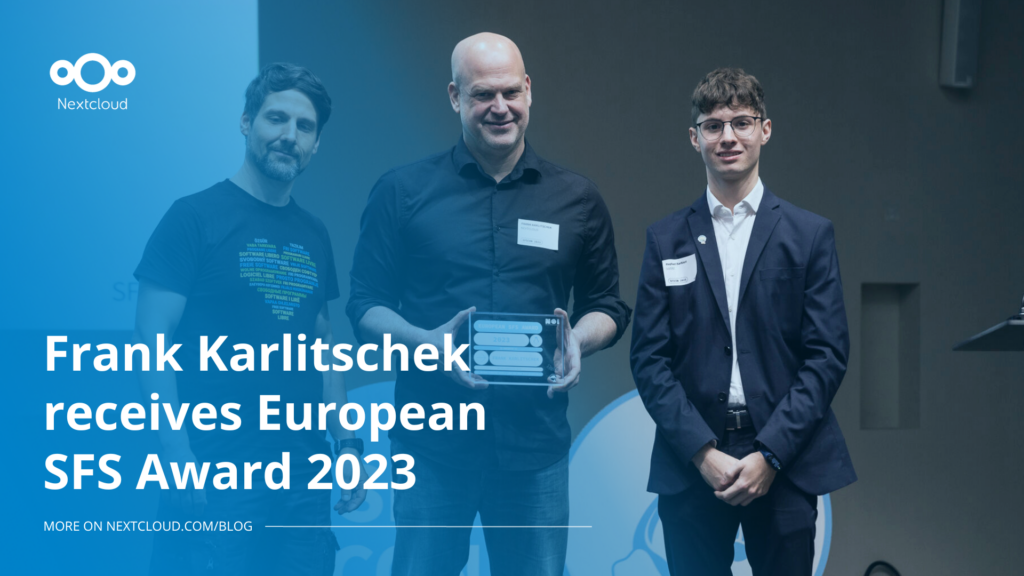
DIE ZEIT, a prominent German outlet, interviewed Nextcloud’s founder Frank Karlitschek for an article on Microsoft’s anti-competitive behaviour on the European office software market. Read for a recap of the article and the key takeaways.
MagentaCLOUD’s migration to Nextcloud in 2021 resulted in a fully equipped Online Storage with an integrated online office suite that further improves the user experience, flexibility and security for customers.
We bring you a major update to the Nextcloud AI Assistant, plus the news we work with several big hosting providers like IONOS and OVHcloud to bring AI-as-a-Service options to you!
Bechtle and Nextcloud announce today a complete managed collaboration platform for the public sector that requires no tender and can be deployed immediately.
Discover how to make the switch from ownCloud to Nextcloud. Our quick guide provides insights into the migration process, helping you make the transition smoothly.
Today, US-based file sync & share vendor Kiteworks announced their acquisition of ownCloud and Dracoon. Kiteworks points out that their customers now have access to their file-sharing application. It is to be expected they will not maintain 3 similar products, but customers will have to migrate to the US firms’ platform or look for another […]
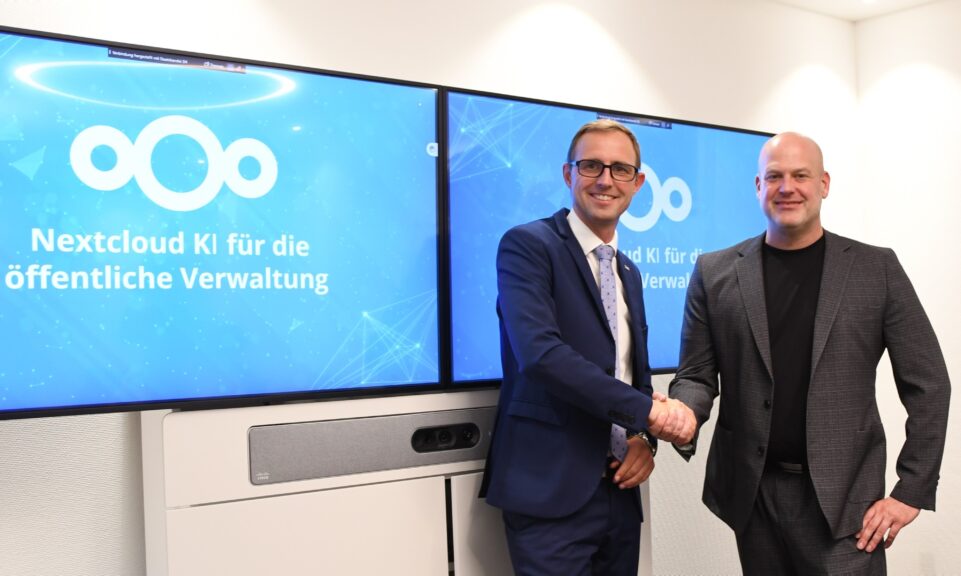
As part of Schleswig-Holstein's state digitization strategy, the state chancellery has announced they will work with Nextcloud to develop AI for working with government documents. This comes just after we announced the first private AI assistant last weekend with Hub 6. The German state already uses Nextcloud and their AI strategy aligns with our work on ethical, local AI technologies.
Since its mass adoption, AI has become, and still is, a popular and sometimes contraversial topic. Some of it is hype, some is substance. Some is good, some, of course, is bad. We want to give you the good, not the bad, and ignore the hype. In Nextcloud Hub we’ve focused on providing you the […]
Our mission is to help individuals, businesses and organizations achieve digital sovereignty and regain control over their data. Nextcloud Hub 5 marks a massive step forward towards achieving this mission, putting the power of AI into your hands – in a way that keeps you in control. New release, new possibilities Hub 5 builds on […]
Following two successful Nextcloud Enterprise Days in The Hague in 2025, we brought the event to Utrecht this year, where a massive 750 registrations brought a big crowd to the Jaarbeurs venue. The kickoff in the morning pre-announced the launch of the book “Sovereignty! But how?“ by well-known Dutch IT security journalist and author Brenno […]
We save some cookies to count visitors and make the site easier to use. This doesn't leave our server and isn't to track you personally!
See our Privacy Policy for more information. Customize
Statistics cookies collect information anonymously and help us understand how our visitors use our website. We use cloud-hosted Matomo
Service:Matomo
Cookies description:
_pk_ses*: Counts the first visit of the user
_pk_id*: Helps not to double count the visits.
mtm_cookie_consent: Remembers that consent for storing and using cookies was given by the user.
Cookies expiry:_pk_ses*: 30 Minuten
_pk_id*: 13 months
mtm_cookie_consent: 30 Dagen