Access to a user-friendly project management tool goes a long way in keeping teams aligned on tasks, deadlines, and priorities. With the Nextcloud Deck app, you can turn your work items into cards in a few clicks and visualize them as a kanban board or Gantt chart.
How to use Nextcloud Deck for private and secure project management
If you’re familiar with tools like Trello, you’ll feel right at home with Nextcloud Deck. The difference is that with Deck, your tasks and projects are stored on your own server, giving you full control over your data.
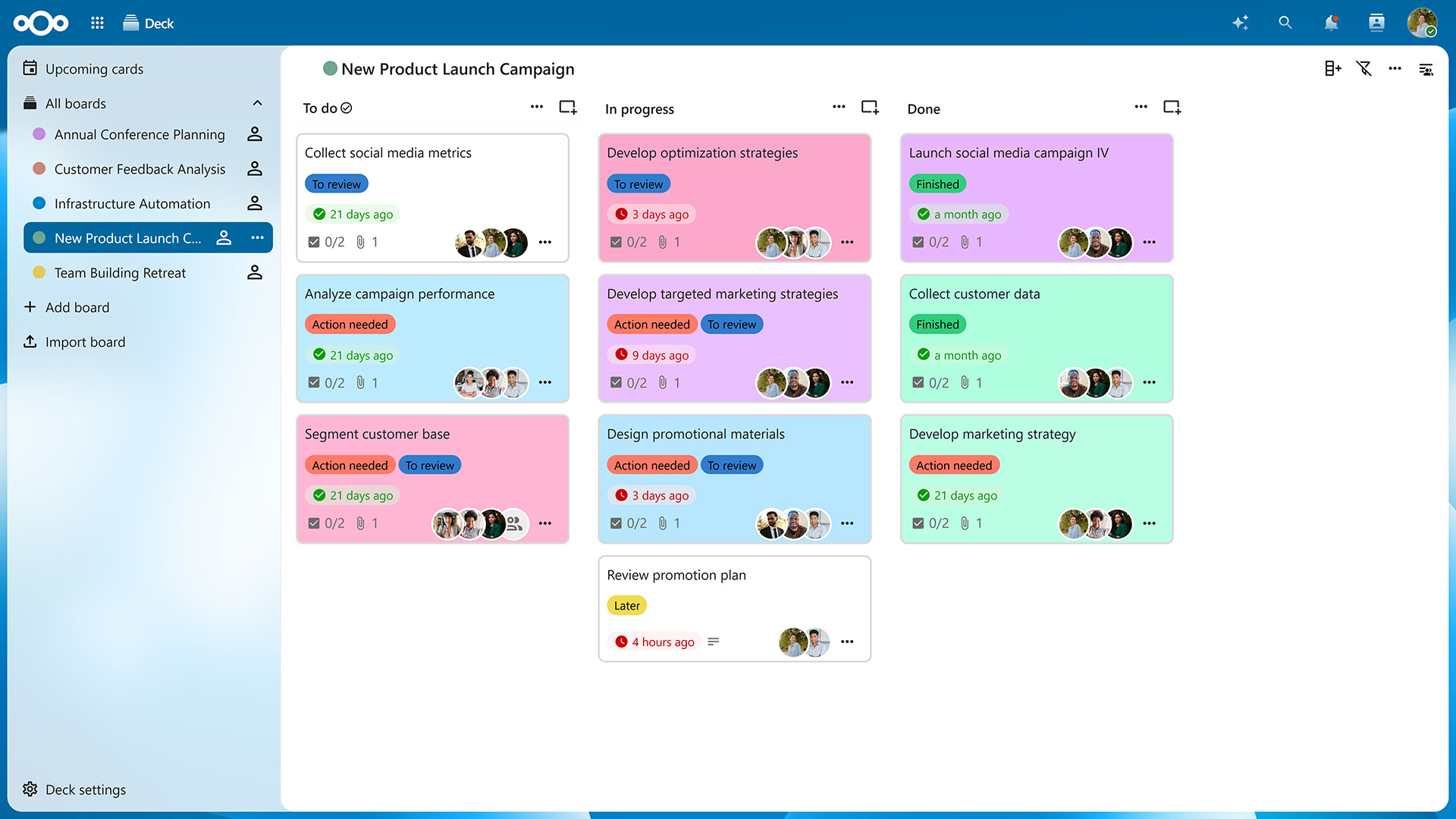
After accessing the app from your navigation bar, you’ll be presented with an overview of your boards. Click on « Add board » to create a new one and then on « Add list » in the top-right corner to create columns for your cards. On a typical kanban board, these lists would be titled « To Do », « In Progress », and « Done », but you can create as many lists as needed to organize your projects.
Now you can create as many cards as you want by clicking on the « Add card » icon on top of each list. Of course, you can freely drag them around to reorder them or move them from one list to another. You can also archive cards and lists you no longer need and restore them later if necessary.
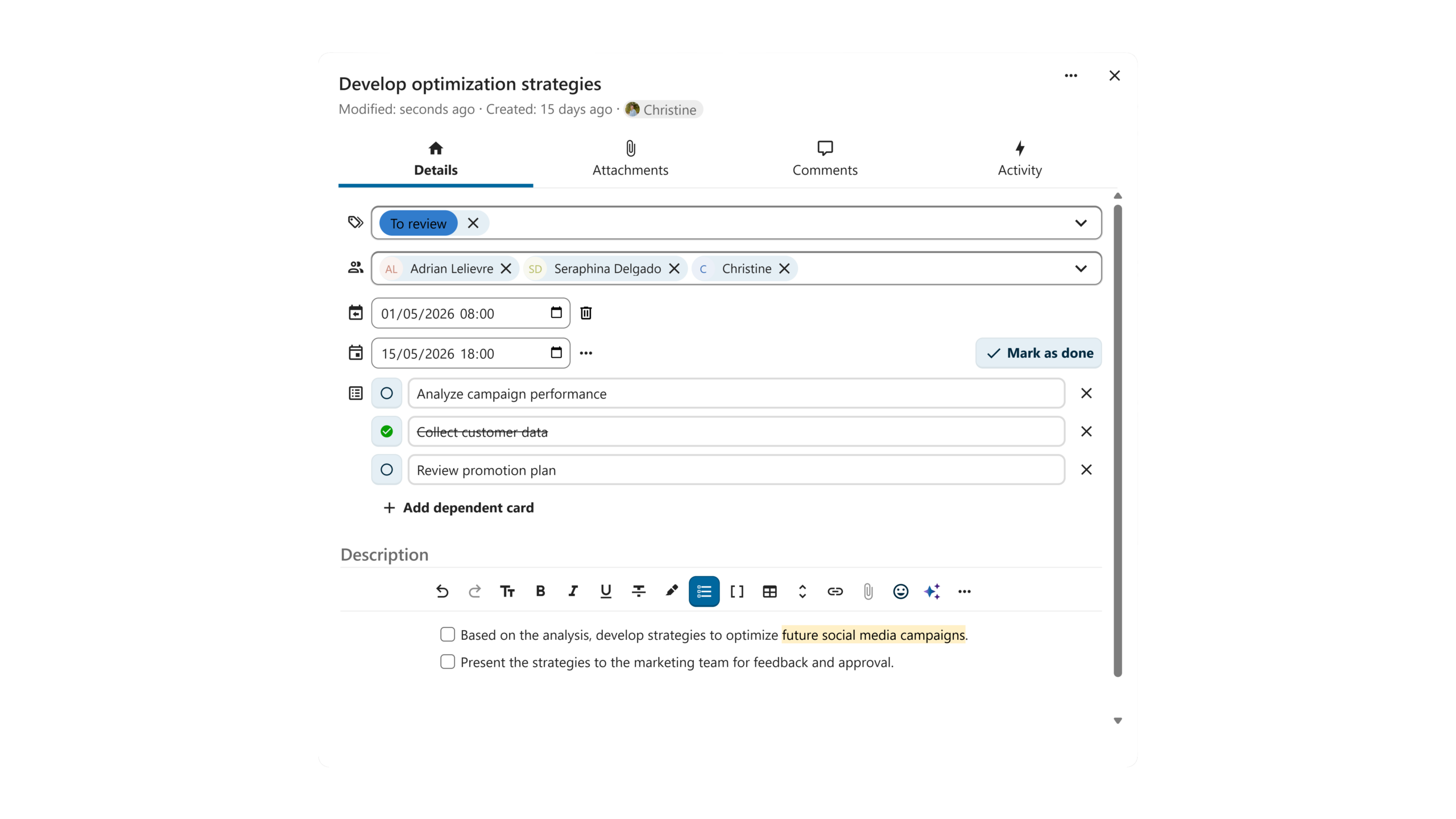
Clicking on a card opens the « Card details » view. Here, you can assign the card to a Nextcloud user, categorize it using tags, choose a start and due date, and add dependent cards (sub-tasks, if you will). In the description field, you can put down relevant information and even create tables, checklists, and more, thanks to Markdown support.
Switching from the « Details » tab to the « Attachments » tab lets you upload files relevant to the task from your computer or share them from Nextcloud Files. In the « Comments » tab, you can start a discussion with your team members and tag any user with access to your board.
Switching from kanban view to Gantt view
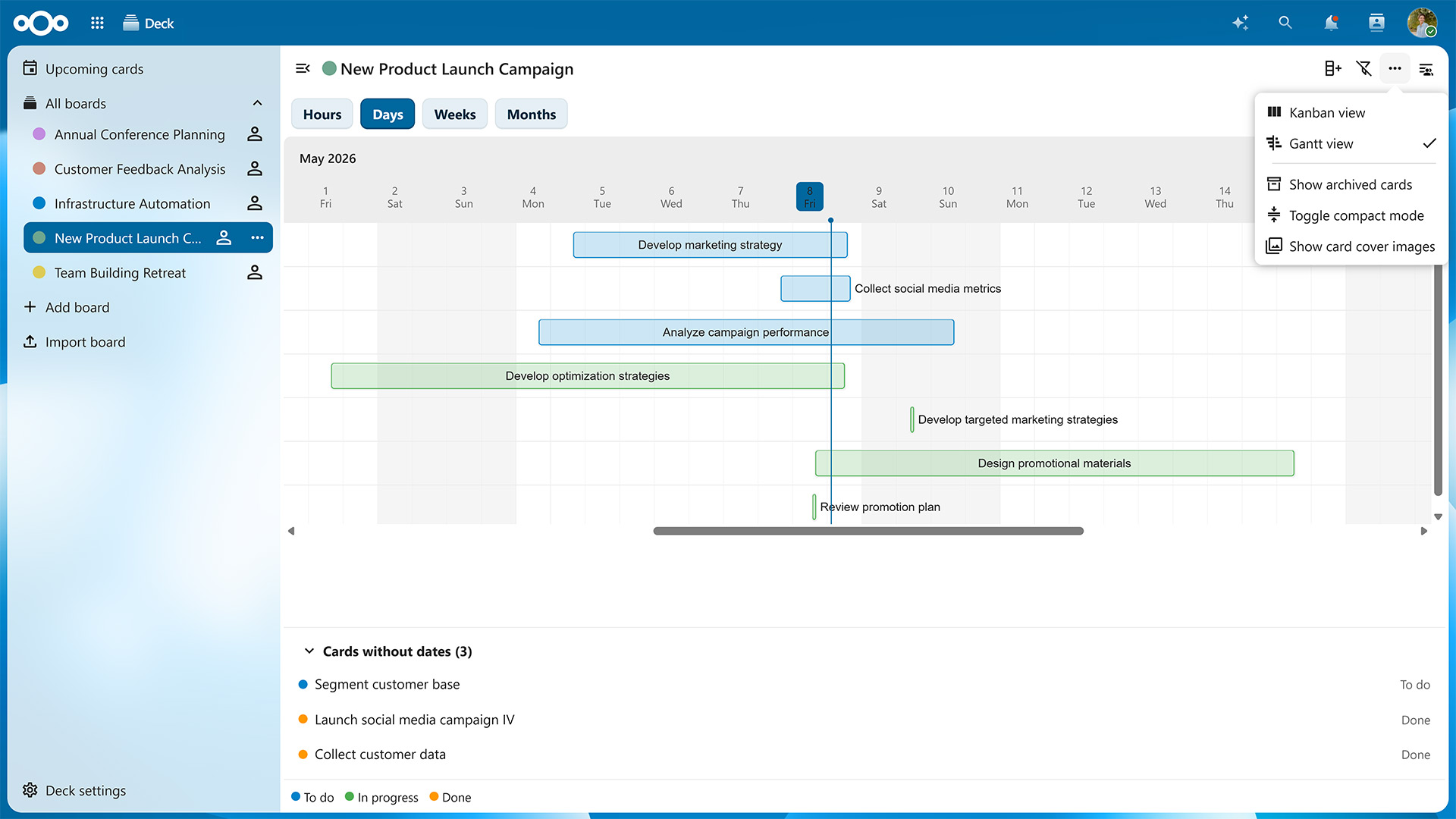
The Nextcloud Hub 26 Spring Release introduced card dependencies and the option to give each card both a start and end date. Thanks to these additions, you can visualize your tasks as a Gantt chart, which shows you a timeline of your tasks with their dependencies and deadlines.
To toggle between the kanban board and Gantt chart, click on the three dots in the top-right corner of the window and select either « Kanban view » or « Gantt view ».
On the Gantt chart, timelines are color-coded based on which list each card is currently located at. You can switch between a monthly, weekly, daily and even hourly view to know exactly what is happening when.
The Gantt view is just one of many new features introduced in Nextcloud Hub 26 Spring. As of this update, you can also:
Assign whole teams and groups to cards
See a card’s author
Choose a board to open by default when launching Nextcloud Deck
Define a list specifically for completed cards
Add custom card backgrounds
The Nextcloud Deck app will see improvements with each upcoming Nextcloud Hub release, so you can look forward to even more features in the future.
Collaboration within and across teams
Nextcloud Deck is part of Nextcloud Groupware, which also includes the Nextcloud Mail, Calendar, Contacts apps, and seamlessly integrates with other Nextcloud apps. For example, clicking on the three dots on a card lets you post it directly to one of your conversations in Nextcloud Talk. Vice versa, you can turn any chat message into a card in a few clicks.
When you collaborate with other team members on the same board, cards with due dates also appear as events in a dedicated calendar, which you can subscribe to in Nextcloud Calendar or any calendar app of your choice.
Features like these enable project management connected with all your workflows and data across Nextcloud Hub. Thanks to Nextcloud’s federated nature, you can also use Nextcloud Deck to collaborate with users on different servers, e.g., by sharing your boards with them and letting them add cards or create lists. You can even assemble entire project teams that include users from different organizations without having to merge systems or create new accounts.
Get started with Nextcloud Deck
If you already have a Nextcloud server, you can download and enable the Deck app in just a few clicks. It will automatically integrate with other apps so you can start planning right away.
For larger organizations, there’s Nextcloud Enterprise, which scales to hundreds or even millions of users, comes with direct support from the Nextcloud engineering team, and lets you shape the roadmap for the tools you’ll use every day. Request your instant trial for a free 1-hour test drive or contact us for a quote tailored to your needs.
Créé grâce à un effort conjoint de notre équipe, de la communauté et de nos partenaires, Nextcloud Hub 26 Summer s'inspire des personnes réelles qui utilisent nos outils au quotidien. Créez votre propre espace d’équipe avec Nextcloud Teams, organisez vos souvenirs dans le nouveau Nextcloud Photos et profitez des améliorations que vous avez demandées dans l’ensemble des applications. Poursuivez votre lecture pour un aperçu complet de notre dernière version !
Nextcloud Hub 25 Autumn facilite le démarrage d'une collaboration puissante tout en gardant le contrôle de vos données. Des mises à jour globales du design à l'amélioration de la convivialité et des performances, découvrez notre dernière version dans ce blog.
Les organisations, petites et grandes, ont besoin d'un moyen d'assurer la résilience et la souveraineté numérique de leurs opérations - une alternative à Teams, open-source et respectueuse de la vie privée. Aujourd'hui, nous vous présentons cette solution - Nextcloud Talk.
Nous vous présentons une mise à jour majeure de l'assistant Nextcloud IA, ainsi que de nouvelles informations sur notre collaboration avec plusieurs grands fournisseurs d'hébergement tels que IONOS et OVHcloud pour vous proposer des options d'IA en tant que service !
Bechtle et Nextcloud ont annoncé aujourd'hui une plateforme de collaboration entièrement administrée pour le secteur public, qui ne nécessite pas d'appel d'offres et peut être déployée immédiatement.
Découvrez comment passer de ownCloud à Nextcloud. Notre outil d'aide à la migration fournit des informations sur le processus de migration et vous aide à effectuer la transition en douceur.
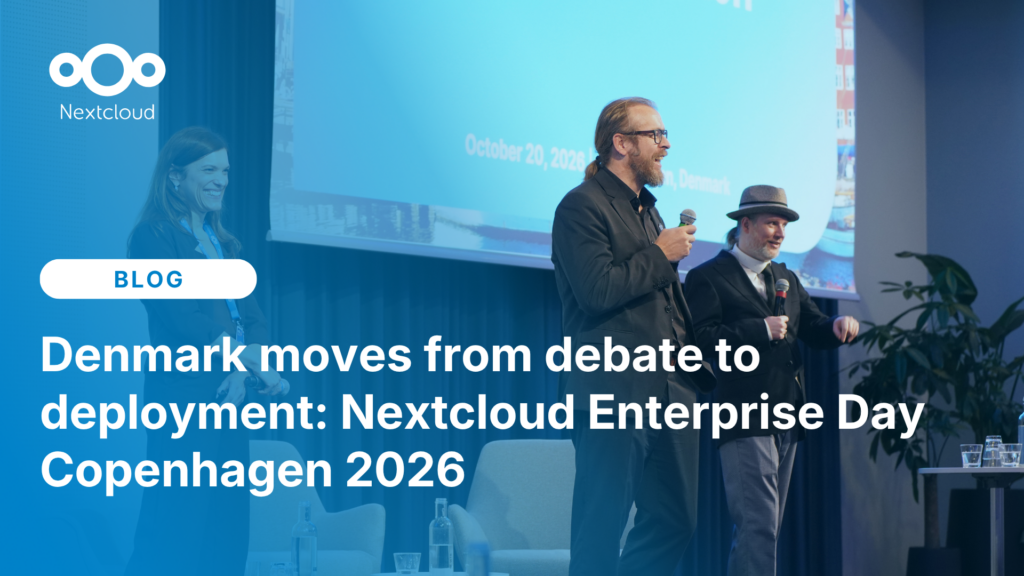
At the second Nextcloud Enterprise Day Copenhagen, municipalities, universities and other public organisations discussed how they can reduce their dependency on US Big Tech. Read our recap of the event.
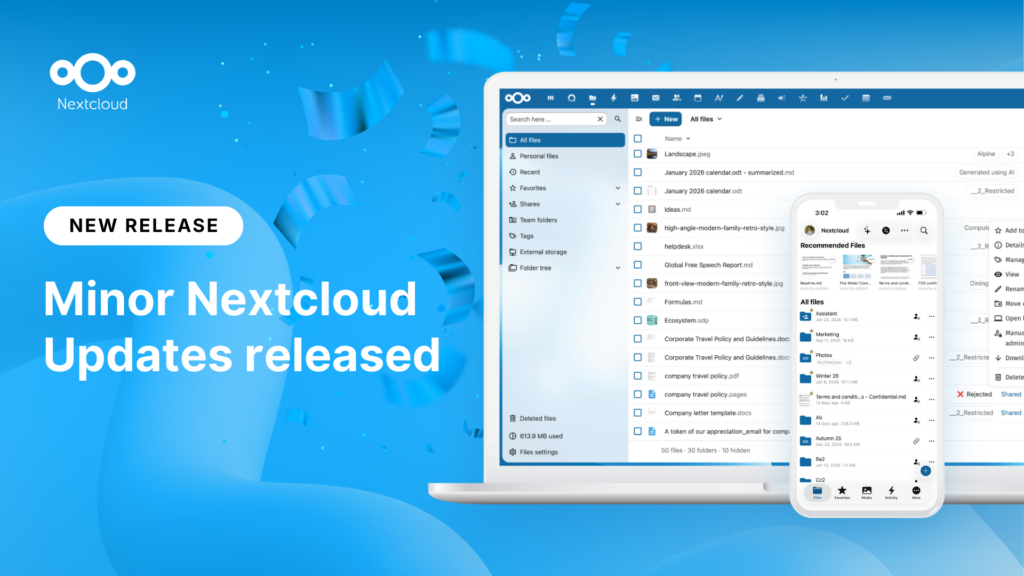
New maintenance updates are available for Nextcloud Hub. Nextcloud Hub 25 Autumn reaches End of Life. Read more in this post or access the full changelog on our website. Keep your server up-to-date!
A new evolutionary step for Nextcloud Circles, Nextcloud Teams app is a hidden gem that amplifies your team sharing. Read this blog to learn everything about the app.
Nous enregistrons certains cookies pour compter les visiteurs et faciliter l'utilisation du site. Ces données ne quittent pas notre serveur et ne sont pas destinées à vous suivre personnellement ! Consultez notre politique de confidentialité pour plus d'informations Personnaliser
Les cookies utilisés pour enregistrer les données saisies dans les formulaires, telles que le nom, l'adresse électronique, le numéro de téléphone et la langue préférée.
Nom du cookie :nc_form_fields
Description du cookie :Mémorise les données saisies dans les formulaires pour une prochaine visite (nom, adresse électronique, numéro de téléphone et langue préférée).
Expiration du cookie :30 jours
Consentement
Nom du cookie :nc_utm_parameters
Description du cookie :We use cookies to store UTM parameters from your visit so we can understand how you arrived at our website.
Les cookies statistiques collectent des informations de manière anonyme et nous aident à comprendre comment nos visiteurs utilisent notre site web. Nous utilisons la solution open source de mesure de statistiques web Matomo
Service:Matomo
Description du cookie :
_pk_ses*: Compte la première visite de l'utilisateur
_pk_id*: Aide à ne pas compter deux fois les visites.
mtm_cookie_consent: Se souvient que l'utilisateur a donné son accord pour le stockage et l'utilisation de cookies.
Expiration du cookie :_pk_ses*: 30 minutes
_pk_id*: 13 mois
mtm_cookie_consent: 30 jours