Efficient online working means enabling your team with a suite of easy-to-use content collaboration tools. Your current selection might include Microsoft solutions: productivity apps that your employees are used to working with and feel familiar.
But they might no longer be the ideal solution for your organization. Geopolitical tensions, concerns over data sovereignty, and rising subscription costs: These are just some of the reasons why organizations want to switch to secure, on-premises solutions.
However, while the motivations are clear, there might be hesitation. After all, change can come with disruption and user resistance.
So what if we told you that you don’t have to choose?
With Nextcloud’s integrations, you can maintain the familiar interfaces from Microsoft while regaining data control. The solution lies in the strategic integration of your current collaboration apps within your Nextcloud platform, thanks to our partner Sendent.
In other words: You can keep your current Microsoft “look and feel” while enjoying the benefits of an on-premises collaboration solution.
Is it time to make the move? Why organizations prefer on-premises collaboration tools
Organizations are looking for Microsoft alternatives, driven by motivations such as:
Compliance: GDPR, HIPAA, and industry-specific requirements create challenges with third-party cloud storage
Data sovereignty: Complete control over where data lives and who can access it
Cost predictability: No more unpredictable licensing increases and per-user fees
Security control: Data lives on your infrastructure and under your security rules, following your audit trails
Vendor independence: Freedom from lock-in and ability to customize your environment
Clients, however, can also worry about the trade-offs of moving away from Microsoft’s ecosystem. They might mention productivity disruption, complexity of migration, and user adoption.
At Nextcloud, we have a wide experience in guaranteeing a smooth transition.
If you prefer a hybrid approach, Nextcloud offers a third path: preserving familiar Microsoft tools while achieving true data sovereignty through strategic integration.
The benefits of a hybrid approach: Microsoft-Nextcloud integration
An integration setup entails keeping your current Microsoft tools while connecting them to your on-premises Nextcloud infrastructure.
This approach offers short-term and long-term advantages to your operations.
The immediate effects include regaining data control and reducing compliance risks by choosing on-premises collaboration tools. On top of that, you enjoy lower cloud storage costs and enhanced security with E2EE file sharing.
In the long term, you have the benefit of accessing a scalable solution for future open source transition, as well as reduced vendor dependency, and compliance readiness (even when regulations evolve).
A hybrid migration with a phased approach also offers the risk mitigation that a lot of organizations are looking for.
You can maintain business continuity with minimal downtime, isolating potential issues from the start. Your employees, in the meantime, can adjust to and build confidence with the new approach, including giving real-time feedback.
Compatibility and functionality
As Nextcloud provides full compatibility with Microsoft Office, your existing documents will work without issues in this hybrid issues. This includes formats such as Nextcloud Office, Collabora Online, ThinkFree Office, or ONLYOFFICE.
Nextcloud also covers most Microsoft 365 functionalities, often with enhanced security and customization options. Visit the Nextcloud vs Microsoft 365 comparison page for a feature-by-feature comparison.
Six ways to bridge Microsoft and Nextcloud
Discover six proven ways to bridge Microsoft and Nextcloud for a direct transition toward stronger data control and digital sovereignty.
1. Outlook integration: Turn email attachments into secure collaboration
Email attachments remain one of the most common sources of data duplication, security risks, and version chaos.
The Nextcloud Outlook add-in solves this, as you can convert attachments into secure Nextcloud links with a single click. So, instead of attaching files to emails, you can send secure Nextcloud links.
Files stay on the Nextcloud server while recipients access them via these controlled sharing links.
Key capabilities include:
Convert attachments into Nextcloud share links
Insert file upload links so recipients can send files directly to your Nextcloud
Keep files centralized instead of scattered across inboxes
Maintain full control over access permissions and expiration settings
The integration works across Outlook on Windows, macOS, and the web. This means your team can keep using their familiar email workflows while ensuring files remain under organizational control.
2. Exchange Connector: Sync contacts and calendars seamlessly
Calendars and contacts are just as crucial to everyday operations as email is.
The Exchange Connector enables bidirectional synchronization between Microsoft Exchange or Microsoft 365 and Nextcloud calendars and contacts.
This ensures that:
Meetings scheduled in Exchange appear in Nextcloud
Contact lists stay consistent across both platforms
Teams can transition gradually without disrupting scheduling workflows
By integrating these productivity components, your organization can shift collaboration workloads toward Nextcloud while preserving compatibility with Microsoft systems.
3. Microsoft Teams integration: Secure collaboration without leaving the interface
Your organization might still rely heavily on Microsoft Teams for communication and collaboration. But in your search for more digital sovereignty, a self-hosted communication tool might be more suitable.
The Nextcloud Teams integration allows your organization to bring secure file sharing and storage into the Teams environment without storing sensitive data in the Microsoft cloud.
Users can:
Access files stored on their private Nextcloud server
Share large files directly within Teams chats and channels
Send secure messages and documents through Nextcloud links
Maintain control over where sensitive files are stored
This integration lets teams keep their existing platform, while your organization can safeguard the communication data.
Want to explore in depth how you can achieve digital sovereignty with a hybrid approach?
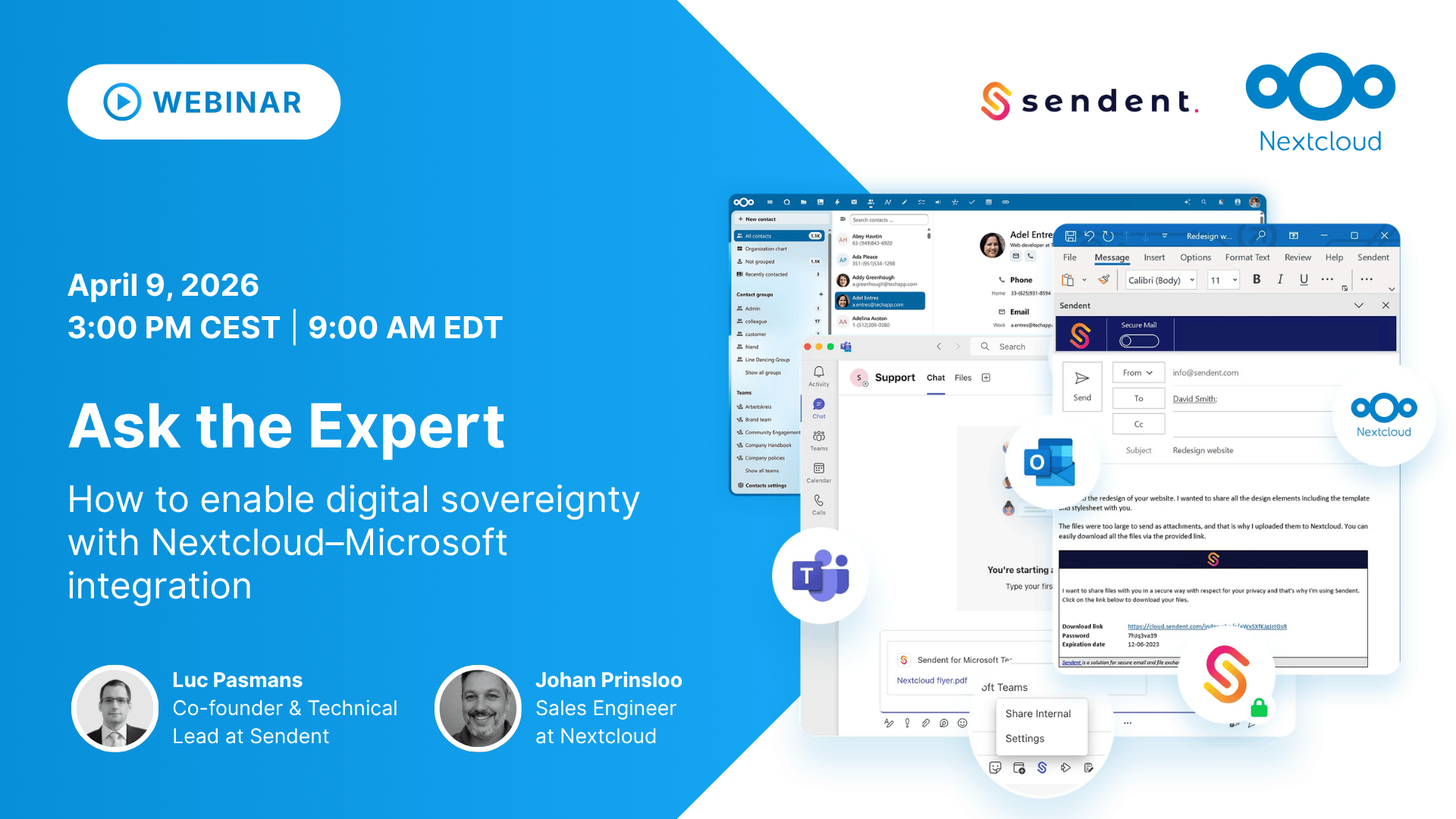
Bring your questions to our live Ask the Expert session on April 9, 2026, and learn how to enable digital sovereignty with Nextcloud–Microsoft integration.
Can’t attend? Still register to receive the recording!
4. SharePoint and Windows network drive integration
Large organizations rarely store files in just one system. Network drives, SharePoint libraries, object storage, and legacy systems often coexist.
Nextcloud’s External Storage framework allows admins to connect many of these systems directly into the Nextcloud interface.
As Nextcloud supports different storage technologies, you can always find a solution that fits your needs, including Windows network shares (CIFS/SMB), NFS, and local storage, or SharePoint repositories.
Once connected, these storage systems appear inside Nextcloud as if they were native folders. This allows users to access and collaborate on files from multiple backends without leaving the Nextcloud interface.
5. Active Directory integration: Keep identity management intact
Identity systems are often the backbone of enterprise IT infrastructure. Nextcloud integrates directly with LDAP and Active Directory. By doing so, your organization can keep its existing identity management while accessing the benefits of a sovereign collaboration platform.
This integration provides:
Automatic user provisioning from Active Directory
Synchronization of groups and permissions
Single sign-on (SSO) support
Two-factor authentication capabilities
Administrators can manage users centrally while extending authentication and access control into Nextcloud.
The platform’s plugin architecture also allows your organization to extend these capabilities with additional enterprise authentication and automation tools.
6. Office Online integration: Full Microsoft document compatibility
Documents remain one of the strongest anchors of the Microsoft ecosystem. Nextcloud addresses this by integrating with Microsoft Office Online Server, enabling your organization to edit Office files directly within its own infrastructure.
Office Online Server includes:
Word Online
Excel Online
PowerPoint Online
OneNote Online
When integrated with Nextcloud, teams can collaboratively edit Office documents in real time while keeping files stored on private infrastructure.
Because Office Online Server runs on dedicated servers or virtual machines, it fits into on-premises or private cloud deployments.
Your organization gets the familiar Microsoft editing experience, but with full control over its document storage.
Bridging Nextcloud and Microsoft: a pragmatic path toward digital sovereignty
Digital sovereignty doesn’t have to mean abandoning familiar tools from one day to the next. For most organizations, a hybrid approach can offer a more realistic and less disruptive answer.
By integrating Microsoft systems with Nextcloud, your organization can maintain continuity for users while immediately reducing your reliance on Big Tech cloud providers.
Host your content collaboration solutions with an on-prem platform to keep sensitive data under your own governance, while you transition gradually toward a more sovereign infrastructure.
The six integration strategies as described here demonstrate that Nextcloud doesn’t force a binary choice between ecosystems.
Instead, it provides the flexibility to connect existing tools while steadily moving collaboration and data control into an environment you own.
Learn more about Nextcloud-Microsoft integration
Get the full guide to achieving digital sovereignty with a hybrid approach.
Jetzt ist es Zeit, die Kontrolle über Ihre Daten zu übernehmen. Wir präsentieren den neuen Nextcloud Hub, eine leistungsstarke Open-Source-Kollaborationsplattform für volle Datenkontrolle. Entdecken Sie Verbesserungen in Leistung, Design und Sicherheit sowie viele neue und verbesserte Tools für Ihren Arbeits- und Lebensalltag.
Nextcloud Hub 25 Autumn erleichtert Ihnen den Einstieg in eine leistungsstarke Zusammenarbeit, während Sie die vollständige Kontrolle über Ihre Daten behalten. Von globalen Design-Updates bis hin zu verbesserter Benutzerfreundlichkeit und Leistung – entdecken Sie unsere neueste Version in diesem Blog.
Nextcloud ist die erste Cloud-Plattform, die mit dem Umweltzeichen „Blauer Engel“ ausgezeichnet wurde und damit beweist, dass eine digital souveräne und grüne IT möglich ist.
Unternehmen, ob klein oder groß, brauchen eine Möglichkeit, die Ausfallsicherheit und digitale Souveränität ihrer Abläufe zu gewährleisten - eine Open-Source-Alternative zu Teams, die die Privatsphäre respektiert. Und heute stellen wir diese Lösung vor - Nextcloud Talk.
Bechtle und Nextcloud kündigen heute eine vollständig verwaltete Kollaborationsplattform für den öffentlichen Sektor an, die keiner Ausschreibung bedarf und sofort bereitgestellt werden kann.
Our mission is to help individuals, businesses and organizations achieve digital sovereignty and regain control over their data. Nextcloud Hub 5 marks a massive step forward towards achieving this mission, putting the power of AI into your hands – in a way that keeps you in control. New release, new possibilities Hub 5 builds on […]
Following two successful Nextcloud Enterprise Days in The Hague in 2025, we brought the event to Utrecht this year, where a massive 750 registrations brought a big crowd to the Jaarbeurs venue. The kickoff in the morning pre-announced the launch of the book „Sovereignty! But how?“ by well-known Dutch IT security journalist and author Brenno […]
Wir speichern einige Cookies, um Besucher zu zählen und die Nutzung der Website zu erleichtern. Diese verlassen unseren Server nicht und dienen nicht der Verfolgung Ihrer online-Aktivitäten.
Weitere Informationen hierzu finden Sie in unserer Datenschutzrichtlinie. Anpassen
Statistik-Cookies sammeln anonym Informationen und helfen uns zu verstehen, wie unsere Besucher unsere Website nutzen. Wir verwenden cloud-gehostetes Matomo
Dienst:Matomo
Cookie-Beschreibung:
_pk_ses*: Zählt den ersten Besuch des Benutzers
_pk_id*: Hilft, die Besuche nicht doppelt zu zählen.
mtm_cookie_consent: Erinnert daran, dass der Nutzer seine Zustimmung zur Speicherung und Verwendung von Cookies gegeben hat.
Cookie-Ablauf:_pk_ses*: 30 Minuten
_pk_id*: 13 Monate
mtm_cookie_consent: 30 Tage