Budgets, inventory lists, sales figures, payroll exports: some of a company’s most sensitive data lives in spreadsheets. With proprietary cloud-based tools like Microsoft Excel or Google Sheets, that data sits on servers you have no control over. Under laws like the CLOUD Act, US authorities can demand access to it, regardless of where in the world it’s stored.
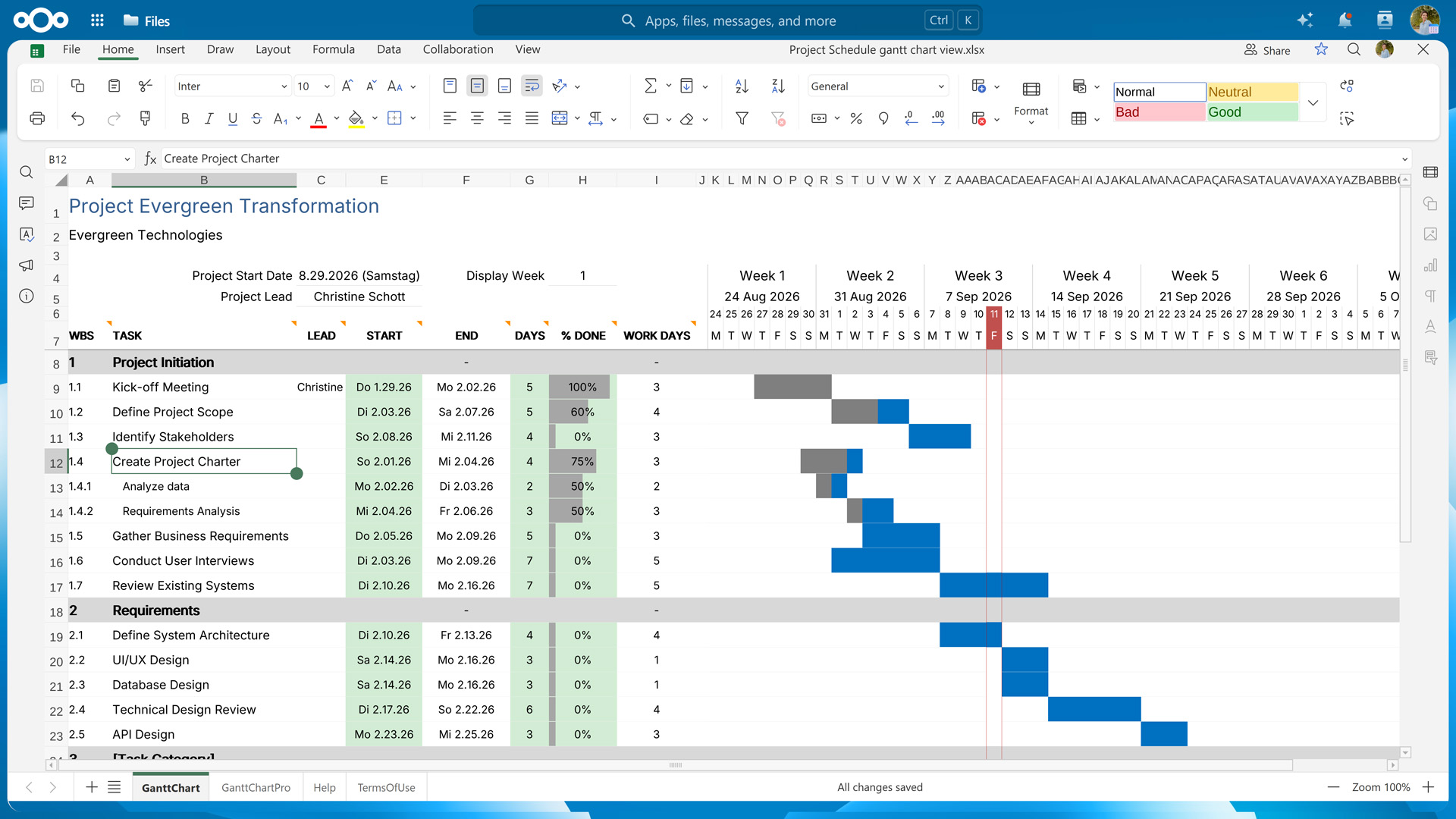
Nextcloud Spreadsheet is a collaborative spreadsheet editor that runs on infrastructure you choose, whether it’s your own server or that of a trusted provider. It’s open source, opens and saves both XLSX and ODS files, and lets your team edit the same sheet together in real time. This makes it a sovereign open source alternative to Excel and Google Sheets.
As part of Nextcloud Office, Nextcloud Spreadsheet is your editor of choice for complex calculations and sits alongside the document editor Nextcloud Write and the slide editor Nextcloud Present. Since it runs inside Nextcloud, you can easily share your spreadsheets with other team members, attach them to tasks, and post them to group chats.
All the spreadsheet features you rely on
If you’re coming from Excel or Google Sheets, you’ll quickly find the tools you work with every day in Nextcloud Spreadsheet, from formulas to charts to templates.
Nextcloud Spreadsheet gives you access to thousands of functions and formulas for analyzing data and running precise calculations. You can sort and filter large datasets and use macros to automate repetitive steps. When the numbers need to tell a story, various visualization options let you turn your data into charts.
Real-time collaboration with your team
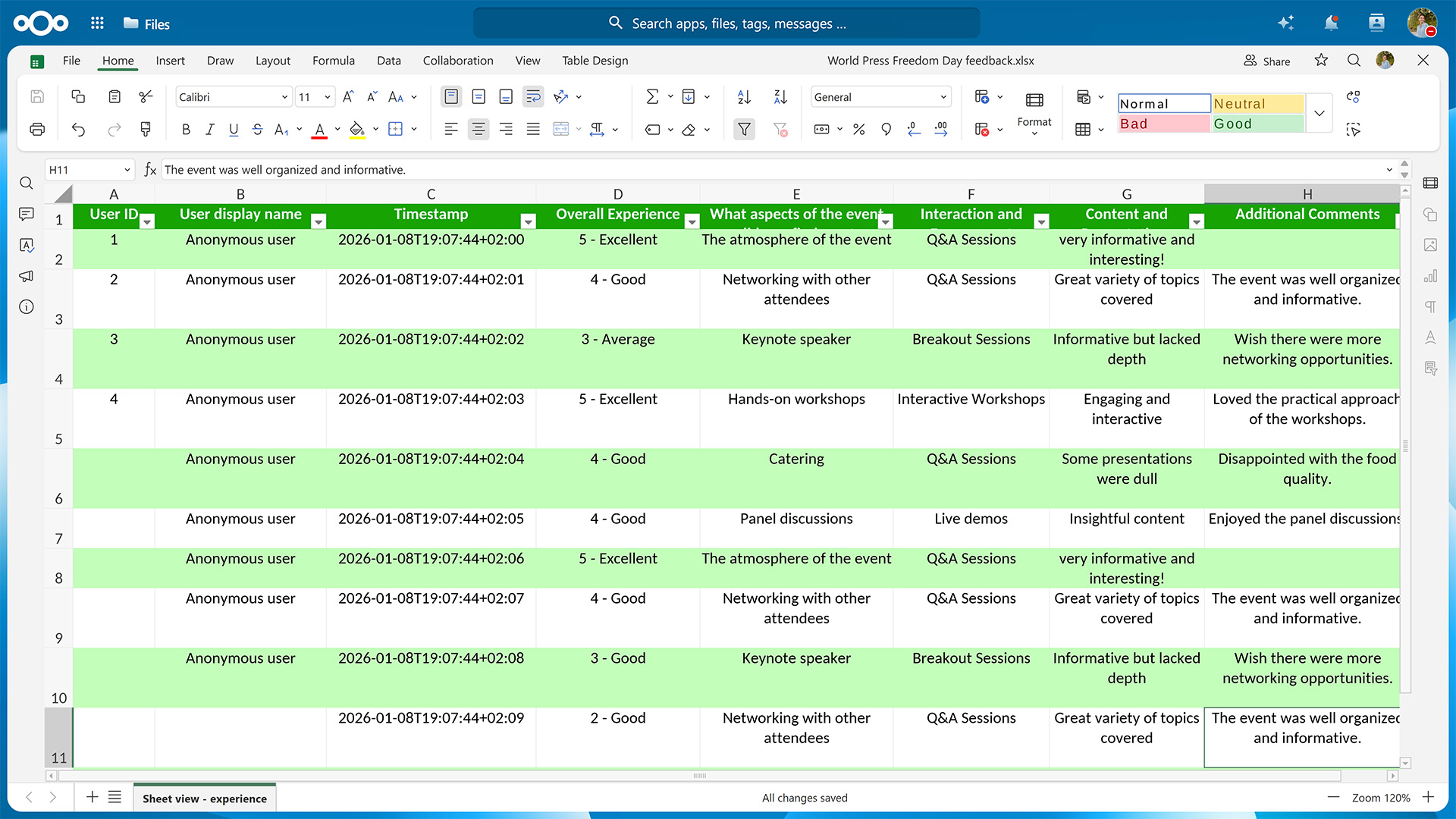
Several people can work in the same spreadsheet at the same time, without emailing versions back and forth, and each collaborator’s cursor shows you who is working where. Comments on cells keep feedback attached to the exact figure it refers to. Changes are saved automatically, and version history lets you restore a sheet as it was before someone overwrote a formula.
Nextcloud’s granular access controls let you define exactly who can view, comment on, or edit a spreadsheet, whether you share it with individual colleagues or whole groups. When you need input from a client or partner, a public link lets people without a Nextcloud account view or edit the file. You can create several independently configured links for the same spreadsheet, giving one person read-only access and another editing rights, and require a one-time password to open a share.
Collaboration isn’t limited to a single Nextcloud instance. Thanks to its federated nature, teams on separate Nextcloud servers, such as subsidiaries or partner organizations, can work on the same spreadsheet.
Full compatibility with Excel files
Nextcloud Spreadsheet opens both XLSX and the older XLS format, so a spreadsheet you receive from an Excel user looks the same when you open it, and still works for them when you send it back.
Nextcloud Spreadsheet also supports ODS, the open-standard spreadsheet format used by LibreOffice or other OpenDocument tools. Because the format isn’t tied to any single vendor, your spreadsheets stay readable and editable in the long term.
Work on spreadsheets from anywhere, on any device
You can use Nextcloud Spreadsheet in any browser and on the go, thanks to a dedicated mobile view. For those who prefer to work locally, desktop clients for Nextcloud Office are available on Linux, macOS, and Windows. These let you edit files locally and save the changes back to your Nextcloud, while others can join the same editing session from their own desktop client or the browser.
Nextcloud Office is part of Nextcloud Hub, an open source software suite that combines it with Nextcloud Files, Talk, Groupware, and Assistant into one integrated workspace. Rather than switching between separate tools for file storage, chat, video calls, email, and document editing, Nextcloud Hub keeps them working together on the same infrastructure. In practice, this means that you can, for example, collaborate on a document with your team members during a video call, attach it to the calendar invite for the next meeting, and reference both the document and the corresponding discussions on the project’s kanban board. This makes Nextcloud Hub the open source alternative to Microsoft 365 and Google Workspace.
💡 In detail: Nextcloud Spreadsheet vs. Microsoft Excel vs. Google Sheets
Nextcloud Spreadsheet
Microsoft Excel for the web
Google Sheets
Open source
Yes
No
No
Where your data is stored
Your server or a provider you choose
Microsoft’s cloud
Google’s cloud
Real-time co-editing
Yes
Yes
Yes
XLSX support
Yes
Yes
Yes
ODS support
Yes
Yes
Yes
Mobile editing
Yes (iOS and Android)
Yes
Yes
Desktop app
Windows, macOS, Linux
Yes, with a Microsoft 365 subscription
No
Offline editing
With the desktop app
With the desktop app
Yes
AI assistant
Nextcloud Assistant, runs where you choose
Copilot, requires a Microsoft 365 account
Gemini, some features require a paid plan
Cost
Free to self-host; Enterprise plans available
Free web version; paid Microsoft 365 plans
Free with a Google account; paid Workspace plans
Get started with Nextcloud Spreadsheet in Nextcloud Office
If you’re weighing a move away from Big Tech productivity tools or want a clearer picture of how Nextcloud Office compares to Microsoft Office, you can watch our on-demand webinar covering the risks associated with Microsoft’s productivity tools, the similarities and differences of Nextcloud’s solutions, and the compatibility between them.
Nextcloud ist die erste Cloud-Plattform, die mit dem Umweltzeichen „Blauer Engel“ ausgezeichnet wurde und damit beweist, dass eine digital souveräne und grüne IT möglich ist.
Unternehmen, ob klein oder groß, brauchen eine Möglichkeit, die Ausfallsicherheit und digitale Souveränität ihrer Abläufe zu gewährleisten - eine Open-Source-Alternative zu Teams, die die Privatsphäre respektiert. Und heute stellen wir diese Lösung vor - Nextcloud Talk.
Bechtle und Nextcloud kündigen heute eine vollständig verwaltete Kollaborationsplattform für den öffentlichen Sektor an, die keiner Ausschreibung bedarf und sofort bereitgestellt werden kann.
Our mission is to help individuals, businesses and organizations achieve digital sovereignty and regain control over their data. Nextcloud Hub 5 marks a massive step forward towards achieving this mission, putting the power of AI into your hands – in a way that keeps you in control. New release, new possibilities Hub 5 builds on […]
Fancy names, same lock-in: here's why Microsoft’s digital sovereignty promises don’t protect European data from US law and why its “sovereign” cloud still leaves you dependent.
Once again, Nextcloud takes home Platinum at the CloudComputing-Insider IT-Awards. For this award, we want to thank everyone who supported us this year and took a minute to put it into a vote! Read more details about the awards in this post.
At the second Nextcloud Enterprise Day Copenhagen, municipalities, universities and other public organisations discussed how they can reduce their dependency on US Big Tech. Read our recap of the event.
Wir speichern einige Cookies, um Besucher zu zählen und die Nutzung der Website zu erleichtern. Diese verlassen unseren Server nicht und dienen nicht der Verfolgung Ihrer online-Aktivitäten.
Weitere Informationen hierzu finden Sie in unserer Datenschutzrichtlinie. Anpassen
Statistik-Cookies sammeln anonym Informationen und helfen uns zu verstehen, wie unsere Besucher unsere Website nutzen. Wir verwenden cloud-gehostetes Matomo
Dienst:Matomo
Cookie-Beschreibung:
_pk_ses*: Zählt den ersten Besuch des Benutzers
_pk_id*: Hilft, die Besuche nicht doppelt zu zählen.
mtm_cookie_consent: Erinnert daran, dass der Nutzer seine Zustimmung zur Speicherung und Verwendung von Cookies gegeben hat.
Cookie-Ablauf:_pk_ses*: 30 Minuten
_pk_id*: 13 Monate
mtm_cookie_consent: 30 Tage