Nextcloud Talk is an open source online video conferencing software, including a chat application. Designed to keep your online conversations private, whether by video or chat, all data is kept on your own servers, and no data — not even metadata — can be leaked.
Finding the right video conferencing software can be a challenge. You ask yourself:
What features do I need?
Can it scale up and still be reliable for my whole company?
In today’s world, we demand only the highest caliber online communication tools to meet our needs. They need to bring you to the next level and break barriers.
In this blog, you’ll discover why individuals and businesses alike are turning to Nextcloud Talk for its unmatched features, security, and seamless collaboration.
As our first privacy-respecting communication platform, Nextcloud Talk offers all tools for online collaboration through meetings, chat, and webinars. Discover its many essential and purposeful features to make video calls optimal.
👋 Screen sharing with profile view
Let others in the call see you while you share your screen to foster a more personal encounter. Zoom and panning are supported for easy interaction with your content.
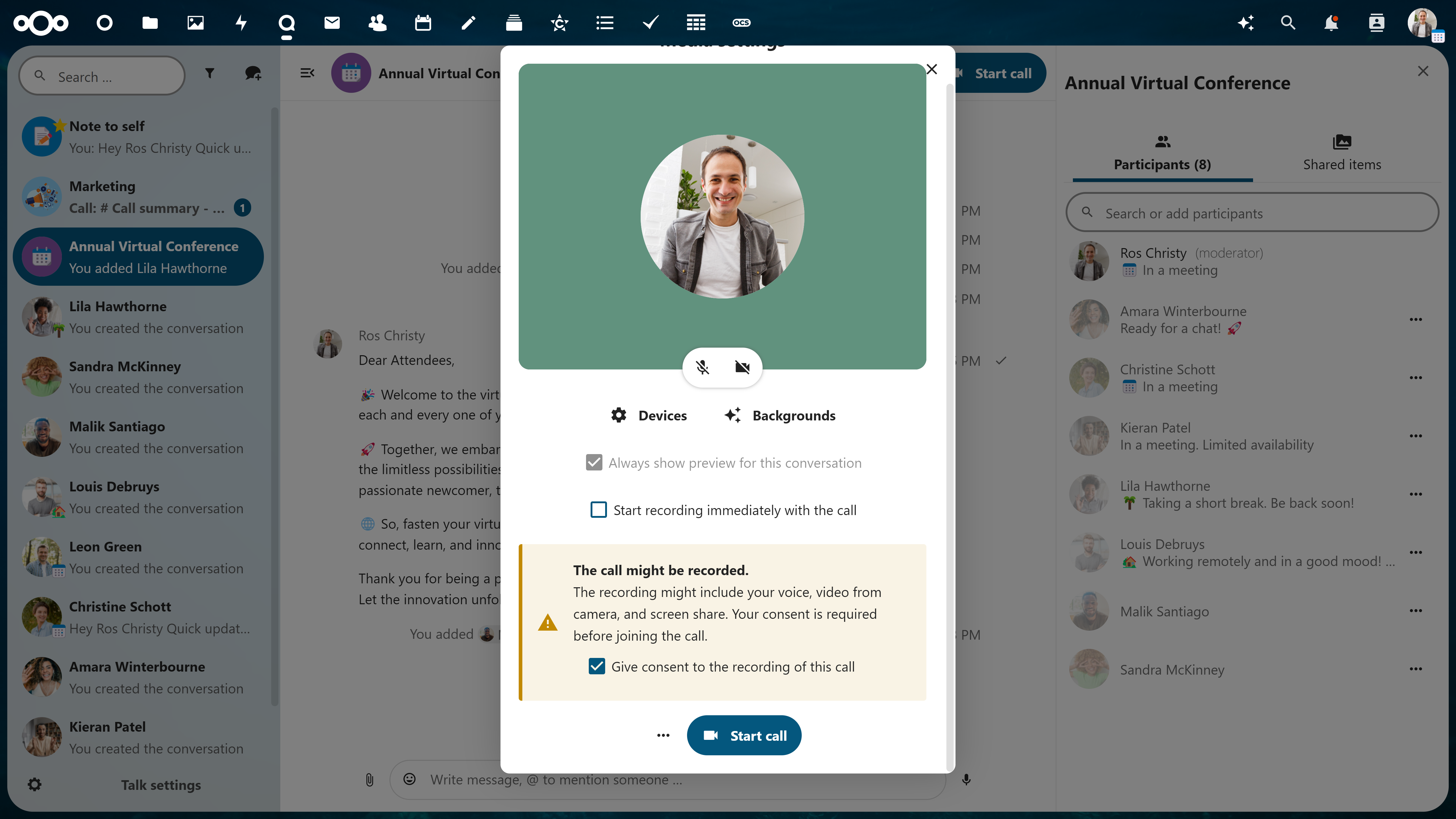
🎦 Easy recording
Record your video conferences for record-keeping or later use. Before anyone joins the call, a pop-up to consent to recording is delivered to ensure full transparency to participants. Download and save your recording in your Nextcloud.
👥 Support for large group conferencing
Lots of participants? No problem. Large groups are well-managed, and you won’t be able to tell the difference. Invite external guests, manage lobby and breakout rooms, assign admins and give granular permissions.
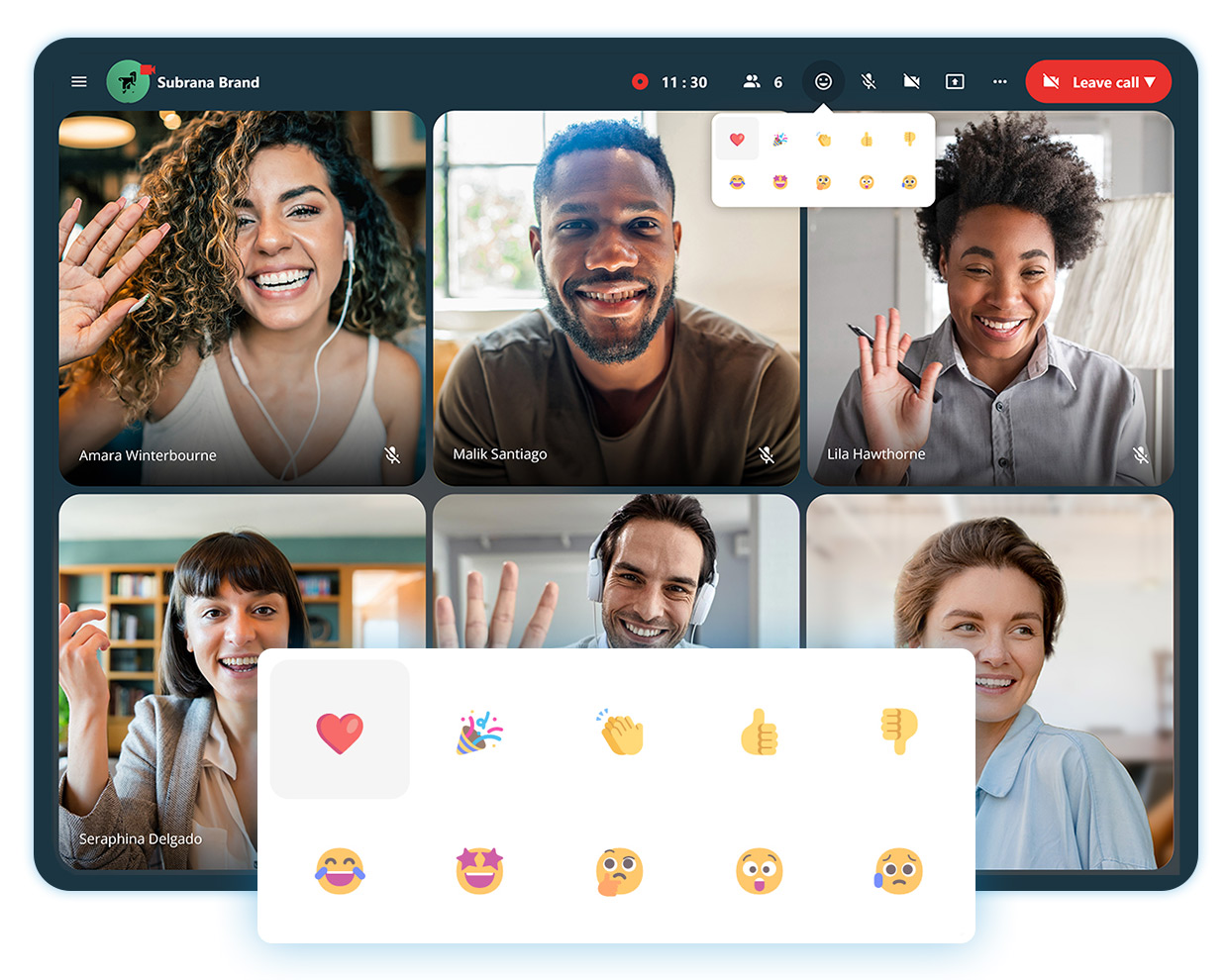
🤩 Reactions in calls
Express your feelings in a call to acknowledge someone’s statement, but do not go as far as disrupting.
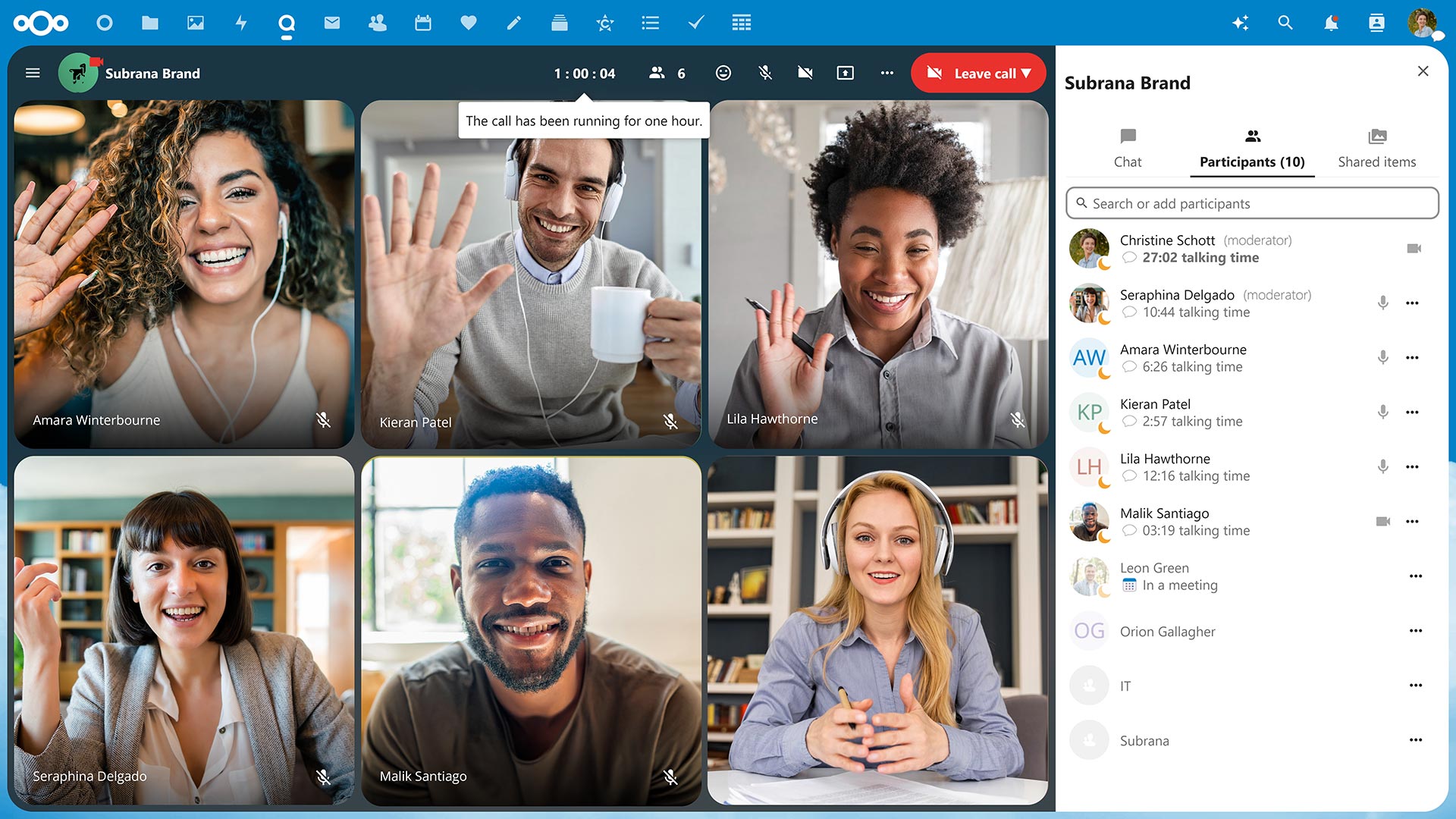
📉 Track call duration and speaker talking times
After one hour, you’ll get a notification that you’ve hit the hour mark, so you can stay aware of your time and others‘. You’ll also never have to guess how long you’ve been talking, as speaker talking times will be tracked and noted at the end of the call.
🖍 Interactive whiteboard in your calls
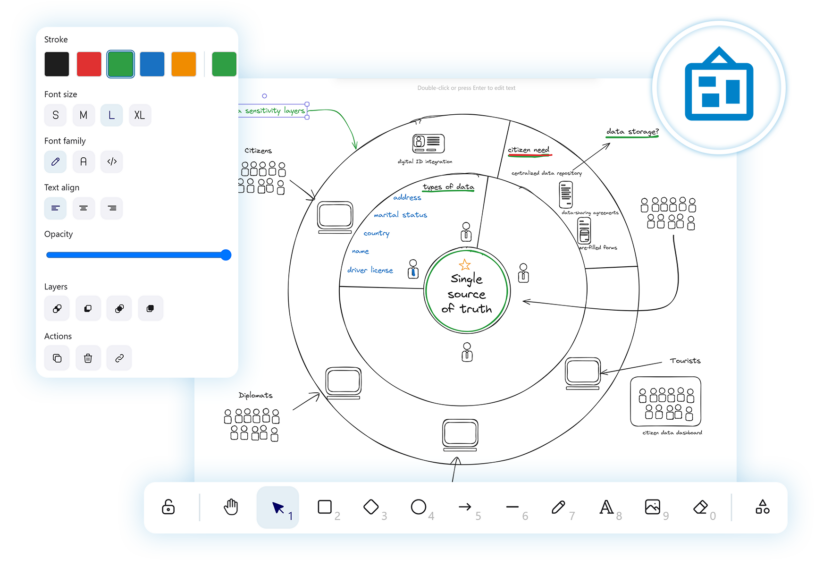
Integrate Nextcloud Whiteboard into your calls to run live brainstorming sessions with your team, present ideas and schemes, or host online classes.
📱Available via web and on mobile devices
Take video conferencing from your office, home, or on mobile with iOS and Android like never before.
Vitrual telephony in Nextcloud Talk
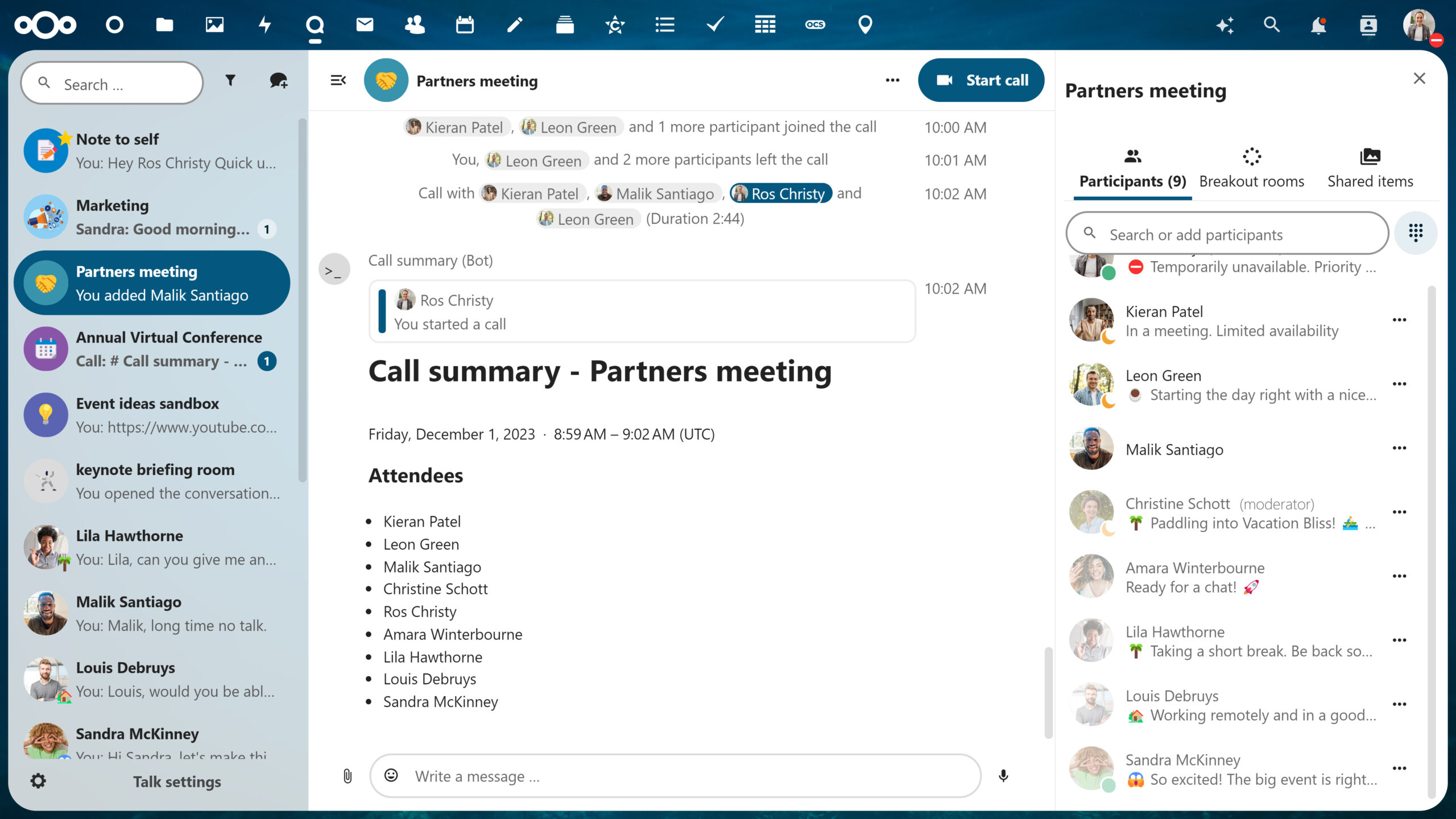
With phone features of Nextcloud Talk Phone, you can integrate telephony for each user and give them unique phone numbers.
Collaborators can connect to your group calls via phone, or you call them from a conversation to invite them to a meeting. The administrator can give unique extensions or phone numbers to each user on the server, so when they receive a call, they can pick up easily in Nextcloud Talk. And when they are out-of-office, the call will be automatically redirected to their replacement.
Why it works: Integrated with your Nextcloud 🔗
Nextcloud is unique in the sense that everything is connected. You can explore incredible integration capabilities with the rest of your Content Collaboration Platform.
Not sure what that entails?
Nextcloud operates as a one-stop-shop platform integrating its own file storage, email, chat, online video conferencing software, and more, so you can work efficiently and flexibly.
For example, if you’re in the middle of a call in Nextcloud Talk with a colleague and want to share a proposal your team has been working on, you can open the document directly from the chat sidebar. This is due to Files and Talk being integrated, which saves you a lot of time and effort.
The astonishing advantages of Nextcloud operating as a single platform don’t stop here – enable hundreds, even thousands, of integration possibilities across all apps with Nextcloud as a Single Platform.
The high-performance backend of Nextcloud’s online video conferencing software
Take it a step further with Nextcloud Talk’s High Performance Backend (HPB).
Designed for larger organizations, Nextcloud Talk’s High Performance Backend offers the capacity, reliability, and features enterprises need to conduct their business privately, securely and efficiently.
Unbeatable convenience
Dial-in by phone line to join a call with a SIP bridge
Conduct large-scale webinars, public broadcasting, or video conferencing with lobby
As an HPB customer, you will notice improved connection speed and network efficiency after the implementation due to lowering the load from calls on the Nextcloud server.
With open source technology, you have the opportunity to have full reign over your data. Whether you self-host on your own server or use a trusted hosting provider, your communications data happens and remains on your server, unlike popular alternatives like Microsoft Teams or Slack.
This unique protection extends further with our encrypted technologies by even keeping metadata at bay. Because Nextcloud Talk is designed with your privacy in mind.
Get in touch
We’re ready to show you what online video conferencing software can really be like. Try out Nextcloud Talk’s open source software.
Nextcloud Hub 25 Autumn erleichtert Ihnen den Einstieg in eine leistungsstarke Zusammenarbeit, während Sie die vollständige Kontrolle über Ihre Daten behalten. Von globalen Design-Updates bis hin zu verbesserter Benutzerfreundlichkeit und Leistung – entdecken Sie unsere neueste Version in diesem Blog.
Nextcloud ist die erste Cloud-Plattform, die mit dem Umweltzeichen „Blauer Engel“ ausgezeichnet wurde und damit beweist, dass eine digital souveräne und grüne IT möglich ist.
Unternehmen, ob klein oder groß, brauchen eine Möglichkeit, die Ausfallsicherheit und digitale Souveränität ihrer Abläufe zu gewährleisten - eine Open-Source-Alternative zu Teams, die die Privatsphäre respektiert. Und heute stellen wir diese Lösung vor - Nextcloud Talk.
Bechtle und Nextcloud kündigen heute eine vollständig verwaltete Kollaborationsplattform für den öffentlichen Sektor an, die keiner Ausschreibung bedarf und sofort bereitgestellt werden kann.
Our mission is to help individuals, businesses and organizations achieve digital sovereignty and regain control over their data. Nextcloud Hub 5 marks a massive step forward towards achieving this mission, putting the power of AI into your hands – in a way that keeps you in control. New release, new possibilities Hub 5 builds on […]
An independent Data Protection Impact Assessment gives existing and potential customers confidence that privacy claims are grounded in reality. For Nextcloud, this has now been confirmed.
You don't need to run Nextcloud to enjoy the Nextcloud Community Conference and take a great deal of value home with you. Let's answer the question: who is the Nextcloud Community Conference for?
Wir speichern einige Cookies, um Besucher zu zählen und die Nutzung der Website zu erleichtern. Diese verlassen unseren Server nicht und dienen nicht der Verfolgung Ihrer online-Aktivitäten.
Weitere Informationen hierzu finden Sie in unserer Datenschutzrichtlinie. Anpassen
Statistik-Cookies sammeln anonym Informationen und helfen uns zu verstehen, wie unsere Besucher unsere Website nutzen. Wir verwenden cloud-gehostetes Matomo
Dienst:Matomo
Cookie-Beschreibung:
_pk_ses*: Zählt den ersten Besuch des Benutzers
_pk_id*: Hilft, die Besuche nicht doppelt zu zählen.
mtm_cookie_consent: Erinnert daran, dass der Nutzer seine Zustimmung zur Speicherung und Verwendung von Cookies gegeben hat.
Cookie-Ablauf:_pk_ses*: 30 Minuten
_pk_id*: 13 Monate
mtm_cookie_consent: 30 Tage