Since 2010, when Frank kicked off a private cloud storage project as part of the KDE community, the Nextcloud code base has advanced significantly as it evolved from a basic file-sharing tool to a full collaboration platform rolling out to hundreds of thousands of new digital work places every month. Today, we announce a significant rewrite of Nextcloud’s advanced file access layer, introducing the ADA engine. Written in PHP, Go and Rust, the new core will bring the already impressive scalability of Nextcloud to a new level.
ADA stands for Accelerated Direct Access, but is also a homage to Ada Lovelace.
Ada Lovelace was an English mathematician and writer chiefly known for work on Charles Babbage’s proposed mechanical general-purpose computer, the analytical engine. She was the first to recognize that the machine had application beyond pure calculation. Lovelace is often considered the first computer programmer.
The most flexible sharing solution on the market, supporting:
Any mix of individual, group, and team folder shares, as well as secure File Drop
An unlimited number of individually configurable and named public shares
Advanced permissions, password & expiration settings, video verification, and even full Access Control List permissions
The most extensive security capabilities, including:
Flexible server-side as well as end-to-end encryption
Advanced, tags and rules-based file access control, including automatic sensitive-file detection based on content and metadata
AI-powered suspicious login detection, brute force detection, rate limiting, audit logging, and many other built-in security mechanisms
Smart file locking, either manual or automated, occurs when users open a document locally or on their desktop or mobile device using the apps. Including the ability to choose to open any document directly from the browser in a desktop application, with automatic re-upload once the user is done editing the file locally, and file locking to avoid conflicts.
The most advanced storage abstraction, supporting any number of file storage solutions of nearly any type, from any POSIX file system, S3, and IBM storage tech to FTP, WebDAV, Samba, NFS, and Microsoft SharePoint.
Advanced clients for MacOS, Windows, Linux, iOS, and Android, which all support syncing documents for offline availability and give access to all features. Push notifications sync data instantly and notify users of changes.
Extremely flexible deployment, from bare-metal or VM-based clustering to advanced, cloud-native managed container platforms like Kubernetes, with a wide range of database options.
This is just an incomplete list, but on top of it, Nextcloud offers a wide range of unique collaboration features. For file management, this ranges from adding rich context to folders like checklists, documentation, and links, commenting on files (extensible to a full chat with video call), to support for building easy approval workflows.
The platform itself also evolved, with many applications built on top that are industry-leading in their own right, such as Nextcloud Talk, the most extensive sovereign Microsoft Teams replacement on the market, as well as Nextcloud Office, Groupware, and other components.
Besides applications built by the core community together with the engineers at Nextcloud GmbH, a wider community of countless other independent developers and organizations, both public and private, have developed applications on top of the open platform.
These all deeply integrate with each other and the Nextcloud Files application. Think of the possibility of sharing a file directly to a task so it can be attached, or sending a file into a Talk conversation to present it during a call or work on it in real time with others.
Users can find documents related to a conversation, see them attached to a calendar item or task, link them in a table, or store incoming documents from emails into Nextcloud Files. This is combined with rich, real-time business workflow automation, which can act on this data.
Last but not least, all data across the platform can be utilized through the Nextcloud Assistant to assist users in answering questions about themselves or act as an agent, sending messages, analyzing data, generating documents, and much more.
As we earlier argued in an opinion piece, this integrated collaboration is clearly the direction the industry has taken since 2015, and it is the type of solution that Microsoft, Google, and others have built. It is therefore a hard requirement to ensure relevance and provide true digital sovereignty for our community.
This means Nextcloud’s core architectural challenge is managing complex, shared state and ensuring tight cross-feature consistency while ensuring security constraints.
In such systems, features are not independent: A file shared in a chat, referenced in a project, and edited collaboratively must always reflect the same data and permissions. Similarly, a chat & video conference room is real-time interconnected with tasks, documents, and meeting appointments.
A new architecture for collaboration in Nextcloud: the ADA engine
To take on the challenge to scale such a deeply interconnected system while ensuring strict and consistent data access controls and security, the Nextcloud team has rewritten sections of the core file handling and abstraction logic with components in PHP, Go, and Rust.
Dubbed ADA, which stands for Accelerated Direct Access, the new engine is designed to pre-calculate and cache the data access and permissions, offering direct file access and actively pushing data to the clients, ensuring responsive access when users navigate the system. The new engine offers:
Direct data access through pre-calculating access rights and other data
Direct file downloads bypassing the server (on S3)
Direct data push to the clients to reduce traffic
Through the new ADA engine, Nextcloud Hub is able to continue to expand the most advanced sovereign collaboration platform with new, real-time integrated collaboration capabilities without having to compromise on performance. The choices Nextcloud has made in the technology space have been a key factor in achieving its position as a clear market leader in the sovereign collaboration space, and the ADA engine will further solidify this unique advantage.
The File Cache: Re-organizing the core database and IDs in a way that splits tables and creates a base for more advanced sharding support in the future
Lean data access: Replacing the mount cache with an authoritative table that shifts work from read to write actions and enables lean, direct data access in the file system
Direct downloads: Ensuring support for direct downloads of files and previews on large instances using S3
Besides these changes to the core, the High Performance Backends for both Nextcloud Files and Talk, written in Rust and Go, were improved to push more data directly to clients:
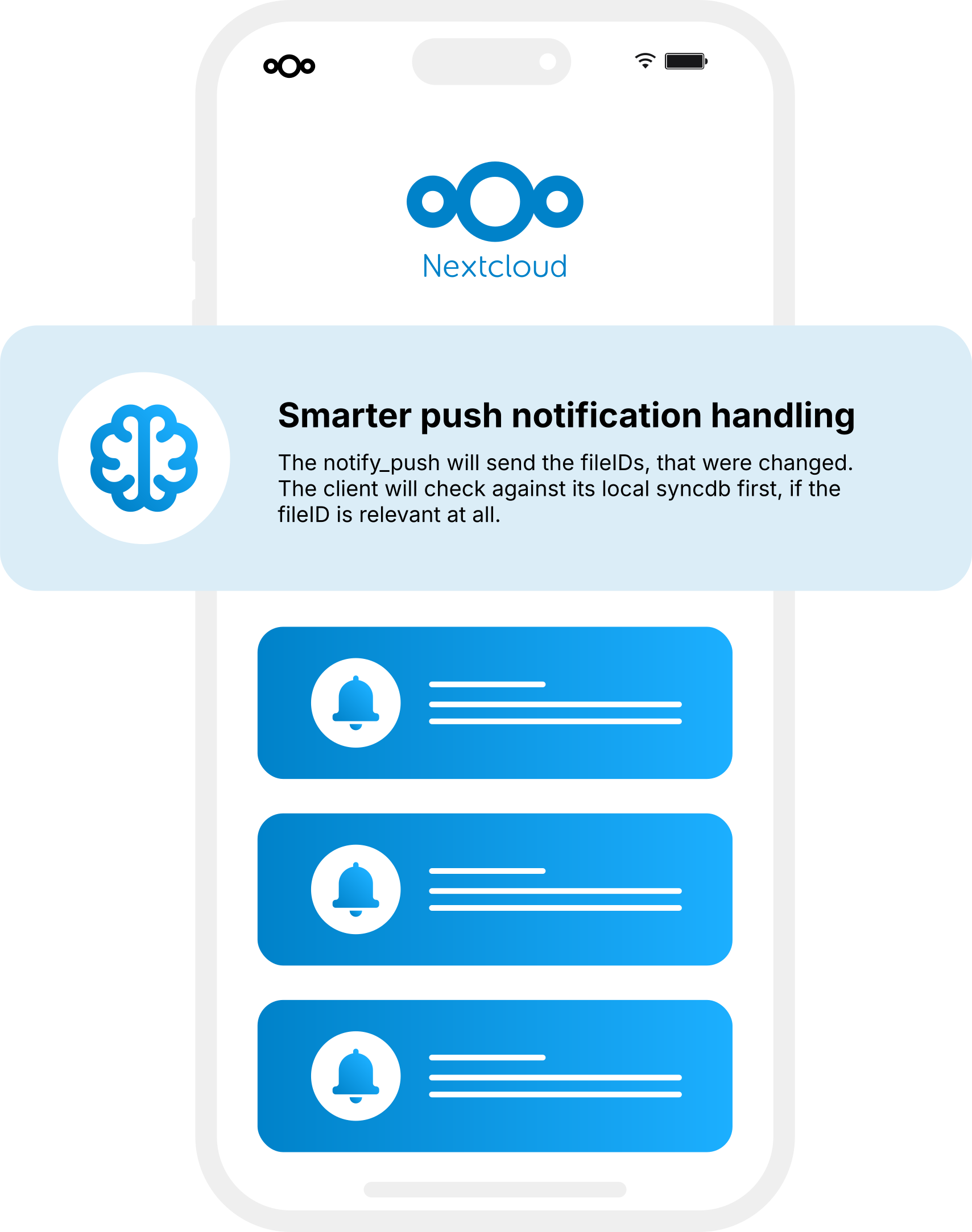
Version 2.0 of the High Performance Backend for Nextcloud Files, a component written in Rust, spreads the load over an interval to different connected users and sends a list of files impacted by changes to the listening desktop clients to reduce the need for active checks.
The update to the High Performance Backend for Nextcloud Talk, largely written in Go, now relays chat messages and the participants in Talk rooms through the HPB, significantly reducing server load for large chat rooms.
Let’s have a look at the technical details!
The File Cache: splitting and sharding
Today, the File Cache is home to data on various types of files (and directories), including the users’ files, previews, avatars, and files of apps themselves. The File Cache is often jokingly called the worst-named part of Nextcloud.
It is anything but a cache, as it serves as a unification/abstraction layer to store important metadata for files. There are two reasons for doing this.
First, not all supported storage technologies support all the metadata Nextcloud uses.
Second, database access is faster than going to storage, especially when the required data is complex and interconnected.
Keeping the data in one place rather than replicating between a cache and real storage also avoids synchronization and cache invalidation challenges.
With the Nextcloud Hub 26 Winter release, we are bringing 3 changes to the File Cache:
Halving the table size
Sharding groundwork and Snowflakes
Streaming database lists
We’ll explain these in more detail.
1. Halving the table size
The File Cache’s abstraction is a bit overkill for some file types, while at the same time, it is often the single largest table in the database.
So in Nextcloud Hub 26 Winter, previews have been split out of the File Cache. As each file can have multiple previews, this can significantly reduce the size of the File Cache table.
Previews have their own unique peculiarities, which the team could adapt the new table to. In particular, it makes sense to expire previews when not accessed for a long time, a feature that now comes to Hub 26 Winter.
In our production-like test environment, this change resulted in a 56% reduction in the size of the File Cache table. Systems without previews will, of course, see little benefit, while servers that use previews can easily see a 50-60% reduction.
2. Sharding groundwork and Snowflakes
Besides halving the size of the File Cache table, the team has worked on a different type of database splitting: sharding. Sharding means dividing a table from a database by a certain property, like user or file identification number, across different nodes. Each part would be a « shard ».
One requirement for this is a suitable, unique identification number or ID across all the shards. This is where Snowflake comes in.
Snowflake IDs, a method to generate IDs developed at a site formerly named Twitter, are inherently more suitable for decentralized or clustered setups.
Right now, when the server generates a preview, the application server (Nextcloud node in a cluster) will ask the database to create a file ID for it by inserting partial data, then store the preview and update the previously inserted partial data.
With Snowflake, the application server simply follows a defined set of rules to create an ID and stores it in the database. This means less round trips and reduces wait times when the database is busy.
We will use the Snowflake ID in a few places. In the future, this will include the file_ID. This will mean file ID’s wont be in the familiar 100 range when you create a new Nextcloud server, but they will always be 64-bit. For developers, Snowflake IDs documentation for Nextcloud can be found here.
Of course, this is a work in progress. The basic work is done, and various components like the preview provider and external sharing provider have been updated. Specific setups at some of our larger customers, guided by a close collaboration with our team, will already begin to benefit from the sharding improvements in this release. These benefits will expand to larger instances over time.
3. Streaming database lists
There is one more aspect to improve scalability on very large instances, which is the handling of large lists. Think of making a change to all users in a system, like updating their email address.
On a server with 500 users, the code might ask the database for a list of all 500 users and then proceed to run the operation, figuring out what their new email address should be and applying the change. But when the server is operating with 4 million users, just retrieving and temporarily storing that list alone might require a significant amount of network and memory resources.
On such servers, it might be wiser to retrieve one or a few users at once, apply the operation, and fetch the next bunch.
This is only relevant in specific places where large data sets need to be handled, but those are not that hard to find on large servers. In those places, new API’s are devised that expose a way to get query results as a stream of smaller batches rather than all at once (generator pattern).
This won’t really affect smaller instances, but avoid out-of-memory or other performance challenges on the bigger servers.
Lean data access
The main goal of lean data access is to reduce the amount of work needed to process a request. This release makes big changes in two major areas: the mount points cache and the file system setup.
1. Authoritative mount points
The first change we did was to replace a cache of mount points (this includes shares and external storage) per user with a table that will always be kept up to date.
This means we no longer need to build the cache when a user requests data. This could happen more frequently than intended when the cache was created, as there is a fair bit of effort put in to ensure whenever there might be an inconsistency, the cache is recreated. So, going forward, when a user requests data, it will be there.
On our test instance, loading a folder went from 1.9 to 1.3 seconds, reducing the time to load by some 30%. As this was a fairly normal folder, this would be a typical case. But folders with many shares, or users who have many shares in general, can see far larger improvements.
Moreover, this change impacts a great deal of requests and will also reduce the variation in request duration. Last but not least, it benefits large, clustered setups in particular.
As maintaining the table is no longer done when a user requests information, it has to be done when shares and storage are modified. This can slow down operations like creating a share or new storage. But these operations happen far less often, and can be optimized better. The total reduction in load is thus helpful, but the real impact will be increased responsiveness for users.
Right now, the groundwork for the new table is done, and it is implemented in the External file storage app and the sharing app. Other apps, like Nextcloud Teamfolders, Collectives, Deck, Talk, and Teams, are in the process of implementing the new mechanism.
2. Lean file system setup
The second improvement similarly required changes to the file access abstraction. Retrieving a file means loading data from all file providers as well as all mounts (shares) a user has access to. This means processing quite some data while the user might only be looking to retrieve metadata on a single, specific file.
Thanks to the new mount point setup, the mechanism to ask for file providers now allows a request for a single file storage provider. Providers, in turn, were updated to allow asking for a specific path of a file. This made the storage providers more complicated, in a classical trade-off between complexity and performance.
The impact of that trade-off is not insignificant, however. In a production-like test, retrieving the contents of a shared folder went from 1.39 seconds down to .44 seconds, shaving off nearly 2/3rds of the time.
Combined, the authoritative mount points and the more efficient file system access mechanism will greatly improve the responsiveness to users on larger systems, exponentially so the more data and shares these users have access to.
Direct downloads
The last major area of improvement has been to make it possible for clients to directly grab files from S3 buckets. While currently limited to S3-compatible storage solutions, others that can offer a token-protected direct download could be supported as well.
Most large Nextcloud instances use S3-compatible storage technologies. When a client in such a setup requests a file, it is transferred from storage to the application server, which then makes it available to the client. With direct download, a client would instead receive a direct download link from the application server, which it could then use to grab the file directly from storage. This reduces load on the Nextcloud cluster and speeds up the download.
After the groundwork was done, support for direct downloads was implemented in the desktop client; the web client will get it at a later stage. Work to use this approach for previews is also happening, and will be implemented in the coming releases. This would help in two ways:
Generating previews, especially with video files. Right now, the entire video file has to go to the application server, which forwards it to the preview generator, which only needs the first few frames. When direct download is supported, the preview generator can directly request as much of the file as it needs from the storage. A pull request for this has been merged from a community member who’s been working on the preview code lately, focusing on video previews.
The change will be more impactful for serving previews. When the web interface or virtual file system on the desktop has to display previews, it requests them from the server. Work is ongoing to make it possible to grab previews directly from storage, reducing load on the server and database.
Estimating the exact impact of this is hard, as it depends on many factors. But it can certainly provide a massive reduction in server load and response time. Let’s look at a simplified case of browsing a folder with files from the web or desktop.
Before this change, entering the folder would send 1 request to the server for a listing of files and their metadata, followed by one request for each thumbnail going to the application server.
With direct downloads, there is once again a single request to the server for a listing of all files and their metadata. But this would then be followed by direct-to-storage requests for the thumbnails, entirely bypassing the application server.
Not all requests are the same, and this is a simplified case, so a 30x reduction in load on the server is not realistic, but when work on this is finished, it will certainly reduce the resource costs of thumbnails significantly.
Between sharding and S3 download, putting data geographically closer to users might become feasible with the new ADA architecture. But much work is still to be done before we reach that point!
Updates to the High Performance Backend
As mentioned before, this release also updates the High Performance Backend (HPB) for Nextcloud Files and Talk. These deliver real-time content to users, be it notifications, chat messages, or signalling needed for video calls. The improvements shift more activity from the Nextcloud application server and database to these backends, which are more suitable for handling this kind of load.
1. High Performance Backend for Nextcloud Files reduces client-server traffic by 80%
For the files client, the HPB is a component written in the lower-level Rust language, well-suited for the task of keeping a large number of connections open to clients. It delivers real-time notifications both for the web interface and the desktop client. This can be updates about file changes which might trigger a download of the new file, or a notification of an incoming call or chat message. For mobile push notifications, separate components exist that ensure timely updates to Android and iOS devices.
Version 2.0 of the High Performance Backend for Files introduces two main changes.
First, when changes come in that affect multiple users, the HPB will spread out notifications sent out to connected users over a short interval. Clients often respond to these notifications by pulling more information from the server, so spreading out the notifications a little avoids spikes in load, especially on large instances with a lot of shared data.
Second, the HPB shares more information in the notifications about file changes that are sent to each user. By sharing a list of affected files, the client can be smarter in deciding how to react. In particular, if the user does not have the files synced locally, there is no need to initiate a sync run. This impacts users who use either the virtual files or selective sync and can make a large difference when lots of data is not synced.
In typical business scenarios where large amounts of data are shared and worked on across an organization, most of the documents are not needed for each user, and the constant checking for changes during the day can thus be reduced by a lot. In a production-like test environment, reductions of client-server traffic for update checks were achieved by 80%.
2. High Performance Backend for Nextcloud Talk reduces server load by 40%
The High Performance Backend for Nextcloud Talk is a rather more elaborate component. It has functionality to distribute audio and video during calls, piercing through firewalls to ensure more stable connections, and reducing the bandwidth need for Talk clients. It also handles functionality like recording of calls and, like the HPB for files, sends a variety of real-time data, including notifications.
The 2.0 version of the High Performance Backend for Nextcloud Talk has expanded on this latter part, introducing the ability to relay chat messages and information about participants in a Talk room. The load of this can become significant in large chat rooms and, as the HPB is in direct contact with the clients through permanent open connections, it is better suited for handling this. The reduction in server load enables a Talk setup to handle more and larger calls and chat rooms with less overhead.
Our production test showed reductions in chat-related requests of up to 80% during calls with over 100 participants.
Other performance improvements
Then, a series of independent improvements were made, as we do for every release!
Improved preview management in Nextcloud Photos, reducing request size for mobile by 90% and web UI by 44%.
Be more specific when fetching data for Nextcloud Talk shares, reducing time by 20% and memory use by 40%.
Micro-optimization in the mount cache, speeding up all propfinds by a few percent
Another micro-optimization in cache handling code, reducing memory usage on a propfind with 8000 shares from 87 to 70 MB.
Removing legacy UI libraries for jQuery, reducing JavaScript size by 10%. To ensure backwards compatibility, though, this will only go into effect in Nextcloud Hub 26 Spring.
MagentaCLOUD, the file sharing and storage service from Deutsche Telekom, is a great showcase of the impact of these kinds of improvements.
Earlier in Nextcloud Hub 9, our team introduced read-write support for improved clustering of databases. At MagentaCLOUD, the changes made it possible to further distribute load, reducing the max load by 20-30%. This makes quite a difference when you maintain a cluster with millions of users on it.
These changes were made because the team that runs the MagentaCLOUD service regularly shares performance statistics with the Nextcloud engineers, helping to pinpoint bottlenecks. These reports continue to help the team implement changes to the server to optimize various client requests.
After further improvements since Hub 9 were made available to MagentaCLOUD, the team reported reductions between 50% and 80% in the time it took to service client requests. Of course, these improvements are now a part of Nextcloud, reducing load in the thousands of large-scale installations across the globe.
Beyond collaborating on performance improvements, Deutsche Telekom also employs a number of developers who work directly on Nextcloud, introducing features and improvements to the product in collaboration with others in the community. Some of these will make it into the upcoming release – stay tuned for news about that!
In an environment with growing concerns around digital sovereignty and autonomy, the collaboration of Deutsche Telekom with the Nextcloud community is a powerful example of the strength of European technology. The cloud offerings from Deutsche Telekom, including the digital workplace MagentaBusiness Cloud, offer a proven, fully sovereign, and fully German-hosted solution for European organizations in both the public and private sectors at any scale.
Current impact of the new ADA architecture and a look at the future
The changes with the new ADA architecture are significant and far-reaching, certainly combined with the evolution of other components of our platform, like both High Performance Backends. And work is not done: Its impact will grow over the coming releases, when more parts of Nextcloud are adapted to take advantage of ADA.
Here is a quick overview of some of the performance numbers we gathered from our performance testing system:
Change
Impact
Split previews from File Cache
56% reduction in table size
Authoritative mount points
30% faster retrieving a folder containing shares
Lean file system setup
60% faster retrieving a shared folder
Direct downloads
Between 2x and 10x faster thumbnail loading
HPB for Nextcloud Files
80% less propfinds for file updates
Improved preview management in Nextcloud Photos
60% faster when retrieving a shared folder
Smarter handling of shares in Nextcloud Talk
20% faster, 40% less memory used
Scaling work with MagentaCLOUD
Up to 6x reduction of request response times
Some of the benefits of ADA will take longer to show, and the impact will be greater on larger servers than on smaller instances. Regardless, ADA represents arguably the largest architectural change in Nextcloud since the introduction of the High Performance Backend and perhaps even longer.
The Nextcloud Hub 26 Winter release is coming on 18 February, and ADA is only one of its many improvements. If you want to be among the first to learn about what’s new, make sure to register!
Regain your digital autonomy with Nextcloud Hub 26 Winter
Our latest release of Nextcloud Hub 26 Winter is here! Discover the latest Nextcloud features.
Le moment de reprendre le contrôle de vos données, c’est maintenant. Présentation du nouveau Nextcloud Hub, une puissante plateforme de collaboration open source qui vous met aux commandes. Découvrez les améliorations en matière de performance, de design et de sécurité, ainsi que de nombreux outils nouveaux et améliorés pour votre travail et votre vie quotidienne.
Nextcloud Hub 25 Autumn facilite le démarrage d'une collaboration puissante tout en gardant le contrôle de vos données. Des mises à jour globales du design à l'amélioration de la convivialité et des performances, découvrez notre dernière version dans ce blog.
Les organisations, petites et grandes, ont besoin d'un moyen d'assurer la résilience et la souveraineté numérique de leurs opérations - une alternative à Teams, open-source et respectueuse de la vie privée. Aujourd'hui, nous vous présentons cette solution - Nextcloud Talk.
Nous vous présentons une mise à jour majeure de l'assistant Nextcloud IA, ainsi que de nouvelles informations sur notre collaboration avec plusieurs grands fournisseurs d'hébergement tels que IONOS et OVHcloud pour vous proposer des options d'IA en tant que service !
Bechtle et Nextcloud ont annoncé aujourd'hui une plateforme de collaboration entièrement administrée pour le secteur public, qui ne nécessite pas d'appel d'offres et peut être déployée immédiatement.
Découvrez comment passer de ownCloud à Nextcloud. Notre outil d'aide à la migration fournit des informations sur le processus de migration et vous aide à effectuer la transition en douceur.
Au cours de la dernière année, l'IA est devenue un sujet à la mode. Il y a de l'engouement, mais aussi du fondement. Il y a du positif et du négatif. Nous voulons vous offrir le positif, pas le négatif, et ignorer le battage médiatique ! […]
Comment cela fonctionne-t-il ? Pour créer un lien de téléchargement, sélectionnez n’importe quel fichier, activez le « téléchargement de fichiers », puis choisissez « Dépôt de fichiers (téléchargement uniquement) ». Lorsqu’il est configuré, il masque tous les autres contenus existants du dossier au destinataire du partage, ce qui permet un téléchargement 100 % sécurisé. Vous pouvez maintenant partager ce […]
From government institutions to research organisations and private companies: There is a growing urgency to regain control over data, infrastructure and digital collaboration. Austria is actively shaping this movement with great lighthouse projects.
Nous enregistrons certains cookies pour compter les visiteurs et faciliter l'utilisation du site. Ces données ne quittent pas notre serveur et ne sont pas destinées à vous suivre personnellement ! Consultez notre politique de confidentialité pour plus d'informations Personnaliser
Les cookies utilisés pour enregistrer les données saisies dans les formulaires, telles que le nom, l'adresse électronique, le numéro de téléphone et la langue préférée.
Nom du cookie :nc_form_fields
Description du cookie :Mémorise les données saisies dans les formulaires pour une prochaine visite (nom, adresse électronique, numéro de téléphone et langue préférée).
Expiration du cookie :30 jours
Consentement
Nom du cookie :nc_utm_parameters
Description du cookie :We use cookies to store UTM parameters from your visit so we can understand how you arrived at our website.
Les cookies statistiques collectent des informations de manière anonyme et nous aident à comprendre comment nos visiteurs utilisent notre site web. Nous utilisons la solution open source de mesure de statistiques web Matomo
Service:Matomo
Description du cookie :
_pk_ses*: Compte la première visite de l'utilisateur
_pk_id*: Aide à ne pas compter deux fois les visites.
mtm_cookie_consent: Se souvient que l'utilisateur a donné son accord pour le stockage et l'utilisation de cookies.
Expiration du cookie :_pk_ses*: 30 minutes
_pk_id*: 13 mois
mtm_cookie_consent: 30 jours