Nextcloud Talk is an open source online video conferencing software, including a chat application. Designed to keep your online conversations private, whether by video or chat, all data is kept on your own servers, and no data — not even metadata — can be leaked.
Finding the right video conferencing software can be a challenge. You ask yourself:
What features do I need?
Can it scale up and still be reliable for my whole company?
In today’s world, we demand only the highest caliber online communication tools to meet our needs. They need to bring you to the next level and break barriers.
In this blog, you’ll discover why individuals and businesses alike are turning to Nextcloud Talk for its unmatched features, security, and seamless collaboration.
As our first privacy-respecting communication platform, Nextcloud Talk offers all tools for online collaboration through meetings, chat, and webinars. Discover its many essential and purposeful features to make video calls optimal.
👋 Screen sharing with profile view
Let others in the call see you while you share your screen to foster a more personal encounter. Zoom and panning are supported for easy interaction with your content.
🎦 Easy recording
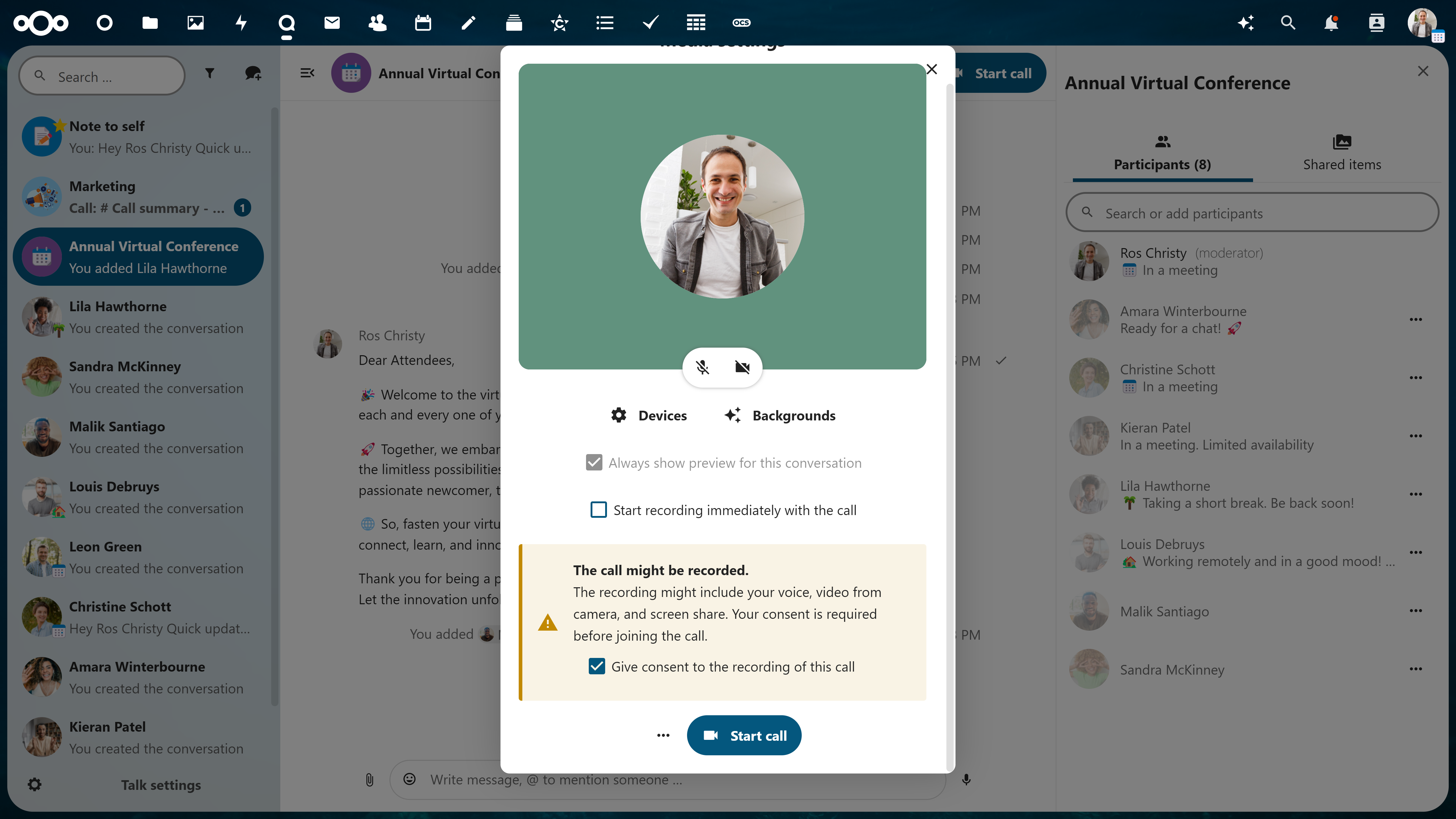
Record your video conferences for record-keeping or later use. Before anyone joins the call, a pop-up to consent to recording is delivered to ensure full transparency to participants. Download and save your recording in your Nextcloud.
👥 Support for large group conferencing
Lots of participants? No problem. Large groups are well-managed, and you won’t be able to tell the difference. Invite external guests, manage lobby and breakout rooms, assign admins and give granular permissions.
🤩 Reactions in calls
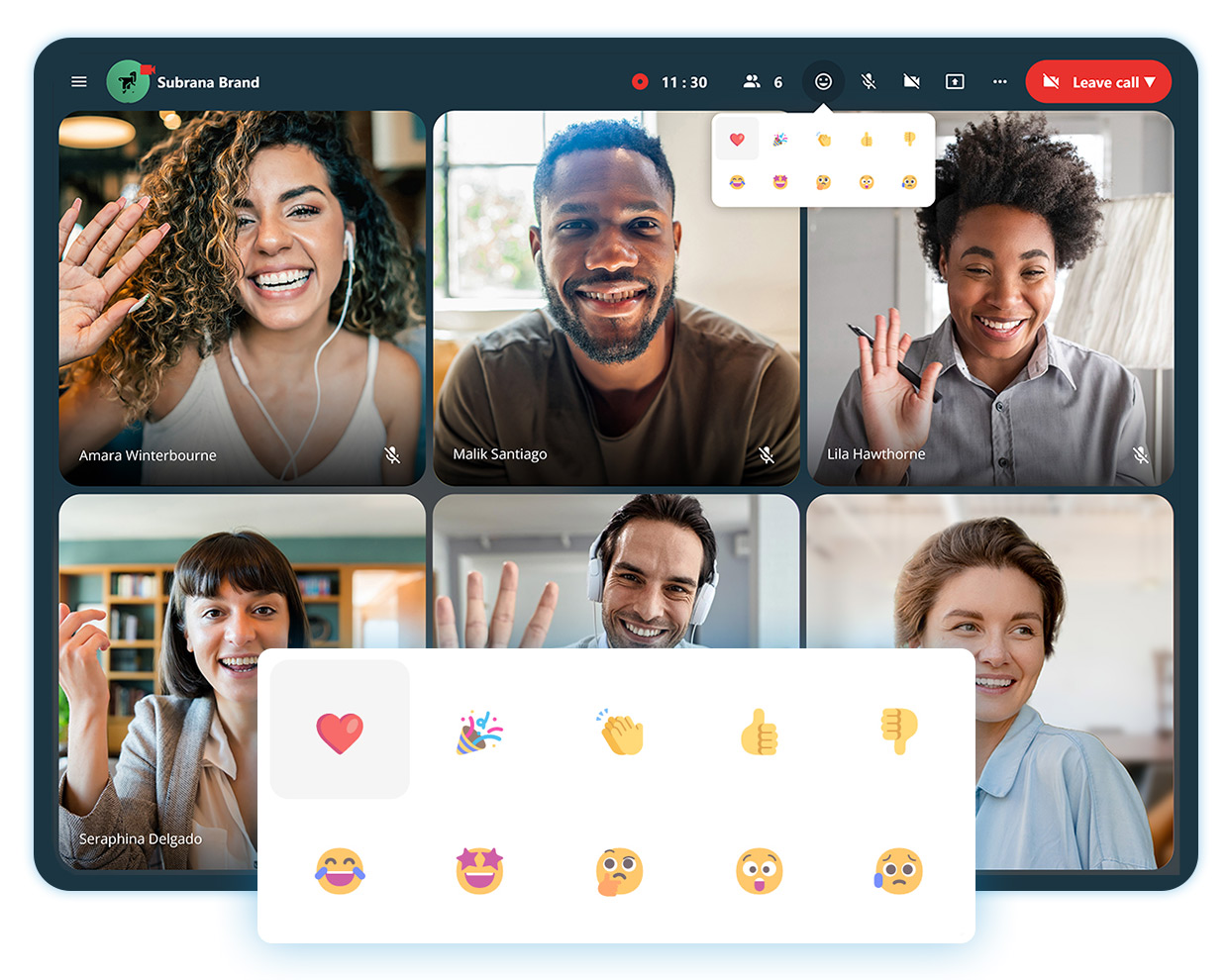
Express your feelings in a call to acknowledge someone’s statement, but do not go as far as disrupting.
📉 Track call duration and speaker talking times
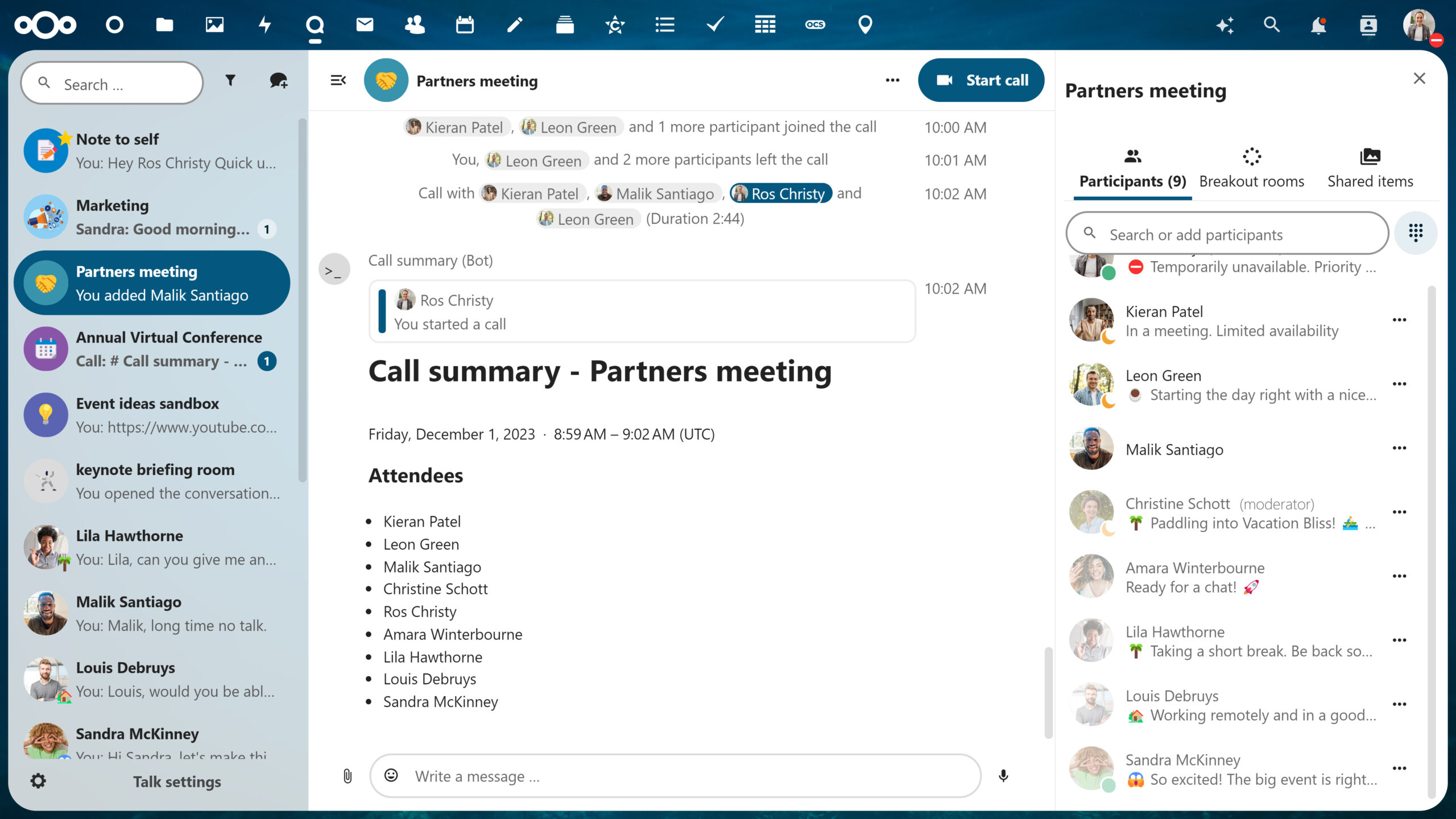
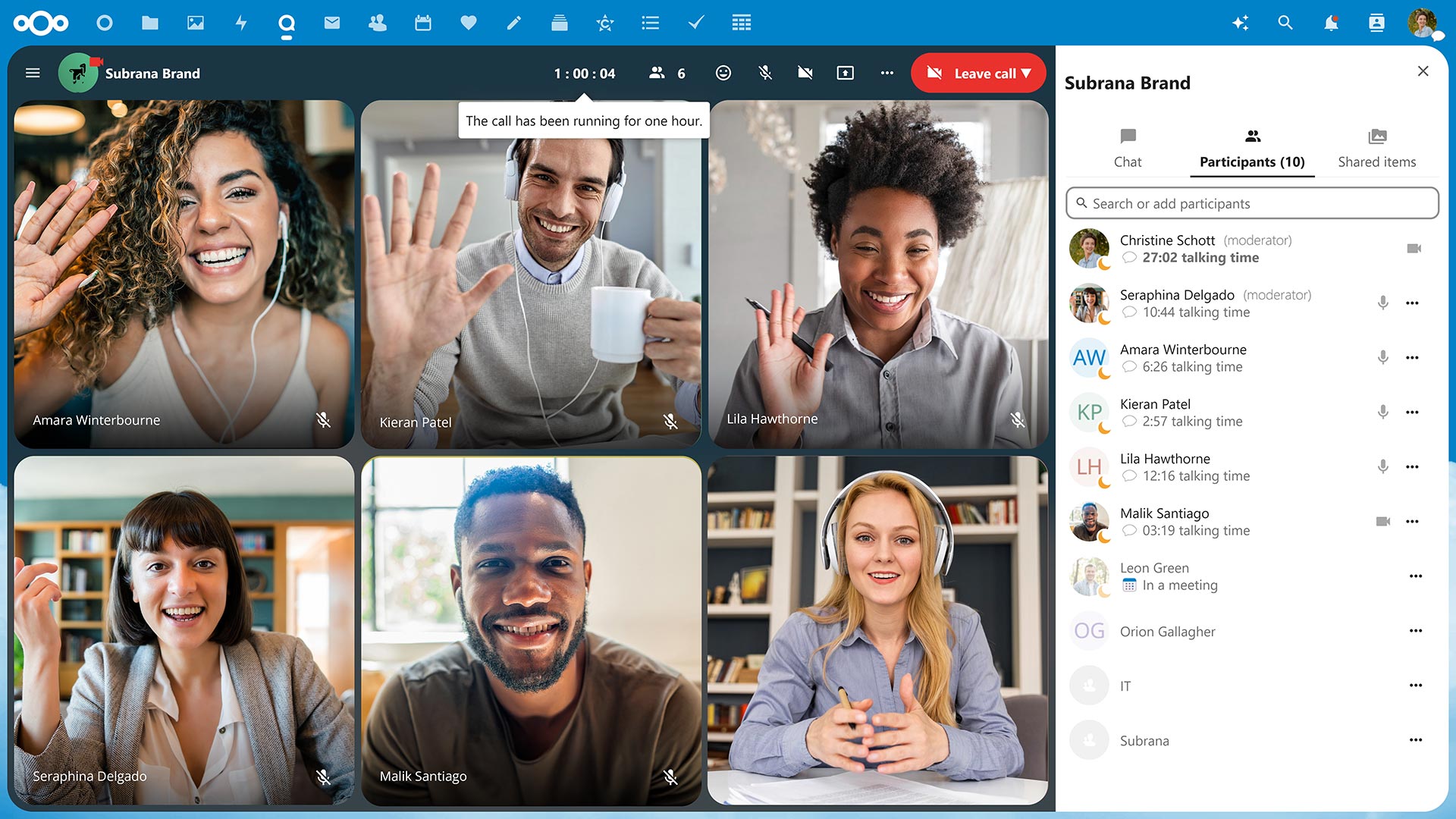
After one hour, you’ll get a notification that you’ve hit the hour mark, so you can stay aware of your time and others’. You’ll also never have to guess how long you’ve been talking, as speaker talking times will be tracked and noted at the end of the call.
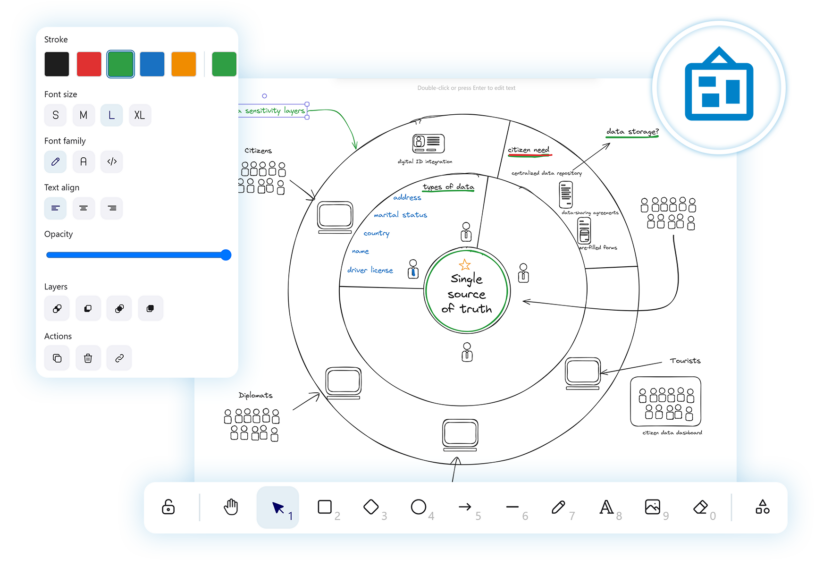
🖍 Interactive whiteboard in your calls
Integrate Nextcloud Whiteboard into your calls to run live brainstorming sessions with your team, present ideas and schemes, or host online classes.
📱Available via web and on mobile devices
Take video conferencing from your office, home, or on mobile with iOS and Android like never before.
Vitrual telephony in Nextcloud Talk
With phone features of Nextcloud Talk Phone, you can integrate telephony for each user and give them unique phone numbers.
Collaborators can connect to your group calls via phone, or you call them from a conversation to invite them to a meeting. The administrator can give unique extensions or phone numbers to each user on the server, so when they receive a call, they can pick up easily in Nextcloud Talk. And when they are out-of-office, the call will be automatically redirected to their replacement.
Why it works: Integrated with your Nextcloud 🔗
Nextcloud is unique in the sense that everything is connected. You can explore incredible integration capabilities with the rest of your Content Collaboration Platform.
Not sure what that entails?
Nextcloud operates as a one-stop-shop platform integrating its own file storage, email, chat, online video conferencing software, and more, so you can work efficiently and flexibly.
For example, if you’re in the middle of a call in Nextcloud Talk with a colleague and want to share a proposal your team has been working on, you can open the document directly from the chat sidebar. This is due to Files and Talk being integrated, which saves you a lot of time and effort.
The astonishing advantages of Nextcloud operating as a single platform don’t stop here – enable hundreds, even thousands, of integration possibilities across all apps with Nextcloud as a Single Platform.
The high-performance backend of Nextcloud’s online video conferencing software
Take it a step further with Nextcloud Talk’s High Performance Backend (HPB).
Designed for larger organizations, Nextcloud Talk’s High Performance Backend offers the capacity, reliability, and features enterprises need to conduct their business privately, securely and efficiently.
Unbeatable convenience
Dial-in by phone line to join a call with a SIP bridge
Conduct large-scale webinars, public broadcasting, or video conferencing with lobby
As an HPB customer, you will notice improved connection speed and network efficiency after the implementation due to lowering the load from calls on the Nextcloud server.
With open source technology, you have the opportunity to have full reign over your data. Whether you self-host on your own server or use a trusted hosting provider, your communications data happens and remains on your server, unlike popular alternatives like Microsoft Teams or Slack.
This unique protection extends further with our encrypted technologies by even keeping metadata at bay. Because Nextcloud Talk is designed with your privacy in mind.
Get in touch
We’re ready to show you what online video conferencing software can really be like. Try out Nextcloud Talk’s open source software.
Oggi presentiamo Nextcloud Hub 26 Spring, la nostra versione celebrativa. Ti offre una scelta ancora più ampia di strumenti, un'interfaccia più curata, una collaborazione senza stress e la nuova strategia di piattaforma, che permette agli sviluppatori di sfruttare meglio il nostro vasto ecosistema. costruito insieme, progettato per il futuro
Nextcloud Hub 25 Autumn semplifica l'avvio di una potente collaborazione con il pieno controllo dei tuoi dati. Dagli aggiornamenti del design globale al miglioramento dell'usabilità e delle prestazioni, scopri la nostra ultima release in questo blog.
Le organizzazioni, grandi e piccole, necessitano di una soluzione che garantisca la resilienza e la sovranità digitale delle loro operazioni: un'alternativa open source e rispettosa della privacy a Teams. E oggi presentiamo questa soluzione: Nextcloud Talk.
L’impostazione di un Nextcloud All-in-One o AIO è un modo semplice ed efficace per ottenere un’installazione Nextcloud completa con molte funzioni funzionanti già pronte. Ti offre una facile implementazione e manutenzione di queste funzionalità, permettendoti di mantenere i tuoi dati sotto il tuo controllo. In questo blog troverai le istruzioni per configurare un All-in-One su […]
Sei un utente Linux che vuole installare l’immagine Docker di Nextcloud All-in-One, o AIO? In questo blog ti guidiamo attraverso i passaggi, proprio come abbiamo fatto nella nostra ultima guida AIO per Windows 10 e 11! 🎉 Nextcloud All-in-One è un progetto basato su Docker che permette di installare un solo container che fa il […]
Salviamo alcuni cookie per contare i visitatori e rendere il sito più facile da usare. Questi dati non lasciano il nostro server e non servono a tracciare il tuo profilo personale! Per maggiori informazioni, consulta la nostra Informativa sulla privacy. Personalizza
I cookie statistici raccolgono informazioni in forma anonima e ci aiutano a capire come i visitatori utilizzano il nostro sito web. Utilizziamo Matomo in cloud.
Servizio:Matomo
Descrizione del cookie:
_pk_ses*: Conta la prima visita dell'utente
_pk_id*: Aiuta a non contare due volte le visite.
mtm_cookie_consent: Ricorda il consenso alla memorizzazione e all'utilizzo dei cookie dato dall'utente.
Scadenza del cookie:_pk_ses*: 30 minuti
_pk_id*: 13 mesi
mtm_cookie_consent: 30 giorni