Is it time to look into a SharePoint alternative for file sharing? The reasons are abundant. Before, users reported messy file sharing or issues with real-time collaboration. And now with the announcement of the end of support for SharePoint Server in July 2026, the urgency might be higher than ever for a SharePoint alternative. Because with no more bug fixes, technical support, or new features, the call for a more user-centric, better-integrated, and easier-to-use file sharing option rings louder than ever.
Learn more about Nextcloud Files
See in our on-demand webinar « Beyond OneDrive and SharePoint » how Nextcloud Files delivers secure, sovereign file sharing and storage versus Microsoft OneDrive and SharePoint, with key features demonstrated live.
1. Share internally with teams or externally with clients, without friction
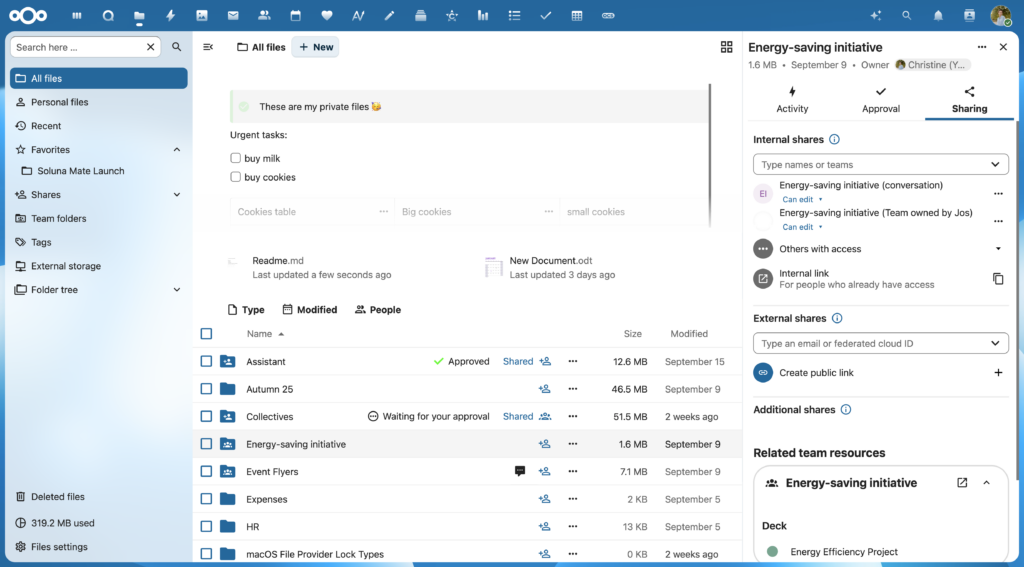
Nextcloud makes it easy to share files with internal and external contacts
By opening the “Share” menu on any folder or file, you can choose who can access your information. Internal shares can be done to individuals, based on their name, as well as entire teams. No more selecting every individual in the Marketing team! External shares are configured with a targeted email or a federated cloud ID to share between Nextclouds without creating new accounts. In only a couple of clicks, your file can be accessed by exactly whom you choose, without inviting them in.
2. Set the right permissions from the start
Access control is an important step in file security because not everyone needs full access to your file. That’s why you can immediately set the access permissions when sharing. From “View only” to “Allow editing”: make sure that every team or team member gets the right access level from the get-go. Do you want to finalize a file and prevent further editing? Simply change the settings back to “View only” with a simple click, and the file is locked for further changes.
3. Use advanced sharing controls for real security
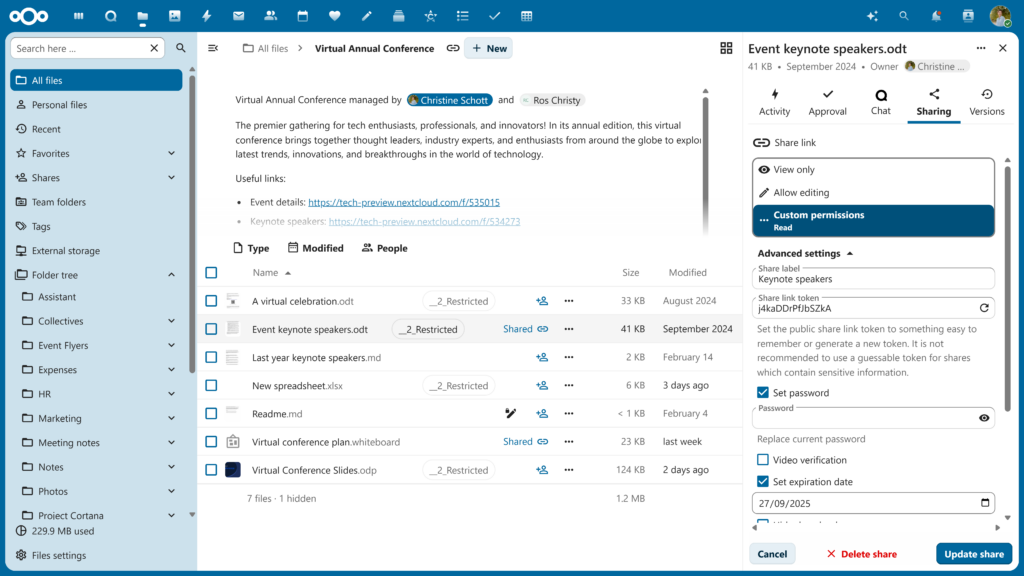
Setting your own custom permissions, such as an expiration date, is easy with Nextcloud Files
Time to dive into the advanced features that allow you to customize your sharing settings. For example, set an expiration date on your link to limit access to a predetermined date, so you can rest assured your links don’t fall into the wrong hands. Of course, you can also give others more advanced access to your file, including sharing or deleting. As auditing and revoking access are done in seconds, you can drastically improve compliance and security for your organization.
4. Collaborate directly on shared files
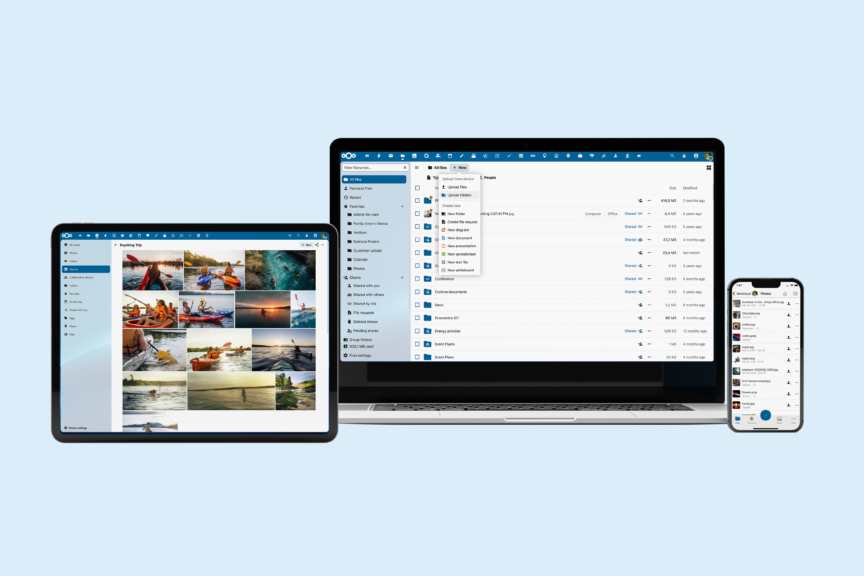
Take your files with you wherever you go with Nextcloud Files
Once you have shared your file and set up your customizable settings, you can start collaborating from any environment: your browser, the desktop sync client, or the mobile app. Comment on files, make real-time edits, or change the layout: everything is done in real-time, even if multiple people are working on a file. Did you make an error? Shared links always point to the latest version, but you can easily go into the “Version history” to make rollbacks.
5. Add context with Related Resources
As Nextcloud favors an integrated approach with a clear overview of your working documents, you can also add and access “Related resources” from the sharing menu. Quickly check what other files have been shared with the same group of people so you can ensure your employees have access to all necessary documents (and nothing more).
6. Share files with Nextcloud Deck cards
With its modular approach, Nextcloud allows you to pick and choose the apps that work for your online workspace, much like putting together the ideal productivity puzzle. And because of its extensive integration with all apps, you can easily share information within the Nextcloud platform. Why not share your file with a Nextcloud Deck card, our kanban-style organization tool for streamlined project organization? Add the file to a card, and your team can manage the project with all the necessary documents from one central place.
7. Collect files securely with File Drop
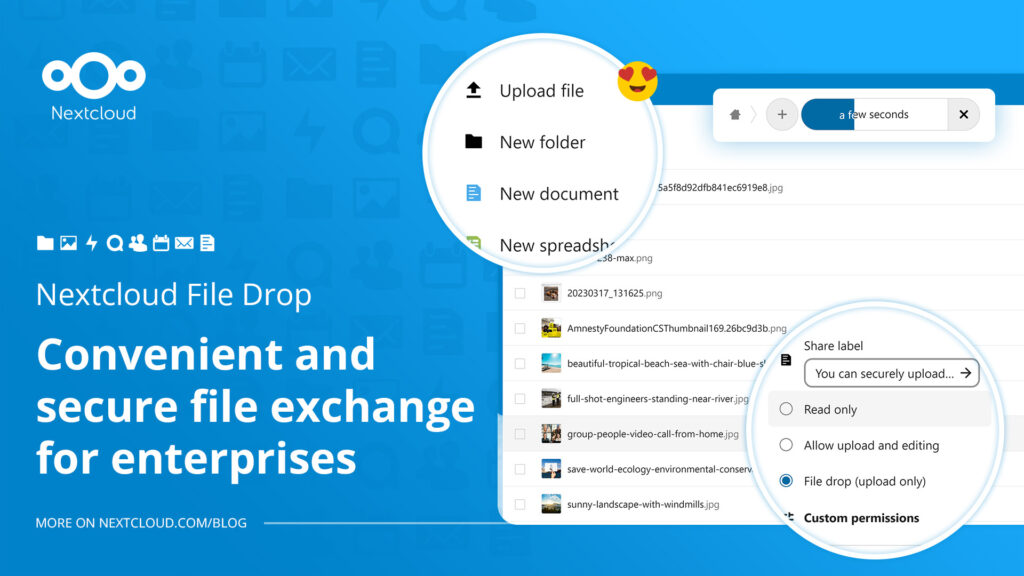
The File Drop feature is particularly interesting for large organizations, including the public sector, that often have to share information with others. As a convenient and secure file upload, you can simply create a hyperlink and send it to customers, patients, clients, or partners. They can then upload files for you in this secure cloud folder, automatically sending you a notification of new files. Once processed, you can send the result in a separate folder for your client to download securely.
8. Allow preview, without allowing downloads
What if you send a file and want your clients or team members to be able to look at it in the browser/preview, without them downloading it? With Nextcloud Files, you can show the content while preventing a copy from being saved. This smart feature gives you full control of how your content is consumed: View: Yes — Download: No.
9. Upload large files reliably with chunked uploads
According to Forbes, “businesses around the world are having more trouble moving large files and huge amounts of digital assets quickly and reliably between their global sites and teams.” Being able to preview files is an important step in ensuring better large file transfer. But Nextcloud goes further: When someone uploads a big file through a public share link, the client internally splits the file into smaller pieces (“chunks”) and uploads them one by one before merging. The result? No failed large uploads, quicker uploading, and a better UX.
10. Host your data on your terms
What sets Nextcloud really apart from other file sharing solutions is the full data control. Your files stay where you decide: On your own server, or hosted with a trusted partner. By doing so, you completely avoid the potential for data mining and silent policy changes: your files stay where you decide. This digitally sovereign approach gives you the power over your files, so you can always share with confidence.
Discover how Nextcloud Files can change the way you work
Why Nextcloud Files is your future-proof SharePoint alternative
Is it time to look at a SharePoint alternative? Nextcloud Files combines easy sharing, granular control, and full data ownership in one integrated platform.
Security settings live right where users need them, in the “Sharing” sidebar, making secure behavior the default, not an afterthought.
If your organization has outgrown traditional file sharing, it might be time to choose an alternative that puts people and data control first.
Regain your digital autonomy with Nextcloud Hub 26 Winter
Our latest release of Nextcloud Hub 26 Winter is here! Discover the latest Nextcloud features.
Le moment de reprendre le contrôle de vos données, c’est maintenant. Présentation du nouveau Nextcloud Hub, une puissante plateforme de collaboration open source qui vous met aux commandes. Découvrez les améliorations en matière de performance, de design et de sécurité, ainsi que de nombreux outils nouveaux et améliorés pour votre travail et votre vie quotidienne.
Nextcloud Hub 25 Autumn facilite le démarrage d'une collaboration puissante tout en gardant le contrôle de vos données. Des mises à jour globales du design à l'amélioration de la convivialité et des performances, découvrez notre dernière version dans ce blog.
Les organisations, petites et grandes, ont besoin d'un moyen d'assurer la résilience et la souveraineté numérique de leurs opérations - une alternative à Teams, open-source et respectueuse de la vie privée. Aujourd'hui, nous vous présentons cette solution - Nextcloud Talk.
Nous vous présentons une mise à jour majeure de l'assistant Nextcloud IA, ainsi que de nouvelles informations sur notre collaboration avec plusieurs grands fournisseurs d'hébergement tels que IONOS et OVHcloud pour vous proposer des options d'IA en tant que service !
Bechtle et Nextcloud ont annoncé aujourd'hui une plateforme de collaboration entièrement administrée pour le secteur public, qui ne nécessite pas d'appel d'offres et peut être déployée immédiatement.
Découvrez comment passer de ownCloud à Nextcloud. Notre outil d'aide à la migration fournit des informations sur le processus de migration et vous aide à effectuer la transition en douceur.
Au cours de la dernière année, l'IA est devenue un sujet à la mode. Il y a de l'engouement, mais aussi du fondement. Il y a du positif et du négatif. Nous voulons vous offrir le positif, pas le négatif, et ignorer le battage médiatique ! […]
Comment cela fonctionne-t-il ? Pour créer un lien de téléchargement, sélectionnez n’importe quel fichier, activez le « téléchargement de fichiers », puis choisissez « Dépôt de fichiers (téléchargement uniquement) ». Lorsqu’il est configuré, il masque tous les autres contenus existants du dossier au destinataire du partage, ce qui permet un téléchargement 100 % sécurisé. Vous pouvez maintenant partager ce […]
From government institutions to research organisations and private companies: There is a growing urgency to regain control over data, infrastructure and digital collaboration. Austria is actively shaping this movement with great lighthouse projects.
Nous enregistrons certains cookies pour compter les visiteurs et faciliter l'utilisation du site. Ces données ne quittent pas notre serveur et ne sont pas destinées à vous suivre personnellement ! Consultez notre politique de confidentialité pour plus d'informations Personnaliser
Les cookies utilisés pour enregistrer les données saisies dans les formulaires, telles que le nom, l'adresse électronique, le numéro de téléphone et la langue préférée.
Nom du cookie :nc_form_fields
Description du cookie :Mémorise les données saisies dans les formulaires pour une prochaine visite (nom, adresse électronique, numéro de téléphone et langue préférée).
Expiration du cookie :30 jours
Consentement
Nom du cookie :nc_utm_parameters
Description du cookie :We use cookies to store UTM parameters from your visit so we can understand how you arrived at our website.
Les cookies statistiques collectent des informations de manière anonyme et nous aident à comprendre comment nos visiteurs utilisent notre site web. Nous utilisons la solution open source de mesure de statistiques web Matomo
Service:Matomo
Description du cookie :
_pk_ses*: Compte la première visite de l'utilisateur
_pk_id*: Aide à ne pas compter deux fois les visites.
mtm_cookie_consent: Se souvient que l'utilisateur a donné son accord pour le stockage et l'utilisation de cookies.
Expiration du cookie :_pk_ses*: 30 minutes
_pk_id*: 13 mois
mtm_cookie_consent: 30 jours